


Blog

Welcome to the PEO Marketplace Blog

At PEO Marketplace, we’re dedicated to helping businesses find & compare the perfect Professional Employer Organization (PEO) to streamline HR, payroll, benefits, compliance, and more. Our blog is your go-to resource for expert insights, industry trends, and practical advice on managing your workforce more efficiently.

What You’ll Find Here

Why Follow Our Blog?

Choosing the right PEO can be a game-changer for your business, and our blog is here to guide you every step of the way. Whether you’re a startup, a growing business, or an established company, our insights will help you make informed decisions to optimize your HR processes.

Stay tuned for expert content, actionable tips, and in-depth resources to help your business thrive.

Rippling and Justworks are not the same type of product. Rippling is a workforce management platform that bundles HR, IT, and payroll tools under one roof. Justworks is a certified PEO that co-employs your workforce and gives you access to large-group benefits. Choosing between them depends less on features and more on what your business actually needs — and the tradeoffs are significant.

The Core Difference: What Is a Platform vs. What Is a PEO?

Before comparing price tags and feature lists, you need to understand what each model actually does for your business.

Rippling is a software platform. It helps you manage payroll, HR, device management, and benefits administration in one system. You remain the employer of record. Your employees are your employees. Rippling gives you tools to run HR more efficiently — but you’re still responsible for sourcing your own benefits, maintaining compliance, and managing employment-related risk.

Justworks is a Professional Employer Organization (PEO). Under a PEO model, Justworks becomes a co-employer of your workforce. That means your employees are pooled with tens of thousands of other workers, giving you access to Fortune 500-level health insurance rates, workers’ compensation coverage, and compliance support that would be impossible to access on your own. According to NAPEO, businesses that use a PEO grow 7–9% faster and have 10–14% lower employee turnover than those that don’t.

That one structural difference — platform vs. co-employment — drives almost every tradeoff between Rippling and Justworks.

Comparing PEOs is easier when you know your baseline cost. Our free calculator shows what a PEO would cost for your company in 60 seconds — no call needed.

Try the Free Calculator →

Rippling vs Justworks: Feature-by-Feature Breakdown

Here’s how the two products compare across the categories that matter most to growing businesses:

CategoryRipplingJustworks
ModelWorkforce management platformCertified PEO (co-employer)
Employer of RecordYou remain the employerShared (co-employment)
Benefits AccessBrokers your own plans or uses partnersLarge-group rates via pooled workforce
PayrollFull payroll includedFull payroll included
HR Compliance SupportTools and alerts; you carry the riskShared compliance liability via co-employment
Workers’ CompYou source your own policyIncluded through Justworks’ master policy
IT & Device ManagementYes — a standout featureNo
Global Payroll / EORYes — strong international capabilitiesLimited international support
Minimum Employee CountNone specifiedWorks well from 2 employees up
Pricing ModelModular; per-employee per-month per moduleFlat PEPM or % of payroll depending on plan
ESAC/IRS CertifiedN/A (not a PEO)Yes — IRS-certified PEO

Pricing: What Does Each Actually Cost?

Pricing for both products depends heavily on company size, location, and which services you select — but here’s what you can realistically expect in 2026.

Rippling Pricing

Rippling uses a modular pricing structure. The core platform starts around $8 per employee per month, but that only covers basic HR. Add payroll, benefits administration, time tracking, IT management, and learning management, and you can easily land at $20–$35+ per employee per month before benefits costs. Every feature you activate is essentially a separate line item. This gives you flexibility but also means your bill can creep up fast if you’re not careful. If you want to see how Rippling’s model compares to hidden-fee situations at larger vendors, our breakdown of ADP TotalSource fees is worth a read before you sign anything.

Justworks Pricing

Justworks publishes its pricing more transparently than most PEOs. Their Basic plan runs roughly $59 per employee per month for companies under 50 employees, dropping to around $49 PEPM at larger headcounts. The Plus plan (which includes medical, dental, and vision benefits access) starts at approximately $99 PEPM for smaller companies. That fee covers payroll, HR support, compliance, and workers’ comp — but you’ll still pay separately for the actual health insurance premiums. The key value isn’t the platform fee; it’s the access to large-group health insurance rates that can save businesses thousands per year in premium costs. For a broader look at Justworks alongside Gusto, check out our Gusto vs Justworks comparison.

When Rippling Wins

Rippling is the stronger choice in specific situations. Here’s when it makes more sense to go the platform route:

You Have a Tech-Heavy or Distributed Workforce

Rippling’s IT management capabilities — device provisioning, app access control, automated onboarding and offboarding — are genuinely unique. If you’re onboarding remote employees who need laptops shipped and software provisioned on day one, Rippling handles that in a way no PEO does. According to the Bureau of Labor Statistics, employee turnover remains expensive — and Rippling’s automated offboarding reduces the security and access risk that comes with it.

You Need Global Payroll or International EOR

Rippling has built out serious international infrastructure. If you’re paying contractors or employees in multiple countries, Rippling’s global payroll and employer-of-record services give you one platform to manage everything. Justworks is U.S.-focused and doesn’t have the same international footprint.

You Already Have a Benefits Broker You Trust

If your current broker has already found you competitive health insurance rates, and you’re primarily looking for a payroll and HR operations platform, Rippling lets you keep that broker relationship and just layer in the software.

When Justworks Wins

The PEO model has advantages that a software platform simply can’t replicate — and those advantages matter most in these situations:

You’re a Small Business That Can’t Compete on Benefits

If you have fewer than 50 employees, you’re buying health insurance in the small-group market. That means higher premiums, fewer carrier options, and weaker plan structures than large employers get. Justworks pools your employees with their entire book of business, which means your 15-person team gets quoted like a 10,000-person company. That benefit access alone often justifies the entire PEO fee. The IRS recognizes certified PEOs and the tax handling advantages they provide — another layer of legitimacy and risk reduction.

You Want Shared Compliance Liability

When Justworks is your co-employer, they share in the compliance responsibility. That matters if you operate in a heavily regulated state, have complex wage-and-hour exposure, or simply don’t have an HR attorney on retainer. With Rippling, the tools are there — but the liability stays with you.

You Want Workers’ Comp Handled Without a Separate Policy

Most small businesses have to find and manage their own workers’ compensation insurance. Under Justworks, workers’ comp is folded into the PEO relationship. That’s one less vendor, one less renewal, and no deposit required upfront — which matters for cash flow in early-stage businesses.

In our experience matching hundreds of businesses at PEO Marketplace, companies under 75 employees with limited HR infrastructure tend to get significantly more value from a PEO like Justworks than from a standalone platform. The benefits cost savings alone frequently offset the fee.

What About Comparing to Other PEOs?

Justworks is a strong PEO, but it’s not the only option — and it’s not always the best fit. If you’re considering a PEO, it’s worth evaluating the full market before committing. Some businesses find that a larger PEO like Insperity offers more dedicated HR support, while others find Justworks’ transparent pricing and self-serve model exactly right. Our Insperity cost comparison gives you a sense of the range you’re working with.

Based on our analysis of 40+ PEO providers, we’ve seen that the right PEO depends on your industry, state, headcount, and what you’re paying for benefits today. The best way to get an apples-to-apples comparison is through a matching service that’s already vetted the market — which is exactly what we do at PEO Marketplace.

Rippling vs Justworks: Which Should You Choose?

Here’s the simplest way to think about this decision:

  • Choose Rippling if you need a flexible, modular HR tech platform — especially if you have international employees, a tech-forward team, or already have solid benefits coverage.
  • Choose Justworks (or another PEO) if you want to improve your benefits offering, reduce compliance risk, and get workers’ comp handled — without building a large internal HR team.

These products are not competing for the same customer. Rippling is an HR operating system. Justworks is an HR service. The question isn’t which one is better — it’s which model fits what your business actually needs right now.

Not sure which model is right for you?

Talk to a PEO specialist at PEO Marketplace. We’ll match you with the right model — platform or PEO — based on your headcount, benefits situation, and budget. No sales pressure. No fee.

Book a Free Consultation →

Not ready to book a call? Get a free Benefits Benchmark Report for your industry — we will email you a breakdown of what companies your size are paying for HR, benefits, and workers comp so you can compare on your own timeline.


Get My Free Benchmark Report →

Frequently Asked Questions

Is Rippling a PEO?

No, Rippling is not a PEO. Rippling is a workforce management platform that provides HR, payroll, and IT tools, but it does not act as a co-employer. You remain the employer of record for all your employees when using Rippling, which means you retain full compliance liability and must source your own benefits and workers’ compensation insurance.

Is Justworks better than Rippling for small businesses?

For most small businesses — especially those under 50 employees — Justworks tends to deliver more tangible value because it provides access to large-group health insurance rates through co-employment, something Rippling cannot offer. Rippling may be a better fit if you have a tech-forward team, need IT management, or already have competitive benefits in place through a broker.

Can you use both Rippling and a PEO at the same time?

Generally no — you cannot use Rippling alongside a full-service PEO because a PEO assumes payroll and HR responsibilities that would conflict with Rippling’s platform functions. Some businesses use Rippling as their HR system of record after exiting a PEO once they’ve scaled large enough to source their own benefits competitively.

How much does Justworks cost compared to Rippling?

Justworks starts at roughly $59 per employee per month for its Basic plan, while Rippling’s base platform starts around $8 PEPM but can reach $30–$35+ PEPM once you add all the modules most businesses actually need. The comparison is not apples-to-apples because Justworks includes compliance coverage and workers’ comp, while Rippling’s fee is purely for software access.

What is a certified PEO and why does it matter?

A certified PEO (CPEO) has been approved by the IRS under criteria established by the Small Business Efficiency Act, which means it can remit federal employment taxes under its own EIN and provide certain tax benefits to clients. Justworks holds IRS CPEO certification, which adds a layer of regulatory accountability and financial assurance that a software platform like Rippling does not provide.

A PEO billing report is a detailed invoice your PEO sends each pay period that breaks down payroll costs, employer taxes, benefits premiums, and administrative fees for every employee on your account. Most business owners sign off on it without a second glance — and that’s exactly how overcharges slip through. Based on our experience matching hundreds of businesses with PEO providers, a quick monthly audit of your PEO billing report can surface hundreds or even thousands of dollars in errors every year.

What Is a PEO Billing Report?

A PEO billing report is the primary financial document your Professional Employer Organization (PEO) sends you each pay cycle. Think of it as a master payroll summary combined with an HR services invoice — all rolled into one. It tells you what you owe, why you owe it, and how it breaks down across your workforce.

The problem is that these reports are dense. A mid-size business with 30 employees can receive a billing report that runs 8–12 pages, packed with line items, codes, and abbreviations that aren’t exactly self-explanatory. Most owners glance at the total, approve it, and move on. That habit is expensive.

According to NAPEO, businesses that use PEOs save an average of $1,775 per employee per year compared to managing HR in-house. But that savings evaporates fast if you’re silently absorbing billing errors month after month.

What’s Typically Included in a PEO Invoice

Every PEO formats its billing report slightly differently, but you’ll almost always find these core sections:

  • Gross payroll: Total wages paid to all W-2 employees before deductions
  • Employer payroll taxes: FICA (Social Security and Medicare), FUTA, and SUTA contributions
  • Workers’ compensation premiums: Calculated per pay period based on job classification codes and payroll
  • Benefits premiums: Medical, dental, vision, life, and any voluntary benefits — both employer and employee portions
  • PEO administrative fee: Either a flat per-employee-per-month (PEPM) fee or a percentage of gross payroll
  • Employee-level detail: A line-by-line breakdown showing each employee’s individual costs

Not sure if a PEO makes sense for your business? Our free calculator shows you the real cost in 60 seconds — no call, no email, no commitment.

Try the Free Calculator →

How to Read Your PEO Billing Report Step by Step

Reading your PEO billing report correctly means going beyond the total-due line. Here’s the process we recommend walking through every pay period.

Step 1: Reconcile the Employee Count

Start with the simplest check: count the employees on the report and match it against your actual headcount. If someone left last month and they’re still showing up as an active employee, you’re paying benefits premiums and admin fees for a ghost. This happens more often than PEOs like to admit, especially around month-end terminations.

Cross-reference terminated employees against the report’s effective dates. Benefits premiums are often billed a full month in advance, so a termination on the 3rd of the month can still generate a full month of charges if the PEO’s system isn’t updated promptly.

Step 2: Verify Gross Payroll Figures

Your PEO’s reported gross payroll should match your own payroll records exactly — down to the dollar. Pull your internal payroll run from the same period and compare line by line. Discrepancies here often point to a data entry error on a new hire, an incorrect salary change, or a bonus that was double-counted.

Also check whether any contractors or 1099 workers are accidentally included in the W-2 payroll section. The IRS distinguishes clearly between employees and independent contractors — and misclassification in either direction creates tax and billing problems.

Step 3: Audit the Workers’ Comp Charges

Workers’ compensation is one of the most common sources of overcharges in a PEO billing report. Premiums are calculated using job classification codes (called NCCI codes) assigned to each employee based on their role. Errors happen when:

  • An employee is assigned to the wrong class code (e.g., an office manager coded as a manual laborer)
  • An employee who changed roles wasn’t re-coded in the system
  • Your experience modification rate (X-Mod) wasn’t updated after a good claims year

According to the Bureau of Labor Statistics, workers’ comp costs vary dramatically by industry and job type — so even a single miscoded employee can skew your bill meaningfully over a year. Ask your PEO for a full class code listing for all employees at least once per quarter.

Step 4: Check Benefits Premium Allocations

Your PEO billing report should show the employer’s share and the employee’s share of every benefit separately. Confirm that employee deductions match what’s actually being withheld from paychecks. If the employer contribution shown on the invoice is higher than what you agreed to during open enrollment, you may be subsidizing more than you intended.

Also verify that employees on waived coverage aren’t generating premium charges. Employees who opt out of health insurance should show zero on the medical premium line — but billing systems sometimes fail to process waivers correctly.

Step 5: Scrutinize the Admin Fee Calculation

Your PEO’s administrative fee is either a flat PEPM rate or a percentage of gross payroll. Either way, you should be able to reconstruct it yourself from the numbers on the page. If it’s percentage-based, multiply the stated rate by gross payroll and see if the result matches the fee charged. If it’s PEPM, multiply the rate by active employee count.

We’ve seen cases — detailed in our post on hidden fees with ADP TotalSource — where administrative fees creep up subtly over time without a formal rate-change notice. Year-over-year comparison of your admin fee line is worth doing every January.

Common PEO Overcharges to Watch For

Based on our analysis of 40+ PEO providers and the billing disputes we’ve helped clients navigate, these are the overcharges that appear most frequently.

Overcharge TypeHow It HappensHow to Catch It
Ghost employeesTerminated workers still active in systemCompare headcount to termination log monthly
Wrong NCCI class codesEmployees coded to higher-risk job categoriesRequest full class code roster quarterly
Waiver failuresOpted-out employees still generating premiumsCross-check enrollment status vs. premium charges
Duplicate payroll runsSystem error processes a pay period twiceCompare pay period count to calendar
Stale X-Mod factorOld claims modifier not updated after good yearRequest annual X-Mod confirmation in writing
Unauthorized fee increasesAdmin fee percentage quietly bumped upRecalculate fee from gross payroll each period
Misallocated bonusesBonus payroll inflates workers’ comp calculationConfirm which pay types are excluded from WC base

How to Build a Simple PEO Billing Audit Routine

You don’t need an accountant to do this. A consistent 20-minute review each pay period catches the majority of errors before they compound. Here’s the rhythm we recommend:

Every Pay Period

  • Verify employee count matches your HR system
  • Confirm gross payroll matches your internal run
  • Spot-check 3–5 individual employee lines for accuracy
  • Recalculate the admin fee from raw numbers

Monthly

  • Review all new hire and termination effective dates
  • Check that benefits waivers are processing correctly
  • Compare this month’s total to last month — flag anything over 5% variance that isn’t explained by headcount change

Quarterly

  • Request a full NCCI class code report and verify job title alignment
  • Review your experience modification factor
  • Pull a year-to-date summary and compare admin fees to your signed contract rate

If you’re shopping PEOs and want to understand how pricing and billing structures compare across providers, our Insperity cost comparison and Gusto vs. Justworks breakdown are good reference points for what transparent billing looks like.

When to Dispute a Charge — and How

If you find a discrepancy, document it before you call. Screenshot or export the relevant section of the billing report, pull the supporting payroll data, and write out the expected number versus what was charged. Most PEOs have a formal billing dispute process — ask your account manager for the correct channel, because emailing a general support inbox often results in slow turnaround.

For recurring errors or unresolved disputes, escalate to your dedicated client success rep or request a billing audit from the PEO’s finance team. If the PEO is unresponsive or the errors are systematic, that’s a red flag worth factoring into your next PEO evaluation.

Persistent billing problems are one of the top reasons businesses switch PEOs. According to NAPEO, the PEO industry serves over 4 million worksite employees — and billing accuracy is consistently cited as a top satisfaction driver in client retention surveys.

Is It Time to Reassess Your PEO?

If you’re finding errors regularly, paying more than your contract specifies, or simply can’t get a straight answer from your PEO’s billing team, it may be time to compare your options. Our free PEO cost calculator gives you a benchmark in under 60 seconds — no sales call required.

In our experience matching hundreds of businesses across 40+ vetted PEO providers, the best PEOs offer transparent, itemized billing with dedicated account support and a clear dispute resolution process. If yours doesn’t, better options exist.


Frequently Asked Questions

How often should I audit my PEO billing report?

You should do a basic review every pay period — which takes about 15–20 minutes once you know what to look for. A more thorough quarterly audit covering class codes, benefits enrollment status, and year-to-date fee totals helps catch slower-moving errors that can compound over several months.

What’s the most common PEO billing error?

In our experience, the most common PEO billing error is terminated employees remaining active in the billing system and continuing to generate benefits premiums and admin fees. This is especially common when terminations happen near the end of a billing cycle and the PEO’s HR system isn’t updated promptly.

Can I negotiate a refund if I find a PEO overcharge?

Yes — most PEOs will issue a credit or refund for documented billing errors, especially if you can show the discrepancy clearly with supporting payroll data. Document everything in writing and escalate through your account manager rather than general support to resolve issues faster.

What are NCCI class codes and why do they matter on my PEO bill?

NCCI class codes are standardized job classification codes used to calculate workers’ compensation premiums — higher-risk jobs carry higher rates. If an employee is assigned the wrong code, you may be paying a significantly higher workers’ comp rate than your actual workforce warrants, which can add up to thousands of dollars annually.

How do I know if my PEO admin fee has increased without notice?

Recalculate the admin fee yourself each billing period: if it’s percentage-based, multiply the rate in your contract by gross payroll and compare to what was charged; if it’s a flat PEPM rate, multiply by active employee count. Any gap between your calculation and the invoice total warrants a direct question to your account manager in writing.


Ready to Find a PEO With Transparent Billing?

We’ll match you with vetted providers who offer clear, auditable invoices and dedicated account support — at no cost to you.

Book a Free Consultation →

Not ready to book a call? Get a free Benefits Benchmark Report for your industry — we will email you a breakdown of what companies your size are paying for HR, benefits, and workers comp so you can compare on your own timeline.

Get My Free Benchmark Report →

Amplify PEO Review: Is It Right for Your Business?

Amplify PEO is a mid-market professional employer organization that positions itself as a high-touch HR outsourcing partner for growing small and mid-size businesses. Based on our analysis of 100+ PEO providers, Amplify stands out for its personalized service model and competitive benefits access — but it isn’t the right fit for every company. This review breaks down Amplify’s pricing structure, service quality, benefits offerings, and ideal client profile so you can make an informed decision.

What Is Amplify PEO?

Amplify PEO is a professional employer organization that enters into a co-employment relationship with client businesses, taking on shared responsibility for payroll, HR administration, employee benefits, risk management, and compliance. Founded to serve growth-stage businesses that need enterprise-level HR infrastructure without the cost of building it in-house, Amplify operates as a full-service PEO rather than a software-first platform like Gusto or Justworks.

Under the co-employment model, Amplify becomes the employer of record for tax and insurance purposes. Your employees remain under your day-to-day direction, but Amplify handles payroll taxes, workers’ compensation, benefits administration, and HR support. According to NAPEO, businesses that use a PEO grow 7–9% faster and have 10–14% lower employee turnover than those that don’t — and Amplify is designed to deliver exactly that kind of operational leverage.

Amplify PEO Pricing: How Does It Work?

Amplify PEO uses a per-employee-per-month (PEPM) pricing model, which is straightforward to budget and easy to forecast as your headcount changes. In our experience matching hundreds of businesses with PEO providers, PEPM pricing tends to be more transparent than percentage-of-payroll models because your cost doesn’t automatically balloon when you give employees raises.

Estimated Cost Range

Amplify’s pricing typically falls in the range of $100–$180 PEPM depending on company size, location, industry, and the benefits package selected. Businesses with 10–50 employees tend to fall toward the higher end of that range on a per-head basis, while companies scaling past 50 employees generally unlock better unit economics. There are no publicly listed rates — you’ll need a custom quote, which is standard across the PEO industry.

It’s worth noting what’s typically included in Amplify’s base fee: payroll processing, tax filing, a dedicated HR contact, workers’ compensation coverage, and access to their benefits marketplace. Add-ons like enhanced compliance support or specialized HR consulting may carry additional fees — always request a full fee schedule before signing.

Want to see what a PEO would actually cost your business before jumping on a sales call? Use our free PEO cost calculator to get a real number in under 60 seconds.

Not sure if a PEO makes sense for your business? Our free calculator shows you the real cost in 60 seconds — no call, no email, no commitment.

Try the Free Calculator →

Amplify PEO Service Quality: What You Actually Get

Service quality is where Amplify differentiates itself from the large national PEOs. Rather than routing your HR questions through a call center, Amplify assigns a dedicated HR team to each client account. In practice, this means you have a named contact who understands your business, your workforce, and your history — not a ticket number and a wait time.

Dedicated HR Support

Amplify’s dedicated HR model is particularly valuable for businesses that are navigating rapid headcount growth, complex multi-state compliance requirements, or industries with high employee turnover. Your HR team handles onboarding, offboarding, policy documentation, and employee relations issues. For business owners who are currently wearing the HR hat themselves, this is a meaningful operational unlock.

Payroll and Tax Administration

Payroll runs on a reliable processing schedule, and Amplify handles all federal, state, and local tax filings on your behalf. According to the IRS, small businesses collectively pay over $4.5 billion annually in payroll penalty fees — mostly from errors that a PEO like Amplify is designed to prevent. W-2 preparation and ACA reporting are included, which removes significant compliance burden at year-end.

Compliance and Risk Management

Amplify keeps clients updated on changes to employment law, wage and hour regulations, and benefits compliance. This is especially important for businesses operating in multiple states where rules vary significantly. Their risk management team also supports workers’ compensation claims management, which can be a major cost center for businesses in physical or trade industries. The Department of Labor updates employment regulations frequently, and having Amplify’s compliance team monitoring those changes on your behalf reduces your exposure considerably.

Benefits Access: What Does Amplify Offer Employees?

One of the core value propositions of any PEO is benefits purchasing power. Because Amplify acts as the employer of record across all of its client companies, it can aggregate thousands of employees and negotiate group rates that a 20-person company could never access independently.

Health Insurance and Medical Coverage

Amplify typically offers access to major carrier medical plans including PPO, HMO, and HDHP options. The quality of plan options varies by region, but in most markets Amplify clients access plans that are meaningfully better than what a small business could source on its own. For context, the Bureau of Labor Statistics reports that 73% of private-sector workers have access to employer-sponsored health insurance — and using a PEO like Amplify is one of the most cost-effective ways for small employers to join that statistic.

Additional Benefits Offerings

Beyond medical, Amplify’s benefits marketplace typically includes dental, vision, life insurance, short- and long-term disability, FSA/HSA accounts, and 401(k) retirement plans. The 401(k) offering is a meaningful recruitment tool — many small businesses skip retirement benefits entirely because of administrative complexity, and Amplify removes that barrier. Employee Assistance Programs (EAPs) and voluntary benefits like pet insurance or legal services are often available as add-ons.

Amplify PEO vs. The Competition: Quick Comparison

FeatureAmplify PEOInsperityJustworksADP TotalSource
Pricing ModelPEPM% of PayrollPEPM% of Payroll
Dedicated HR Contact✅ Yes✅ Yes⚠️ Limited⚠️ Varies
Ideal Company Size10–150 employees5–5,000 employees1–200 employees10–1,000+ employees
HRIS TechnologySolid, mid-tierStrongExcellentStrong
Transparent PricingCustom quoteCustom quotePublished ratesCustom quote
Hidden Fee RiskLow–moderateModerateLowHigher

If you’re comparing Amplify against the larger national players, our Insperity cost comparison and our Gusto vs. Justworks breakdown are good reads alongside this review.

Who Is Amplify PEO Best For?

Based on our analysis and matching experience, Amplify PEO tends to be a strong fit for a specific type of business. It’s not a one-size-fits-all solution, and knowing the ideal profile helps you self-qualify before spending time on a discovery call.

Businesses That Tend to Love Amplify

  • Companies with 10–100 employees that have outgrown DIY HR but aren’t large enough to justify a full in-house HR department
  • Multi-state employers who need compliance coverage across different state labor laws without hiring a team of HR attorneys
  • Professional services firms (tech, consulting, marketing, finance) where attracting talent with strong benefits matters as much as salary
  • Business owners who want a relationship, not a ticket number — Amplify’s dedicated service model is its core differentiator
  • Companies in growth mode that need HR infrastructure to scale without adding headcount to the HR team

Businesses That Might Look Elsewhere

  • Solo operators or companies under 5 employees — the economics may not pencil out at very small headcounts
  • Tech-first buyers who want a slick self-service HRIS platform above all else — Justworks or Rippling may be a better UI fit
  • Businesses where workers’ comp rates are extremely complex (e.g., large construction companies) — a specialty PEO may serve you better
  • Buyers primarily motivated by lowest possible price — Amplify’s service model commands a fair price, and you won’t get that level of support from a budget-tier provider

If you’re still weighing your options across the PEO market, our PEO matching service helps you compare vetted providers side by side without doing the legwork yourself.

Potential Drawbacks to Know Before Signing

No PEO is perfect, and an honest Amplify PEO review requires acknowledging the limitations. First, Amplify is not an enterprise-scale provider — if you’re expecting to grow past 500 employees in the near term, you may eventually need to transition to a larger platform, and PEO transitions carry real administrative cost. Second, like most PEOs, contract terms matter: understand your termination clause, notice period, and what happens to your benefits plans if you exit. Third, their HRIS technology is functional and capable but is not the flashiest in the market — buyers who prioritize employee-facing software experience may find the platform underwhelming compared to newer entrants.

As a general rule, always watch for fees that aren’t bundled into the base PEPM rate. Our guide on hidden PEO fees is worth reading before you sign any PEO contract, regardless of provider.

Our Verdict: Is Amplify PEO Worth It?

Amplify PEO earns a strong recommendation for growing small and mid-size businesses that value relationship-driven HR support over self-service software. Its dedicated HR model, competitive benefits access, and PEPM pricing structure make it a solid, predictable partner for companies in the 10–150 employee range. The pricing is fair for what’s delivered, and businesses that engage Amplify fully — using their HR team as a genuine strategic resource rather than just a payroll processor — tend to get strong ROI.

That said, it’s not the right choice for every business. Technology-forward buyers, very small companies, or employers in high-complexity industries should weigh alternatives carefully. The best way to know if Amplify is right for you is to see how it stacks up against two or three comparable providers in a structured comparison — which is exactly what we do at PEO Marketplace.

Get a Free, Unbiased PEO Comparison

We’ll match you with 2–3 vetted PEOs including Amplify and show you side-by-side pricing and service comparisons — at no cost and no obligation.

Book Your Free Consultation →

Not ready to book a call? Get a free Benefits Benchmark Report for your industry — we will email you a breakdown of what companies your size are paying for HR, benefits, and workers comp so you can compare on your own timeline.

Get My Free Benchmark Report →

Frequently Asked Questions About Amplify PEO

How much does Amplify PEO cost per employee?

Amplify PEO typically prices its services in the range of $100–$180 per employee per month, depending on your company size, industry, location, and the benefits package you select. Pricing is custom and requires a quote — you won’t find a published rate sheet on their website, which is standard for full-service PEOs.

Is Amplify PEO a good fit for small businesses under 10 employees?

Amplify PEO can work for businesses with fewer than 10 employees, but the cost-per-employee tends to be higher at very small headcounts, which can make the economics harder to justify. Companies in that range should use a PEO cost calculator or speak with an advisor to confirm the numbers work before moving forward.

Does Amplify PEO offer 401(k) and retirement benefits?

Yes, Amplify PEO includes access to 401(k) retirement plans as part of its benefits marketplace. This is one of the most valued features for small businesses using Amplify, since setting up and administering a standalone 401(k) plan is complex and expensive when done independently.

How does Amplify PEO compare to Insperity or ADP TotalSource?

Amplify is a smaller, more service-focused provider compared to national giants like Insperity or ADP TotalSource, which means you typically get more personalized HR support but a less extensive technology platform. Businesses that prioritize having a dedicated HR contact over enterprise-scale software tools often prefer Amplify’s model over the larger providers.

What happens to my employees’ benefits if I leave Amplify PEO?

When you exit a PEO relationship, your employees’ benefits coverage through the PEO ends, and you’ll need to transition to a new benefits carrier or another PEO. It’s critical to review the termination and transition terms in your PEO contract before signing so you understand the notice period and any coverage gap risk for your team.

TriNet and Justworks are both full-service PEOs, but they are built for different stages of business growth. Justworks is optimized for early-stage startups that want simple, transparent pricing and fast setup. TriNet is geared toward mid-market companies that need industry-specific HR support, richer benefits options, and dedicated service teams. Choosing the wrong one at the wrong stage can cost you time, money, and employee trust.

What Is a PEO and Why Does It Matter for Startups?

A Professional Employer Organization (PEO) acts as a co-employer, handling payroll, benefits, compliance, and HR administration on your behalf. Instead of building an internal HR department from scratch, you outsource those functions to a provider that pools your employees with thousands of others — giving you access to Fortune 500-level benefits at small business prices.

According to NAPEO, businesses that use a PEO grow 7–9% faster, have 10–14% lower employee turnover, and are 50% less likely to go out of business than those without one. For a startup where every hire and every dollar counts, those numbers matter.

In our experience matching hundreds of businesses to the right PEO at PEO Marketplace, the TriNet vs Justworks decision comes up constantly — and the answer almost always comes down to company size, stage, and how much hand-holding you need from your provider.

Comparing PEOs is easier when you know your baseline cost. Our free calculator shows what a PEO would cost for your company in 60 seconds — no call needed.

Try the Free Calculator →

TriNet vs Justworks: Side-by-Side Comparison

Before diving into each platform’s strengths and weaknesses, here is a quick snapshot of how they compare across the categories that matter most to startup founders and HR leads.

CategoryJustworksTriNet
Best ForStartups, 1–150 employeesMid-market, 50–1,000+ employees
Pricing ModelFlat PEPM ($59–$99+)% of payroll (varies by industry)
Pricing TransparencyPublished onlineQuote-based only
Onboarding SpeedAs fast as 1–2 weeks3–6 weeks typical
Benefits QualityGood — major carriersExcellent — industry-specific plans
Dedicated HR SupportShared support teamDedicated HR rep
Contract TermsMonth-to-month availableAnnual contracts standard
Platform UXVery clean and intuitiveFunctional, more complex
IRS CPEO CertifiedNoYes

Justworks: Built for the Startup Stage

Justworks is the go-to PEO for founders who need to get up and running fast without a dedicated HR team to manage the relationship. Its flat per-employee-per-month pricing — published openly on its website — eliminates the guesswork that plagues most PEO comparisons.

Justworks Pricing

Justworks charges a flat monthly fee per employee: roughly $59 PEPM for the Basic plan and $99 PEPM for the Plus plan, which includes medical, dental, and vision benefits access. Pricing drops slightly at higher employee counts. This flat-fee model is predictable, which startup CFOs love when building financial models. There are no hidden percentage-of-payroll fees creeping up as you scale salaries.

Justworks Onboarding

Onboarding with Justworks is genuinely fast. Most companies are fully live within one to two weeks, sometimes faster if your payroll data is clean. The self-serve platform guides both admins and employees through setup, benefits enrollment, and document collection without much hand-holding from the Justworks team — which is either a feature or a bug depending on how much support you want.

Justworks Benefits

Justworks offers access to major medical carriers including Aetna, MetLife, and Guardian, along with HSA/FSA options, 401(k), commuter benefits, and workers’ compensation. The benefits are solid for a startup — more than you could access on your own — but they are not deeply customizable. You pick from predefined plan structures rather than building a tailored benefits stack.

Justworks Contract Terms

This is where Justworks wins decisively for early-stage companies. Month-to-month contracts are available, meaning you are not locked in if your headcount changes dramatically or you decide to move on. For a startup that might pivot, be acquired, or downsize, that flexibility is genuinely valuable.

For a deeper dive on how Justworks stacks up against another popular option, read our post on comparing PEO Gusto and Justworks.

TriNet: Built for Companies That Have Outgrown Simple

TriNet is a heavyweight PEO designed for companies that need more than a clean dashboard and a flat fee. Its industry-specific HR expertise — with dedicated vertical teams for technology, financial services, nonprofits, life sciences, and more — makes it one of the most capable PEOs in the market for mid-size businesses with complex needs.

TriNet Pricing

TriNet uses a percentage-of-payroll pricing model, and it does not publish rates publicly. Based on our analysis of 40+ PEO providers, TriNet typically runs between 2–5% of gross payroll depending on your industry, headcount, and the benefits package you select. That percentage model works in your favor when salaries are low, but it can get expensive quickly as you scale compensation — especially in high-paying sectors like tech or finance.

Be aware that the percentage-of-payroll structure can include fees you did not anticipate. Before signing any TriNet contract, review our guide on hidden PEO fees — many of the same patterns apply across large providers.

TriNet Onboarding

TriNet’s onboarding is thorough but slower. Expect three to six weeks to go fully live, with a dedicated implementation team walking you through the process. For a company with 75+ employees, complex benefits, or multi-state payroll, that thoroughness is worth it. For a 15-person startup that needs to onboard next month, it can feel like overkill.

TriNet Benefits

TriNet’s benefits are a genuine differentiator. The company negotiates industry-specific plans — a tech company’s benefits package looks meaningfully different from a nonprofit’s, and TriNet builds that in. Medical, dental, vision, life, disability, 401(k), FSA, HSA, legal assistance, and mental health programs are all available. If attracting senior engineering or finance talent with competitive benefits is a priority, TriNet’s benefits catalog is hard to beat among PEOs at this scale.

TriNet is also an IRS-certified CPEO (Certified Professional Employer Organization), which carries specific tax and liability advantages. According to the IRS, CPEO status means certain federal employment tax liabilities transfer more cleanly between the PEO and the client, reducing your exposure.

TriNet Contract Terms

TriNet typically requires annual contracts, and early termination can come with fees. For a stable mid-market company with predictable headcount, that is not a problem. For an early-stage startup that could look very different in six months, it is a real risk. Negotiate contract flexibility before you sign — it is possible to get better terms if you push.

Curious how TriNet stacks up against other mid-market options? See our full Insperity cost comparison for another data point in this tier.

Which One Should Your Startup Choose?

The honest answer depends on where you are right now — not where you plan to be.

Choose Justworks if: You have fewer than 75 employees, you want transparent flat-fee pricing, you need to onboard fast, and you want flexibility to exit if your business changes. It is the better tool for seed and Series A companies building HR from scratch.

Choose TriNet if: You have 75+ employees, you need industry-specific HR expertise, you are competing for senior talent with Fortune 500 benefits, or you have multi-state compliance complexity that requires dedicated HR support. TriNet earns its cost at scale — it just does not make sense at the earliest stages.

Consider a third option: Justworks and TriNet are two of the most visible names, but they are not always the best fit. Based on our analysis of 40+ PEO providers, there are strong alternatives — including Rippling, Sequoia One, and others — that may serve your specific industry, headcount, or funding stage better than either of these. Our free matching service at PEO Marketplace can surface those options without a sales pitch.

According to the Bureau of Labor Statistics, employee benefits now represent nearly 31% of total employer compensation costs — which means getting your benefits platform right is not an HR issue, it is a financial strategy issue.

Use our free PEO cost calculator to get a baseline on what either platform would cost for your headcount before you start talking to sales reps.

Final Verdict: TriNet vs Justworks

Justworks wins on simplicity, speed, and flexibility — making it the right call for most startups under 75 employees. TriNet wins on depth, benefits quality, and dedicated HR support — making it the right call once you have the complexity to justify it. Neither is universally better. The best PEO is the one that matches where your business actually is today, not where you hope to be in three years.

Not Sure Which PEO Is Right for You?

PEO Marketplace is a free, unbiased matching service. We work with 40+ vetted PEO providers and will match you to the right one based on your size, industry, and budget — no pressure, no hidden agenda.

Book a Free 15-Minute Consultation →

Not ready to book a call? Get a free Benefits Benchmark Report for your industry — we will email you a breakdown of what companies your size are paying for HR, benefits, and workers comp so you can compare on your own timeline.

Get My Free Benchmark Report →

Frequently Asked Questions

Is Justworks cheaper than TriNet?

Justworks is typically cheaper for small companies with lower average salaries because it charges a flat per-employee-per-month fee rather than a percentage of payroll. TriNet’s percentage-of-payroll model can become significantly more expensive as employee compensation grows, particularly for tech or finance companies with higher salary bands.

Does TriNet work for startups with fewer than 25 employees?

TriNet technically accepts smaller companies, but its pricing and onboarding complexity rarely make sense below 50 employees. Most startups at that stage are better served by Justworks, Gusto, or another startup-focused PEO that offers simpler setup and more flexible contract terms.

Can you switch from Justworks to TriNet as you grow?

Yes, and many companies do exactly this. The transition requires a full PEO migration — payroll history, benefits re-enrollment, and new onboarding — which takes time and planning. Starting the evaluation process at least 90 days before you want to switch gives you enough runway to make the move cleanly without disrupting payroll or open enrollment cycles.

What is a CPEO and does it matter for my startup?

A Certified Professional Employer Organization (CPEO) has met IRS standards for financial reporting, background checks, and operational practices. CPEO certification means certain federal employment tax liabilities transfer more formally between the PEO and the client company. For most early-stage startups, it is a nice-to-have; for companies with higher payroll tax complexity or multi-state operations, it carries real risk-reduction value.

How does PEO Marketplace help me choose between TriNet and Justworks?

PEO Marketplace is a free matching service that compares 40+ vetted PEO providers — including both TriNet and Justworks — based on your specific headcount, industry, location, and budget. We do not take commissions that create bias toward one provider, and we can often surface better-fit alternatives that are not as widely marketed but outperform the big names for your specific situation.

Leaving a PEO requires 30–90 days of advance notice, careful extraction of payroll and HR data, a plan to replace employee benefits and/or workers compensation insurance, and a hard cutover date that aligns with your payroll calendar. Most businesses that get burned during an exit either miss the notice window, lose access to critical records, or leave employees without coverage on day one of independence. This guide gives you the full exit playbook so none of that happens to you.

Why Leaving a PEO Is More Complicated Than You Think

A PEO relationship is deeper than a software subscription. Under a co-employment arrangement, the PEO is the employer of record for tax and benefits purposes. That means your employees’ W-2s carry the PEO’s EIN, your health insurance is bundled through their master plan, and your HR records live in their system. When you walk away, you’re not just canceling a service — you’re legally and administratively unwinding a shared employment structure.

According to NAPEO, there are roughly 500 certified and non-certified PEOs operating in the U.S., and the industry serves over 4 million worksite employees. Most of those businesses signed multi-year agreements with auto-renewal clauses and termination fees that can catch owners completely off guard at exit time.

The most common reasons businesses leave a PEO include rising costs, poor service, company growth that outpaces the PEO’s capabilities, or switching to a better-fit provider. Whatever your reason, the process is the same. Do it right and the transition is smooth. Do it wrong and you’ll be dealing with lapsed workers’ comp coverage, missing tax records, and confused employees on benefits limbo.

Not sure if a PEO makes sense for your business? Our free calculator shows you the real cost in 60 seconds — no call, no email, no commitment.

Try the Free Calculator →

Step 1: Read Your Contract Before You Do Anything Else

The single most important move before you tell anyone you’re leaving is to dig out your client service agreement and read the termination section word for word. Every PEO exit starts — or stalls — here.

Notice Period Requirements

Most PEO contracts require between 30 and 90 days written notice of termination. Some larger providers, including several we’ve reviewed in our analysis of Insperity’s cost structure, require 60-day notice minimum and have auto-renewal windows that can lock you in for another year if you miss the deadline. Notice is almost always required in writing — a phone call won’t protect you legally.

Early Termination Fees

If you’re leaving mid-contract, expect a fee. These vary widely: some PEOs charge a flat fee, others charge a percentage of remaining contract value, and some charge a per-employee penalty. Get the exact number in writing before you commit to an exit date. Factor it into the cost comparison against your new solution — sometimes it’s worth paying to leave early, sometimes it’s smarter to time your exit at contract renewal.

Auto-Renewal Clauses

This is where businesses most commonly get burned. Many PEO contracts auto-renew 60–90 days before the contract end date. If you miss that window by even one day, you could be locked in for another full year. Mark your calendar the moment you sign any new PEO agreement, and set reminders 120 days before renewal so you always have time to act.

Step 2: Extract Your Data Before Access Disappears

Once you submit your termination notice, the clock is ticking on your data access. Many PEOs restrict or revoke portal access shortly after the termination date. Get everything out now, not later.

Payroll Records

Download at least three years of payroll history, including gross wages, deductions, employer contributions, and tax filings. Per IRS guidelines, employers are required to retain payroll records for at least four years. Your new payroll provider will need historical data to run accurate year-end W-2s, especially if you’re transitioning mid-year.

Employee Files and HR Records

Export every employee record: offer letters, I-9 forms, performance reviews, disciplinary records, PTO balances, and onboarding documents. The Department of Labor has specific retention requirements for I-9s and other employment documents that don’t disappear just because you changed HR providers.

Benefits Enrollment Data

Pull current enrollment data for every employee: health, dental, vision, life, disability, 401(k) contributions and balances, FSA/HSA elections. You’ll need this to enroll employees in your new plans accurately and quickly.

Workers’ Comp Claims History

Request a loss run report — a full claims history under the PEO’s workers’ comp policy. Your new provider will ask for this when underwriting your standalone workers’ comp policy, and a good loss run can actually lower your rates.

Step 3: Secure Benefits Continuity Before Day One

This is the most emotionally charged part of the transition for your employees. Health insurance lapses are not acceptable. Here’s how to prevent them.

Health, Dental, and Vision Insurance

When you leave a PEO, your employees lose access to the PEO’s master health plan. You’ll need to either join a new PEO’s plan, purchase a group policy directly through a broker, or use a benefits administration platform. Start this process at least 60 days before your exit date. Insurance carriers need time to underwrite and issue new policies, and employees need time to enroll without gaps.

If you’re switching to another PEO — which many businesses do — this transition is smoother because the incoming PEO takes over benefits enrollment as part of onboarding. In our experience matching hundreds of businesses, back-to-back PEO switches are far less disruptive than going fully independent. If you’re evaluating alternatives, our comparison of Gusto and Justworks is a good starting point for smaller companies.

401(k) Plans

If your employees are enrolled in the PEO’s 401(k) plan, you have a few options: roll over to a new employer plan, allow employees to roll into individual IRAs, or set up your own company-sponsored 401(k). Give employees at least 30 days notice of any plan changes and consult your ERISA advisor to avoid compliance issues around blackout periods and fund transfers.

COBRA Obligations

Departing the PEO doesn’t eliminate your COBRA obligations. Any employee who was on a PEO-sponsored health plan may have the right to continue coverage under COBRA for up to 18 months. Make sure your benefits transition plan accounts for this and that COBRA notices are sent on time. Failing to send required COBRA notices can result in penalties up to $110 per day per qualified beneficiary.

The PEO Exit Timeline: A Week-by-Week Playbook

Here’s how a clean 90-day exit typically looks, based on our analysis of 40+ PEO providers and hundreds of client transitions:

TimeframeAction ItemWho Owns It
Day 1 (90 days out)Read contract, identify notice deadline and feesOwner / Legal
Week 1–2Submit written termination notice to PEOOwner / HR Lead
Week 2–3Start extracting all data: payroll, HR records, benefits, loss runsHR / Payroll Admin
Week 3–5Shop and select new health, dental, vision, and workers’ comp coverageOwner / Benefits Broker
Week 5–7Set up new payroll system and apply for your own EIN if neededFinance / Payroll Provider
Week 7–9Communicate changes to employees; open enrollment for new benefitsHR Lead
Week 10–11Test new payroll system with a parallel run if possibleFinance / Payroll Provider
Week 12–13 (Day 90)Hard cutover: first payroll processed under your EIN, new benefits activeFull team

What to Do If You’re Leaving to Join a New PEO

Switching from one PEO to another — rather than going fully independent — is often the cleanest exit path. The incoming PEO handles a lot of the heavy lifting: new benefits enrollment, payroll setup, and HR system migration are part of their standard onboarding process. You still need to manage data extraction and the notice period with your current PEO, but you’re not rebuilding your HR infrastructure from scratch.

If you’re evaluating a switch, be sure to watch for hidden fees in the new contract just as carefully as the old one. We’ve written extensively about hidden fees with ADP TotalSource — and the same traps exist across the industry. Use our PEO matching service to get a curated shortlist of vetted providers that fit your size, industry, and budget before you commit.

Costs to Budget for When Leaving a PEO

Going independent or switching providers isn’t free. Here’s a realistic cost checklist:

  • Early termination fee (varies by contract — often 1–3 months of service fees)
  • New workers’ comp policy deposit (typically 25–30% of annual premium upfront)
  • New group health insurance premiums (often higher than PEO master plan rates for small groups)
  • Payroll software setup and first-year fees
  • Benefits broker or HR consultant fees for transition support
  • Attorney review if your contract has disputed clauses
  • COBRA administration fees if employees elect continuation coverage

Use our PEO cost calculator to model out whether staying in a PEO — with a new provider — is actually cheaper than going fully independent once you price all of this out.

Frequently Asked Questions

How much notice do I need to give to leave my PEO?

Most PEO contracts require 30 to 90 days written notice before termination. The exact requirement is in your client service agreement, and missing the window by even a few days can trigger an auto-renewal that locks you in for another contract term. Always confirm the notice requirement in writing with your PEO account manager.

What happens to my employees’ health insurance when I leave a PEO?

When you exit a PEO, your employees lose access to the PEO’s group health plan and must be enrolled in a new plan before coverage lapses. You need to secure replacement health, dental, and vision coverage at least 30–45 days before your exit date to avoid any gap. Employees who lose coverage may also be eligible to elect COBRA continuation from the PEO plan for up to 18 months.

Can I take my employee data with me when I leave a PEO?

Yes — your employee records, payroll history, and HR files belong to your business and you are entitled to export them. Request full data exports immediately after submitting your termination notice, because portal access is often restricted or revoked on the final day of service. The IRS requires employers to retain payroll records for at least four years, so don’t leave without a complete history.

Is it better to switch to a new PEO or go fully independent?

For most businesses under 150 employees, switching to a new PEO is often more cost-effective than going fully independent because you retain access to group health rates, bundled HR services, and workers’ comp coverage without building that infrastructure yourself. Going independent makes more sense once you have dedicated in-house HR staff and enough headcount to negotiate direct insurance contracts. Based on our analysis of 40+ PEO providers, businesses that switch PEOs rather than leaving entirely tend to experience fewer benefits disruptions and lower transition costs.

What is an auto-renewal clause in a PEO contract and how do I avoid it?

An auto-renewal clause automatically extends your PEO contract for another full term — usually one year — if you don’t submit a cancellation notice within a specified window before the contract end date. This window is typically 60–90 days before expiration, meaning you must act months before your contract actually ends. Set calendar reminders 120 days before your renewal date every year so you always have time to evaluate your options and act if needed.


Leaving your PEO? We help businesses transition to the right provider — free, no obligation

At PEO Marketplace, we’ve vetted 100+ providers and match businesses to the right fit based on size, industry, and budget — at no cost to you. Book a free 20-minute strategy call and walk away with a clear picture of your options.

Book Your Free Strategy Call →

Not ready to book a call? Get a free Benefits Benchmark Report for your industry — we will email you a breakdown of what companies your size are paying for HR, benefits, and workers comp so you can compare on your own timeline.

Get My Free Benchmark Report →

A PEO for 10 employees is absolutely worth considering — and for most small businesses at this size, it pays for itself through benefits savings and time recovered alone. The break-even point for most companies is closer to 5–8 employees than most people think. By the time you’re at 10, the ROI case is strong if your admin burden is real and you’re losing benefits cost battles to larger competitors.

That said, not every PEO is built for companies this small, and choosing the wrong one at this stage can cost you more than it saves. This guide breaks down what a PEO actually costs at 10 employees, where the real value comes from, and how to tell if you’re at the tipping point.

What Is a PEO and How Does It Work for Small Teams?

A Professional Employer Organization (PEO) is a co-employment arrangement where the PEO becomes the employer of record for HR, payroll, benefits, and compliance purposes — while you retain full control over day-to-day operations and hiring decisions. Think of it as outsourcing your entire HR department to a team of specialists, but without losing authority over your people.

For a team of 10, this means you’re pooling your employees into the PEO’s much larger workforce — sometimes hundreds of thousands of employees — to access Fortune 500-level benefits, streamlined payroll, and built-in compliance infrastructure you couldn’t afford on your own. According to NAPEO, businesses that use PEOs grow 7–9% faster and have 10–14% lower employee turnover than comparable companies that don’t.

The typical PEO charges either a percentage of total payroll (usually 2–6%) or a flat per-employee per-month fee (usually $100–$200 PEPM). At 10 employees earning an average of $50,000, you’re looking at a rough annual PEO cost of $10,000–$30,000. The key question is: what are you spending — and losing — without one?

Not sure if a PEO makes sense for your business? Our free calculator shows you the real cost in 60 seconds — no call, no email, no commitment.

Try the Free Calculator →

The Real ROI Case for a PEO at 10 Employees

The ROI argument for a PEO at 10 employees comes from four distinct areas. Here’s how they stack up in practice.

1. Benefits Cost Savings

This is the biggest lever. When you’re a 10-person company shopping for group health insurance on your own, you’re getting rated as a small group — and you’re paying for it. Small group premiums are routinely 20–40% higher than large group rates for equivalent coverage. A PEO pools your 10 employees into a plan covering tens of thousands of workers, which flips you into large group pricing overnight.

According to the Bureau of Labor Statistics, employer health benefit costs average over $8,000 per employee annually for single coverage. Even a 15% savings across 10 employees is $12,000 per year — often more than the cost of the PEO itself.

2. Time and Payroll Administration

At 10 employees, you likely don’t have a dedicated HR person. That means the founder, office manager, or operations lead is running payroll, handling onboarding paperwork, managing PTO policies, and fielding benefits questions. The SBA estimates small business owners spend 25–35% of their time on HR-related tasks. That’s time that isn’t going into growth, sales, or the work you actually built this business to do.

A PEO eliminates most of that. Payroll runs automatically. New hire onboarding goes through a portal. Benefits enrollment is self-service. In our experience matching hundreds of businesses at PEO Marketplace, the time savings alone is often the deciding factor for founders who finally make the switch at this size.

3. Compliance Protection

At 10 employees, you’re starting to brush up against meaningful employment law thresholds. The Americans with Disabilities Act (ADA) applies at 15 employees, but OSHA, FLSA, and state-level regulations are fully in play right now. Misclassifying a worker, missing a payroll tax deposit, or botching a termination can generate fines that dwarf your annual PEO fee. A PEO carries shared liability for employment compliance and has the legal and HR expertise to keep you on the right side of the rules — automatically.

4. Talent Attraction and Retention

If you’re competing for talent against companies 5x your size, benefits are a battleground you’re probably losing. A PEO gives your 10-person team access to 401(k) plans, dental, vision, life insurance, EAP programs, and supplemental benefits that you simply cannot offer cost-effectively on your own. NAPEO research shows PEO clients have 10–14% lower employee turnover — and at 10 employees, losing even one person to a better-benefits offer at a larger company is a serious operational hit.

PEO Cost vs. DIY at 10 Employees: A Real Comparison

Here’s a side-by-side look at the actual cost categories for a 10-person company, comparing going it alone versus using a PEO.

Cost CategoryDIY / No PEOWith a PEO
Group Health Insurance (10 employees)$80,000–$100,000/yr (small group rates)$65,000–$82,000/yr (large group rates)
Payroll Processing$2,000–$5,000/yr (standalone software + time)Included in PEO fee
HR Software / HRIS$1,500–$4,000/yrIncluded in PEO fee
Workers’ Comp InsuranceMarket rate (often higher for small accounts)PEO master policy (typically lower rates)
HR Compliance Support$0 (but liability exposure is real)Included; shared liability with PEO
PEO Service Fee$0$12,000–$24,000/yr (at $100–$200 PEPM)
Estimated Total Annual Cost$85,000–$110,000+$77,000–$108,000 (often net neutral or positive)

The numbers above are illustrative ranges — your actual situation depends on your industry, location, benefit elections, and current vendors. Use our free PEO cost calculator to get a number based on your specific business.

Which PEOs Actually Work Well at 10 Employees?

Not all PEOs are built for small teams. Some of the biggest names have minimum employee thresholds or pricing structures that make them expensive at this size. Based on our analysis of 40+ PEO providers at PEO Marketplace, here’s what to look for at 10 employees:

PEOs That Work Well at This Size

Justworks and Gusto are often cited as small-business-friendly, but they operate more like payroll + benefits platforms than true full-service PEOs. They’re solid entry points but may have coverage or support gaps as you grow. Read our full breakdown in Comparing PEO, Gusto, and Justworks.

TriNet is purpose-built for small and mid-size businesses and offers strong benefits in several industry verticals — a good fit for professional services or tech companies at 10 employees.

Insperity technically has a minimum closer to 5 employees and offers exceptional service quality, but their pricing can run higher than competitors. See how they compare in our Insperity cost comparison.

ADP TotalSource is a powerful option but has been flagged for fee complexity at smaller account sizes. Review our ADP TotalSource hidden fees post before signing anything.

Regional sized PEOs often the unsung hero’s of the PEO world. They are often a strong option for smaller orgs as they provide a boutique style service offering with great options for HR support and benefits.

What to Watch Out For

At 10 employees, ask any PEO three specific questions before moving forward: What is your minimum employee count? Is the pricing PEPM or percentage of payroll — and which is lower for my payroll level? Are benefit rates guaranteed for 12 months, or can they change mid-year? These three questions will eliminate most bad fits immediately.

When 10 Employees Is the Tipping Point

In our experience matching hundreds of businesses, 10 employees is genuinely a tipping point for PEO ROI — but only when at least two of these three conditions are true:

  • You’re spending real time on HR administration — more than 5 hours per week between multiple people
  • You’re offering health benefits or want to — the group rate arbitrage is the core financial argument at this size
  • You’ve had or fear a compliance misstep — one wage-and-hour claim or workers’ comp misclassification can cost more than 3 years of PEO fees

If none of those apply — you have no benefits, minimal admin burden, and a very stable workforce — then a simple payroll processor may be all you need right now. But most 10-person businesses are past that threshold and don’t realize it yet.

Ready to see which PEO fits your business at this stage? Use our free matching tool to get a shortlist of vetted providers based on your size, industry, and priorities.

Frequently Asked Questions

What is the minimum number of employees for a PEO?

Most PEOs will work with companies as small as 1–5 employees, though pricing becomes less favorable below 5 employees. A PEO for 10 employees is well within the sweet spot for most providers, and many PEOs offer their most competitive benefits pricing starting around the 10-employee mark where group purchasing power starts to compound.

How much does a PEO cost for 10 employees?

For a 10-person company, PEO service fees typically run $12,000–$24,000 per year ($100–$200 per employee per month), depending on the provider and services included. This fee is often partially or fully offset by savings on health insurance premiums, workers’ comp rates, and the elimination of separate payroll and HR software subscriptions.

Is a PEO worth it for a small business with 10 employees?

For most small businesses at 10 employees, a PEO is worth it — especially if the owner or a non-HR employee is currently handling payroll and benefits administration. According to NAPEO, PEO clients have 10–14% lower turnover and grow 7–9% faster than non-PEO companies, and the benefits savings alone frequently exceed the cost of the PEO at this size.

Can a 10-person company get large group health insurance through a PEO?

Yes — this is one of the primary advantages of a PEO at 10 employees. Because the PEO co-employs your workers alongside thousands of others, your team is rated as part of a large group rather than a small group, which typically results in significantly lower premiums and access to better plan options than you could secure independently.

How do I choose the right PEO for a 10-employee company?

Start by filtering for PEOs that have no minimum employee count above 10, then compare pricing structures (PEPM vs. percentage of payroll) to find which is lower for your specific payroll. At PEO Marketplace, we match businesses with vetted providers based on size, industry, and priorities — it’s free, unbiased, and takes about 10 minutes.

Find the Right PEO for Your 10-Person Team

We’ve matched hundreds of small businesses with the right PEO. Book a free 15-minute call and we’ll tell you exactly which providers make sense at your size — no sales pitch, no pressure.

Book My Free Consultation →

Not ready to book a call? Get a free Benefits Benchmark Report for your industry — we will email you a breakdown of what companies your size are paying for HR, benefits, and workers comp so you can compare on your own timeline.

Get My Free Benchmark Report →

PEO pricing models fall into two main structures: a flat fee per employee per month (PEPM) or a percentage of your total payroll. The model your PEO uses has a direct impact on how much you pay — and how predictable those costs are — especially as your business grows or your salaries change. Understanding the difference before you sign a contract could save your company thousands of dollars per year.

What Are the Two Main PEO Pricing Models?

Every PEO charges for the same core services — payroll processing, HR administration, benefits management, workers’ compensation, and compliance support. The difference is how they calculate your bill. According to NAPEO, the national association representing the PEO industry, businesses work with PEOs to reduce HR costs and administrative burden — but the savings you actually see depend heavily on which pricing structure you’re locked into.

Flat Fee Per Employee Per Month (PEPM)

With a flat fee model, you pay a fixed dollar amount for every employee on your payroll each month, regardless of what that employee earns. Rates typically range from $80 to $200 per employee per month, depending on the PEO, the size of your workforce, and the scope of services included. If you have 25 employees at $120 PEPM, your monthly administration fee is $3,000 — full stop.

Percentage of Payroll

With a percentage of payroll model, your fee is calculated as a percentage of your total gross payroll each pay period. This typically ranges from 2% to 12% of gross payroll, though most competitive PEOs land between 3% and 6% for small to mid-size businesses. If your monthly payroll is $200,000 and your rate is 4%, you’re paying $8,000 per month in PEO fees.

Not sure if a PEO makes sense for your business? Our free calculator shows you the real cost in 60 seconds — no call, no email, no commitment.

Try the Free Calculator →

Flat Fee vs Percentage of Payroll: Side-by-Side Comparison

FactorFlat Fee (PEPM)Percentage of Payroll
Cost PredictabilityHigh — fixed per headcountVariable — rises with raises and bonuses
Best ForHigher-wage workforcesLower-wage or hourly workforces
Impact of RaisesNone — fee stays flatFee increases automatically
Impact of BonusesNone — fee stays flatCan spike fees in bonus periods
TransparencyEasy to audit and reconcileCan be harder to verify line items
Scaling CostsGrows only with headcountGrows with headcount AND payroll
Common ProvidersJustworks, Rippling, GustoADP TotalSource, Insperity, Paychex

When Does a Flat Fee Model Save You More Money?

The flat fee model works in your favor whenever your average employee salary is high relative to the PEPM rate. Here’s the simple math: if you’re paying $130 PEPM and your average employee earns $90,000 per year, your effective PEO fee rate is roughly 1.7% of payroll — well below what most percentage-of-payroll providers charge.

Flat Fee Wins When:

  • Your workforce is primarily salaried professionals (tech, finance, consulting, legal)
  • You plan to give significant raises or bonuses — your PEO fee won’t move
  • You want simple, predictable invoicing for budget forecasting
  • You’re scaling headcount slowly but increasing compensation quickly

In our experience matching hundreds of businesses to PEOs, companies with average salaries above $70,000 almost always save more with a flat-fee provider. If you’re comparing options like Justworks or Gusto, our breakdown at Comparing PEO, Gusto, and Justworks: Which Is Best? walks through exactly how these platforms structure their fees.

When Does a Percentage of Payroll Model Make More Sense?

The percentage of payroll model can actually cost less for businesses with lower average wages, high turnover, or significant fluctuations in headcount. If your employees earn $30,000–$45,000 per year on average, the math often flips in favor of a percentage-based provider.

Percentage of Payroll Wins When:

  • You have a largely hourly or part-time workforce (retail, hospitality, light manufacturing)
  • Your headcount fluctuates seasonally — you’re not locked into a high per-head fee during slow periods
  • You have high turnover and want fees that naturally adjust downward when seats are empty
  • You’re a startup with a small number of employees but plan to scale headcount rapidly

According to the Bureau of Labor Statistics, median weekly earnings for service-sector workers remain well below those of professional and business services. For businesses in those lower-wage sectors, a 4% payroll fee on a $25/hour workforce often beats paying $150 PEPM per person.

Red Flags to Watch in PEO Pricing Contracts

Whether you’re looking at a flat fee or a percentage-of-payroll quote, the base rate is rarely the whole story. Based on our analysis of 40+ PEO providers, here are the most common pricing traps that inflate your real cost.

1. Bundled vs. Unbundled Quotes

Some PEOs quote a low base fee and then charge separately for workers’ compensation, benefits administration, EPLI coverage, and state unemployment services. Always ask for a fully loaded quote that includes every service you’ll actually use — then compare apples to apples.

2. Gross Payroll vs. Net Payroll Calculations

This is a critical distinction in percentage-of-payroll pricing. Some PEOs calculate their percentage against gross payroll (before taxes and deductions), while others use net payroll. A 4% fee on gross payroll is meaningfully more expensive than 4% on net. Always clarify the basis before signing. Our post on hidden fees with ADP TotalSource goes deep on this specific issue.

3. Annual Minimum Commitments

Some percentage-of-payroll contracts include annual minimums that lock you into paying a base amount even if your payroll drops. This is especially risky for seasonal businesses. Read the termination and minimum clauses carefully.

4. Rate Escalation Clauses

Both pricing models can include automatic rate increases tied to CPI or at the PEO’s discretion after year one. Ask specifically: what is the maximum rate increase allowed in your contract, and what notice is required?

5. Workers’ Comp Included or Separate?

Workers’ compensation is one of the biggest cost-saving levers a PEO offers — especially for businesses in high-risk industries. Confirm whether it’s baked into your quoted rate or invoiced separately. The IRS recognizes certified PEOs (CPEOs) as the employer of record for certain tax purposes, which affects how workers’ comp is structured and reported.

How to Evaluate PEO Pricing the Right Way

The most reliable way to compare PEO pricing isn’t to chase the lowest headline rate — it’s to calculate your all-in cost per employee per year across every provider you’re considering. Use this formula:

Total Annual PEO Cost = (Admin Fee) + (Benefits Markup) + (Workers’ Comp Rate) + (Any Add-On Fees)

Then divide by your total headcount to get a true cost-per-employee figure. You can also use our free PEO cost calculator to run this comparison in under a minute. For a direct look at how one of the largest PEOs prices against its competitors, see our Insperity cost comparison.

According to NAPEO, businesses that use a PEO grow 7–9% faster and have 10–14% lower employee turnover than those that don’t. But those gains only materialize if you’re not overpaying for the service in the first place. Getting the pricing structure right from day one is what separates a PEO relationship that delivers ROI from one that just adds overhead.

Ready to Find a PEO That Fits Your Budget?

PEO Marketplace works with 40+ vetted providers across both pricing models. We match your business to the right structure — flat fee or percentage — based on your workforce profile, industry, and budget. The matching process is free, unbiased, and takes less than 15 minutes.

Get Matched to the Right PEO for Your Business

Tell us about your workforce and we’ll show you which pricing model — and which providers — save you the most money.

Book a Free Consultation →

Not ready to book a call? Get a free Benefits Benchmark Report for your industry — we will email you a breakdown of what companies your size are paying for HR, benefits, and workers comp so you can compare on your own timeline.

Get My Free Benchmark Report →

Frequently Asked Questions

What is the average cost of a PEO?

PEO costs typically range from $80 to $200 per employee per month under a flat fee model, or 3% to 6% of gross payroll under a percentage-based model. The right comparison depends on your average employee salary — higher-wage businesses almost always pay less under a flat fee structure.

Is a flat fee PEO always cheaper than a percentage of payroll PEO?

Not always — it depends on your workforce’s average compensation. For higher-wage employees earning $70,000 or more per year, flat fee pricing typically wins. For lower-wage hourly workforces, a percentage of payroll can result in a lower total fee, especially during periods of reduced headcount or payroll.

What hidden fees should I watch for in a PEO contract?

The most common hidden fees include separate charges for workers’ compensation, benefits administration markups, state unemployment insurance handling, EPLI coverage, and annual rate escalation clauses. Always request a fully unbundled quote and ask your PEO to confirm whether their percentage is calculated on gross or net payroll.

How do I compare PEO pricing across multiple providers?

Calculate the all-in annual cost per employee — including admin fees, benefits markups, workers’ comp, and any add-on charges — for each provider you’re evaluating. Divide total annual cost by headcount to get a true per-employee comparison. PEO Marketplace’s free calculator can do this automatically once you input your workforce details.

Do PEO fees include payroll taxes?

No — payroll taxes such as FICA, FUTA, and SUTA are passed through to you at cost and are not part of the PEO’s administration fee. The PEO’s fee covers the administration and processing of those obligations, not the tax liability itself. Always confirm this with any provider before signing to avoid surprises on your first invoice.

The best PEO for tech startups isn’t just about payroll — it’s about giving a 12-person engineering team access to the same health insurance, 401(k), and HR infrastructure that a 500-person company takes for granted. According to NAPEO, businesses that use a PEO grow 7–9% faster and have 10–14% lower employee turnover than those that don’t. For early-stage tech companies competing for talent, that edge is everything.

Why Tech Startups Under 50 Employees Need a PEO

A PEO (Professional Employer Organization) acts as a co-employer, pooling your employees with thousands of others to negotiate better benefits rates and handle compliance, payroll taxes, and HR administration. For tech startups, this matters more than in almost any other industry.

Here’s the reality: your competitors — even the well-funded ones — are using PEOs to offer medical benefits, dental, vision, and 401(k) matches that individual companies of 10–30 people simply can’t afford on their own. When you’re recruiting a senior engineer choosing between your Series A startup and a 200-person company down the street, your benefits package is often the deciding factor.

The Specific Pain Points for Tech Startups

  • Competing for talent: Software engineers, designers, and product managers have options. Weak benefits lose offers.
  • Rapid headcount growth: Going from 5 to 50 employees in 18 months creates payroll, compliance, and onboarding chaos without the right infrastructure.
  • Multi-state hiring: Remote-first teams trigger state tax registration, workers’ comp, and employment law requirements in every state an employee lives in.
  • Equity complexity: Stock options and RSUs interact with payroll in ways that require careful coordination — not all PEOs handle this well.
  • Founder bandwidth: Early-stage founders cannot afford to spend 10+ hours per week on HR administration. A PEO buys that time back.

Curious what a PEO would cost for a Tech Startups Under 50 Employees company? Our free calculator gives you a realistic cost range in under 60 seconds — no call, no commitment.

Try the Free Calculator →

What to Look for in a PEO as a Tech Startup

Not every PEO is built for the startup world. Many are designed for established businesses with stable headcount, predictable payrolls, and simple org structures. When evaluating the best PEO for tech startups, focus on these five criteria:

1. Benefits Quality and Carrier Access

The whole point of a PEO is access to better benefits than you could negotiate alone. Look for PEOs that offer multiple national health insurance carriers (not just one), including plans from Aetna, United Healthcare, Blue Cross, or Kaiser where applicable. For a tech startup, medical, dental, vision, mental health coverage, and HSA/FSA options are table stakes. Ask specifically about plan options in the states where you have or plan to hire employees. The Department of Labor’s EBSA provides useful guidance on employer health plan requirements.

2. 401(k) Plan Options

A competitive 401(k) with employer matching is increasingly expected by tech workers — not optional. The best PEOs for startups offer plans that are ready to go on day one, with low administrative burden and no requirement for the startup to act as plan sponsor. Some PEOs also offer Safe Harbor 401(k) plans, which simplify compliance testing for small teams. Per the IRS, Safe Harbor plans automatically satisfy certain nondiscrimination tests — a real advantage for startups where founders are often high earners.

3. Equity and Payroll Integration

If your team has stock options or RSUs, make sure the PEO’s payroll system can handle equity-related tax withholding events. Not all PEOs integrate cleanly with equity management platforms like Carta or Pulley. In our experience matching hundreds of businesses, equity integration gaps are one of the most common and painful surprises startups encounter after signing with a PEO. Ask directly: does your payroll system support supplemental wage withholding for equity vesting and option exercises?

4. Multi-State Compliance Capabilities

Tech startups are disproportionately remote-first, which means employees in 5, 10, or 15 states right out of the gate. Your PEO should handle state tax registration, state-specific employment law compliance, and workers’ compensation in every state — ideally without charging per-state fees that eat into your savings.

5. Scalability and Technology Platform

A PEO that works great at 8 employees needs to still work great at 48. Look for a modern HRIS platform with self-service onboarding, digital offer letters, time tracking, and integrations with tools your team already uses (Slack, Greenhouse, Rippling, etc.). Clunky legacy systems slow down hiring and frustrate employees.

Top PEO Options for Tech Startups Under 50 Employees

Based on our analysis of 40+ PEO providers across pricing, benefits quality, technology, and startup-specific capabilities, here are the providers that consistently stand out for early-stage tech companies:

PEO ProviderBest ForBenefits QualityTech/HRISStartup Fit
JustworksEarly-stage, NYC/NY-heavy teams★★★★★★★★★★★★★★★
Rippling PEOTech-forward, integrations-heavy★★★★☆★★★★★★★★★★
Gusto (non-PEO)Seed-stage, budget-conscious★★★☆☆★★★★☆★★★★☆
TriNetFunded startups, Series A+★★★★★★★★★☆★★★★☆
InsperityStartups 25–50, scaling fast★★★★★★★★★☆★★★★☆

For a deeper look at how specific providers stack up on cost, check out our Gusto vs. Justworks comparison and our Insperity cost breakdown. If you’re evaluating ADP TotalSource, make sure to read our guide on hidden fees that catch startups off guard.

How Much Does a PEO Cost for a Tech Startup?

PEO pricing for tech startups typically falls into two structures: a flat per-employee-per-month (PEPM) fee or a percentage of total payroll. For companies under 50 employees, expect the following ranges in 2026:

  • PEPM model: $80–$280 per employee per month (plus benefits premiums)
  • Percentage of payroll: 2%–7% of gross payroll
  • Benefits savings offset: Most startups save 20–30% on health insurance premiums versus going direct, which often covers the PEO fee entirely

For a 20-person tech startup with an average salary of $95,000, the all-in PEO cost — administrative fee plus benefits — is typically $4,000–$8,000 per month. The health insurance savings alone often bring that net cost close to zero. Use our free PEO cost calculator to run your specific numbers.

Hidden Costs to Watch For

Implementation fees, per-state fees for multi-state compliance, add-on charges for 401(k) administration, and annual rate increases are the most common surprises. Get itemized quotes and ask every vendor directly: what fees are NOT included in this proposal?

Scaling From 5 to 50: What Changes at Each Stage

One thing that makes the best PEO for tech startups genuinely different from a small-business PEO is the ability to scale without forcing you to re-platform. Here’s what typically changes at each headcount milestone:

5–15 Employees: Foundation Stage

At this size, you primarily need clean payroll, solid health benefits, and basic HR compliance. Workers’ comp and state tax registration matter immediately if you’re hiring across states. The PEO’s onboarding speed is critical — you’re often hiring quickly and can’t afford a 6-week implementation.

15–35 Employees: Benefits Pressure Stage

This is when recruiting competition heats up and your benefits package starts getting scrutinized in interviews. You need multiple health plan tiers, a 401(k) with match, life insurance, disability, and ideally mental health benefits. An HSA-compatible HDHP option matters here too.

35–50 Employees: Compliance and Process Stage

At this headcount, you’re approaching ACA employer mandate thresholds, may have triggered state-level HR law requirements (California, New York, Illinois, Massachusetts all have additional obligations), and need real HR support — not just payroll processing. Your PEO should provide dedicated HR advisory support at this stage, not just a help desk.

How to Choose: Our Recommendation Framework

Based on our experience matching hundreds of businesses, here’s the fastest path to the right decision for a tech startup:

  1. Under 15 employees, remote-first: Start with Justworks or Rippling PEO. Both have fast onboarding and clean tech stacks.
  2. Series A funded, 15–40 employees: TriNet or Insperity. Better benefits depth and dedicated HR support justify the higher cost.
  3. Cost-sensitive, seed stage: Gusto PEO tier gives you the basics at a lower price point while you build runway.
  4. Heavy equity activity: Prioritize Rippling — their payroll system handles equity-related withholding events more cleanly than most.

Want us to match you based on your actual headcount, states, and budget? Our free matching service takes about 5 minutes and gives you a shortlist of pre-vetted providers.

Frequently Asked Questions

Can a tech startup with fewer than 10 employees use a PEO?

Yes — most PEOs will work with companies as small as 3–5 employees, though some have minimum headcount requirements of 5 or 10. For very early-stage startups, Justworks and Gusto are particularly startup-friendly at small headcounts and offer month-to-month or annual contracts without long lock-in periods.

Will a PEO handle equity compensation and stock option taxes?

Some PEOs handle equity-related payroll events well, and others do not. Rippling is widely regarded as the strongest option for startups with active equity programs because their payroll engine supports supplemental wage withholding for RSU vesting and ISO/NSO option exercises. Always confirm equity handling capabilities before signing any PEO agreement.

Does using a PEO affect our ability to raise venture capital or get acquired?

Using a PEO does not negatively affect fundraising or M&A processes. Investors and acquirers understand PEO co-employment structures, and most recognize them as a sign of operational maturity. You will need to disclose the co-employment relationship during due diligence, and transitioning off a PEO is straightforward if your acquirer requires it.

How long does it take to switch PEOs if we outgrow our current provider?

Switching PEOs typically takes 30–60 days, with the main complexity being benefits open enrollment timing and payroll data migration. The best time to switch is at the start of a new plan year (usually January 1) to avoid mid-year benefits disruptions. Most PEOs will help manage the transition from your prior provider.

What is the difference between a PEO and an EOR for a tech startup?

A PEO is a co-employment arrangement designed for your core domestic workforce — you remain the employer of record in a shared arrangement. An Employer of Record (EOR) is used specifically to hire employees in states or countries where you don’t have a legal entity, making the EOR the full employer of record. Many tech startups use both: a PEO for their core team and an EOR for international contractors or employees in jurisdictions where they lack an entity.

Ready to Find the Right PEO for Your Tech Startup?

We’ve vetted 40+ PEO providers so you don’t have to. Tell us about your startup and we’ll match you with the two or three providers that actually fit your headcount, states, and budget — for free, with no pressure.

Book a Free 15-Minute Consultation →

Not ready to book a call? Get a free Benefits Benchmark Report for your industry — we will email you a breakdown of what companies your size are paying for HR, benefits, and workers comp so you can compare on your own timeline.

Get My Free Benchmark Report →

Engage PEO at a Glance

Engage PEO is a mid-market professional employer organization known for pairing dedicated HR attorneys with every client account — a differentiator that matters a great deal for businesses navigating compliance-heavy industries. Based on our analysis of 100+ PEO providers at PEO Marketplace, Engage PEO consistently earns high marks for legal expertise and personalized service, but it is not always the right fit for every budget or business profile. This review breaks down everything you need to know: pricing, technology, benefits quality, customer support, and the types of companies where Engage PEO genuinely shines.

What Is Engage PEO and How Does It Work?

Engage PEO is a full-service professional employer organization (PEO) that operates through a co-employment model. When you partner with Engage, your employees are co-employed by Engage and your company simultaneously. Engage handles HR administration, payroll processing, tax compliance, benefits access, and workers’ compensation — while you retain full control over day-to-day management decisions.

What sets Engage apart from most competitors is that every client is assigned a dedicated HR attorney as part of their service team. This is not a legal hotline or a shared resource — it is a named, licensed employment attorney who knows your business and is available to advise on employment law, terminations, wage-and-hour questions, and compliance challenges. For small businesses that cannot afford to keep a labor attorney on retainer, this feature alone is a significant value-add.

According to NAPEO, businesses that work with PEOs grow 7 to 9 percent faster and have 10 to 14 percent lower employee turnover than companies that manage HR in-house. Engage PEO is ESAC-accredited and IRS-certified, which means it meets strict financial and compliance benchmarks that protect your business.

Not sure if a PEO makes sense for your business? Our free calculator shows you the real cost in 60 seconds — no call, no email, no commitment.

Try the Free Calculator →

Engage PEO Pricing: What Does It Cost?

Engage PEO does not publish flat pricing on its website, which is typical for most mid-market PEOs. Fees are customized based on your headcount, industry, payroll volume, and the benefits package you select. That said, in our experience matching hundreds of businesses to PEOs, Engage PEO generally falls in the mid-to-premium pricing tier.

Fee Structure

Engage typically prices its services as a percentage of total payroll, generally ranging from 3% to 6% of gross payroll, depending on your employee count and complexity. For a business with 25 employees at an average salary of $55,000, that works out to roughly $41,250 to $82,500 per year — though this figure includes HR administration, compliance support, payroll, and the embedded attorney service that would otherwise cost thousands per year on its own.

Some businesses may see per-employee-per-month (PEPM) pricing as an alternative structure, which can be easier to budget. Always ask for an itemized proposal and compare it against what you would spend managing HR in-house. Our free PEO cost calculator can help you run that comparison quickly.

What Is Included in the Fee

  • Dedicated HR attorney (included, not add-on)
  • Payroll processing and tax filing
  • Employee onboarding and offboarding
  • Workers’ compensation coverage and claims management
  • Health, dental, and vision benefits administration
  • Employee handbook development
  • HR compliance support and state/federal updates

Engage PEO Benefits: Quality and Access

One of the primary reasons businesses use a PEO is to access Fortune 500-level benefits at small business prices. Engage delivers on this through group purchasing power with major carriers. The benefits portfolio includes medical, dental, vision, life insurance, disability, and employee assistance programs (EAPs).

Benefits administration is handled through an online portal that allows employees to enroll, update dependents, and review plan documents without HR intervention. Open enrollment is managed with support from the Engage team, which is helpful for businesses without a dedicated HR person on staff.

Where Engage distinguishes itself is in the compliance layer wrapped around benefits. Because an HR attorney is always in the loop, benefits-related compliance obligations — ACA reporting, COBRA notices, ERISA compliance — are handled proactively rather than reactively. For businesses in healthcare, financial services, or legal sectors, this matters more than most business owners realize until something goes wrong.

You can compare benefits structures across PEOs in our Gusto vs. Justworks comparison or review how Engage stacks up on cost in our Insperity cost comparison.

Technology Platform: How Does Engage PEO’s Software Stack Up?

Engage PEO operates on a modern HRIS platform that handles payroll, time tracking, benefits administration, and employee self-service. The interface is functional and straightforward, though it is not as visually polished as newer, venture-backed PEOs like Justworks or Rippling.

Key Platform Features

  • Employee self-service portal for pay stubs, W-2s, and benefits
  • Online onboarding workflows
  • Time and attendance tracking
  • Payroll reporting and tax document management
  • Compliance alerts and HR resource library

Technology Limitations

If you are running a tech-forward company that wants deep integrations with Slack, applicant tracking systems, or advanced analytics dashboards, Engage may feel limited compared to platforms like Rippling or TriNet. The platform does its job well for core HR and payroll functions, but it is not a technology-first product. Engage’s value proposition is built on human expertise, not software innovation.

Engage PEO Customer Support: What the Experience Is Actually Like

Support is where Engage PEO genuinely outperforms many competitors. Rather than a general support queue or call center model, each client has a named HR team that includes an HR manager and a dedicated employment attorney. You are not explaining your situation to a new person every time you call.

In our experience working with businesses that have switched to or from Engage, the attorney-led support model consistently receives the highest satisfaction ratings. Business owners in regulated industries — construction, staffing, healthcare, and professional services — frequently cite this as the reason they stay with Engage despite potentially lower-cost alternatives being available.

Response times are generally strong for dedicated client teams, though like any service-based business, response speed can vary during high-volume periods like open enrollment or Q1 payroll rush. Engage does not operate 24/7 support, which is worth noting if your team spans multiple time zones or you anticipate after-hours HR emergencies.

Engage PEO Pros and Cons

ProsCons
Dedicated HR attorney included at no extra costPricing is mid-to-premium tier; not the cheapest option
ESAC-accredited and IRS-certified for financial credibilityTechnology platform is functional but not cutting-edge
Strong compliance support across multi-state employersNo 24/7 support for after-hours HR issues
Personalized service model — named team, not a queueLimited third-party software integrations
Excellent for multi-state compliance complexityMay not be the best fit for very small teams under 10 employees
Strong workers’ comp and risk management supportNot ideal for companies that want a self-serve technology-first experience

Who Is Engage PEO Best For?

Not every PEO is the right match for every business. Based on our analysis, Engage PEO is an excellent fit for specific business profiles and a weaker fit for others.

Businesses That Tend to Thrive with Engage PEO

  • Companies with 15 to 150 employees who need full HR infrastructure without building an internal team
  • Multi-state employers who deal with complex, varying state employment laws across multiple jurisdictions
  • Compliance-heavy industries including healthcare, financial services, legal, construction, and staffing
  • Businesses that have faced or worry about employment claims — wrongful termination, wage-and-hour disputes, ADA accommodations
  • Companies that value human expertise over slick software and want real people they can call

Businesses That Might Be Better Served Elsewhere

  • Early-stage startups under 10 employees who need the lowest possible price point
  • Tech companies that require deep integrations with modern HR tech stacks
  • Businesses that prefer self-service platforms and minimal human interaction
  • Companies with very simple, single-state payroll who may be overpaying for attorney services they rarely use

If you want to see how Engage compares to other providers side by side, our team at PEO Marketplace can match you to the right fit based on your industry, headcount, and priorities — at no cost to you.

How Engage PEO Compares to the Competition

FeatureEngage PEOADP TotalSourceJustworksInsperity
Dedicated HR Attorney✅ Included❌ No❌ No❌ No
ESAC Accredited✅ Yes✅ Yes✅ Yes✅ Yes
Technology PlatformFunctionalAdvancedBest-in-classStrong
Pricing TierMid-PremiumMid-PremiumTransparent/MidPremium
Best Fit Company Size15–150 employees25–1,000 employees5–200 employees25–5,000 employees
Multi-State Compliance Strength⭐⭐⭐⭐⭐⭐⭐⭐⭐⭐⭐⭐⭐⭐⭐⭐

Before signing any PEO contract, make sure you understand what you are actually paying for. Read our guide on hidden PEO fees to watch out for so you can compare proposals accurately.

The Bottom Line: Is Engage PEO Worth It?

Engage PEO earns its place as a top-tier option for businesses that need serious compliance support and want real legal expertise baked into their HR partnership. The dedicated HR attorney model is genuinely rare in the PEO industry, and for businesses operating in regulated environments or multiple states, that access can be worth far more than the premium pricing.

That said, Engage is not the right answer for every business. If your top priority is a cutting-edge technology platform, self-service flexibility, or the lowest cost per employee, other providers may serve you better. The key is matching the PEO to your actual priorities — not just picking the biggest name or the lowest sticker price.

According to the U.S. Department of Labor, employment law compliance continues to grow in complexity, with new state-level wage, leave, and classification laws taking effect every year. For businesses trying to stay ahead of that curve without hiring an in-house legal team, Engage PEO offers a compelling solution.

Ready to See If Engage PEO Is the Right Fit for Your Business?

Our team at PEO Marketplace has helped hundreds of businesses compare Engage against 100+ vetted PEO providers. We will match you to the right option based on your industry, headcount, and goals — completely free.

Book a Free PEO Consultation →

Not ready to book a call? Get a free Benefits Benchmark Report for your industry — we will email you a breakdown of what companies your size are paying for HR, benefits, and workers comp so you can compare on your own timeline.

Get My Free Benchmark Report →

Frequently Asked Questions About Engage PEO

Is Engage PEO accredited and certified?

Yes, Engage PEO holds both ESAC accreditation and IRS Certified PEO (CPEO) status. ESAC accreditation verifies that a PEO meets rigorous standards for financial soundness, background compliance, and ethical conduct. IRS CPEO certification provides additional tax protections for client businesses and confirms Engage meets federal financial responsibility requirements.

How much does Engage PEO cost?

Engage PEO does not publish standard pricing — fees are customized based on your headcount, payroll volume, industry, and benefits selections. In general, Engage falls in the mid-to-premium pricing tier, typically ranging from 3% to 6% of gross payroll. The cost is often offset by savings on benefits, workers’ compensation, and the elimination of HR overhead and outside legal fees.

What makes Engage PEO different from other PEOs?

Engage PEO’s primary differentiator is that every client account includes a dedicated HR attorney — a licensed employment lawyer who is part of your named service team, not a shared legal hotline. This is uncommon in the PEO industry and provides substantial value for businesses dealing with multi-state compliance, employment claims, or complex HR situations.

Is Engage PEO a good fit for small businesses?

Engage PEO is generally best suited for businesses with 15 to 150 employees, particularly those in compliance-heavy industries or operating across multiple states. Very small businesses under 10 employees may find the pricing structure less cost-effective, and simpler options like Justworks or Gusto might be a better entry point. Our free matching service can help you determine the right threshold for your situation.

How does Engage PEO handle multi-state employment?

Engage PEO is specifically strong in multi-state HR compliance, thanks in large part to its attorney-led service model. According to the IRS, co-employment through a CPEO-certified PEO can simplify federal tax obligations for employers with workers in multiple states. Engage proactively monitors state-specific wage, leave, and classification law changes and advises clients on necessary policy updates.

Hidden fees in PEO contracts are rarely labeled as fees at all — they show up as pricing structures, renewal adjustments, and margin layers buried inside the economics of how a PEO operates. The good news: once you know where to look, they’re not that hard to find. This guide breaks down the four most common ways PEOs earn undisclosed revenue, so you can negotiate a fair deal or walk away from a bad one.

Why PEO Pricing Is More Complex Than It Looks

A PEO — Professional Employer Organization — co-employs your workforce, handling payroll, benefits, HR administration, and compliance under a shared employer model. The appeal is straightforward: access to Fortune 500-level benefits, streamlined HR, and reduced liability. According to NAPEO, PEOs serve roughly 175,000 small and mid-size businesses across the U.S., and clients grow 7–9% faster than comparable non-PEO businesses. But growth comes with a caveat: the pricing models that fund these services are often intentionally opaque.

Most PEOs charge either a per-employee-per-month (PEPM) fee or a percentage of gross payroll — sometimes both. What’s not always disclosed is the additional revenue layer sitting underneath that headline number. In our experience matching hundreds of businesses to PEO providers, we’ve seen the real all-in cost run 15–40% higher than what the initial proposal suggests.

Here are the four places hidden fees in PEO contracts consistently appear.

Not sure if a PEO makes sense for your business? Our free calculator shows you the real cost in 60 seconds — no call, no email, no commitment.

Try the Free Calculator →

The Benefits Spread: The Biggest Hidden Profit Center

The benefits spread is the difference between what a PEO actually pays for your employees’ health insurance and what it charges you. It is the single largest source of undisclosed profit in the PEO industry.

Here’s how it works: A PEO pools all of its client companies together into one large group plan. Because of that massive collective headcount — often tens of thousands of employees — the PEO negotiates deeply discounted rates directly with carriers like Anthem, UnitedHealthcare, or Aetna. Then the PEO marks up those rates before presenting them to you as your “plan cost.”

The markup is rarely disclosed. In our analysis of 100+ PEO providers, we’ve seen spreads ranging from 3% to as high as 18% above the actual carrier cost. On a 50-person company with a $600-per-employee monthly premium, an 8% spread translates to nearly $29,000 per year in invisible margin — money you’d never see on a line-item invoice.

How to Spot a Benefits Spread

Ask the PEO for two specific things: the carrier invoice showing the actual group rate, and your benefits billing statement. If they won’t show you the carrier invoice, that silence is your answer. Legitimate PEOs with transparent pricing — and several in our vetted network operate this way — will share both documents without hesitation. You can also request a benefits cost audit at renewal, which some state regulations now support.

What a Clean Benefits Structure Looks Like

The cleanest arrangements pass through benefits at cost and charge a separate, clearly stated administrative fee for HR and benefits management. This is sometimes called a “pass-through” or “cost-plus” model. When you see bundled pricing with no carrier cost disclosure, assume a spread is baked in.

Workers’ Comp Margin: Paying Insurance Rates You Can’t See

Workers’ compensation insurance is another area where PEOs generate substantial undisclosed revenue. The mechanism is identical to the benefits spread: the PEO buys workers’ comp coverage at a master policy rate, marks it up, and bills you a rate per $100 of payroll.

According to the Bureau of Labor Statistics, workers’ comp costs average roughly $0.43 per hour worked across industries — but rates vary widely by classification code. The issue is that PEOs often apply blended or conservative class codes to your workforce, then charge you the higher rate while paying the insurer the lower one. The margin sits quietly in between.

Questions to Ask About Workers’ Comp

  • What is my exact rate per $100 of payroll, broken down by job classification?
  • What carrier is underwriting the policy and can I see the master policy rate?
  • Is there a loss-sensitive component — meaning do my claims history affect my rate?
  • What happens to unused reserves at the end of the policy year?

That last question matters. Some PEOs hold loss reserves that never get returned to clients even when claims come in below projections. A well-structured agreement specifies how reserves are handled at termination and at year-end. If you’re evaluating a specific provider, our breakdown of hidden fees with ADP TotalSource is worth a read — it illustrates exactly how this plays out with a major national PEO.

Renewal Adjustments: How a Good Deal Becomes a Bad One

Renewal adjustments are mid-contract or annual rate increases that weren’t clearly disclosed upfront. This is perhaps the most frustrating hidden fee because businesses often sign with a PEO based on a compelling first-year price, only to face a 15–25% increase at renewal with limited leverage to push back.

These adjustments get justified through three common mechanisms:

Adjustment TypeHow It’s FramedRed Flag Signal
Benefits renewal markup“Carrier rates went up” — but the spread also widensIncrease exceeds published carrier trend
Claims-based surcharge“Your group had high utilization this year”No utilization data was provided during the year
Service fee escalatorCPI or general market adjustment clause buried in contractClause has no cap or notification requirement
Workforce composition change“Your employee mix shifted” triggering a re-rateRe-rate only goes one direction — up

Contract Clauses to Review Before Signing

Before signing any PEO agreement, ask your legal counsel or a PEO advisor to flag: automatic renewal clauses, fee escalator language, the definition of “qualifying change” that allows re-pricing, and the notice period required before a rate change takes effect. A 30-day notice window is standard; anything shorter is a red flag. For a side-by-side look at how renewal practices differ across providers, our Insperity cost comparison shows real-world pricing patterns worth studying.

Payroll Tax Float: Small per Transaction, Large in Aggregate

Payroll tax float is the least discussed hidden revenue source in the PEO world, but it’s real and it’s consistent. Here’s the mechanics: when you fund payroll, the PEO collects your total payroll amount — including the employee tax withholdings and employer tax contributions — typically 3–5 business days before those funds are actually remitted to the IRS or state tax agencies.

During that window, the PEO holds your money in an interest-bearing account. On a $500,000 monthly payroll with a 4-day float at current money market rates, that’s a meaningful sum — multiplied across thousands of client companies, it becomes a significant revenue stream. You’re essentially providing an interest-free short-term loan every pay cycle.

What You Can Ask For

Transparent PEOs will disclose their funding timeline and confirm that tax remittance dates comply with IRS deposit schedules. Under IRS rules, employers (and by extension PEOs acting as co-employers) must remit withheld payroll taxes on a semi-weekly or monthly schedule depending on liability size. Ask your PEO to confirm their remittance schedule in writing and whether any float income is credited back to your account — some do, most don’t, but asking signals that you know the game.

How to Compare PEOs Without Getting Burned

The best defense against hidden fees in PEO contracts is a structured, apples-to-apples comparison that forces every provider to disclose the same line items. When evaluating proposals, require each PEO to break out: the administrative fee, the benefits cost with carrier documentation, the workers’ comp rate and classification, and any escalator provisions in the service agreement.

Our guide to comparing PEO providers like Gusto and Justworks walks through how pricing structures differ between tech-forward PEOs and traditional co-employment models — a useful reference when you’re building a comparison matrix.

If you want to skip the manual legwork, our free PEO matching service evaluates your business profile against our network of 100+ vetted providers and surfaces the ones with transparent pricing models that fit your industry, size, and benefits goals.

Summary: The Four Hidden Fee Layers at a Glance

Hidden Fee TypeTypical ImpactHow to Detect It
Benefits spread3–18% markup above carrier costRequest carrier invoice vs. your billing statement
Workers’ comp marginVaries by class code; reserves may not be returnedAsk for master policy rate and reserve handling policy
Renewal adjustments15–25% increases at year one renewalReview escalator clauses and notice period language
Payroll tax floatAggregate interest on 3–5 day tax fund holdAsk for written remittance schedule confirmation

Ready to Find a PEO With Nothing to Hide?

PEO Marketplace is a licensed insurance agency that has vetted over 100 PEO providers specifically on pricing transparency, contract fairness, and long-term client outcomes. We don’t work for the PEOs — we work for you. Book a free 30-minute strategy call and we’ll tell you exactly what a fair deal looks like for your business size and industry.

Book Your Free PEO Strategy Call

We’ll review your current setup, identify where you may be overpaying, and match you with providers who compete on transparency — not fine print.

Schedule My Free Call →

Not ready to book a call? Get a free Benefits Benchmark Report for your industry — we will email you a breakdown of what companies your size are paying for HR, benefits, and workers comp so you can compare on your own timeline.
Get My Free Benchmark Report →

Frequently Asked Questions

What is a benefits spread in a PEO contract?

A benefits spread is the difference between what a PEO pays a health insurance carrier for group coverage and what it charges your business for that same coverage. PEOs negotiate discounted master rates due to their large employee pools, then mark up the cost before billing clients — and this markup is rarely disclosed on invoices. Spreads typically range from 3% to 18% above the actual carrier cost.

How do PEOs make money beyond the monthly fee?

Beyond their stated administrative fee, PEOs earn revenue through benefits spreads on health insurance, margins on workers’ compensation insurance, interest earned on payroll tax float during the 3–5 day window between funding and tax remittance, and service fee escalators built into renewal clauses. Based on our analysis of 100+ PEO providers, these secondary revenue layers can add 15–40% to what the headline proposal suggests.

Is payroll tax float legal?

Yes, payroll tax float is legal as long as the PEO remits withheld taxes to the IRS on the schedule required by law — semi-weekly or monthly depending on total liability. The float becomes a compliance issue only if remittance is delayed beyond IRS deadlines, which can expose your business to penalties since you remain a co-employer of record. Always request written confirmation of your PEO’s remittance schedule.

Can I negotiate hidden fees out of a PEO contract?

Yes — but only if you identify them before signing. The most effective approach is to require full line-item disclosure during the proposal stage: carrier invoices for benefits, workers’ comp rate sheets by classification code, and a written schedule of any fee escalators. Working with an independent PEO advisor like PEO Marketplace gives you the benchmark data to know when a proposal is fair and the leverage to push back when it isn’t.

What should I look for in a transparent PEO contract?

A transparent PEO contract will separately itemize the administrative fee, pass benefits through at documented carrier cost, disclose the workers’ comp rate alongside the classification codes applied, cap any annual escalators, and include a clear termination clause with defined notice periods. If a PEO resists providing carrier-level cost documentation or has broad re-pricing language in the agreement, treat that as a material red flag before signing.

The best PEO for healthcare practices in 2026 is one that understands clinical compliance, handles complex benefit structures for mixed clinical and administrative staff, and doesn’t flinch at malpractice or workers’ comp for high-risk roles. Most general-purpose PEOs are built for tech startups and retail shops — not for practices juggling HIPAA, state medical board requirements, and the ongoing war for nursing and dental talent. This guide cuts through the noise so you can find a PEO that actually fits how a healthcare business operates.

Why Healthcare Practices Need a Specialized PEO Approach

A PEO (Professional Employer Organization) enters a co-employment relationship with your practice, handling payroll, benefits, HR administration, and compliance under a shared employer structure. For most industries, that’s straightforward. For healthcare, the stakes are significantly higher — and the compliance surface area is much larger.

Here’s what makes healthcare HR different from virtually every other industry:

  • HIPAA compliance intersects with HR data handling, employee health records, and benefits administration in ways that can create liability if your PEO isn’t careful.
  • Credentialing and licensing for physicians, dentists, nurses, and veterinarians must be tracked actively — expired credentials create legal and insurance exposure.
  • Workers’ comp classification for clinical staff carries some of the highest risk codes in the system. A PEO that doesn’t know how to manage these codes will cost you significantly more.
  • Benefits competition is fierce. According to the Bureau of Labor Statistics, healthcare occupations are projected to grow faster than almost any other sector through 2033, meaning retention benefits matter more than ever.
  • Mixed workforce complexity: most practices have clinical staff (physicians, hygienists, vet techs) and administrative staff (front desk, billing, practice managers) who often need different benefits tiers and pay structures.

Based on our analysis of 40+ PEO providers, fewer than half have robust enough benefits infrastructure and compliance tooling to serve healthcare practices well. The ones that do stand out quickly.

Wondering if a PEO could get your team better benefits for less? Run the numbers yourself — our free calculator shows you what companies your size are actually paying.

Try the Free Calculator →

Key Features to Look for in a Healthcare PEO

Not all PEO features carry equal weight in a clinical environment. Here are the capabilities that actually move the needle for medical, dental, and veterinary practices:

HIPAA-Compliant HR and Benefits Administration

Your PEO will handle sensitive employee data — and in healthcare, those employees are often also patients or have access to patient systems. A healthcare-ready PEO should have a signed Business Associate Agreement (BAA) available, HIPAA training built into onboarding workflows, and a platform that separates employee health information from operational HR data. Ask any PEO you’re evaluating whether they offer a BAA before you share any employee data.

Credentialing and License Tracking

Credentialing is technically your practice’s responsibility — but a good PEO can help you build systems to track expiration dates for medical licenses, DEA registrations, board certifications, and state-specific requirements. Some PEOs offer integrated compliance calendars or integrate with credentialing platforms. This is a differentiator worth asking about specifically. An expired license discovered during an audit or a malpractice claim is a nightmare scenario that proactive tracking prevents.

Malpractice and Professional Liability Guidance

PEOs don’t typically provide malpractice insurance directly — that’s still your practice’s domain — but a strong healthcare PEO will understand how co-employment affects your coverage and will help you avoid gaps. They should be able to confirm that their co-employer status doesn’t create conflicts with your existing malpractice carrier, and some PEO networks have preferred relationships with medical professional liability carriers. Per the IRS, in a PEO arrangement the PEO is the employer of record for tax purposes — your malpractice carrier needs to be aware of this structure.

Workers’ Comp for Clinical Staff

Needlestick injuries, patient handling injuries, exposure incidents — clinical staff workers’ comp claims are real and frequent. The NCCI risk classification codes for healthcare workers are among the most nuanced in the system. A PEO that pools your clinical staff into a broader group can often reduce your effective rate, but only if they have experience managing healthcare-specific claims. Ask for their healthcare loss ratios and claims management process before signing.

Rich Benefits for Clinical Talent Retention

According to NAPEO, businesses that use a PEO grow 7-9% faster and have 10-14% lower employee turnover than comparable businesses that don’t. For a dental practice trying to hold onto an experienced hygienist or a veterinary clinic competing with corporate chains for licensed vet techs, that turnover reduction alone can justify the PEO cost. Look for PEOs offering gold and platinum health plan tiers, dental and vision (yes, even for dental practice employees), mental health parity benefits, student loan assistance programs, and flexible 401(k) options with matching.

Top PEOs for Healthcare Practices in 2026

In our experience matching hundreds of healthcare businesses with the right PEO, these providers consistently perform well for medical, dental, and veterinary practices. No single provider is best for every situation — size, state, specialty, and budget all matter.

PEO ProviderBest ForHealthcare StrengthsWatch Out For
InsperityMid-size practices, 20-200 employeesDedicated HR reps, rich benefit plans, strong compliance supportHigher cost per employee; review pricing carefully
TriNetSpecialty clinics, multi-state practicesIndustry-specific HR expertise, strong benefits marketplacePlatform can feel complex for smaller admin teams
Oasis (a Paychex company)Small practices, 5-50 employeesFlexible plans, affordable entry point, solid payroll integrationLess proactive compliance support vs. full-service PEOs
ADP TotalSourceLarger practices with existing ADP relationshipsScale, benefits breadth, payroll reliabilityWatch for hidden fees; see our ADP TotalSource fee guide
Engage PEOPractices needing strong employment law supportBuilt-in employment attorneys, compliance-first cultureSmaller benefits network than Insperity or TriNet

For a deeper look at how Insperity’s costs stack up against competitors, check our Insperity cost comparison guide. If you’re also evaluating smaller platforms, our Gusto vs. Justworks breakdown is worth reading — though for most healthcare practices with clinical staff, those platforms are better suited to administrative-only teams.

Medical vs. Dental vs. Veterinary: What’s Different

Healthcare is not a monolith. The specific PEO needs of a multi-physician internal medicine practice differ meaningfully from a two-location dental group or an independent veterinary clinic.

Medical Practices

Physician practices — from primary care to specialty groups — typically deal with the most complex credentialing requirements, including hospital privileges, insurance panel enrollments, and state medical board renewals. HIPAA exposure is highest here. Benefits competition is intense for mid-level providers like NPs and PAs. PEOs for physician groups should have strong multi-state capability if you have providers licensed in more than one state, and ideally a dedicated HR contact who understands how physician compensation models (RVU-based, for example) interact with payroll processing.

Dental Practices

Dental practices often have a tighter budget per employee and a workforce split between licensed clinical staff (dentists, hygienists, dental assistants) and front-office staff. The challenge is finding a PEO that can offer meaningful benefits packages at a price point that makes sense for a 10-15 person practice. Dental practices also tend to have high hygienist turnover — the right PEO with strong benefits can directly reduce that churn. Workers’ comp claims for dental assistants (musculoskeletal and ergonomic injuries are common) need to be handled by a PEO that knows the codes.

Veterinary Practices

Veterinary medicine is experiencing a staffing crisis. Corporate consolidation by groups like Mars Veterinary Health and NVA has raised the benefits bar significantly for independent clinics. A PEO gives independent veterinary practices access to large-group health plans and benefits packages that can compete with the corporate chains. Veterinary technicians are in particularly short supply, and student loan repayment assistance is emerging as a major differentiator. Also note: workers’ comp for vet staff includes animal-handling injury classifications that require a PEO with experience in this area.

How to Evaluate and Choose Your Healthcare PEO

Here’s a practical checklist when you’re comparing PEOs for a healthcare practice:

  • ✅ Will they sign a HIPAA Business Associate Agreement?
  • ✅ Do they have experience with healthcare clients in your specialty?
  • ✅ Can they handle workers’ comp classification for clinical staff correctly?
  • ✅ Do they offer dedicated HR support, not just a call center?
  • ✅ What health plan options do they offer — and can you see the actual plan documents before signing?
  • ✅ How do they handle multi-state licensing if applicable?
  • ✅ What is their process if an employment claim or EEOC complaint arises?
  • ✅ Are they ESAC-accredited or IRS-certified? (Both are strong trust signals)

Use our free PEO matching service to get a shortlist of providers that have already been vetted for healthcare. We’ll match you based on your specialty, headcount, state, and budget — so you’re not starting from scratch.

What Does a Healthcare PEO Typically Cost?

PEO pricing in healthcare typically falls between 3% and 8% of total payroll, or $125–$225 per employee per month for flat-fee models. Clinical staff with higher salaries push total cost up in percentage-based models — something to factor in if you have physicians or veterinarians on payroll through the PEO. Use our PEO cost calculator to get a fast estimate based on your actual headcount and payroll. The ROI case is usually strong: when you factor in benefits savings from large-group purchasing, reduced HR overhead, and lower workers’ comp costs from better claims management, most practices find the net cost is lower than going it alone.

Frequently Asked Questions

Can a PEO handle HIPAA compliance for a medical practice?

A PEO can support HIPAA compliance by signing a Business Associate Agreement (BAA) and ensuring their HR and benefits platforms handle employee health data appropriately. However, your practice remains responsible for clinical HIPAA compliance — the PEO’s role is limited to the HR and employment data side of the equation.

Does using a PEO affect my malpractice insurance?

In a PEO co-employment arrangement, the PEO becomes the employer of record for tax and HR purposes, which can sometimes affect policy language with malpractice carriers. You should notify your malpractice insurer when entering a PEO relationship and confirm coverage continuity — most carriers are familiar with PEO structures, but it’s a step you shouldn’t skip.

Can a small dental or veterinary practice (under 10 employees) use a PEO?

Yes — many PEOs serve practices with as few as 5 employees, and the benefits are often most impactful at small practice size because access to large-group health plans is otherwise out of reach. Platforms like Oasis, Justworks, and some regional PEOs cater specifically to small healthcare employers.

Will a PEO help with recruiting and credentialing for clinical staff?

Some PEOs offer recruiting support and applicant tracking systems that can streamline clinical hiring, but formal credentialing (verifying licenses, board certifications, hospital privileges) typically remains your practice’s responsibility. The best PEOs offer compliance calendar tools or integrations that help you track credential expiration dates proactively.

How long does it take to switch a healthcare practice to a PEO?

Most PEO implementations for healthcare practices take 30–60 days from contract signing to go-live, depending on practice size and complexity. Practices with multiple locations or multi-state employees should budget toward the longer end. Your PEO should provide a dedicated implementation specialist to manage the transition and minimize disruption to payroll and benefits.

Ready to Find the Right PEO for Your Practice?

We’ve matched hundreds of healthcare practices with the right PEO. Get a free, unbiased recommendation based on your specialty, headcount, and state — no sales pressure, no obligation.

Book a Free PEO Strategy Call →

Not ready to book a call? Get a free Benefits Benchmark Report for your industry — we will email you a breakdown of what companies your size are paying for HR, benefits, and workers comp so you can compare on your own timeline.
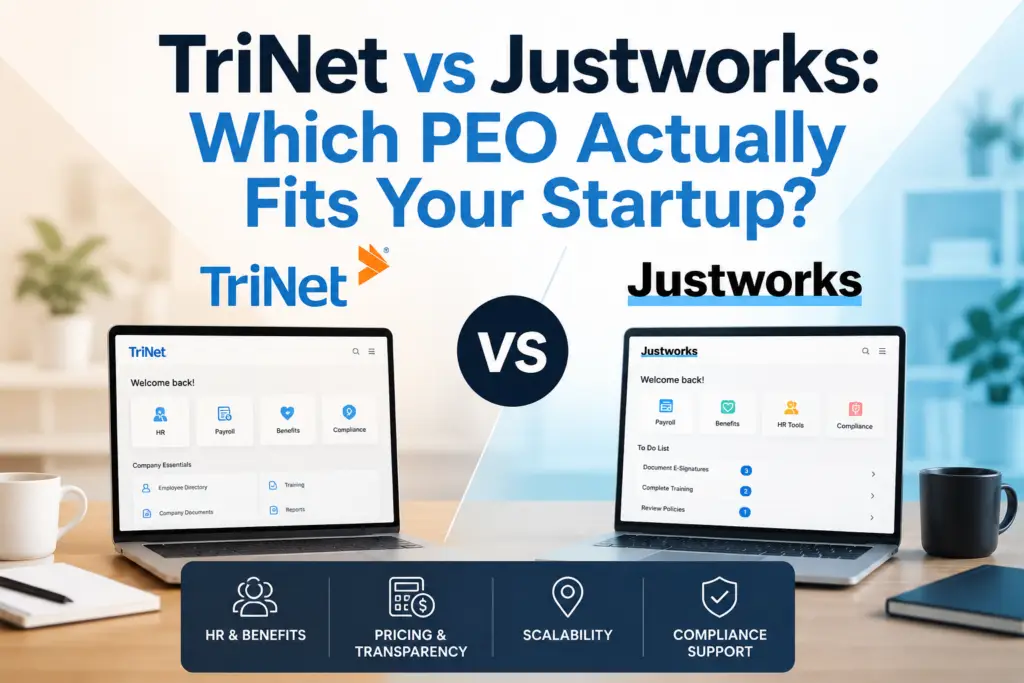
Get My Free Benchmark Report →

Insperity and TriNet are two of the largest and most recognized PEOs in the United States, both targeting mid-market businesses that need robust HR infrastructure, enterprise-grade benefits, and dedicated support. Insperity leans toward high-touch service with a team-based support model, while TriNet is known for industry-specialized HR and a technology-forward platform. Depending on your company size, industry, and priorities, the right choice between these two can mean a significant difference in cost, service quality, and long-term satisfaction.


Who Are Insperity and TriNet?

Before diving into the head-to-head comparison, it helps to understand where each company comes from and who they are built for.


Insperity: The Full-Service Benchmark

Founded in 1986 and headquartered in Houston, Texas, Insperity is one of the oldest and most established PEOs in the country. They serve over 100,000 businesses and co-employ more than 2 million workers. Insperity is built around a high-touch, team-based service model — each client gets a dedicated HR team rather than a single point of contact. Their core sweet spot is companies with 50–5,000 employees, though they have products for smaller businesses too.


TriNet: The Industry Specialist

TriNet was founded in 1988 and is headquartered in Dublin, California. The company serves over 16,000 small and medium businesses across the U.S. and is publicly traded on the NYSE. TriNet differentiates itself by organizing its HR solutions around vertical industries — technology, financial services, life sciences, nonprofit, and professional services — giving clients access to benefits packages and compliance expertise tailored to their sector. Their sweet spot is companies with 20–500 employees.


Comparing PEOs is easier when you know your baseline cost. Our free calculator shows what a PEO would cost for your company in 60 seconds — no call needed.

Try the Free Calculator →

Insperity vs TriNet: Pricing Compared

Pricing is often the first question business owners ask, and neither Insperity nor TriNet makes it easy to get a straight answer upfront. Both use customized pricing based on headcount, industry, and benefits selections — but here is what we know based on our analysis of 40+ PEO providers and hundreds of client proposals.

Insperity Pricing

Insperity typically charges a per-employee-per-month (PEPM) fee ranging from $150 to $250 PEPM, depending on company size and selected services. Some pricing is structured as a percentage of payroll, typically in the range of 2–4%. Insperity’s pricing tends to run higher than average because it bundles extensive HR services, a dedicated HR team, and premium benefits access into the base cost. For a detailed cost breakdown, see our Insperity cost comparison guide.

TriNet Pricing

TriNet’s pricing is also customized but generally lands in the range of $125 to $200 PEPM, with some industry verticals priced higher due to premium benefits packages. TriNet has historically bundled its HR platform fees into the overall cost, though recent pricing models have moved toward more modular structures. Businesses in high-cost industries like tech or biotech may see TriNet pricing climb significantly due to the richer benefits offerings.

Side-by-Side Cost Overview

CategoryInsperityTriNet
Typical PEPM Range$150 – $250$125 – $200
Pricing ModelPEPM or % of payrollPEPM (modular)
Setup FeeVaries / negotiableVaries / negotiable
Mid-Market Sweet Spot50–5,000 employees20–500 employees
Price TransparencyLow (custom quotes)Low (custom quotes)

Neither provider publishes a price list publicly, so comparing them without a formal proposal is difficult. That is exactly where a PEO broker like PEO Marketplace can help — we pull competing proposals so you can see real numbers side by side.

Support Models: How Each PEO Handles Your Day-to-Day HR

Support quality is where Insperity and TriNet diverge most sharply, and it is often the deciding factor for business owners who have been burned by impersonal service at larger HR vendors.

Insperity’s Team-Based Support

Insperity assigns each client a dedicated HR team that includes an HR specialist, a payroll specialist, and an HR consultant. This team-based model means you are not relying on a single person and are not calling into a generic support queue. Insperity also maintains over 90 physical office locations across the U.S., which matters for companies that value in-person access. Client satisfaction scores for Insperity’s support model are consistently strong, and this is frequently cited as their top differentiator in client reviews.

TriNet’s Vertical-Specialist Support

TriNet assigns dedicated HR advisors to client accounts, and those advisors are organized by industry vertical. This means the HR rep supporting your tech startup understands stock options, multi-state remote hiring, and contractor classification issues that are common in that space — rather than giving you generic HR guidance. TriNet also offers 24/7 phone and digital support through their HR platform. The trade-off is that TriNet has fewer physical office locations and has occasionally received criticism for support responsiveness during high-volume periods.

Benefits Carriers and Coverage Quality

One of the primary reasons companies join a PEO is to access large-group health insurance that would otherwise be unavailable or unaffordable for a small or mid-size business. According to NAPEO, PEO clients save an average of 27% on health insurance costs compared to going it alone — and the carrier quality matters significantly.

Insperity Benefits

Insperity offers health benefits through major national carriers including UnitedHealthcare, Aetna, and Blue Cross Blue Shield. Their master health plan is the backbone of their benefits offering, and they provide access to competitive group rates due to the sheer size of their employee base — over 2 million co-employed workers. They also offer dental, vision, life insurance, disability coverage, HSAs, FSAs, and 401(k) plan administration. Their benefits are generally considered among the strongest in the PEO space.

TriNet Benefits

TriNet’s benefits strength lies in their industry-specific packaging. They work with carriers including Aetna, Kaiser, Blue Shield, and others depending on the vertical and geography. For tech companies, TriNet is particularly well-regarded for its ability to offer rich benefits packages that help startups compete with large employers for talent. They also offer a 401(k) through a third-party administrator and a robust employee perks platform. TriNet’s benefits are strong, but coverage options can vary more by region than Insperity’s more standardized national offering.

Technology Platforms: HR Software Comparison

Both Insperity and TriNet offer proprietary HR technology platforms, but they take different approaches to design and functionality.

Insperity Workforce Acceleration

Insperity’s platform — Workforce Acceleration — covers payroll, time and attendance, benefits administration, HR analytics, and performance management. The interface is functional and comprehensive, though some users find it less intuitive than newer SaaS-first platforms. Insperity has invested heavily in platform improvements in recent years and has added self-service features that reduce administrative burden. Integration with third-party tools like QuickBooks and ATS systems is available but can require setup support.

TriNet’s HR Platform

TriNet’s platform is generally regarded as more modern and user-friendly. It covers payroll processing, benefits enrollment, compliance management, time tracking, and HR reporting. TriNet has a mobile-first design and strong employee self-service capabilities, which is important for distributed and remote workforces — a common profile among their tech and professional services clients. Their platform also includes built-in tools for equity management and multi-state compliance, which are differentiators for growth-stage companies. For a broader look at how these platforms compare to other options, see our Gusto vs Justworks comparison.

Contract Terms and Exit Flexibility

Contract terms are an underappreciated factor when choosing a PEO, and both Insperity and TriNet have historically drawn criticism here.

Insperity Contract Terms

Insperity typically requires a one-year minimum contract with automatic renewal clauses. Termination requires 30–60 days written notice, and early termination fees can apply depending on how the agreement was structured. Insperity’s contracts are negotiable, particularly for larger clients, but the default terms favor the vendor. Always read the renewal and termination clauses carefully before signing.

TriNet Contract Terms

TriNet also uses annual contracts with similar 30–60 day notice requirements. One area where TriNet has drawn scrutiny is rate transparency — some clients have reported unexpected fee increases at renewal that were not clearly communicated. This is worth watching closely when reviewing any TriNet proposal. For a broader look at hidden fees in PEO contracts, our guide on hidden fees with ADP TotalSource covers the red flags that apply across the industry.

Insperity vs TriNet: Full Comparison Table

FeatureInsperityTriNet
Best ForCompanies wanting high-touch HR supportIndustry-specific HR needs
Support ModelDedicated HR teamIndustry-specialized HR advisor
Benefits CarriersUHC, Aetna, BCBSAetna, Kaiser, Blue Shield + others
TechnologyWorkforce Acceleration (comprehensive)TriNet Platform (modern UX)
Physical Offices90+ locations nationwideLimited physical presence
Contract LengthAnnual (negotiable)Annual (negotiable)
Pricing TransparencyLowLow
IRS Certified PEOYes (CPEO)Yes (CPEO)

Which PEO Should You Choose?

Based on our experience matching hundreds of businesses with PEO providers, here is the short version:

Choose Insperity if: You want the gold standard in hands-on HR service, you have 50–500+ employees, you value a dedicated HR team over a single account manager, or your workforce is geographically spread and you want local office access. Insperity’s support model is genuinely exceptional for companies that want HR to feel like an internal department, not a vendor helpdesk.

Choose TriNet if: You are in a specialized industry like tech, financial services, or life sciences, you want an HR platform that feels modern and mobile-friendly, or your benefits competition requires you to offer Silicon Valley-caliber perks to attract talent. TriNet’s vertical expertise is a real differentiator for companies where industry-specific compliance and compensation norms matter.

According to the U.S. Department of Labor, HR compliance errors cost businesses billions annually — and the right PEO reduces that exposure significantly. According to NAPEO research, businesses that use PEOs grow 7–9% faster and have 10–14% lower employee turnover. The question is not really whether to use a PEO — it is which one fits your business best. You can explore your options and get matched for free at our Find Your PEO service.

FAQ: Insperity vs TriNet

Is Insperity or TriNet more expensive?

Insperity generally runs slightly higher than TriNet on a per-employee-per-month basis, typically ranging from $150 to $250 PEPM compared to TriNet’s $125 to $200 PEPM range. However, final pricing for both providers is customized based on headcount, industry, and benefits selections, so you should always request competing proposals before making a decision.

Which PEO has better benefits: Insperity or TriNet?

Both offer access to major national carriers and large-group plan rates that small businesses cannot access on their own. Insperity offers more standardized national coverage through UnitedHealthcare, Aetna, and BCBS, while TriNet’s benefits shine in specific industries — particularly technology and financial services — where rich benefits packages are needed to attract competitive talent.

Do Insperity and TriNet require long-term contracts?

Both Insperity and TriNet typically require annual contracts with 30 to 60 days written notice for termination. Early termination fees may apply depending on the agreement terms. Contracts are often negotiable, especially for larger clients, so it is worth pushing back on renewal clauses and rate-lock provisions before signing.

Are Insperity and TriNet certified PEOs?

Yes, both Insperity and TriNet hold IRS Certified PEO (CPEO) status, which provides important tax protections for clients regarding federal employment tax liabilities. CPEO certification requires meeting strict financial, reporting, and background standards set by the IRS and is an important mark of credibility when evaluating any PEO.

How do I get the best deal on Insperity or TriNet?

The best way to get competitive pricing from either Insperity or TriNet is to have multiple PEO proposals in hand at the same time — providers negotiate more aggressively when they know they are competing. Working with a PEO broker like PEO Marketplace is free to the business owner, and we handle the proposal process across 40+ vetted providers so you can compare real numbers without the sales runaround. Use our free PEO cost calculator to get your baseline before any conversations start.

Ready to See How Insperity and TriNet Actually Price for Your Business?

We pull competing proposals from both — and 38 other vetted PEOs — so you can compare real numbers side by side. No sales pressure, no obligation.

Book a Free PEO Comparison Call →

Not ready to book a call? Get a free Benefits Benchmark Report for your industry — we will email you a breakdown of what companies your size are paying for HR, benefits, and workers comp so you can compare on your own timeline.

Get My Free Benchmark Report →

Best PEO for Restaurants & Food Service (2026)

A PEO for restaurants handles the HR, payroll, and compliance headaches that make running a food service operation so difficult — tip reporting, seasonal hiring spikes, high workers’ comp rates, and benefits for hourly staff. Based on our analysis of 100+ PEO providers, the right PEO can save a restaurant group 20–30% on workers’ comp premiums alone while keeping your business fully compliant with federal and state wage laws. This guide breaks down exactly what to look for in 2026.

Why Restaurants Need a Different Kind of PEO

Most PEOs are built for office-based businesses. Restaurants are a different animal. Your workforce is primarily hourly, tips create complex payroll compliance requirements, turnover routinely exceeds 70% annually according to the Bureau of Labor Statistics, and kitchen roles like line cooks and dishwashers carry some of the highest workers’ comp risk codes in any industry.

A generic PEO might handle standard payroll fine. But tip allocation errors, FICA Tip Credit miscalculations, or improperly classified seasonal staff can expose your restaurant to IRS audits and DOL investigations — penalties that can easily run into six figures. You need a PEO that has already solved these problems for food service clients at scale.

The Four Core Challenges a Restaurant PEO Must Solve

  • Tip reporting and FICA compliance — Accurate tip allocation, Form 8027 filing, and FICA Tip Credit maximization
  • Seasonal and high-turnover hiring — Rapid onboarding, easy offboarding, and ACA compliance for variable-hour workers
  • Kitchen staff workers’ compensation — Access to favorable rates in high-risk SIC codes (food preparation, cooking, bussing)
  • Hourly benefits that actually attract workers — Medical, dental, and voluntary benefits priced for part-time and hourly eligibility

Curious what a PEO would cost for a Restaurants & Food Service (2026) company? Our free calculator gives you a realistic cost range in under 60 seconds — no call, no commitment.

Try the Free Calculator →

Tip Reporting: The Compliance Minefield Most PEOs Miss

Tip reporting compliance is the single most common payroll failure point for restaurants. Under IRS rules, employers must report all tips received by employees — including credit card tips, cash tips, and tip pool distributions. The IRS requires that any food or beverage establishment with more than 10 employees file Form 8027 annually to report tip income versus charged receipts.

A strong PEO for restaurants will handle all of this automatically — allocating tips when reported tips fall below 8% of gross receipts, calculating FICA taxes on tip income, and managing the FICA Tip Credit (Section 45B), which can return thousands of dollars to your business at tax time. In our experience matching restaurants with PEOs, this credit alone often offsets a significant portion of PEO fees.

What to Ask Any PEO About Tip Reporting

  • Does your payroll system automatically calculate tip allocation when reported tips fall below IRS minimums?
  • Do you file Form 8027 on our behalf or does that fall to us?
  • How do you handle tip pooling arrangements — both traditional and tip credit models?
  • Do you proactively track and apply the FICA Tip Credit (Section 45B) to our payroll taxes?

Seasonal Workers and High Turnover: Hiring Without the Headache

Restaurant and food service businesses deal with workforce volatility that most employers never experience. Summer hiring surges, holiday rushes, and the reality that many employees stay less than 90 days mean your HR processes need to be fast, simple, and largely automated.

The best PEOs for food service offer mobile-first onboarding so a new line cook or server can complete their I-9, W-4, direct deposit setup, and benefits enrollment from their phone before their first shift. This matters in 2026 because candidates who encounter slow or paper-heavy onboarding often don’t show up at all.

ACA Compliance for Variable-Hour Employees

If any of your employees average 30 or more hours per week over a measurement period, they’re ACA-eligible — even if they’re technically “part-time.” For restaurants with large hourly workforces, this creates real exposure. According to the Department of Labor, failing to offer compliant coverage to eligible employees can result in employer shared responsibility payments of $2,900+ per full-time employee per year.

A restaurant-savvy PEO will automatically track hours across your variable workforce, flag employees approaching ACA eligibility thresholds, and manage the look-back measurement periods required under the monthly measurement or look-back methods — so you don’t get a surprise penalty letter 18 months after the fact.

Kitchen Staff Workers’ Comp: Getting the Right Rate

Workers’ compensation is a major cost center for food service operators. Kitchen roles — cooks, prep workers, dishwashers, delivery drivers — carry high-risk classification codes that result in elevated premiums. A restaurant owner buying workers’ comp on their own is often stuck with standard market rates. A PEO changes that equation.

Because PEOs co-employ your workforce, they aggregate headcount across hundreds or thousands of client businesses. This buying power lets them access better workers’ comp rates through their master policy, even for high-risk codes. In our experience matching food service businesses, restaurant operators frequently see workers’ comp savings of 15–35% after joining a PEO — sometimes more when there’s a clean claims history.

Workers’ Comp Features That Matter for Restaurants

  • Pay-as-you-go workers’ comp — Premiums calculated on actual payroll each period, eliminating large upfront deposits and year-end audits
  • Claims management support — Dedicated claims specialists who handle injured worker coordination so you’re not navigating it alone
  • Safety resources and training — Slip-and-fall prevention, knife safety, and burn protocols that reduce claim frequency over time
  • Return-to-work programs — Light-duty options that get injured employees back faster and reduce total claim costs

Benefits That Actually Attract and Retain Hourly Workers

Offering benefits used to be a differentiator for restaurants. In 2026, it’s table stakes for retention. According to NAPEO, businesses that use a PEO experience 10–14% lower employee turnover — a meaningful number when replacing a single server or cook can cost $3,000–$5,000 in recruiting and training time.

The key is finding a PEO that offers benefits packages designed for mixed workforces — full-time kitchen managers eligible for rich medical plans alongside part-time servers who need affordable access to voluntary benefits like telemedicine, dental, and hospital indemnity. Not every PEO structures benefits this way, and forcing a one-size plan onto a restaurant workforce often means either over-spending or under-serving your team.

Benefits to Look for in a Restaurant PEO

  • Tiered medical plans with low-cost options for hourly employees
  • Telemedicine and mental health access (increasingly expected by younger food service workers)
  • Voluntary benefits: dental, vision, life, short-term disability
  • 401(k) access — a strong recruiting tool even for hourly staff
  • Earned wage access (EWA) / on-demand pay options

PEO Comparison: What Matters Most for Food Service

FeatureMust-Have for RestaurantsNice to HaveWatch Out For
Tip ReportingAutomated allocation + Form 8027FICA Tip Credit trackingManual tip entry only
Workers’ CompPay-as-you-go, high-risk codes coveredSafety training resourcesExcluded kitchen classifications
OnboardingMobile-first, same-day capableBilingual supportPaper-heavy processes
BenefitsTiered plans for hourly + FTEarned wage accessOne-plan-fits-all structures
ACA TrackingAuto hours tracking + alertsLook-back period managementManual hour monitoring
Pricing ModelPer-employee flat fee or % of payrollVolume discounts for seasonal spikesHidden fees on tip payroll runs

If you’re weighing specific providers, our Gusto vs. Justworks comparison covers two popular options for smaller restaurant groups. For mid-size or multi-location operators, the Insperity cost comparison is worth reading before you commit. And if you’re looking at larger national providers, check out our breakdown of hidden fees with ADP TotalSource before signing anything.

How to Choose the Right PEO for Your Restaurant

Choosing the right PEO for restaurants comes down to matching the provider’s strengths to your specific operational profile. A single fast-casual location with 15 employees has different needs than a 12-location full-service group with 400 hourly workers and tip pooling across every site.

Here’s a practical framework for your evaluation:

  1. Define your non-negotiables — Tip reporting automation and kitchen workers’ comp coverage should be at the top of every restaurant operator’s list
  2. Get quotes from at least 3 PEOs — Pricing in the restaurant space varies significantly; use our PEO cost calculator to get a baseline before you start calls
  3. Ask for food service references — A PEO that can’t name restaurant clients they’ve served for 2+ years probably isn’t your best fit
  4. Review the contract for exclusions — Some PEOs exclude certain workers’ comp classification codes; make sure your kitchen roles are fully covered
  5. Evaluate implementation support — The first payroll run with tip income is where most transitions stumble; ask specifically how they handle the cutover

Working with a PEO broker like PEO Marketplace takes most of this off your plate. We’ve already vetted 40+ providers on exactly these criteria, and we match you with the two or three best fits for your situation — free, with no obligation. You can start your search here.

Frequently Asked Questions

Can a PEO handle tip reporting and FICA Tip Credit for my restaurant?

Yes — the best PEOs for restaurants include automated tip reporting, tip allocation calculations, and proactive tracking of the Section 45B FICA Tip Credit, which can significantly reduce your annual tax burden. Make sure to confirm these features explicitly during your evaluation, as not every PEO supports them natively.

How does a PEO reduce workers’ comp costs for kitchen staff?

A PEO co-employs your workforce and pools headcount across hundreds of client businesses, giving it leverage to negotiate lower workers’ comp rates — even for high-risk kitchen classifications like cooks and dishwashers. Pay-as-you-go workers’ comp through a PEO also eliminates large upfront deposits and year-end audit surprises that are common when restaurants buy coverage independently.

Are PEOs worth it for restaurants with mostly part-time or seasonal workers?

PEOs are often especially valuable for high-turnover, part-time-heavy workforces because they automate onboarding, ACA eligibility tracking, and offboarding — tasks that consume disproportionate HR time in restaurant environments. According to NAPEO, PEO clients experience 10–14% lower employee turnover, which translates directly to lower recruiting and training costs in food service.

What is the average cost of a PEO for a restaurant?

PEO pricing for restaurants typically runs $80–$180 per employee per month depending on the provider, your headcount, and the services included — with workers’ comp often bundled in. Use our free PEO calculator to get a more precise estimate based on your actual employee count and payroll before comparing provider quotes.

Do PEOs work for multi-location restaurant groups?

Yes, and multi-location operators often see the greatest benefit because a PEO creates consistent HR, payroll, and compliance processes across all locations under one system. It also simplifies multi-state compliance for groups that operate across different jurisdictions with varying tip credit laws and minimum wage rules.

Ready to Find the Right PEO for Your Restaurant?

Our team has matched hundreds of food service businesses with PEOs that actually understand tip reporting, kitchen workers’ comp, and hourly benefits. It’s free, unbiased, and takes about 15 minutes.

Book a Free PEO Consultation →

Not ready to book a call? Get a free Benefits Benchmark Report for your industry — we will email you a breakdown of what companies your size are paying for HR, benefits, and workers comp so you can compare on your own timeline.

Get My Free Benchmark Report →

Justworks vs ADP TotalSource: Quick Answer

Justworks is a transparent, flat-rate PEO built for small businesses that want predictable pricing and a clean self-service platform. ADP TotalSource is a full-service PEO with deep HR infrastructure, better suited to mid-size and growing companies that need customization and can navigate a bundled pricing model. Which one wins for your business depends almost entirely on your headcount, HR complexity, and tolerance for pricing opacity.

If you’re researching Justworks vs ADP TotalSource for 2026, this side-by-side breakdown covers the pricing models, benefits quality, technology, contract flexibility, and the company size each PEO actually serves best — based on our experience matching hundreds of businesses across 40+ vetted PEO providers.

Why the PEO You Choose Matters More Than You Think

A PEO (Professional Employer Organization) becomes your co-employer — handling payroll, benefits administration, workers’ comp, and HR compliance under a shared employer arrangement. According to NAPEO, businesses that use PEOs grow 7–9% faster and have 10–14% lower employee turnover than non-PEO companies. The catch: not every PEO is built for every business. A mismatch on pricing model, benefits, or tech can cost you time, money, and employee trust.

Both Justworks and ADP TotalSource are IRS-certified PEOs — a credential that matters for tax compliance and liability protection. But they operate very differently. Here’s how they stack up.

Comparing PEOs is easier when you know your baseline cost. Our free calculator shows what a PEO would cost for your company in 60 seconds — no call needed.

Try the Free Calculator →

Pricing: Transparent Flat-Rate vs Bundled Percentage Model

This is the biggest practical difference between Justworks and ADP TotalSource, and it affects how you budget from day one.

Justworks Pricing

Justworks uses a per-employee-per-month (PEPM) flat-rate model with pricing published on their website — a rarity in the PEO industry. As of 2026, Justworks charges roughly $59–$99 PEPM depending on your plan tier and company size, with the lower rate kicking in at 50+ employees. The Basic plan covers payroll, compliance, and access to benefits. The Plus plan adds medical, dental, and vision administration.

What you see is largely what you pay. There are some add-ons for workers’ comp and 401(k), but the core fees are predictable and easy to model. This is ideal for founders and small business owners who want to budget HR costs without scheduling a discovery call first.

ADP TotalSource Pricing

ADP TotalSource uses a bundled percentage-of-payroll model, typically ranging from 2–4% of total payroll, though exact pricing is quote-based and varies significantly by industry, headcount, and benefits elections. This means your PEO costs grow automatically as you hire and give raises — something that catches many growing companies off guard.

ADP bundles a wide range of services into that percentage, including HR advisory support, risk management, workers’ comp, and its proprietary HR tech suite. But because the pricing isn’t transparent upfront, it’s harder to compare on an apples-to-apples basis. We’ve covered the hidden fees in ADP TotalSource in detail — worth reading before you sign anything.

Side-by-Side Pricing Comparison

FactorJustworksADP TotalSource
Pricing ModelFlat PEPM% of payroll
Pricing TransparencyPublished onlineQuote-based only
Typical Cost Range$59–$99 PEPM2–4% of payroll
Scales With RaisesNoYes
IRS-Certified PEOYesYes

Company Size Fit: Who Each PEO Actually Serves Best

Company size is the single fastest filter when choosing between these two providers.

Justworks: Best for 1–200 Employees

Justworks was built for startups and small businesses. The platform is intuitive enough that a non-HR founder can run payroll and onboard employees without dedicated HR staff. Their support model leans on self-service and chat, which works well when your HR questions are fairly standard. If you have fewer than 50 employees, Justworks is one of the most cost-effective PEOs on the market. Beyond 200 employees, you may start to feel the limits of their customization and dedicated service options.

ADP TotalSource: Best for 50–5,000 Employees

ADP TotalSource is built to scale. With dedicated HR business partners, robust compliance support across all 50 states, and deep integration with ADP’s broader payroll and HR ecosystem, it’s better equipped for companies with complex org structures, multi-state employees, or industry-specific compliance needs. If you’re in construction, healthcare, or manufacturing — sectors with heavier workers’ comp and regulatory exposure — ADP’s risk management infrastructure is a meaningful advantage. See how ADP stacks up against Insperity if you’re also considering that tier of provider.

Benefits: Coverage Quality and Carrier Access

One of the core PEO value propositions is access to large-group health insurance rates that small businesses can’t get on their own. Both Justworks and ADP TotalSource deliver this, but in different ways.

Justworks Benefits

Justworks offers medical, dental, and vision through major carriers including Aetna, United Healthcare, and Kaiser (in select markets). The plan selection is solid but curated — you’re choosing from pre-packaged options rather than designing a custom benefits strategy. This is fast and easy to manage, but limits flexibility for companies with specific workforce demographics or benefit philosophy preferences. Justworks also offers a 401(k) through Slavic401k and access to commuter benefits and FSAs.

ADP TotalSource Benefits

ADP TotalSource provides a broader carrier selection and more plan options, including ancillary benefits like life insurance, disability, and employee assistance programs (EAPs). Dedicated benefits consultants help design packages that align with your company culture and industry norms. For companies competing for talent in tight labor markets, this deeper benefits bench matters. The Bureau of Labor Statistics Employee Benefits Survey consistently shows that health insurance remains the top driver of employee satisfaction — and ADP gives you more tools to compete on this front.

Technology: Platform Experience and HR Tools

Justworks Platform

Justworks has one of the cleanest user interfaces in the PEO space. The employee-facing portal is modern, mobile-friendly, and easy to navigate without training. Payroll runs are simple. Onboarding is mostly self-service. Time tracking is available as an add-on. If your team is remote-first and tech-comfortable, Justworks feels native to that environment. The platform does less than ADP’s enterprise suite, but what it does, it does cleanly.

ADP TotalSource Technology

ADP TotalSource runs on ADP Workforce Now, a full-featured HRIS that handles payroll, time and attendance, performance management, learning, and analytics in one system. It’s powerful, but it has a steeper learning curve. For companies that need robust reporting, multi-location management, or integrations with enterprise software (ERP, accounting platforms, etc.), Workforce Now is a stronger fit. Smaller teams or less tech-fluent HR staff may find the interface overwhelming at first.

Contract Flexibility and Exit Terms

Contract flexibility is often overlooked until it matters — usually when you need to leave.

Justworks

Justworks operates on a month-to-month basis after an initial onboarding period, with relatively straightforward exit terms. This is a genuine competitive advantage for early-stage companies that don’t want to be locked in long-term. You can offboard without significant penalty, which reduces the risk of trying the platform.

ADP TotalSource

ADP TotalSource typically requires an annual contract, and early termination fees can apply. Migration off the platform takes planning, especially if you’re moving payroll history and benefits data. This isn’t unusual for enterprise-grade PEOs, but it’s worth negotiating clearly upfront. If you want to understand what to watch for in the contract language, our guide on ADP TotalSource hidden fees covers the key clauses.

Full Comparison Table: Justworks vs ADP TotalSource (2026)

CategoryJustworksADP TotalSource
Best Company Size1–200 employees50–5,000 employees
Pricing Transparency✅ High❌ Low
Benefits DepthGood (curated)Excellent (customizable)
Technology Ease of Use✅ Very easy⚠️ Powerful but complex
HR Support ModelSelf-service + chatDedicated HR business partner
Multi-State ComplianceGoodExcellent
Contract Flexibility✅ Month-to-month⚠️ Annual contract
IRS-Certified PEO✅ Yes✅ Yes
Workers’ Comp CoverageAdd-onIncluded in bundle

Which PEO Should You Choose?

Based on our analysis of 40+ PEO providers and the businesses we’ve matched, here’s the honest summary:

Choose Justworks if: You have fewer than 150 employees, want upfront pricing, prefer a modern self-service platform, and value flexibility over enterprise depth. It’s particularly strong for tech startups, professional services firms, and remote-first teams.

Choose ADP TotalSource if: You have 75+ employees, operate across multiple states, need a dedicated HR partner, or are in a regulated or high-risk industry. The bundled model is less transparent but more comprehensive, and the scale of ADP’s infrastructure is genuinely useful as you grow.

Neither is a bad choice — but picking the wrong one for your stage means paying for features you don’t need, or outgrowing your provider faster than you expect. If you’re also weighing other options, our Justworks vs Gusto comparison and our guide to finding the right PEO for your business can help narrow the field further. You can also use our free PEO cost calculator to model what either option would cost for your headcount before getting on a single sales call.

The IRS maintains a list of certified PEOs — verifying certification is a non-negotiable first step before signing with any provider.

Frequently Asked Questions

Is Justworks or ADP TotalSource better for small businesses?

Justworks is generally the better fit for small businesses under 150 employees because its flat-rate pricing is predictable, the platform is easy to use without dedicated HR staff, and its month-to-month flexibility reduces commitment risk. ADP TotalSource becomes more competitive as headcount grows and HR complexity increases.

How does ADP TotalSource pricing work compared to Justworks?

ADP TotalSource charges a percentage of total payroll — typically 2–4% — bundled with a wide range of HR services, though the exact rate requires a custom quote. Justworks charges a flat per-employee-per-month fee that is published online, making it much easier to estimate costs before speaking with a sales rep.

Can I switch from Justworks to ADP TotalSource if my company grows?

Yes, businesses routinely migrate from one PEO to another as their needs evolve, though the transition requires careful planning around payroll history, benefits continuity, and contract timing. Working with an independent PEO broker can help you time and manage the transition without disruption to employees.

Do both Justworks and ADP TotalSource offer health insurance benefits?

Both PEOs provide access to major medical, dental, and vision plans through large-group carrier agreements that give small businesses access to better rates than they could secure independently. ADP TotalSource offers a broader and more customizable benefits menu, while Justworks provides a solid curated selection that is faster to set up and administer.

What is an IRS-certified PEO and why does it matter?

An IRS-certified PEO (CPEO) has met rigorous financial, reporting, and background standards set by the IRS, and is solely responsible for paying federal employment taxes on wages it pays to worksite employees. Certification protects businesses from certain tax liabilities that can arise with non-certified PEO arrangements — both Justworks and ADP TotalSource hold this certification.

Not Sure Which PEO Is Right for You?

Our team has matched hundreds of businesses with the right PEO across 40+ vetted providers — with no sales pressure and no cost to you. Book a free 15-minute consultation and we’ll tell you exactly which PEO fits your company size, industry, and budget.

Book My Free PEO Consultation →

Not ready to book a call? Get a free Benefits Benchmark Report for your industry — we will email you a breakdown of what companies your size are paying for HR, benefits, and workers comp so you can compare on your own timeline.

Get My Free Benchmark Report →

A PEO workers comp program pools your employees under the PEO’s master insurance policy, which means you get large-group rates, pay-as-you-go billing, and professional claims management. For most small and mid-size businesses, this alone can cut workers comp costs by 15–30% compared to buying coverage on the open market. Here is exactly how it works and why it matters for your bottom line.

What Is PEO Workers Comp and How Does It Work?

PEO workers comp is coverage provided through a Professional Employer Organization’s master insurance policy rather than a standalone policy you purchase directly from an insurer. When you co-employ your workforce through a PEO, your employees are added to the PEO’s existing policy — one that covers tens of thousands of workers across dozens of industries. That scale is the entire game.

Here is the mechanics in plain terms:

  • You join the master policy. Instead of applying for your own workers comp policy with your own claims history front and center, you are underwritten as part of a much larger pool. Insurers view large, diversified pools as lower risk.
  • Your premiums are calculated on actual payroll. Pay-as-you-go billing means your workers comp premium is deducted each payroll cycle based on real wages — not a lump-sum estimate you reconcile at year-end.
  • The PEO manages claims. When an employee is injured, the PEO’s dedicated risk management and claims team handles the process — from first report of injury through return-to-work coordination.
  • Your experience modification rate is protected. More on this below, but in many PEO arrangements your individual experience mod is either blended into the master policy or managed in a way that shields your future premiums from a single bad year.

According to NAPEO, businesses that use a PEO grow 7–9% faster and have 14% lower employee turnover than non-PEO companies. A big part of that stability is predictable, affordable insurance costs — and workers comp is usually the first place savings show up.

Overpaying for workers comp is more common than most businesses think. Our free PEO calculator breaks down what you would actually pay through a PEO — try it in 60 seconds.

Try the Free Calculator →

The Experience Modification Rate: Why It Kills Small Business Premiums

Your experience modification rate — or experience mod — is a multiplier applied to your workers comp base premium. A mod of 1.0 is average. If yours is 1.25, you pay 25% more. If it is 0.80, you pay 20% less. The problem for small businesses is volatility: one serious injury claim can spike your experience mod for three years and make coverage extremely expensive — or in some cases nearly impossible to obtain.

How PEOs Reduce Experience Mod Risk

When your employees are covered under a PEO’s master policy, the calculation works differently depending on the PEO structure. In a fully bundled master policy arrangement, your claims experience is blended across the entire PEO client base. One bad year for your company does not crater your mod the way it would on a standalone policy. Some PEOs operate under a guaranteed-cost program where your rate is locked regardless of individual claims activity during the policy year.

In our experience matching hundreds of businesses with PEOs, companies in industries with high baseline workers comp rates — construction, manufacturing, home health care, landscaping — see the most dramatic savings. A roofing company paying $18 per $100 of payroll on an open-market policy might pay $11–$13 per $100 through a PEO master policy. That difference compounds quickly across a 20-person crew.

What Happens to Your Mod When You Leave a PEO?

This is a critical question most brokers do not bring up. If you have been under a PEO’s master policy for several years, you may not have built up your own individual experience mod record. When you exit the PEO, your new standalone policy may start you at a neutral 1.0 mod — or in some states, the insurer will reconstruct your history using the claims data from your PEO years. This is not necessarily bad, but you need to understand it before you exit. Always request your loss runs before transitioning.

Pay-As-You-Go Workers Comp: Eliminating the Audit Problem

Traditional workers comp policies require you to estimate your annual payroll at the start of the policy year and pay premiums based on that estimate. At year-end, the insurer audits your actual payroll and you either owe more money or receive a refund. These audits are stressful, time-consuming, and often result in unexpected bills — sometimes months after your policy year closes.

PEO workers comp eliminates this entirely through pay-as-you-go billing integrated directly into payroll.

How Pay-As-You-Go Works in Practice

  • Each payroll run, the PEO calculates your workers comp premium based on actual gross wages by employee classification code.
  • The premium is collected at the same time as payroll taxes and benefits deductions.
  • Because premiums track real payroll in real time, there is no year-end audit shortfall.
  • Seasonal businesses and companies with variable headcount benefit most — you never overpay during slow months or get caught underpaying during a busy hiring surge.

The U.S. Department of Labor notes that workers comp compliance obligations vary significantly by state, and pay-as-you-go systems help ensure businesses stay current without manual intervention. For businesses operating in multiple states, the PEO handles different state rate schedules automatically — a compliance headache that disappears entirely.

Claims Management: The Hidden Value Most Businesses Miss

Workers comp premiums are only part of the cost equation. How claims are handled — and how quickly — has a direct impact on your total cost of risk. Poorly managed claims drag out, inflate medical costs, and drive up your mod for years.

What PEO Claims Management Includes

Reputable PEOs assign dedicated risk management professionals to their client base. When a workplace injury occurs, the PEO’s team typically:

  • Files the first report of injury with the insurer promptly (delays increase claim costs significantly)
  • Coordinates medical treatment with preferred provider networks, which reduces medical costs
  • Manages return-to-work programs to reduce lost-time days — lost-time claims cost 3–5x more than medical-only claims according to industry benchmarks
  • Disputes fraudulent or inflated claims on your behalf
  • Tracks OSHA recordables and helps you manage your injury log correctly

Based on our analysis of 40+ PEO providers, claims management quality varies considerably. National PEOs like Insperity and ADP TotalSource have large dedicated risk teams. Smaller regional PEOs may outsource claims handling. When comparing PEOs, always ask who handles claims — and how. You can see how these providers compare on cost and service in our Insperity cost comparison guide.

PEO Workers Comp Cost Comparison

To make this concrete, here is how PEO workers comp stacks up against traditional coverage options across several key dimensions:

FactorStandalone PolicyPEO Master Policy
Premium RatesMarket rate based on your individual historyGroup rates — often 15–30% lower
Billing MethodAnnual estimate + year-end auditPay-as-you-go, each payroll cycle
Experience Mod ExposureHigh — one claim can spike your mod for 3 yearsReduced — blended into master policy pool
Claims ManagementYou manage or hire a TPAHandled by PEO risk team
Multi-State ComplianceSeparate policies per state requiredCovered under single master policy
Year-End AuditYes — potential for surprise billsNo — eliminated by real-time billing
Best ForBusinesses with excellent mod and stable payrollMost small/mid-size businesses, high-risk industries

Which Businesses Benefit Most from PEO Workers Comp?

Not every business is in the same position, but PEO workers comp tends to deliver the biggest wins for:

  • High-risk industries — Construction, roofing, landscaping, manufacturing, home health, trucking, and staffing companies where open-market rates are high and insurers are selective.
  • Businesses with a checkered claims history — If your experience mod is above 1.0 and rising, pooling into a master policy can stabilize your costs immediately.
  • Fast-growing companies — Payroll estimates become inaccurate quickly when you are hiring rapidly. Pay-as-you-go eliminates the reconciliation problem.
  • Multi-state employers — Managing separate workers comp policies with different state rate schedules, forms, and compliance requirements is a significant administrative burden that disappears under a PEO.
  • Companies with fewer than 100 employees — Small employers lack the bargaining power to negotiate better rates. The PEO’s scale does that for them.

If you want to compare how specific PEOs price workers comp alongside their full HR service packages, our Gusto vs. Justworks comparison is a useful starting point for smaller businesses, and our free PEO matching service can identify which providers fit your industry and headcount.

It is also worth noting that the IRS has a formal certification program for PEOs (CPEO status) that provides additional employer tax protections. Working with a CPEO adds a layer of compliance assurance that standalone workers comp policies cannot offer.

What to Ask Before Choosing a PEO for Workers Comp

Based on our analysis of 40+ PEO providers, here are the questions that separate good deals from great ones:

  1. Is workers comp included in the PEO fee or billed separately? Some PEOs bundle it; others pass through the actual premium as a separate line item. Know what you are paying for.
  2. Who is the underlying insurer? A financially stable A-rated carrier matters. Ask for the carrier name and rating.
  3. How are claims handled — in-house or outsourced? In-house risk teams generally produce better outcomes.
  4. What is your experience with my industry classification codes? A PEO that covers many construction companies understands construction risk. Generalists may not.
  5. What happens to my loss runs when I leave? Get this in writing before you sign.

Use our free PEO cost calculator to get a baseline estimate before you start talking to providers — it takes 60 seconds and gives you a number to negotiate against.

Book a Free PEO Consultation

PEO workers comp is one of the most powerful cost levers available to small and mid-size businesses — but only if you choose the right provider for your industry and risk profile. At PEO Marketplace, we match businesses with vetted PEOs from our network of 40+ providers at no cost to you. We know which ones have the strongest risk management programs, the most competitive master policy rates, and the best claims outcomes for your specific industry.

Schedule Your Free PEO Consultation →

Not ready to book a call? Get a free Benefits Benchmark Report for your industry — we will email you a breakdown of what companies your size are paying for HR, benefits, and workers comp so you can compare on your own timeline.

Get My Free Benchmark Report →

Frequently Asked Questions

Does a PEO workers comp policy replace my own policy?

Yes. When you join a PEO, your employees are covered under the PEO’s master workers comp policy and you typically cancel your standalone policy. You are no longer the policyholder — the PEO is — which is why you benefit from their group rates and claims infrastructure rather than your own individual policy terms.

Will my workers comp rates go up if one of my employees files a claim?

In most PEO master policy arrangements, your individual claims are blended into the larger pool, which significantly reduces the impact on your costs compared to a standalone policy where a single serious claim can raise your experience mod for three consecutive years. The exact impact depends on your PEO’s policy structure, so it is worth asking your PEO how individual client claims affect pricing at renewal.

Can a PEO get me workers comp coverage if I have been denied on the open market?

Often, yes. Because PEOs underwrite coverage at the master policy level across thousands of employees, they can typically provide coverage to businesses that have been declined by standard carriers due to claims history or high-risk classification codes. This is one of the most common reasons businesses in construction, roofing, and home health seek out a PEO.

What is pay-as-you-go workers comp and why does it matter?

Pay-as-you-go workers comp means your insurance premium is calculated and collected each payroll cycle based on actual wages rather than an annual lump-sum estimate. This eliminates the year-end audit process, prevents surprise bills when your payroll grows faster than projected, and improves cash flow by spreading premium payments evenly throughout the year.

How do I know if a PEO is saving me money on workers comp versus my current policy?

Request your current policy’s rate per $100 of payroll by class code, then ask any PEO you are evaluating for their equivalent rate — making sure both quotes use the same class codes. You can also use our free PEO cost calculator at peo-marketplace.com to get an instant estimate of potential savings before you start the formal quoting process.

CoAdvantage is a regional PEO with a strong foothold in the Southeast U.S., offering payroll, HR administration, benefits, and workers’ compensation to small and mid-size businesses. It’s a solid mid-market option for companies that want dedicated support without the enterprise price tag — but it’s not the right fit for everyone. This CoAdvantage review breaks down real pricing, honest pros and cons, and the top three alternatives so you can make a confident decision in 2026.

What Is CoAdvantage and How Does It Work?

CoAdvantage is a Professional Employer Organization (PEO) headquartered in Tampa, Florida. Founded in 1994, it operates as a co-employer — meaning it legally shares employer responsibilities with your business. Under this model, CoAdvantage handles payroll processing, tax filings, benefits administration, HR compliance, and workers’ comp coverage, while you retain full control over day-to-day operations and hiring decisions.

According to NAPEO, businesses that use a PEO grow 7–9% faster and have 10–14% lower employee turnover than those that don’t. CoAdvantage aims to deliver those results specifically for businesses with 10 to 150 employees, particularly in industries like construction, professional services, healthcare, and hospitality.

CoAdvantage is IRS-Certified (CPEO) and ESAC-accredited — two credibility markers that matter when you’re handing over payroll and benefits responsibilities. Not every PEO holds both, so this puts CoAdvantage in a trusted tier of the market.

Not sure if a PEO makes sense for your business? Our free calculator shows you the real cost in 60 seconds — no call, no email, no commitment.

Try the Free Calculator →

CoAdvantage Pricing: What Does It Actually Cost?

CoAdvantage does not publish pricing on its website — which is common across the PEO industry but still frustrating for business owners doing early-stage research. Based on our analysis of 100+ PEO providers and direct market data, here is what you can realistically expect:

  • Per-employee, per-month (PEPM) model: Typically $125–$175 per employee per month for core HR and payroll services
  • Percentage of payroll model: Some clients are quoted 3%–6% of gross payroll, depending on employee count and benefits elected
  • Minimum headcount: CoAdvantage generally works best with 10+ employees; smaller teams may find pricing less competitive
  • Benefits costs: Quoted separately based on plan selections — CoAdvantage pools employees across clients for group buying power

There are also setup fees and potential add-on costs for things like HR consulting, time and attendance software, or ACA compliance reporting. Always request a fully itemized quote and ask specifically what is and isn’t included in the base fee. If you want a benchmark before that conversation, our free PEO cost calculator gives you a realistic range in under a minute.

CoAdvantage Pros: What It Does Well

Dedicated HR Support

CoAdvantage assigns dedicated HR account managers rather than routing you through a generic call center. For small businesses without an in-house HR team, this is a meaningful differentiator. You get a real person who knows your account and can advise on compliance, terminations, and employee issues — not just process transactions.

Strong Southeast Regional Presence

If your business is based in Florida, Georgia, Texas, or another Southeast or Sun Belt state, CoAdvantage has deep expertise in local labor law compliance, state tax nuances, and workers’ comp regulations in those markets. Regional expertise reduces compliance risk for businesses operating in those states.

CPEO and ESAC Accreditation

CoAdvantage holds IRS Certified PEO (CPEO) status and ESAC accreditation. CPEO status means the IRS has vetted their financial controls and compliance practices — a meaningful assurance that your payroll tax obligations are protected. Per the IRS, CPEO status transfers federal employment tax liability to the PEO, which is a significant protection for clients.

Workers’ Comp Coverage Access

For industries like construction, landscaping, and healthcare where workers’ comp rates are high, CoAdvantage’s group purchasing power can deliver real savings. Clients pay into a shared pool rather than shopping individually, which lowers rates for higher-risk employee classifications.

Mid-Market Sweet Spot

CoAdvantage is built for companies in the 10–150 employee range. Larger PEOs like ADP TotalSource or Insperity often prioritize enterprise clients, leaving smaller businesses feeling under-served. CoAdvantage tends to give mid-market clients more attention and more customized service than you might get at a giant national platform.

CoAdvantage Cons: Where It Falls Short

Technology Platform Limitations

CoAdvantage’s HR technology platform has historically lagged behind competitors like Rippling, Justworks, and even Gusto. The self-service employee portal and mobile app experience are functional but not modern. If your team expects a sleek, app-first HR experience, CoAdvantage may feel dated compared to tech-forward alternatives.

Limited National Footprint

While CoAdvantage operates nationally, its deepest expertise and infrastructure are concentrated in the Southeast. If you have employees in multiple states — particularly in the Northeast, Midwest, or West Coast — you may encounter slower support or less nuanced compliance guidance in those regions.

Pricing Transparency

Like many PEOs, CoAdvantage does not publish pricing online. This makes it harder to comparison-shop without going through a full sales process. Business owners who want quick, no-pressure pricing comparisons will need to work harder to get an apples-to-apples view. Our free PEO matching service can shortcut this process significantly.

Smaller Benefits Network

Compared to national PEOs with hundreds of thousands of worksite employees, CoAdvantage’s benefits pool is smaller — which can limit negotiating power on health insurance premiums in some markets. Companies with 50+ employees may find better benefits pricing at a larger provider.

Who Is CoAdvantage Best For?

In our experience matching hundreds of businesses with PEO providers, CoAdvantage tends to be the strongest fit for:

  • Southeast-based businesses with 10–100 employees who want regional compliance expertise
  • Industries with complex workers’ comp needs — construction, healthcare, hospitality, staffing
  • Business owners who want a dedicated HR person, not a ticketing system
  • Companies that don’t need cutting-edge HR tech and prioritize service over software

It is likely not the best fit for remote-first companies spread across many states, businesses that want a self-service tech platform, or companies with 150+ employees who would benefit more from enterprise PEO pricing.

Top 3 CoAdvantage Alternatives for 2026

If CoAdvantage doesn’t feel like the right match, here are three strong alternatives worth evaluating — each with a different strength profile.

ProviderBest ForPricing ModelTech RatingMin. Employees
CoAdvantageSoutheast, dedicated HR supportPEPM or % of payroll⭐⭐⭐⭐10+
InsperityEstablished companies, premium service% of payroll⭐⭐⭐⭐5+
JustworksStartups, remote teams, tech-forwardFlat PEPM⭐⭐⭐⭐⭐1+
ADP TotalSourceLarger companies, national presence% of payroll⭐⭐⭐⭐5+

Alternative 1: Insperity

Insperity is one of the largest PEOs in the country and offers a premium full-service HR experience with strong benefits packages and a robust technology platform. It tends to cost more than CoAdvantage but delivers more comprehensive support, especially for companies with 25–500 employees. If budget allows, the jump in service quality is noticeable. Read our Insperity cost comparison to see how it stacks up on price.

Alternative 2: Justworks

Justworks is the go-to PEO for startups, remote teams, and tech-forward companies that want transparent flat-rate pricing and a modern self-service platform. Pricing is published online, which is rare in this industry. It’s not the strongest choice for high-risk industries or complex workers’ comp situations, but for white-collar professional services businesses it competes strongly. See our full Justworks vs. Gusto comparison for more detail.

Alternative 3: ADP TotalSource

ADP TotalSource is the enterprise-grade option — best for companies with 50+ employees that want the backing of the largest HR company in the world. The technology is mature, the benefits network is enormous, and national compliance coverage is unmatched. The tradeoffs are higher cost and a more impersonal service experience. Before you sign, read about hidden fees to watch for with ADP TotalSource.

How to Decide: CoAdvantage vs. The Alternatives

The right PEO isn’t the one with the most features — it’s the one that matches your size, industry, geography, and the level of human support you want. According to the Department of Labor, employer compliance obligations continue to grow in complexity, which means the cost of getting this decision wrong is rising.

Here’s a simple framework from our experience matching hundreds of businesses:

  • Choose CoAdvantage if: You’re in the Southeast, need hands-on HR support, operate in a high workers’ comp industry, and have 10–100 employees
  • Choose Insperity if: You want premium service, strong benefits, and can afford a higher price point
  • Choose Justworks if: You’re a startup or remote-first team that wants tech-forward, transparent pricing
  • Choose ADP TotalSource if: You have 50+ employees and need enterprise-scale infrastructure

The fastest way to get clarity is to compare proposals side by side — which is exactly what we do for free at PEO Marketplace. We’ve vetted 100+ providers so you don’t have to start from scratch.

Get Your Free PEO Match — No Sales Pressure

Tell us about your business and we’ll match you with the 2–3 PEOs that fit your size, industry, and budget. Free, unbiased, and done in one call.

Book Your Free PEO Strategy Call →

Not ready to book a call? Get a free Benefits Benchmark Report for your industry — we will email you a breakdown of what companies your size are paying for HR, benefits, and workers comp so you can compare on your own timeline.

Get My Free Benchmark Report →

Frequently Asked Questions

Is CoAdvantage a legitimate PEO?

Yes, CoAdvantage is a fully legitimate and accredited PEO. It holds IRS Certified PEO (CPEO) status and ESAC accreditation, which are two of the most rigorous third-party validations in the industry. CoAdvantage has been in operation since 1994 and serves thousands of businesses across the United States.

How much does CoAdvantage cost per employee?

CoAdvantage pricing typically falls in the range of $125–$175 per employee per month for core services, though quotes vary by company size, industry, and benefits selections. Some clients are quoted on a percentage of payroll basis, generally between 3% and 6%. Always request an itemized proposal to understand exactly what is included.

What states does CoAdvantage operate in?

CoAdvantage operates nationally but has its deepest expertise and infrastructure in Southeast states including Florida, Georgia, Texas, and the broader Sun Belt region. It can support businesses in all 50 states but may be a stronger fit for companies primarily operating in the Southeast.

How does CoAdvantage compare to Insperity?

CoAdvantage tends to be more affordable than Insperity and offers more personalized service for smaller companies in the 10–100 employee range. Insperity offers a broader benefits network, more robust HR technology, and stronger national coverage — but at a higher price point. The right choice depends on your budget, location, and how much you value technology versus human support.

Can I switch PEOs if CoAdvantage isn’t working out?

Yes, businesses can switch PEOs, though it requires careful timing — typically aligned with a benefits renewal date or the start of a new calendar year to minimize payroll tax complications. PEO Marketplace helps businesses evaluate and transition between providers at no cost, making the process much smoother than navigating it alone.

A PEO typically costs between $80 and $200 per employee per month, or 2%–12% of total payroll, depending on your company size, industry, and the pricing model your provider uses. Bundled PEOs tend to run $100–$175 PEPM (per employee per month), while unbundled models let you pay only for what you use. The wide range exists because PEO pricing is driven by several variables that most vendors don’t spell out upfront.

If you’re evaluating a PEO for the first time — or comparing quotes you’ve already received — this breakdown gives you the real numbers, the pricing structures to know, and the hidden cost drivers that can quietly inflate your bill.

What Is PEO Pricing and How Does It Work?

PEO pricing is the fee a Professional Employer Organization charges to co-employ your workforce, administer payroll, provide access to group benefits, manage HR compliance, and handle workers’ compensation. It is separate from your actual payroll dollars and benefits premiums — think of it as the service fee layered on top of those hard costs.

There are two dominant pricing structures in the market:

Bundled Pricing (Flat PEPM)

With bundled pricing, you pay a flat dollar amount per employee per month regardless of what services you use. This is the most common model at larger PEOs like Insperity and TriNet. It’s predictable, easier to budget, and often includes a comprehensive suite of services. The tradeoff: you may be paying for HR technology or compliance tools you don’t actually need. Based on our analysis of 40+ PEO providers, bundled fees typically land between $100 and $175 PEPM for companies with 10–100 employees.

Percentage of Payroll Pricing

Some PEOs charge a percentage of your gross payroll instead of a flat fee. This model scales with your payroll spend — which can work in your favor if you have lower-wage employees, but becomes expensive fast as salaries rise. The typical range is 2%–6% of gross payroll for most small and mid-size businesses. For a company with $1 million in annual payroll, that’s $20,000–$60,000 per year just in PEO admin fees.

Unbundled (à la Carte) Pricing

A smaller but growing segment of PEOs — including some tech-forward platforms — offer unbundled pricing where you select and pay only for the modules you need. This works well for companies that already have strong HR infrastructure or only need the PEO for benefits access and payroll. Costs are harder to generalize but often start around $40–$80 PEPM for core payroll and compliance.

Want to see the actual numbers before talking to anyone? Our free PEO calculator gives you a realistic cost range based on your company size and payroll — no commitment, no call.

Try the Free Calculator →

PEO Cost Per Employee: Comparison Table by Company Size

PEO cost per employee doesn’t scale linearly — larger headcounts typically command lower per-employee rates due to volume leverage. Here’s how fees generally break down by company size based on our experience matching hundreds of businesses with PEO providers:

Company SizeTypical PEPM Range% of Payroll RangeEst. Annual Cost
2–10 employees$150–$2005%–12%$3600 – $34,000
11–50 employees$120–$1753%–8%$72,000–$105,000
51–150 employees$100–$1402%–5%$60,000–$84,000
151–500 employees$80–$1202%–4%Varies significantly

Note: These are admin/service fees only. Benefits premiums, workers’ comp, and payroll taxes are separate line items billed in addition to the above.

What’s Actually Included in the PEO Fee?

Understanding what the PEO cost per employee covers — and what it doesn’t — is the most important step before comparing quotes. Most bundled PEO fees include the following core services:

Payroll Processing and Tax Administration

Your PEO handles payroll runs, direct deposit, W-2 filing, and federal/state/local payroll tax deposits. According to the IRS, in a PEO arrangement the PEO becomes the employer of record for tax purposes, taking on withholding and remittance obligations that would otherwise sit with you.

Benefits Administration

Access to large-group health, dental, vision, life, and disability plans. This is often where small businesses see the most tangible ROI — a 10-person company can access the same carrier rates as a 5,000-person company. The National Association of Professional Employer Organizations (NAPEO) reports that PEO clients pay 15% less on average for health insurance than comparable non-PEO businesses.

HR Compliance and Risk Management

Employee handbooks, ACA compliance, FMLA administration, state leave law tracking, I-9 verification, and OSHA guidance are typically bundled in. This is where the compliance value compounds for companies operating across multiple states.

Workers’ Compensation

Most PEOs include workers’ comp coverage under a master policy, often eliminating large upfront deposits. The cost is either embedded in the PEPM fee or billed separately as a percentage of payroll per job classification — something to clarify during any demo.

HR Technology Platform

Onboarding, time tracking, PTO management, performance tools, and an employee self-service portal. Platform quality varies significantly — this is one area where PEOs like Gusto and Justworks have historically differentiated themselves on user experience.

The Real PEO Cost Drivers You Need to Know

The five factors below will move your actual quote up or down more than anything else. Understanding them helps you negotiate and compare apples to apples.

1. Industry and Workers’ Comp Risk Class

High-risk industries — construction, manufacturing, healthcare staffing, food service — pay significantly more in workers’ comp premiums, which flows directly into PEO cost. A 20-person construction crew will get a very different quote than a 20-person SaaS company, even with the same employee count.

2. Average Employee Salary

If your PEO uses percentage-of-payroll pricing, higher salaries mean higher fees. A company with $120,000 average salaries paying 4% of payroll is spending nearly twice what a company with $65,000 average salaries pays for the same headcount. This is one reason flat PEPM pricing often makes more sense for professional services firms and tech companies.

3. Benefits Election Rates

The more employees who elect benefits, the higher your total benefits premium spend — but that’s not the PEO’s service fee. What matters here is whether your PEO charges admin markup on benefits (some do). Ask specifically whether the benefits premium you see is net or gross of any PEO margin.

4. Multi-State Complexity

Operating in California, New York, or Washington adds compliance overhead. Some PEOs charge more for multi-state clients or add fees for state-specific filings. If you’re growing across state lines, factor this in when reviewing how larger PEOs like Insperity price their multi-state support.

5. Contract Length and Minimums

Annual contracts typically get lower per-employee rates than month-to-month. Most PEOs require a minimum of 5–10 employees to onboard. Going below your contracted headcount mid-year can trigger minimum fees — always read the termination and true-up clauses.

Hidden PEO Fees That Can Inflate Your Cost

The quoted PEPM is rarely the final number. In our experience matching hundreds of businesses with PEO providers, these are the add-on charges that most commonly surprise buyers after they’ve signed:

  • New hire / termination fees: Some PEOs charge $25–$75 per onboarding or offboarding event
  • Year-end W-2 fees: Occasionally billed separately at $5–$15 per employee
  • Benefits open enrollment fees: Admin charges for running annual enrollment campaigns
  • Off-cycle payroll fees: Running a bonus or correction payroll outside the normal schedule can cost $50–$150 per run
  • State registration fees: Expanding into a new state mid-contract may trigger a one-time filing fee
  • COBRA administration fees: Often charged per qualifying event, not included in base PEPM

For a deep dive into where these surprises most commonly appear at one major provider, see our post on hidden fees with ADP TotalSource.

Is the PEO Cost Per Employee Worth It?

The ROI question matters more than the sticker price. According to NAPEO research, businesses that use a PEO grow 7–9% faster than comparable non-PEO businesses, have 10–14% lower employee turnover, and are 50% less likely to go out of business. The Department of Labor enforcement environment has also intensified for small employers, making the compliance infrastructure a PEO provides increasingly valuable.

The math typically works like this: if a PEO saves your company one HR compliance penalty, reduces health insurance premiums by 10%, and keeps one $80,000 employee from leaving by improving benefits, the service fee pays for itself several times over. Use our free PEO cost calculator to model the actual numbers for your specific headcount and payroll.

That said, PEOs are not right for every business. Very small companies (under 5 employees), businesses in very low-complexity industries, or companies with strong existing HR infrastructure may find better value staying independent or using a payroll-only solution.

How to Get an Accurate PEO Cost Quote

To get a quote that reflects your real PEO cost per employee, you’ll need to come prepared with:

  • Current headcount and projected growth over 12 months
  • Total annual gross payroll (not just base salaries — include bonuses and commissions)
  • State(s) where employees are located
  • Current health insurance carrier, plan structure, and employer contribution rate
  • Workers’ comp class codes and current experience mod (EMR)
  • List of HR services you currently have vs. what you need

At PEO Marketplace, we use this information to match you with pre-vetted providers from our network of 40+ PEOs and run a side-by-side cost comparison — so you’re not starting from scratch with each vendor. You can start your free PEO match here or book a call with our team below.

Get a Free PEO Cost Comparison

We’ll match you with 2–3 vetted PEOs that fit your size, industry, and budget — and show you side-by-side pricing. No sales pressure, no commitment.

Book a Free 20-Minute Call →

Not ready to book a call? Get a free Benefits Benchmark Report for your industry — we will email you a breakdown of what companies your size are paying for HR, benefits, and workers comp so you can compare on your own timeline.

Get My Free Benchmark Report →

Frequently Asked Questions

How much does a PEO cost per employee per month on average?

A PEO typically costs between $80 and $200 per employee per month in admin fees, with most small and mid-size businesses landing in the $100–$175 PEPM range for a bundled full-service arrangement. Your actual rate depends on your headcount, industry, states of operation, and which pricing model (flat PEPM vs. percentage of payroll) the provider uses.

Is PEO pricing based on employee count or payroll?

PEOs use one of two methods: a flat per-employee-per-month (PEPM) fee, or a percentage of gross payroll (typically 2%–6%). Flat PEPM pricing is more predictable and favors companies with higher average salaries, while percentage-of-payroll models can be cost-effective for businesses with lower-wage workforces. Always ask your provider which model they use before comparing quotes.

What’s not included in a PEO’s per-employee fee?

The PEPM admin fee does not include your actual benefits premiums, payroll taxes, or workers’ compensation premiums — those pass through at cost (or near cost) on top of the service fee. Some PEOs also charge separately for off-cycle payroll runs, new hire onboarding events, and year-end tax filings, so always request a full fee schedule before signing.

At what company size does a PEO make financial sense?

PEOs typically deliver the strongest ROI for companies with 10–150 employees — large enough to absorb the service fee but small enough to benefit from the group buying power on benefits and outsourced HR compliance expertise. Companies under 5 employees may find the minimum fees prohibitive, while companies over 500 often have enough scale to build internal HR infrastructure more cost-effectively.

Can I negotiate PEO pricing?

Yes — PEO pricing is negotiable, especially on PEPM rates, implementation fees, and contract length. Providers have flexibility, and working with an independent broker like PEO Marketplace means you’re bringing competitive quotes to the table, which strengthens your negotiating position. In our experience, buyers who compare 2–3 providers typically save 10%–20% off the first quote they receive.

A Professional Employer Organization (PEO) is a company that partners with your business to co-manage HR, payroll, benefits, and compliance under a shared employment arrangement called co-employment. PEOs give small and mid-size businesses access to Fortune 500-level benefits and HR infrastructure at a fraction of the cost of building it in-house. According to NAPEO, businesses that use a PEO grow 7–9% faster and have 10–14% lower employee turnover than those that don’t.

What Is a PEO and How Does It Work?

A PEO — Professional Employer Organization — enters into a co-employment relationship with your business. In practical terms, the PEO becomes the employer of record for tax and benefits purposes, while you retain full control over day-to-day operations, hiring decisions, job assignments, and culture. Think of it as a back-office partnership, not a staffing agency. Your employees still report to you. The PEO just handles the administrative weight so you don’t have to.

Here’s how the mechanics work step by step:

  1. You sign a Client Service Agreement (CSA) with the PEO outlining shared responsibilities.
  2. Your employees are co-employed — they appear on the PEO’s master FEIN for payroll tax purposes, but they remain your employees operationally.
  3. The PEO pools your workforce with thousands of other businesses to access group-rate health insurance, workers’ comp, and retirement plans.
  4. You run your business normally — the PEO processes payroll, files taxes, administers benefits, and handles compliance in the background.

There are roughly 500 PEOs operating in the United States today, serving approximately 4 million worksite employees, according to NAPEO. Based on our analysis of 40+ PEO providers at PEO Marketplace, no two PEOs are identical — technology, pricing models, industry focus, and service depth vary significantly.

Not sure if a PEO makes sense for your business? Our free calculator shows you the real cost in 60 seconds — no call, no email, no commitment.

Try the Free Calculator →

What Is Co-Employment? Understanding the Legal Structure

Co-employment is the legal framework that makes a PEO relationship possible. It means two entities — your company and the PEO — simultaneously share employer responsibilities for the same employees. This is not a loophole or a grey area; it’s a well-established legal structure recognized by federal and state governments.

What the PEO Is Responsible For

  • Payroll processing and direct deposit
  • Federal and state payroll tax filing (under the PEO’s FEIN)
  • Benefits administration — health, dental, vision, 401(k)
  • Workers’ compensation insurance and claims management
  • Employment-related compliance (FMLA, ACA, FLSA, COBRA)
  • HR policies, employee handbooks, and risk management support

What You — the Business Owner — Control

  • Who you hire and who you let go
  • Day-to-day supervision and work assignments
  • Compensation decisions and raises
  • Company culture, values, and direction
  • Business strategy and operations

The IRS formally recognizes the co-employment model. You can review guidance on employer responsibilities at IRS.gov. Many states have also passed PEO-specific licensing laws to protect businesses and employees in these arrangements.

What Does a PEO Actually Cost?

PEO pricing typically falls into one of two models: a percentage of total payroll (usually 2–6%) or a per-employee-per-month (PEPM) flat fee (typically $100–$200 per employee). The right model depends on your average employee compensation — higher-wage workforces often do better with a flat PEPM structure.

Pricing ModelTypical RangeBest For
% of Payroll2%–6% of gross payrollLower-wage workforces, service industries
Per Employee Per Month (PEPM)$100–$200/employee/monthHigher-wage workforces, tech, professional services
Hybrid ModelBase fee + % of payrollMid-size companies with varied compensation levels

What you need to watch for are hidden fees — setup charges, W-2 fees, offboarding costs, and benefits administration add-ons that aren’t always disclosed upfront. We’ve seen this repeatedly in our experience matching hundreds of businesses to PEOs. Before you sign anything, read our breakdown of hidden fees with ADP TotalSource to understand what questions to ask any provider.

You can also use our free PEO cost calculator to estimate what a PEO would cost your business versus handling HR in-house.

The Real Benefits of Using a PEO

The primary reason businesses join PEOs is access to better benefits at lower cost. Because PEOs pool thousands of employees across their client base, they negotiate health insurance at group rates that a 20-person company could never access on its own. But the advantages go well beyond insurance.

Better Benefits, Lower Cost

Small businesses using a PEO can offer the same caliber of health, dental, vision, and 401(k) benefits that large employers use to attract top talent. According to the Bureau of Labor Statistics, access to employer-sponsored benefits is a top factor in employee retention decisions. A PEO helps level that playing field.

Compliance Protection

Employment law changes constantly — ACA reporting, FMLA administration, state-specific wage and hour laws, workers’ comp requirements. PEOs employ dedicated compliance specialists who monitor regulatory changes and update your policies accordingly. For businesses operating in multiple states, this alone can be worth the cost.

Time Savings for Leadership

The average small business owner spends 25–35% of their time on HR-related administrative tasks, according to NAPEO research. Offloading payroll, benefits administration, and compliance frees that time for revenue-generating work.

Reduced Liability Exposure

Because the PEO co-employs your staff, they share employment-related liability. That includes workers’ comp claims, unemployment insurance management, and certain HR compliance risks. This shared liability model is one of the most underappreciated advantages for growing businesses.

Risks and Limitations of PEOs You Should Know

PEOs are not the right fit for every business. Understanding the risks before you sign is just as important as understanding the benefits.

You Lose Some Flexibility

PEOs offer standardized benefit plans and payroll processes. If you have highly customized HR workflows or niche benefit structures, you may find a PEO’s systems limiting. Ask any provider upfront how configurable their platform is.

Minimum Employee Requirements

Most PEOs require a minimum of 3–5 employees to enter a co-employment relationship. Some larger providers set minimums as high as 10–25 employees. If you’re a solo operator or very early stage, a PEO may not be available to you yet.

Exit Complexity

Leaving a PEO mid-year can be disruptive — particularly around benefits enrollment windows, payroll transitions, and tax ID conversions. Always understand the exit terms before you sign. In our experience matching hundreds of businesses to PEOs, the businesses most satisfied with their PEO relationships are those who did due diligence on contract terms upfront.

Not All PEOs Are Equal

A PEO carrying IRS Certified Professional Employer Organization (CPEO) status has met federal financial standards and bonding requirements. Non-certified PEOs may still be excellent — but you should verify their credentials, state licensing, and financial health before signing. Look for ESAC accreditation as an additional trust signal.

How to Choose the Right PEO for Your Business

Choosing a PEO isn’t just about price — it’s about fit. Industry experience, technology platform, benefits carrier relationships, and dedicated service model all matter. Here’s what to evaluate:

  • Industry specialization: Some PEOs focus on construction, healthcare, or nonprofits. A PEO with experience in your industry will understand your compliance landscape.
  • Technology: Does their HR platform integrate with your existing tools? Is it intuitive for employees?
  • Service model: Dedicated account manager vs. call center support makes a significant difference when you have an urgent HR issue.
  • Benefits carriers: Which health insurance networks do they work with? Is there coverage in your geography?
  • Pricing transparency: Can they give you an all-in cost breakdown before you commit?

If you want a side-by-side look at how major providers stack up, our comparison guides on Gusto vs. Justworks and the Insperity cost comparison are a good place to start.

At PEO Marketplace, we’ve vetted 40+ providers across pricing, technology, service quality, and industry fit. Our matching process is free, unbiased, and takes about 10 minutes. Start your PEO search here and we’ll shortlist the best options for your business specifically.

FAQ: What Is a PEO?

Is a PEO the same as a staffing agency?

No — a PEO is fundamentally different from a staffing agency. A staffing agency recruits and places workers at your business, while a PEO co-employs your existing workforce to manage HR, payroll, and benefits administration. Your employees stay your employees operationally; the PEO just handles the back-office work.

How many employees do you need to use a PEO?

Most PEOs work with businesses that have at least 3–10 employees, though minimums vary by provider. Some boutique PEOs serve very small teams, while national providers like ADP TotalSource or Insperity typically prefer companies with 10 or more employees. The sweet spot for PEO value is generally 10–200 employees.

Does a PEO control my employees?

No — you retain full operational control over your employees. You decide who to hire, how to manage them, what they work on, and what you pay them. The PEO only handles the administrative employer functions like payroll processing, tax filing, and benefits administration.

What happens to my employees’ benefits if I leave the PEO?

When you exit a PEO, your employees’ benefits through the PEO’s group plan will end, and you’ll need to set up replacement coverage. This is one of the most important transition considerations — most PEOs recommend exiting at year-end to align with benefits renewal cycles and minimize disruption.

How much does a PEO save businesses?

According to NAPEO, businesses using a PEO save an average of $1,775 per employee per year when factoring in HR administrative costs, workers’ comp savings, and reduced turnover costs. The actual savings for your business will depend on your industry, headcount, current HR spend, and the specific PEO you choose.

Ready to Find Your PEO?

We match small and mid-size businesses to the right PEO from our vetted network of 40+ providers — free, unbiased, and no pressure. Book a 15-minute call and we’ll do the legwork for you.

Book My Free PEO Consultation →

Not ready to book a call? Get a free Benefits Benchmark Report for your industry — we will email you a breakdown of what companies your size are paying for HR, benefits, and workers comp so you can compare on your own timeline.

Get My Free Benchmark Report →

Scroll to Top