Blog

Welcome to the PEO Marketplace Blog

At PEO Marketplace, we’re dedicated to helping businesses find & compare the perfect Professional Employer Organization (PEO) to streamline HR, payroll, benefits, compliance, and more. Our blog is your go-to resource for expert insights, industry trends, and practical advice on managing your workforce more efficiently.

What You’ll Find Here

Why Follow Our Blog?

Choosing the right PEO can be a game-changer for your business, and our blog is here to guide you every step of the way. Whether you’re a startup, a growing business, or an established company, our insights will help you make informed decisions to optimize your HR processes.

Stay tuned for expert content, actionable tips, and in-depth resources to help your business thrive.

A PEO for law firms is a professional employer organization that handles HR, payroll, benefits administration, and compliance for legal and professional services firms — where high salaries, complex partner structures, and strict regulatory exposure make getting this right non-negotiable. Law firms and professional services companies represent roughly 22% of all PEO clients, making them the single largest industry vertical in the PEO space. If you’re running a law firm, CPA practice, consulting firm, or similar professional services business, this guide will help you identify exactly what to look for — and what to avoid.

Why Law Firms and Professional Services Firms Use PEOs

Professional services firms have always operated at the intersection of high human capital costs and complex compliance obligations. Unlike a retail business or a construction company, a law firm’s entire value is its people — attorneys, paralegals, and support staff who expect competitive compensation and Fortune-500-caliber benefits. A PEO gives you access to exactly that, without the administrative overhead of an in-house HR department.

According to NAPEO, PEO clients grow 7–9% faster than comparable businesses not using a PEO, and they have 10–14% lower employee turnover. In a profession where retaining a talented associate or paralegal can save $50,000–$100,000 in replacement costs, those numbers matter enormously.

Here’s what drives law firms and professional services companies specifically toward PEOs:

  • Benefits competitiveness: Competing with BigLaw or the Big Four on benefits without a PEO is nearly impossible for mid-size firms.
  • Multi-state compliance: Firms practicing across state lines face a patchwork of wage laws, leave mandates, and tax obligations.
  • High-salary payroll complexity: Partner draws, associate bonuses, and 1099 attorney relationships require sophisticated payroll handling.
  • Employment practices liability: Law firms are not immune to EPLI claims — in fact, the high-stress, high-stakes environment can increase exposure.
  • HR bandwidth: Most firms under 100 attorneys don’t have a dedicated HR team, leaving compliance gaps that a PEO fills immediately.

The Unique Compliance Landscape for Professional Services Firms

Professional services firms face a compliance environment that differs meaningfully from other industries. Understanding these nuances is critical when evaluating any PEO for law firms.

Errors & Omissions (E&O) and Employment Practices Liability

E&O insurance protects firms against claims of professional negligence, but it’s employment practices liability insurance (EPLI) that covers the HR side — wrongful termination, harassment claims, discrimination suits. Many PEOs bundle EPLI into their employer liability package, which is a significant benefit for law firms that can face reputational as well as financial damage from employment disputes. When evaluating PEOs, confirm EPLI coverage limits, whether the policy is claims-made or occurrence-based, and how co-employment affects your existing malpractice coverage.

Bar Association and State Licensing Compliance

Attorneys are regulated by state bar associations, and any HR practice — from onboarding to termination — must respect those professional obligations. A qualified PEO for law firms understands that certain classification decisions (such as how contract attorneys are treated) can intersect with bar ethics rules. Look for PEOs with demonstrated experience in the legal sector, not just general professional services.

Multi-State Payroll and Wage Compliance

According to the U.S. Department of Labor, wage and hour violations are among the most commonly cited employer infractions. For law firms with attorneys licensed and working across multiple states, managing differing minimum wages, overtime thresholds, paid leave mandates, and pay transparency laws is a compliance minefield. A PEO with strong multi-state payroll infrastructure is essential.

Partner Structures and Compensation: What Your PEO Must Handle

The equity partner model is unique to professional services — and it creates payroll complexity that most off-the-shelf HR platforms can’t accommodate. Here’s what a capable PEO for law firms needs to manage:

Equity vs. Non-Equity Partners

Equity partners are typically treated as self-employed for tax purposes and are not W-2 employees, which means they sit outside the co-employment relationship. Non-equity partners and associates, however, are employees and fall under the PEO arrangement. Your PEO must clearly delineate these structures and ensure IRS-compliant treatment. The IRS scrutinizes partner compensation arrangements carefully, so misclassification here carries serious risk.

Bonus and Incentive Structures

Law firms use origination bonuses, performance bonuses, and year-end distributions. A strong PEO platform handles supplemental wage processing, deferred compensation tracking, and ensures proper withholding on variable pay — not just straight salary runs.

High-Salary Benefits Optimization

Senior associates and partners often earn $200,000–$500,000+. At those income levels, benefits strategy shifts: HSA maximization, executive life insurance, supplemental retirement contributions beyond standard 401(k) limits, and non-qualified deferred compensation plans become relevant. The best PEOs for law firms offer access to these enhanced benefit tiers, not just a basic group health plan.

Comparing Top PEOs for Law Firms and Professional Services

Based on our analysis of 100+ PEO providers at PEO Marketplace, here’s how the leading options stack up for law firms and professional services firms specifically. You can also use our PEO cost calculator to estimate pricing before you talk to any vendor.

PEO ProviderBest ForMulti-StateEPLI IncludedPartner Structure SupportPricing Model
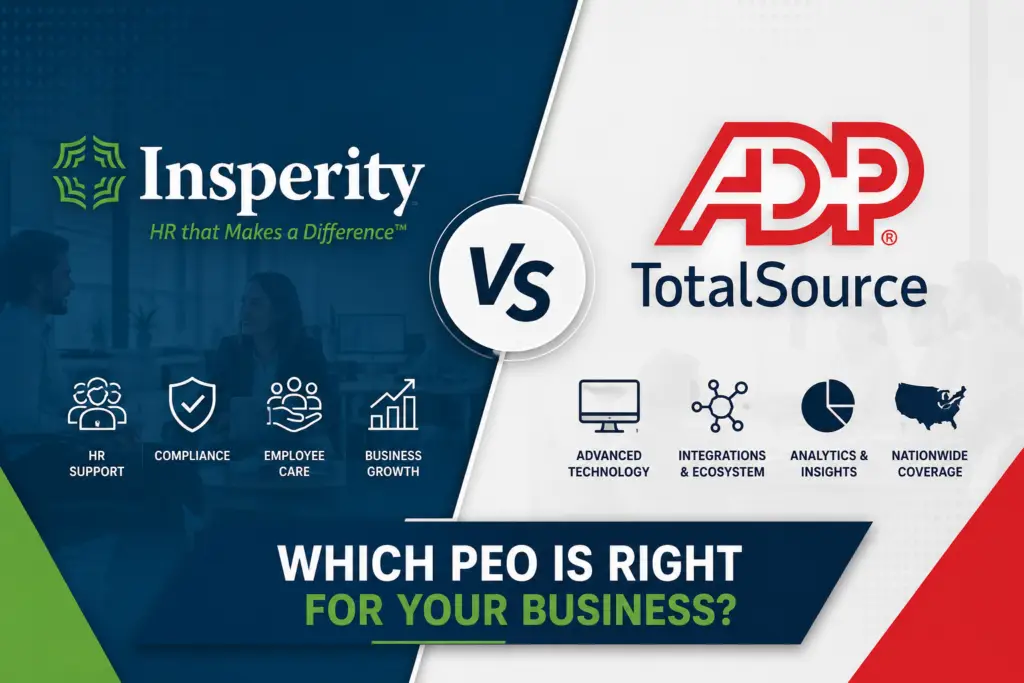
InsperityMid-size firms 50–500 employees✅ Strong✅ Yes✅ ExperiencedPer employee/month
TriNetHigh-salary professional services✅ Strong✅ Yes✅ StrongPer employee/month
ADP TotalSourceFirms wanting deep tech integration✅ Excellent✅ Yes⚠️ Limited flexibility% of payroll + fees
JustworksSmaller firms under 25 employees⚠️ Moderate✅ Yes❌ Basic onlyFlat per employee/month
Oasis (Paychex)Regional firms, cost-sensitive✅ Strong⚠️ Add-on⚠️ Moderate% of payroll

Note: ADP TotalSource’s fee structure can include hidden costs that inflate total spend at higher salary levels. Read our breakdown of hidden fees with ADP TotalSource before signing. For a direct comparison of smaller-firm options, our guide on Gusto vs. Justworks is worth a read.

Key Features to Require From Any PEO for Law Firms

1. IRS-Certified PEO (CPEO) Status

A Certified PEO designation from the IRS provides critical protections around federal tax liability and ensures the PEO meets rigorous financial and reporting standards. For law firms — where fiduciary responsibility is core to the culture — working with a CPEO is the baseline standard, not a bonus feature.

2. Robust Benefits at the High-Compensation Tier

Generic PEO benefits packages are designed for median incomes. Law firms need plans that work for $300,000-per-year earners: executive disability income coverage, group term life above standard limits, supplemental retirement options, and dependent care FSA maximums. Ask specifically how the PEO handles benefits for employees above the Social Security wage base.

3. Dedicated HR Support, Not a Call Center

In our experience matching hundreds of law firms and professional services businesses with PEOs, the firms that report the most frustration are those assigned to a rotating help desk. Require a named HR account manager with demonstrable experience in professional services. This becomes critical when you’re handling a sensitive termination or navigating a complex leave situation.

4. Practice Management Software Integration

Many law firms use Clio, MyCase, or similar practice management platforms. Your PEO’s HR platform should integrate cleanly with your existing tech stack — especially for time tracking that feeds both billing and payroll. Confirm this before signing any contract.

How Much Does a PEO Cost for a Law Firm?

PEO pricing for professional services firms typically runs between $100–$200 per employee per month, or 2–6% of total payroll when priced as a percentage. For law firms with higher average salaries, percentage-of-payroll pricing often costs significantly more than per-employee pricing — a distinction that’s easy to miss when comparing proposals. Use our PEO cost calculator to model both pricing structures for your firm’s specific headcount and salary mix.

For firms considering Insperity specifically, our Insperity cost comparison shows how it stacks up against alternatives at different firm sizes. The ROI case for most professional services firms is compelling: NAPEO research shows businesses using PEOs save an average of 27.2% on HR administration costs compared to managing HR in-house.

How to Choose the Right PEO for Your Firm

The right PEO for a 12-attorney regional litigation firm is not necessarily the right PEO for a 90-person multi-practice group with offices in five states. At PEO Marketplace, we’ve built a matching process specifically designed to align firms with providers based on headcount, geography, compensation structure, and compliance complexity. Visit our Find Your PEO page to get started, or book a free consultation below.

When evaluating proposals, always ask these five questions:

  1. Are you an IRS-Certified PEO (CPEO)?
  2. How do you handle equity partner compensation outside the co-employment relationship?
  3. What is your EPLI coverage limit and structure?
  4. Who is my dedicated HR contact, and what is their professional services industry experience?
  5. How is pricing structured — per employee or percentage of payroll — and what’s included vs. billed separately?

Frequently Asked Questions: PEO for Law Firms

Can a PEO handle equity partner compensation at a law firm?

Equity partners who are treated as self-employed under IRS rules are generally not included in the co-employment relationship with a PEO, and their distributions are handled outside the PEO payroll structure. However, non-equity partners and associates who receive W-2 wages are fully supported within the PEO arrangement. Always clarify your specific partner compensation model with any PEO before signing.

Does using a PEO affect a law firm’s malpractice or E&O insurance?

A PEO co-employment arrangement typically does not affect professional malpractice insurance, since that coverage is tied to the firm’s professional license and practice, not its employment structure. However, it’s worth notifying your malpractice carrier of the PEO relationship and reviewing EPLI coverage provided by the PEO to ensure there are no gaps. Most reputable PEOs for law firms are experienced at navigating this conversation.

What size law firm benefits most from a PEO?

In our experience matching hundreds of professional services firms, law firms between 10 and 150 employees see the highest ROI from a PEO — large enough to benefit significantly from pooled benefits pricing, but not yet large enough to justify a full in-house HR department. Firms under 10 employees can still benefit, particularly for benefits access, while firms over 150 may want to evaluate ASO (Administrative Services Only) arrangements as well.

How does a PEO help with multi-state compliance for law firms?

A PEO assumes responsibility for employer tax filings, unemployment insurance, workers’ compensation, and HR compliance in every state where your employees work — handling the complexity of differing state wage laws, leave mandates, and pay transparency requirements on your behalf. For law firms with attorneys licensed and physically working in multiple states, this is one of the most tangible and immediate benefits of using a PEO. Always confirm which specific states a PEO has direct infrastructure in vs. third-party relationships.

Is a PEO the same as outsourced HR for a law firm?

A PEO differs from traditional HR outsourcing in one critical way: the co-employment relationship, where the PEO becomes a legal co-employer of your staff and assumes shared employer liability for payroll taxes, benefits, and certain compliance obligations. Traditional HR outsourcing is typically an administrative service only, without that shared liability structure. For law firms, the co-employment model of a PEO provides stronger risk transfer and better access to large-group benefits than standard HR outsourcing.


Ready to Find the Right PEO for Your Law Firm?

PEO Marketplace has vetted 100+ PEO providers and matched hundreds of professional services firms with the right fit. Our matching process is free, unbiased, and takes the guesswork out of one of your most important operational decisions. Book a free 30-minute consultation with one of our PEO specialists today.

Book Your Free PEO Consultation →

TriNet vs Justworks is one of the most common comparisons we field at PEO Marketplace — and for good reason. TriNet is built for mid-market companies that need deep HR infrastructure and industry-specific benefits, while Justworks targets early-stage startups that want simple pricing and fast setup. The right choice depends almost entirely on your headcount, growth stage, and how much HR complexity you can manage in-house.

What Is TriNet and Who Is It Built For?


TriNet is a full-service Professional Employer Organization (PEO) that has been in the market since 1988. It serves small and mid-size businesses — typically 20 to 1,000+ employees — and is especially well known for its vertical-specific benefit packages tailored to industries like tech, life sciences, financial services, and nonprofits. TriNet handles payroll, benefits administration, HR compliance, and risk management under a co-employment model.

According to NAPEO, businesses that use PEOs grow 7 to 9 percent faster and have 10 to 14 percent lower employee turnover than those that don’t. TriNet leans into this value proposition by offering enterprise-grade benefits to companies that couldn’t negotiate them independently.

TriNet’s Strengths

    • Industry-specific HR: Dedicated advisors with expertise in your vertical
    • Robust benefits marketplace: Access to Fortune 500-level medical, dental, and vision plans
    • Strong compliance support: Multi-state HR compliance, ACA reporting, COBRA administration
    • Scalability: Built to grow with you from 20 to several hundred employees

TriNet’s Weaknesses


    • Higher cost structure — not ideal for bootstrapped startups under 20 employees
    • Less transparent pricing; quotes require a sales conversation
    • Onboarding can take 4 to 6 weeks depending on complexity
    • Contract terms can be rigid; early termination fees apply in most cases

What Is Justworks and Who Is It Built For?

Justworks is a PEO platform launched in 2012 that targets startups and small businesses — typically 1 to 200 employees — that want a clean, self-service experience with transparent, flat-rate pricing. It’s particularly popular in the New York and coastal tech startup ecosystems. Justworks bundles payroll, benefits, compliance tools, and 24/7 support into a straightforward per-employee-per-month (PEPM) model.

If you’re comparing multiple platforms in this space, our breakdown of Gusto vs Justworks is also worth reading — it covers how Justworks stacks up against a popular non-PEO alternative for very early-stage teams.

Justworks’ Strengths


    • Transparent pricing: Flat PEPM rates published openly — no sales call required to get numbers
    • Fast onboarding: Most companies are up and running in 1 to 2 weeks
    • Startup-friendly: Works well for companies as small as 2 employees
    • Month-to-month flexibility: Less contractual lock-in than many competitors

Justworks’ Weaknesses


    • Less depth in HR advisory — better for straightforward situations than complex ones
    • Benefits offerings are solid but not as competitive as TriNet for mid-market companies
    • Limited vertical specialization — a generalist platform
    • May feel limited as you scale beyond 150 to 200 employees

TriNet vs Justworks: Side-by-Side Comparison


FeatureTriNetJustworks
Best For20–500+ employee companies2–200 employee startups
Pricing ModelPEPM or % of payroll (custom quote)Flat PEPM — starts ~$59/employee/month
Pricing TransparencyLow — requires sales conversationHigh — publicly listed tiers
Onboarding Time4–6 weeks1–2 weeks
Benefits QualityEnterprise-grade, industry-specificSolid national plans, less specialized
HR AdvisoryDedicated industry experts24/7 support, generalist team
Contract FlexibilityAnnual contract, ETF appliesMonthly or annual, more flexible
Multi-State ComplianceStrong — built for complexityGood — improving but less robust
Industry SpecializationYes — tech, life sciences, financeNo — generalist
HRIS PlatformRobust, full-featuredClean, user-friendly, less customizable


Pricing: What Will You Actually Pay?


Pricing is where these two PEOs diverge most sharply — and where buyers often get surprised. TriNet does not publish standard rates. Based on our analysis of 100+ PEO providers, TriNet typically runs between $150 to $350+ per employee per month depending on your industry, headcount, benefits elections, and negotiated terms. Companies in high-risk industries or those needing rich benefits packages should budget toward the higher end.

Justworks is the rare PEO that actually publishes its pricing. As of 2026, plans start at approximately $59 PEPM for the Basic plan and go up to $99+ PEPM for the Plus plan that includes medical, dental, and vision. For a 25-person startup, that’s a meaningful cost difference versus a custom TriNet quote.

Want to model out what a PEO might cost your specific team? Use our PEO cost calculator to get a ballpark before any sales conversation.

One important note: even “transparent” PEPM pricing doesn’t capture the full picture. Benefits markup, workers’ comp rates, and HR add-ons can shift your real cost significantly. The IRS guidance on PEO arrangements explains the co-employment structure that underlies all of these cost elements — worth understanding before you sign.

Onboarding: How Fast Can You Get Running?

For startups, onboarding speed matters. If you’re closing a round and need benefits in place before your next payroll, a 6-week timeline is a real problem.

Justworks wins here. Their self-service platform and standardized implementation process get most teams live within 1 to 2 weeks. The interface is intuitive enough that employees can self-onboard with minimal HR handholding — a big deal when your team is 8 people and nobody has an HR title.

TriNet’s onboarding is more thorough but slower. Expect 4 to 6 weeks minimum, with dedicated implementation specialists walking you through benefits setup, payroll migration, and compliance configuration. For a 100-person company moving off a legacy system, that thoroughness is valuable. For a 15-person seed-stage startup, it can feel like overkill.

Benefits: Enterprise Access vs Startup Simplicity


This is arguably TriNet’s biggest differentiator. Because they pool thousands of employees across their client base, TriNet negotiates group rates with major carriers that most sub-500-person companies could never access independently. Their industry-specific plans — particularly for tech and life sciences companies — often include richer plan designs, higher employer contribution options, and supplemental benefits like mental health stipends and fertility coverage.

Justworks offers competitive national benefits through United Healthcare, Aetna, and Kaiser — solid coverage that will satisfy most startup employees. But it’s a more standardized menu. You’re not getting the same depth of customization or the same negotiating leverage as TriNet’s larger pool.

Per BLS Employee Benefits data, health insurance remains the top non-wage factor in employee recruitment and retention decisions. If your hiring is competitive — especially in engineering or biotech — TriNet’s benefits edge could directly impact your ability to close candidates.

Contract Terms and Exit Flexibility


TriNet typically requires an annual contract with an early termination fee. Terms vary by deal size and negotiation, but count on being committed for at least 12 months. If your company pivots, gets acquired, or simply outgrows the platform, unwinding that contract has real costs. We’ve seen this catch clients off guard — it’s similar to the hidden fee dynamics we’ve documented in our ADP TotalSource fee analysis.

Justworks offers monthly billing on their standard plans, which means you can exit with 30 to 60 days’ notice in most cases. For early-stage companies where everything can change in a quarter, that flexibility has genuine strategic value.

Which One Should You Choose?

Based on our experience matching hundreds of businesses to PEO providers, here’s the direct answer:

    • Choose Justworks if: You’re a startup with under 100 employees, want predictable flat-rate pricing, need to get running fast, and don’t have complex multi-state HR needs or industry-specific compliance requirements.
    • Choose TriNet if: You’re a 50+ employee company (or scaling toward it) in tech, life sciences, or financial services, want best-in-class benefits to compete for talent, and need a dedicated HR expert who understands your industry’s specific compliance landscape.

Neither is the right choice for every business — and both have competitors worth considering. See how TriNet’s pricing and service model compare more broadly in our Insperity cost comparison, which gives additional context on mid-market PEO pricing benchmarks.

If you want an unbiased recommendation based on your actual headcount, industry, and budget — not a sales pitch from either vendor — let us match you with the right provider from our vetted network of 100+ PEOs.

Frequently Asked Questions


Is TriNet or Justworks better for a startup with fewer than 25 employees?

Justworks is generally the better fit for startups under 25 employees because its transparent flat-rate pricing, fast onboarding, and flexible month-to-month terms are designed specifically for early-stage teams. TriNet’s strength — deep industry expertise and enterprise-grade benefits — typically becomes worth the higher cost at 50+ employees when you’re actively competing for senior talent.

How much does Justworks cost compared to TriNet?

Justworks publishes flat PEPM rates starting around $59 to $99+ per employee per month depending on the plan tier. TriNet does not publish standard pricing; based on our analysis, TriNet typically runs $150 to $350+ PEPM depending on industry, headcount, and benefits elections. The gap narrows when you factor in the quality difference in benefits access that TriNet provides.

Can I switch from Justworks to TriNet as I scale?

Yes, many companies start on Justworks for its simplicity and transition to TriNet or another mid-market PEO as they grow past 50 to 100 employees and need more sophisticated HR infrastructure. PEO Marketplace can help you plan that transition and time it to minimize disruption to your team’s benefits and payroll continuity.

Does TriNet lock you into a long-term contract?

TriNet typically requires an annual contract with early termination fees that vary by deal size and negotiated terms. It’s important to review contract language carefully before signing and to clarify exit terms upfront — something an independent broker like PEO Marketplace can help you negotiate.

Are there better PEO options than both TriNet and Justworks?

Depending on your industry, location, and headcount, yes — there are 100+ vetted PEO providers on our marketplace, and the best fit for your business may not be either of these names. PEO Marketplace evaluates providers across pricing, benefits quality, technology, compliance support, and contract flexibility to match you with the right option for your specific situation.


Not sure which PEO is right for your team? Skip the sales calls and let PEO Marketplace do the work. We’ve analyzed 100+ providers and match hundreds of businesses every year — for free, with no obligation. Book a free 15-minute consultation and get a shortlist built around your actual needs.

The best PEO for small business depends on your industry, headcount, and budget — but based on our analysis of 40+ PEO providers, the top choices for most small businesses in 2026 are Justworks, Rippling, TriNet, Insperity, and CoAdvantage. These providers offer the strongest combination of HR technology, benefits buying power, compliance support, and transparent pricing for companies with 5–150 employees. If you want a personalized match in under 10 minutes, use our free PEO matching service.

What Is a PEO and Why Do Small Businesses Use One?

A Professional Employer Organization (PEO) is a co-employment arrangement where the PEO becomes the employer of record for your workforce — handling payroll, benefits administration, HR compliance, workers’ compensation, and tax filings — while you retain full control over day-to-day operations and business decisions.

In plain terms: you run your business, the PEO handles the HR back office. Your employees get access to Fortune 500-level benefits. You get protection from costly compliance mistakes.

The Numbers Behind the Growth

PEOs aren’t a niche product. According to NAPEO, the national association for PEOs, the industry employs approximately 4 million worksite employees across the U.S. and generates over $260 billion in gross revenues annually. Small businesses that use a PEO grow 7–9% faster and have 10–14% lower employee turnover than those that don’t. That’s not a marketing claim — it’s independent research.

What a PEO Actually Does for You

  • Payroll processing and tax filing — federal, state, and local, including W-2s and year-end reporting
  • Benefits administration — health, dental, vision, 401(k), FSA, HSA, life, disability
  • HR compliance — ACA, FMLA, FLSA, COBRA, state-specific labor law guidance
  • Workers’ compensation — master policy coverage, claims management, return-to-work programs
  • Risk management — employment practices liability guidance, employee handbooks, training
  • HR technology — onboarding, time tracking, performance management, self-service portals

For a small business owner wearing five hats, that list represents dozens of hours per month reclaimed — and millions of dollars in potential liability avoided.

Co-Employment: What It Means in Practice

The word “co-employment” makes some business owners nervous. It shouldn’t. You don’t lose your people. You don’t lose your culture. You retain full authority over hiring, firing, compensation, and job duties. The PEO simply becomes the employer of record for tax and benefits purposes, allowing it to pool your employees with thousands of others to negotiate better rates. Think of it as an HR infrastructure upgrade, not a loss of control.

Want to understand the underwriting side before you sign? Read our explainer on how PEO underwriting works — it’s one of the most misunderstood parts of the process.


Best PEO Companies for Small Businesses in 2026

Based on our evaluation of 40+ vetted providers across pricing transparency, technology, benefits quality, compliance strength, and customer service, here are the best PEO companies for small businesses right now.

ProviderBest ForPricing ModelMin EmployeesKey Strength
JustworksEarly-stage startups & tech companiesPEPM flat fee ($59–$99+)2Transparent pricing, clean UX, strong benefits
RipplingTech-forward businesses needing deep integrationsPEPM modular2Best-in-class HR tech platform, automation
TriNetProfessional services & white-collar SMBsPEPM industry-based5Industry-specific plans, rich benefits catalog
InsperityEstablished small businesses (10–150 employees)% of payroll or PEPM5Dedicated HR specialists, compliance depth
CoAdvantageCost-conscious SMBs in the Southeast & Southwest% of payroll5Competitive rates, personalized service
ADP TotalSourceBusinesses already using ADP ecosystem% of payroll5Brand recognition, massive benefit network
Engage PEOSmall businesses needing strong legal/compliance supportPEPM3Attorney-led HR compliance team
Oasis (Paychex)Small businesses wanting Paychex integration% of payroll or PEPM5Nationwide reach, payroll reliability
QuestcoSmall businesses in Texas and Southeast% of payroll5Regional expertise, high-touch service
Resourcing EdgeSMBs wanting high-touch, dedicated HR support% of payroll5Dedicated service teams, flexible plans

Pricing and minimums are subject to change. Contact individual providers or use our free matching tool for current quotes.

A Note on the Big Names

You’ll see ADP TotalSource on every list. It’s a legitimate option — but it comes with risks. We’ve written a detailed breakdown of hidden fees in ADP TotalSource contracts that every business owner should read before signing. Similarly, if you’re considering Insperity, our Insperity cost comparison guide shows exactly how it stacks up against alternatives.

For a head-to-head look at two popular mid-market options, see our Rippling vs. TriNet comparison.


How to Choose the Best PEO for Your Small Business

Choosing the best professional employer organization isn’t about picking the most famous brand. It’s about matching the right provider to your specific situation. In our experience matching hundreds of businesses to PEOs, these six criteria separate a good fit from a costly mistake.

1. Company Size and Growth Trajectory

Not all PEOs are built for the same stage. Some are optimized for 2–10 employees; others don’t perform well below 25. If you’re pre-revenue with 3 employees, Justworks or Engage PEO are better fits than Insperity or ADP TotalSource, which are built for more established payrolls.

Conversely, if you’re at 80 employees and growing fast, you want a provider with the infrastructure to scale with you — robust onboarding automation, multi-state compliance support, and a benefits catalog that can compete for talent in a hot market.

Ask every provider: “What happens to our account when we hit 200 employees? Do we stay on the PEO platform or migrate?” The answer tells you a lot about their business model.

2. Industry and Risk Profile

Your industry affects workers’ compensation rates, compliance complexity, and which benefits carriers will work with a PEO on your behalf. A restaurant with tipped employees has entirely different needs than a software company with remote workers in 12 states.

TriNet, for example, has purpose-built HR packages for tech, life sciences, financial services, and professional services. If you’re in a high-risk industry like construction or staffing, you’ll need a PEO with deep workers’ comp expertise and carrier relationships — not all of them have that.

3. Benefits Quality and Carrier Access

The best PEO for small business offers benefits that you simply cannot buy on your own. We’re talking access to UnitedHealthcare, Aetna, Blue Cross, Kaiser — at rates normally reserved for companies with 500+ employees. This is the core ROI driver for most small businesses.

When evaluating benefits, look beyond premium cost. Evaluate: network breadth, plan design flexibility, dental and vision options, 401(k) match pass-through capability, and whether the PEO allows you to keep your existing broker relationship. Some PEOs do; many don’t.

4. Technology and Integration

HR tech quality varies wildly across PEO providers. Rippling is the current gold standard for integration depth — it connects HR, IT, payroll, and finance in ways no other PEO does. Justworks has the cleanest employee-facing UX. Legacy providers like ADP have powerful reporting but clunky interfaces.

Ask for a live demo — not a slide deck. Have a real HR scenario ready: “Show me how an employee in Colorado files for FMLA leave.” The response tells you everything about the platform’s depth and the team’s competence.

5. Pricing Transparency and Contract Terms

PEO pricing comes in two primary structures: a flat per-employee-per-month (PEPM) fee, or a percentage of gross payroll (typically 2–6%). Neither is inherently better — but transparency is non-negotiable.

Watch out for: implementation fees buried in fine print, minimum annual contract commitments with steep early termination penalties, and “administrative fees” that appear after signing. Use our PEO cost calculator to get a realistic number before you talk to any provider.

Also verify whether the provider is IRS-certified. The IRS CPEO (Certified Professional Employer Organization) program provides additional legal protections for clients. You can verify certification status directly at IRS.gov.

6. Service Model and Support Access

Do you get a dedicated HR representative or a call center ticket queue? This is a massive differentiator — especially when you’re dealing with an unemployment claim, a harassment complaint, or a sudden state tax audit.

Insperity and CoAdvantage are known for high-touch dedicated service. Justworks and Rippling lean more self-service with tech support. Neither model is wrong — it depends on how much HR sophistication your internal team has. If you have zero HR staff, you want a human on speed dial.

Read our unbiased Engage PEO review and our CoAdvantage pros and cons breakdown to see what high-touch service looks like in practice.


How Much Does a PEO Cost for Small Businesses?

PEO pricing is one of the most misunderstood topics in HR outsourcing. Here’s the honest breakdown.

The Two Pricing Models Explained

PEPM (Per Employee Per Month): A flat fee per employee, regardless of salary. Ranges from $40–$160/employee/month depending on services included. Predictable. Easy to budget. Good for businesses with variable pay (commission-heavy sales teams, tipped workers).

Percentage of Payroll: Typically 2–6% of gross payroll. Scales with your payroll spend. Can become expensive as you give raises or promote people. Better for lower-wage workforces where PEPM rates would be disproportionately high.

What’s Typically Included vs. Add-On

Typically IncludedOften an Add-On
Payroll processing401(k) administration
Tax filing (federal/state)Learning management system
Workers’ comp coverageBackground check integrations
HR compliance supportEPLI coverage
Employee self-service portalDrug screening programs
Basic benefits administrationRecruiting/ATS tools

Real-World Cost Examples

  • 10-employee company, avg salary $55,000: Expect $800–$1,600/month in PEO administrative fees (not including benefits premiums)
  • 25-employee company, avg salary $65,000: Expect $1,800–$4,000/month in administrative fees
  • 50-employee company, avg salary $70,000: Expect $3,500–$7,500/month in administrative fees

These ranges vary significantly by provider, services selected, and industry risk profile. Use our PEO cost calculator to get a personalized estimate before you request quotes.

Is a PEO Worth the Cost?

NAPEO’s research shows that businesses using a PEO save an average of $1,775 per employee per year when you factor in reduced HR overhead, lower turnover costs, avoided compliance penalties, and better benefits pricing. According to BLS data, employee replacement costs range from 50–200% of annual salary — reducing turnover by even one or two employees per year often covers the entire annual PEO fee.


Best PEO by Industry

Industry context dramatically changes which PEO is the right fit. Workers’ comp classification codes, state licensing requirements, benefits expectations, and compliance complexity all vary by sector. Here’s a quick breakdown of what we see work best across five key industries.

Construction

Construction businesses face some of the highest workers’ compensation costs and most complex multi-state compliance requirements of any industry. The best PEO for construction companies must have strong carrier relationships for high-hazard job classifications, robust safety program support, and experience with certified payroll and prevailing wage requirements.

Providers like CoAdvantage, Questco, and specialty construction PEOs outperform the generalist platforms here. Rippling and Justworks are not ideal fits for field-based construction operations. Read our full guide to the best PEO for construction companies →

Healthcare

Healthcare businesses — clinics, dental practices, home health agencies — need PEOs experienced with healthcare-specific compliance: HIPAA considerations in HR data handling, licensing verification, credentialing support, and benefits structures that compete for clinical talent.

TriNet and Insperity both have healthcare vertical expertise. Read our full guide to the best PEO for healthcare businesses →

Restaurants and Hospitality

Tipped employees, high turnover, tip credit rules, tip pooling compliance, fluctuating headcounts — restaurants are operationally complex for any HR platform. You need a PEO that handles PEPM pricing fairly for part-time and seasonal workers, and understands state-by-state tipping law nuances enforced by the Department of Labor’s Wage and Hour Division.

Read our full guide to the best PEO for restaurants →

Tech and Startups

Tech companies need benefits that compete with larger employers, remote-first HR infrastructure, equity compensation coordination, and fast onboarding for globally distributed or multi-state teams. Rippling and Justworks dominate this segment — and for good reason.

If you’re comparing the two most popular options in this space, our Gusto vs. Justworks comparison breaks down exactly where each wins and loses. Read our full guide to the best PEO for startups →

Nonprofits

Nonprofits operate on tight margins and need PEOs that offer competitive pricing without sacrificing benefits quality. 403(b) administration, volunteer management considerations, and grant-funded payroll complexity make nonprofits a unique segment. Several PEOs offer nonprofit pricing tiers — always ask directly.

Read our full guide to the best PEO for nonprofits →


PEO vs Other Options: When a PEO Is (and Isn’t) the Right Choice

A PEO is the right solution for a lot of small businesses — but not all of them. Here’s how it stacks up against the alternatives you’re probably already considering.

PEO vs. HR Software (HRIS)

HR software like BambooHR, Rippling (standalone), or Gusto gives you tools to manage HR processes — but you’re still doing the work, carrying the compliance risk, and buying benefits on your own. A PEO is a service plus technology. It provides actual humans handling filings, compliance guidance, and claims. For businesses under 50 employees without dedicated HR staff, a full-service PEO almost always delivers more value than software alone.

PEO vs. Payroll Service

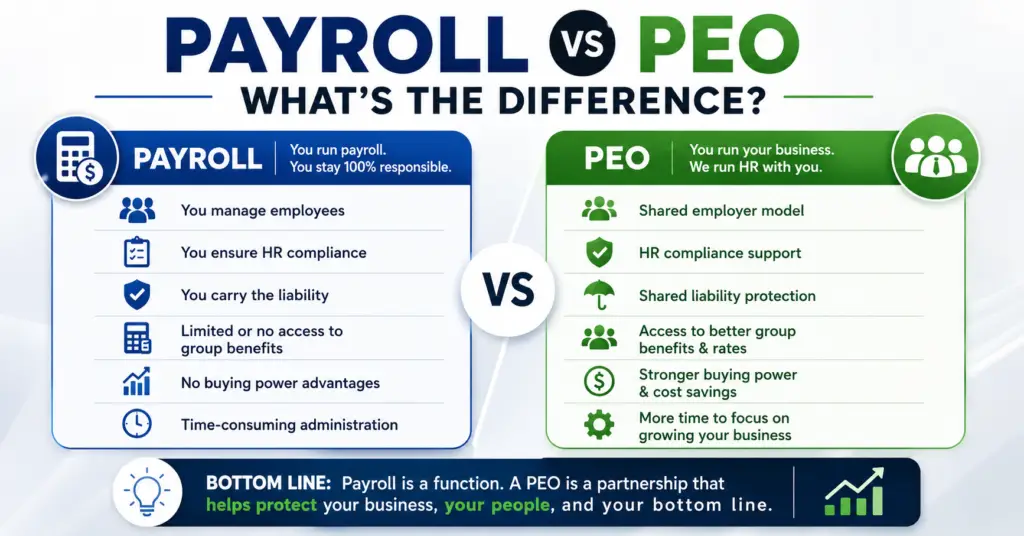
A payroll service (ADP Run, Gusto, Paychex Flex) processes your payroll and files taxes. That’s it. It does not provide workers’ compensation, HR compliance support, employment law guidance, or benefits administration. A PEO does all of that and more. If you’re only using a payroll service, you’re handling everything else yourself — and absorbing the full liability.

PEO vs. ASO (Administrative Services Organization)

An ASO provides HR administration services similar to a PEO but without co-employment. You remain the sole employer of record. This means you don’t get access to the PEO’s pooled benefits rates or its master workers’ comp policy — which are typically the two biggest cost advantages. An ASO can make sense for larger companies (100+ employees) that already have competitive benefits in place and want administrative support without co-employment. For most small businesses, the PEO’s co-employment benefits far outweigh the drawbacks.

PEO vs. Hiring an In-House HR Manager

A mid-level HR manager costs $65,000–$95,000 in base salary alone — plus benefits, payroll taxes, and overhead. They handle one company’s HR. A PEO gives you access to an entire team of specialists — payroll experts, benefits administrators, compliance attorneys, risk managers — for a fraction of that cost. For businesses under 75–100 employees, a PEO almost always wins on both cost and depth of expertise. Above 100 employees, a hybrid approach (PEO plus one internal HR generalist) is often the sweet spot.

When a PEO Is NOT the Right Choice

There are legitimate cases where a PEO isn’t the best fit:

  • You have fewer than 2–3 employees (most PEOs won’t take you, and the economics don’t work)
  • Your workforce is 100% independent contractors (PEOs cover W-2 employees only)
  • You already have negotiated group health rates better than what PEOs offer (rare below 100 employees, but possible)
  • You operate in a highly specialized, high-risk industry where few PEOs have underwriting appetite

Not sure which option fits your situation? Use our free matching tool and we’ll tell you honestly whether a PEO makes sense — or whether you’d be better served by something else.


How PEO Marketplace Helps You Find the Right Fit

PEO Marketplace is a licensed insurance agency that has spent years vetting, negotiating with, and placing businesses with PEO providers. We represent 40+ pre-screened providers. We don’t work for any one PEO — we work for you.

Here’s what makes our process different from going direct to a PEO:

  • Unbiased matching: We compare multiple providers against your specific criteria — industry, headcount, state, benefits priorities, budget. No one provider pays us more than another.
  • Negotiation leverage: Because we bring volume to PEO providers, we can negotiate rates and contract terms that most businesses can’t get on their own.
  • Hidden fee protection: We’ve seen every trick in PEO contracts. We flag them before you sign, not after.
  • Ongoing advocacy: If something goes wrong after you sign — a billing dispute, a service failure, a coverage gap — we’re your advocate with the provider.
  • No cost to you: Our service is free to businesses. PEO providers pay a referral fee only if and when you enroll. There’s no pressure, no sales pitch, and no obligation.

In our experience matching hundreds of businesses to PEOs, the companies that get the best outcomes are the ones that come in with clear priorities and a realistic budget — not the ones that just go with the biggest brand name. Our job is to make sure you’re one of the success stories.

Ready to find the best PEO for small business — your specific business? Start your free match here.


Frequently Asked Questions

What is the best PEO for a small business with fewer than 10 employees?

For businesses with fewer than 10 employees, Justworks and Engage PEO are typically the best options because they have low employee minimums (as few as 2–3), transparent flat-rate pricing, and don’t require you to meet large payroll thresholds to qualify. Rippling is also worth considering if your team is tech-forward and you need strong automation from day one. Avoid providers with high minimums or percentage-of-payroll structures that become disproportionately expensive at small headcounts.

How do I know if a PEO is legitimate and certified?

Look for IRS CPEO (Certified Professional Employer Organization) certification, which you can verify directly at IRS.gov. Also check for ESAC accreditation (Employer Services Assurance Corporation), which audits PEOs for financial stability, ethical standards, and regulatory compliance. NAPEO membership is a baseline indicator of legitimacy, but CPEO certification and ESAC accreditation are the gold standards.

Can I switch PEO providers if I’m not happy?

Yes — but read your contract carefully. Most PEO agreements have 30–60 day termination notice requirements and some have annual contract minimums with early termination fees. The best time to switch is at the start of a new plan year (typically January 1) to avoid mid-year benefits disruption for your employees. PEO Marketplace can help you evaluate alternatives and manage the transition without service gaps.

Does using a PEO mean I lose control of my employees?

No. Co-employment does not mean the PEO controls your workforce. You retain full authority over hiring, firing, compensation, promotions, job duties, and company culture. The PEO is the employer of record only for tax filing and benefits administration purposes. Your employees work for you — the PEO just handles the administrative infrastructure behind the scenes.

What’s the difference between the best PEO companies and payroll companies like Gusto or ADP?

Payroll companies process your payroll and file taxes — that’s their core function. The best PEO companies do that plus provide workers’ compensation coverage, group health benefits at pooled rates, HR compliance support, employment law guidance, and a co-employment relationship that reduces your liability exposure. If you’re comparing Gusto as a PEO option versus a standalone payroll tool, read our Gusto vs. Justworks comparison for a detailed breakdown.

How long does it take to set up a PEO for a small business?

Most PEO implementations for small businesses (under 50 employees) take 2–4 weeks from signed contract to first payroll run. The process includes employee data collection, benefits enrollment, workers’ comp policy transfer, and platform setup. Some providers like Justworks and Rippling can move faster for straightforward implementations — as little as 1–2 weeks. The biggest variable is how quickly your team completes onboarding paperwork.

Are PEO costs tax deductible for small businesses?

Yes, PEO administrative fees are generally deductible as ordinary and necessary business expenses. Employer contributions to benefits (health insurance, 401k matches) are also deductible. Consult your CPA for guidance specific to your business structure, but from a general standpoint the IRS treats PEO fees similarly to other HR and payroll administration costs. You can find general guidance on business expense deductions at IRS.gov.

What should I watch out for in a PEO contract?

The most common contract traps are: auto-renewal clauses with short opt-out windows, bundled fees that obscure the true per-employee cost, workers’ comp audits that result in surprise true-up charges, and minimum annual commitment clauses that make it expensive to leave. Always get a full fee schedule in writing before signing, and have someone who understands PEO contracts review it — or let PEO Marketplace review it for you as part of our free matching service.


Ready to Find the Best PEO for Your Business?

Stop spending hours researching providers that may not even qualify your business. Tell us about your company — industry, headcount, state, priorities — and we’ll match you with the best PEO providers from our vetted network of 100+ PEOs. Free, unbiased, no pressure.

In our experience matching hundreds of businesses, the right match takes less than 10 minutes to identify and can save you tens of thousands of dollars per year.

Schedule Your Free PEO Consultation →

No commitment. No cost. Just an honest conversation about what’s right for your business.

Leaving a PEO requires careful planning around notice periods, data portability, benefits continuity, and transition timing. Most business owners underestimate how much infrastructure a PEO holds on their behalf — payroll, benefits, tax filings, employee records — and discover the complexity only when they try to walk out the door. Done right, a PEO exit takes 60–90 days and leaves your employees barely noticing the change. Done wrong, it can mean payroll gaps, lapsed health coverage, and IRS headaches that take months to unwind.


Why Leaving a PEO Is More Complex Than It Looks


A PEO acts as a co-employer, meaning your employees are technically on the PEO’s books. Your EIN may be absorbed into the PEO’s master employer identification number for tax purposes, your benefits are tied to the PEO’s group plans, and your payroll data lives in their system. When you leave your PEO, you’re not just canceling a subscription — you’re rebuilding an HR infrastructure from scratch or migrating to a new provider.

According to NAPEO, there are now more than 500 PEO providers in the U.S. employing roughly 4 million worksite employees. That scale means termination processes are highly standardized — but they’re standardized to protect the PEO, not you. Understanding the exit mechanics before you sign (or before you decide to leave) is one of the most important things a business owner can do.

Step 1: Review Your Contract Before You Do Anything Else

Your PEO service agreement governs everything about your exit. Before you notify anyone or start shopping for replacements, pull your contract and look for these four things:

Notice Period Requirements

Most PEO contracts require 30 to 90 days written notice before termination. Some larger providers like ADP TotalSource and Insperity build in 60-day minimums with clauses requiring notice before a new plan year begins — meaning if you miss the window, you may be locked in for another 12 months. If you’re unsure what you signed, our post on hidden fees with ADP TotalSource covers some of the contract traps to watch for.

Early Termination Fees

Some contracts include liquidated damages or early exit fees, especially if you’re leaving mid-year or before a minimum term expires. These can range from one month’s service fees to a percentage of annual payroll costs. Get the exact dollar figure in writing before you pull the trigger.

Renewal Auto-Clauses

Watch out for auto-renewal provisions. If your contract renews automatically on January 1 and you need to give 60 days notice, you need to send that notice by November 1. Missing this date by even one day can legally bind you for another full year.

Data Return Provisions

What data are you entitled to, in what format, and by when? Some PEOs are generous here; others will give you PDFs when you need structured data files. Get this clarified in writing before you serve notice.

Step 2: Build Your Exit Timeline

A clean PEO exit doesn’t happen in two weeks. Based on our experience matching hundreds of businesses to PEO providers at PEO Marketplace, we recommend building a 90-day runway. Here’s how that typically breaks down:

TimelineAction ItemOwner
Day 1–15Review contract, identify notice deadline and exit feesHR / Legal
Day 15–30Select replacement: new PEO, HCM platform, or in-house setupHR / Finance
Day 30Send written termination notice to current PEOHR Leader
Day 30–60Request and validate all data exports from current PEOHR / Payroll
Day 30–60Set up new payroll system, obtain or reclaim your EINFinance / Payroll
Day 45–75Enroll employees in replacement benefits plansHR / Benefits Broker
Day 75–90Run parallel payroll test, confirm all tax registrationsPayroll Admin
Day 90Go live on new platform, PEO relationship endsAll

Step 3: Extract Your Data Before You Leave

Data portability is one of the most overlooked parts of a PEO exit. Your PEO holds years of payroll records, employee files, I-9s, W-2s, tax deposit histories, and benefits enrollment data. You need all of it.

What to Request in Writing

  • Complete payroll history (all pay periods, year-to-date figures for the current year, prior years)
  • Employee records (offer letters, performance reviews, disciplinary records, I-9 forms)
  • Benefits enrollment data (carrier, plan type, effective dates, dependent information)
  • Workers’ comp loss runs (at least 3–5 years of claims history — required to get new coverage)
  • State and federal tax filing history including Form 940, 941, and state unemployment tax filings
  • COBRA notices and administration records

Request everything in a machine-readable format (CSV or Excel), not just PDF. Some PEOs will default to PDF exports unless you specifically ask otherwise. The IRS requires employers to retain payroll tax records for at least four years, so you need clean data to meet your own compliance obligations after exit.

Step 4: Solve the Benefits Continuity Problem

This is where PEO exits get genuinely risky. Your employees’ health, dental, vision, and ancillary benefits are tied to the PEO’s master group policy. The moment you leave, those plans terminate — and your employees could face a coverage gap if you haven’t lined up replacement coverage in advance.

Your Options for Replacement Benefits

Join a new PEO: The cleanest solution. A new PEO brings its own group benefits, and a well-coordinated handoff means employees move from one group plan to another with no lapse. If you’re switching PEOs rather than going it alone, use our free PEO matching service to compare options before you give notice.

Work with a benefits broker directly: If you’re leaving the PEO model entirely, a licensed broker can place you with a group carrier. Budget 45–60 days minimum for underwriting and enrollment. Small groups (under 50 employees) may face limited carrier options depending on your state.

COBRA bridge coverage: In a pinch, employees can elect COBRA continuation from the PEO’s plan while new coverage is set up. This is expensive and not a long-term solution, but it prevents a hard gap. Under DOL rules, departing employees must receive COBRA notices within specific timeframes — your PEO should handle this, but verify it in writing.

Time Open Enrollment to Your Exit

Whenever possible, align your PEO exit with a benefits renewal date — either the PEO’s plan year end or your target carrier’s open enrollment window. Mid-year exits create qualifying life events that allow employees to enroll in new coverage, but administrative friction is significantly lower when you exit at year-end.

Step 5: Reclaim Your EIN and Tax Accounts

Many PEOs file payroll taxes under their own EIN through what’s called an Aggregated Filing arrangement. When you leave, you’ll need to re-establish your own employer tax accounts at the federal and state level. This includes:

  • Confirming your Federal EIN status with the IRS (if your EIN was absorbed, you may need to reactivate or re-register for EFTPS)
  • Re-registering for state income tax withholding accounts in every state where you have employees
  • Re-registering for state unemployment insurance (SUI) accounts — and note that your SUI rate may reset to the new employer rate, which can be significantly higher than the rate you had through the PEO
  • Obtaining new workers’ compensation coverage under your own policy

Use our PEO cost calculator to model what in-house HR costs will look like post-exit, including benefits, payroll administration, and compliance overhead. Many businesses are surprised to find the math still favors a PEO — just a different one.

Should You Leave Your PEO or Switch to a Better One?

Before you go through the effort of a full exit, ask yourself: is the problem the PEO model, or just this specific PEO? In our analysis of 100+ PEO providers, we find that most business owners who are frustrated with their current PEO are dealing with pricing opacity, poor service, or features that no longer fit their growth stage — not a fundamental problem with the PEO model itself.

Switching PEOs is dramatically simpler than exiting the model entirely, and you get to keep the benefits: better group insurance rates, built-in HR compliance, and administrative scale. Check out our comparisons of Gusto vs. Justworks and the Insperity cost breakdown to see how alternatives stack up before you decide.


Frequently Asked Questions

How much notice do I need to give my PEO before leaving?

Most PEO contracts require 30 to 90 days written notice before termination, with the exact period specified in your service agreement. Some providers also require notice before a specific date (such as 60 days before plan year renewal) or you may be automatically renewed for another term. Always check your contract first and get confirmation of the notice receipt in writing.

Will my employees lose their health insurance when I leave a PEO?

Yes, your employees’ health coverage through the PEO will terminate when the relationship ends, which is why replacement coverage must be in place before your exit date. Employees will have a qualifying life event allowing them to enroll in new coverage outside of open enrollment. COBRA continuation from the PEO plan is available as a bridge, but it’s typically expensive and intended as a temporary option only.

Can I keep my EIN when I leave a PEO?

If you maintained your own EIN throughout the PEO relationship (common with most providers), you keep it and simply need to re-register for federal and state tax deposit accounts. If your EIN was absorbed into the PEO’s master filing arrangement, you’ll need to work with the IRS to reinstate your independent filing status. Your PEO should provide documentation of your tax filing history regardless of which arrangement applied.

What data am I legally entitled to when I leave a PEO?

You’re entitled to all employee records, payroll history, I-9 forms, W-2s, benefits enrollment data, and workers’ comp loss runs — because this information ultimately belongs to you as the employer of record for underlying purposes. Request everything in writing and specify you want machine-readable formats, not just PDFs. The IRS requires employers to retain payroll tax records for at least four years, so getting complete data isn’t optional.

Is it better to switch PEOs or leave the PEO model entirely?

For most small and mid-size businesses, switching to a better-fit PEO is faster, cheaper, and less disruptive than exiting the PEO model entirely. A well-managed PEO handoff can be completed in 30–60 days with no benefits gap and minimal employee disruption. If your issue is with a specific provider’s pricing, service, or technology rather than co-employment itself, switching is almost always the right call — and PEO Marketplace can match you for free.


Ready to make your move? Whether you’re exiting the PEO model or switching to a provider that actually fits your business, our team has matched hundreds of companies through exactly this process.

Book a free 15-minute consultation and we’ll map out your exit or transition plan — no pressure, no sales pitch, just straight answers.

The best PEO for tech startups is one that offers enterprise-grade health insurance, a competitive 401k, and the flexibility to scale from seed stage to Series A without repapering every HR contract. Startups under 50 employees face a specific hiring problem: candidates expect Google-level benefits, but you don’t have Google’s HR budget or headcount. A Professional Employer Organization solves that gap by pooling your employees into a larger risk pool, unlocking benefits that would otherwise be out of reach.

In our experience matching hundreds of businesses through PEO Marketplace, tech startups consistently have the most competitive talent needs relative to their size. You’re competing against companies 10x your headcount for the same engineers, designers, and product managers. The right PEO isn’t just an HR tool — it’s a recruiting weapon.

Why Tech Startups Need a PEO (Not Just Payroll Software)

A PEO is a co-employment arrangement where the PEO becomes the employer of record for HR, benefits, and compliance purposes while you retain full control over your team’s day-to-day work. That distinction matters a lot for startups.

Payroll software like Gusto or Rippling handles transactions. A PEO handles risk. According to NAPEO, businesses that use PEOs grow 7–9% faster, have 10–14% lower employee turnover, and are 50% less likely to go out of business. For a startup where every hire is mission-critical, that retention number alone justifies the cost.

Here’s what a PEO gives a tech startup that payroll software doesn’t:

  • Group health insurance at large-group rates — Even with 8 employees, you access the same carrier networks as a 500-person company
  • 401k with employer matching options — Plug into an existing plan on day one instead of setting up your own
  • Workers’ comp and EPLI coverage — Critical when you’re adding headcount fast
  • HR compliance as you cross state lines — Remote-first startups hiring in multiple states face a compliance minefield
  • Dedicated HR support — No need to hire a full-time HR person at 15 employees

What Tech Startups Should Look for in a PEO

Not every PEO is built for the startup environment. Some are optimized for blue-collar workforces or regional businesses. When evaluating the best PEO for tech startups, focus on these five criteria:

1. Benefits Quality and Carrier Access

Your engineers will compare your health plan to offers from funded competitors. Look for PEOs with access to Blue Cross Blue Shield, Aetna, UnitedHealth, or Kaiser (depending on your geography). The benchmark for a competitive tech startup offer is a PPO or HDHP with HSA pairing, dental, vision, and mental health coverage. Some PEOs also offer supplemental perks like telehealth, pet insurance, and fertility benefits — increasingly important for recruiting in 2026.

2. 401k Plan Features

A PEO’s 401k is a pooled plan, which means lower administrative fees and faster eligibility for your employees. Look for immediate or 30-day eligibility (not 90-day), Roth 401k options, and the ability to customize your employer match. According to the Bureau of Labor Statistics, 68% of private-sector workers have access to a 401k — but among tech workers, this is essentially table stakes.

3. Equity and Stock Option Integration

This is where most PEOs fall short for startups. If you’re issuing ISOs, NSOs, or RSUs, your payroll system needs to handle the tax withholding and reporting correctly. Ask any PEO directly: Can your payroll system process equity compensation events, including 83(b) elections and stock option exercises? Not all can. The ones that handle this well — like Justworks and TriNet — are worth the premium.

4. Scalability from 5 to 50+ Employees

Some PEOs have minimum employee counts (typically 5–10). Others change their pricing model or service tier dramatically as you grow. You want a PEO that grows with you without forcing a full transition at 25 or 50 employees. Use our PEO cost calculator to model costs at different headcount stages before you commit.

5. Technology and Self-Service Tools

Startups run lean. Your employees expect a clean mobile app for benefits enrollment, pay stubs, and PTO requests. Your founders expect integrations with Slack, your HRIS, and your cap table software. Evaluate the UX honestly — a clunky portal will frustrate your team and create more HR tickets, not fewer.

Top PEOs for Tech Startups Under 50 Employees: Comparison

Based on our analysis of 100+ PEO providers at PEO Marketplace, here are the top options specifically suited for tech startups at the seed-to-Series-A stage:

PEO ProviderBest ForPricing ModelEquity SupportMin Employees
JustworksEarly-stage startups, clean UXPEPM flat feeStrong1
TriNetTech/SaaS companies, rich benefitsPEPM + % of payrollExcellent5
Rippling PEOTech-forward, integrations, globalModular PEPMGood2
InsperityStartups planning rapid scaling% of payrollModerate5
ADP TotalSourceCompliance-heavy multi-state teams% of payrollModerate5

Note: Pricing varies by location, headcount, and benefits selections. See our detailed breakdowns for Justworks vs. Gusto and Insperity cost comparisons.

The Equity Integration Problem (And How to Solve It)

Most PEO guides skip this entirely. We won’t, because for tech startups it’s one of the most painful HR issues you’ll face.

When an employee exercises stock options or receives RSU vesting events, the payroll system must withhold supplemental income tax correctly and report it on the W-2. If your PEO’s payroll engine can’t process these events, you’ll either be doing manual workarounds at tax time or facing IRS penalties. According to IRS Publication 525, the tax treatment of equity compensation is complex and error-prone even for experienced payroll teams.

Before signing with any PEO, ask these three questions:


    1. Can you process ISO and NSO exercises with correct supplemental withholding?
    2. Do you support 83(b) election tracking?
    3. Can your system integrate with our cap table software (Carta, Pulley, or similar)?

TriNet has the deepest equity compensation experience for startups. Justworks has improved significantly in this area. Rippling’s modular architecture handles it well if you’re using their full stack. If equity is central to your compensation strategy, this question should be a hard filter in your evaluation.

How to Avoid Hidden Fees as a Startup

Budget predictability matters more at 15 employees than at 500. Before you sign, scrutinize the contract for implementation fees, annual rate increases, out-of-cycle payroll fees, and benefits administration charges. We’ve written a detailed breakdown on hidden fees with ADP TotalSource that applies broadly to how PEO contracts are structured.

The two pricing models you’ll encounter:

    • Per Employee Per Month (PEPM): Flat fee per head, typically $100–$200 PEPM for tech-focused PEOs. Predictable. Favors higher-salary workforces.
    • Percentage of Payroll: Typically 2–6% of total payroll. Can get expensive fast as engineer salaries scale.

For a seed-stage startup with 10 engineers averaging $140k, a 4% of payroll model costs roughly $56,000/year in PEO fees alone. A flat PEPM model at $150/employee costs $18,000/year. The math strongly favors PEPM for high-salary tech teams.

When Should a Tech Startup Actually Switch to a PEO?

The right time is earlier than most founders think. We recommend evaluating a PEO when you hit employee number 5, not employee number 25. Here’s why: the benefits pooling advantage is immediate regardless of size, and setting up your HR infrastructure correctly from the start avoids expensive reclassification and compliance fixes later.

The transition from a PEO typically happens at 75–150 employees when it becomes cost-effective to build an internal HR team and negotiate directly with carriers. Until then, a PEO gives you leverage you can’t replicate on your own.

Frequently Asked Questions


What is the best PEO for a tech startup with fewer than 10 employees?

For very early-stage teams of under 10 employees, Justworks and Rippling PEO are the strongest options because they have low or no employee minimums, flat PEPM pricing that’s predictable for high-salary workforces, and modern technology platforms that don’t require dedicated HR staff to manage. Both offer competitive health insurance and 401k options that help startups recruit against larger competitors from day one.

Does a PEO help tech startups with remote employees in multiple states?

Yes — multi-state compliance is one of the biggest value drivers of a PEO for remote-first tech startups. A PEO handles state income tax registration, unemployment insurance accounts, workers’ comp filings, and local leave law compliance in every state where you have employees, which would otherwise require significant legal and HR resources to manage correctly.

Can a PEO handle stock option and RSU payroll tax withholding?

Some PEOs handle equity compensation well and others don’t — this is a critical question to ask during evaluation. TriNet and Justworks are the most startup-savvy on equity compensation processing, while general-purpose PEOs may require manual workarounds for ISO exercises and RSU vesting events that could create IRS compliance risk.

How much does a PEO cost for a tech startup?

For tech startups, PEPM (per employee per month) pricing typically runs $100–$200 per employee per month for full-service PEO, which includes benefits administration, payroll, and HR support — not including the actual cost of benefits premiums. Because tech salaries are high, PEPM models are almost always more cost-effective than percentage-of-payroll models for software and SaaS companies. Use our free PEO cost calculator to model your specific situation.

When should a tech startup stop using a PEO?

Most tech startups outgrow a PEO somewhere between 75 and 150 employees, when the economics shift in favor of building an internal HR function and negotiating directly with insurance carriers. Before that threshold, the cost savings on benefits, the compliance protection, and the time savings for founders typically outweigh the PEO fees by a significant margin.

Ready to find the right PEO for your tech startup? PEO Marketplace has matched hundreds of startups with the right provider from our network of 40+ vetted PEOs — at no cost to you. We’ll match you based on your headcount, state footprint, equity situation, and budget in a 30-minute call.

Book Your Free PEO Matching Call →

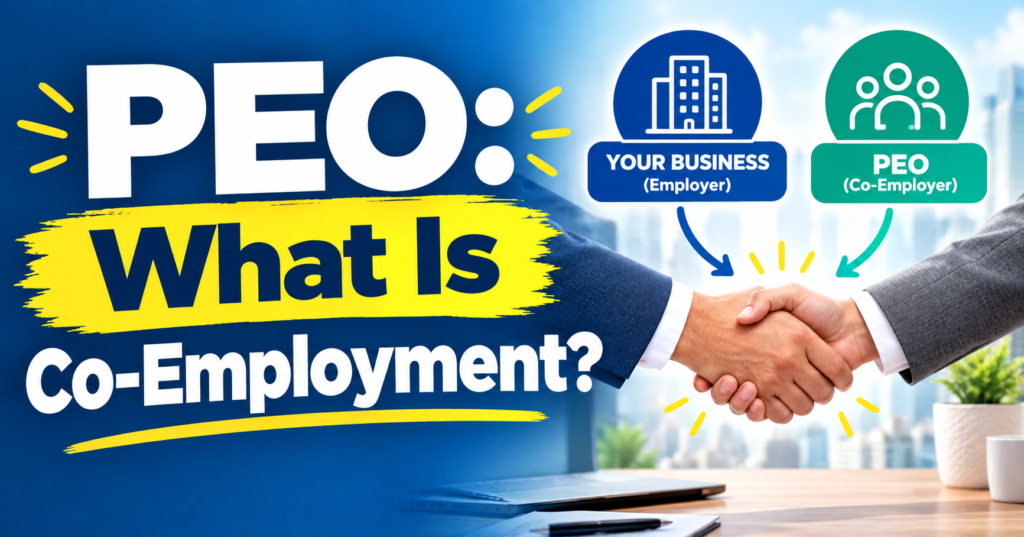
Co-employment is a shared employment arrangement between your business and a Professional Employer Organization (PEO), where the PEO becomes the employer of record for administrative and tax purposes while you retain full control over your day-to-day operations, hiring, and business decisions. Despite what you may have heard, co-employment does not mean you hand your company over to someone else. It means you split certain employer responsibilities with a specialist — and in exchange, you get better benefits, lower liability exposure, and serious HR infrastructure without building it yourself.

If the word “co-employment” made you hesitate before signing a PEO contract, you’re not alone. In our experience matching hundreds of businesses with PEO providers, it’s the single most misunderstood concept in the entire industry. This post cuts through the confusion.

What Is Co-Employment, Exactly?

Co-employment is a legally recognized, contractual relationship in which two entities — your company and a PEO — simultaneously employ the same workforce. You are the worksite employer. The PEO is the employer of record. Each party has distinct, defined responsibilities spelled out in a document called a Client Service Agreement (CSA).

This structure has existed for decades and is well established under federal and state law. According to NAPEO (National Association of Professional Employer Organizations), there are currently around 500 PEOs operating in the United States, co-employing approximately 4 million worksite employees. This is not a fringe concept — it’s how hundreds of thousands of businesses manage their HR today.

The Two Roles in a Co-Employment Relationship

Think of it as a clean division of labor:

  • The PEO handles: Payroll processing, payroll tax filing, W-2 issuance, employee benefits administration, workers’ compensation coverage, unemployment claims, HR compliance, and employer tax liability under their own EIN.
  • You handle: Hiring and firing decisions, job assignments, daily supervision, workplace culture, business strategy, client relationships, and every operational decision that makes your company yours.

The PEO essentially becomes a silent partner on the administrative side. Your employees still show up to your office, follow your policies, and report to your managers. The difference is that the paperwork — and a significant chunk of compliance risk — moves to the PEO.

What You Always Control in a Co-Employment Arrangement

This is the part that trips people up most. Business owners hear “co-employment” and picture a scenario where they can’t hire, fire, or manage their own people. That’s not how it works.

Here is what you retain full authority over in every co-employment arrangement:

  • Hiring decisions — You choose who works for you. The PEO does not approve or veto your candidates.
  • Terminations — You decide when and why to let someone go, though the PEO will often advise you on proper process to reduce legal risk.
  • Compensation levels — You set salaries, raises, and bonuses.
  • Job duties and performance standards — Your managers supervise, evaluate, and direct employees daily.
  • Business direction — The PEO has zero say in your products, services, clients, or strategy.
  • Your company’s identity — Employees know they work for you. You remain the brand.

In short: you run the business. The PEO runs the HR machinery behind the scenes.

What Risks Does Co-Employment Actually Create?

Here’s where we have to be honest with you. Co-employment does come with shared liability in certain areas — but for most businesses, that liability is actually reduced, not increased, by working with a reputable PEO.

Employment Practices Liability

Under co-employment, both you and the PEO can potentially be named in an employment lawsuit — a discrimination claim, a wrongful termination suit, or a wage-and-hour dispute. However, most established PEOs carry Employment Practices Liability Insurance (EPLI) and provide proactive HR guidance specifically to prevent these situations from arising. According to NAPEO research, businesses that use PEOs experience 21% lower employee turnover and significantly fewer compliance violations than non-PEO businesses.

Workers’ Compensation Exposure

PEOs typically provide workers’ compensation coverage under their master policy. This is actually a significant benefit for small businesses, who often pay much higher rates on standalone policies. The risk is that if your workplace has high injury rates, the PEO may eventually adjust pricing — but that’s a pricing concern, not a liability expansion.

Payroll Tax Compliance

Because the PEO files payroll taxes under their Employer Identification Number (EIN), they take on primary responsibility for timely, accurate tax deposits. The IRS Certified PEO program even allows certain PEOs to take on sole liability for federal employment taxes — providing an additional layer of protection for clients. This is a risk transfer to the PEO, not from it.

What You’re Still Responsible For

You remain liable for any conduct that falls entirely within your operational control — workplace safety practices you manage day-to-day, discriminatory actions taken by your supervisors, or misclassifying workers before engaging the PEO. Co-employment is not a liability shield for bad management. It’s a compliance infrastructure for good management.

Co-Employment vs. Staffing Agencies: Not the Same Thing

A common source of confusion is conflating PEO co-employment with staffing agency arrangements. They are fundamentally different:

FactorPEO Co-EmploymentStaffing Agency
Who recruits employees?You doThe agency does
Who controls daily work?You doOften the agency
Employee loyaltyTo your companyTo the agency’s roster
Long-term relationship?Yes — your existing teamOften project-based
Benefits provided by?PEO (often Fortune 500-level)Agency (often minimal)
Primary purposeHR admin and complianceTemporary workforce supply

PEOs work with your existing employees to make your HR operation run better. Staffing agencies supply temporary workers. These are completely different business models with different risk profiles.

How Reputable PEOs Protect You Under Co-Employment

Based on our analysis of 40+ PEO providers, the best ones don’t just administer payroll — they actively reduce your employer risk in measurable ways:

  • HR audit and compliance monitoring — Top PEOs review your employee handbook, job classifications, and onboarding processes to flag issues before they become lawsuits.
  • Dedicated HR advisors — When a difficult termination comes up, you have a trained HR professional walking you through proper documentation and process.
  • Benefits access — PEOs aggregate hundreds of client companies to negotiate health insurance at rates your 20-person company could never access alone. This directly reduces turnover risk.
  • Claims management — Workers’ comp and unemployment claims go through the PEO’s specialist team, reducing your administrative burden and improving outcomes.

If you want to compare how specific providers handle co-employment liability, our Insperity cost comparison breaks down how one of the largest PEOs structures its service model — and how it stacks up to alternatives.

You should also be aware that not all PEOs are equally transparent. Before signing, use our guide on hidden PEO fees to understand what’s buried in the fine print of some contracts.

Is Co-Employment Right for Your Business?

Co-employment works best for businesses that want to compete for talent, stay compliant, and free up leadership time — without building an internal HR department. According to the U.S. Department of Labor, employment law compliance is one of the top administrative burdens for small businesses, and that burden grows as your headcount increases.

If you have 5 to 500 employees, are growing quickly, or operate across multiple states, the co-employment model almost certainly works in your favor. Use our PEO cost calculator to run the numbers for your specific situation, or explore your options through our PEO matching service.

The businesses that struggle with co-employment are usually those who didn’t fully read their Client Service Agreement or chose a PEO without vetting the contract terms. That’s a vendor selection problem, not a co-employment problem.


Frequently Asked Questions About Co-Employment

Does co-employment mean I lose control of my employees?

No. In a co-employment arrangement, you retain full control over hiring, firing, supervision, compensation, and day-to-day management of your workforce. The PEO only handles administrative functions like payroll processing, tax filing, and benefits administration — your employees work for you and follow your direction.

Can my employees sue both me and the PEO under co-employment?

In some employment disputes, both the worksite employer and the PEO can be named as respondents because both are technically employers of record. However, reputable PEOs carry Employment Practices Liability Insurance and provide proactive HR guidance that significantly reduces the likelihood of claims arising in the first place.

What happens to my employees if I leave the PEO?

When you exit a PEO contract, your employees remain your employees — they do not go with the PEO. You will need to establish your own payroll system, benefits coverage, and HR administration, but your workforce and your relationships with them are entirely yours to keep.

Is co-employment legal in all states?

Co-employment through a PEO is legal in all 50 states, though some states have specific licensing requirements for PEOs operating within their borders. Always confirm that your PEO is properly registered in every state where you have employees, especially if you operate across state lines.

How is a co-employment PEO different from just outsourcing payroll?

Outsourcing payroll means a third party processes your checks but you retain all employer liability. In a co-employment arrangement, the PEO becomes the employer of record and takes on significant compliance and tax liability alongside you — it’s a deeper, more protective relationship than simple payroll outsourcing.


Still unsure whether co-employment is the right move for your business? Our team at PEO Marketplace has matched hundreds of businesses with the right PEO — and we always explain exactly what you’re signing up for before you commit. Book a free, no-pressure consultation and get a straight answer.

TriNet vs Insperity vs ADP: Three-Way PEO Comparison

TriNet, Insperity, and ADP TotalSource are the three largest PEOs in the U.S., and each targets a different type of business with a different service model and pricing structure. TriNet is best known for serving small, tech-forward or startup companies. Insperity leans toward mid-size businesses that want hands-on HR support. ADP TotalSource suits larger, more complex organizations already inside the ADP ecosystem. Read on and we’ll help you go from three options down to one.

What Is a PEO and Why Does Size of Provider Matter?

A Professional Employer Organization (PEO) enters a co-employment relationship with your business, handling payroll, benefits administration, HR compliance, workers’ compensation, and more. You keep full control of day-to-day operations while the PEO becomes the employer of record for tax and benefits purposes.

Size matters because larger PEOs negotiate better group health rates, carry more compliance infrastructure, and invest more in technology platforms — but they can also feel impersonal. According to NAPEO, businesses that use a PEO grow 7–9% faster and have 10–14% lower employee turnover than those that don’t. The question isn’t whether to use a PEO; it’s which one fits your business model, headcount, and budget.

Based on our analysis of 40+ PEO providers at PEO Marketplace, we see TriNet, Insperity, and ADP TotalSource come up repeatedly as the three default choices business owners evaluate first. Here’s how they actually stack up.

TriNet vs Insperity vs ADP: Quick Comparison Table

CategoryTriNetInsperityADP TotalSource
Best FitStartups, tech, VC-backedMid-size, service industriesLarger SMBs, existing ADP users
Employee Range5–500+5–5,000+5–1,000+
Pricing ModelPer employee/month (PEPM)% of payroll or PEPM% of payroll
Avg. Monthly Cost$150–$200 PEPM2–4% of payroll2–5% of payroll
HR TechnologyStrong, modern platformSolid, improvingEnterprise-grade
Dedicated HR SupportTiered / team-basedYes, dedicated repYes, account manager
IRS CPEO CertifiedYesYesYes
Industry SpecializationTech, life sciences, financeProfessional services, retailBroad, no specialization
Contract FlexibilityAnnualAnnualAnnual

Want to estimate what a PEO will actually cost your company? Use our free PEO cost calculator to get a ballpark before you start collecting quotes.

TriNet: Best for Startups and Industry-Specific SMBs

How TriNet Works

TriNet operates on a per-employee-per-month pricing model, which makes costs predictable regardless of how much payroll fluctuates. Their platform is built for companies that move fast — think VC-backed startups, SaaS companies, life sciences firms, and financial services businesses. TriNet has industry-specific HR packages, meaning your HR support team actually understands stock options, R&D tax credits, and the compliance quirks of your sector.

TriNet Strengths

  • Industry vertical expertise: TriNet offers tailored plans for tech, life sciences, nonprofit, financial services, and more — not a one-size-fits-all package.
  • Modern technology platform: The TriNet HR platform is intuitive, mobile-friendly, and integrates with tools startups already use.
  • Predictable PEPM pricing: Easier to budget when headcount is stable or growing incrementally.
  • Fortune 500-level benefits: TriNet’s pooled buying power gives small companies access to premium health plans they couldn’t negotiate alone.

TriNet Weaknesses

  • PEPM gets expensive at scale: If you have high-earning employees, a percentage-of-payroll model (like Insperity) could actually be cheaper. Do the math.
  • Customer service has been inconsistent: Some users report being shuffled between service reps rather than having a true dedicated contact.
  • Less customization at lower tiers: Smaller accounts may not get the same white-glove service as larger clients.

Insperity: Best for Mid-Size Businesses That Want a True HR Partner

How Insperity Works

Insperity is the relationship-driven PEO. They typically price on a percentage of payroll — usually between 2–4% — and assign each client a dedicated HR specialist. That rep becomes a genuine extension of your team, not just a helpdesk ticket. Insperity serves businesses with as few as 5 employees but really shines in the 50–500 employee range where HR complexity starts to spike.

Insperity Strengths

  • Dedicated HR specialist: You get a named human being who knows your company. This matters when an employee files an EEOC complaint at 4 PM on a Friday.
  • Robust compliance support: Insperity’s compliance library and proactive state-level guidance is among the best in the industry.
  • HR training and development tools: Learning management, performance management, and recruiting tools are included in most packages.
  • Strong mid-market track record: According to Bureau of Labor Statistics data on employer costs, Insperity clients consistently manage benefits costs well below national averages.

Insperity Weaknesses

  • Percentage-of-payroll can add up: If you have high earners, the cost scales quickly. Our breakdown at Insperity cost comparison shows where this becomes a significant factor.
  • Less tech-forward than TriNet: The platform works, but it doesn’t have the same modern feel as TriNet or some newer PEOs.
  • Minimum employee count: Some Insperity packages require at least 5 W-2 employees, which can exclude very early-stage companies.

ADP TotalSource: Best for Complex Businesses Already in the ADP Ecosystem

How ADP TotalSource Works

ADP TotalSource is ADP’s full-service PEO offering — different from ADP Run or ADP Workforce Now, which are payroll and HCM platforms without co-employment. TotalSource is priced as a percentage of payroll and is designed for businesses that need enterprise-grade infrastructure: multi-state compliance, complex benefits administration, and deep integration with ADP’s broader product suite.

ADP TotalSource Strengths

  • Unmatched infrastructure: ADP processes roughly $2.4 trillion in payroll annually. The compliance and payroll infrastructure is bulletproof.
  • Broad benefits marketplace: TotalSource clients access one of the widest carrier networks in the PEO industry.
  • Enterprise integrations: If you’re already using ADP Workforce Now, the transition to TotalSource is relatively smooth.
  • IRS CPEO certification: Like TriNet and Insperity, ADP TotalSource holds IRS CPEO certification, which protects clients from payroll tax liability if the PEO fails.

ADP TotalSource Weaknesses

  • Hidden fees are a real issue: Before signing, read our breakdown of hidden fees with ADP TotalSource. Implementation costs, benefits admin fees, and add-on charges can make the real number significantly higher than the quoted rate.
  • Less personalized service: ADP’s size works against it here. Account managers handle large books of business and responsiveness can suffer.
  • Pricing is opaque: ADP is known for complex pricing structures that require multiple conversations and an experienced negotiator to decode.

TriNet vs Insperity vs ADP: Which One Should You Choose?

Here’s the honest decision framework we use at PEO Marketplace when matching businesses to one of these three providers.

Choose TriNet If…

  • You’re a startup or high-growth company in tech, life sciences, or financial services
  • You have fewer than 100 employees and want predictable PEPM pricing
  • You need industry-specific HR expertise, not generic HR support
  • You value a modern, self-service technology experience

Choose Insperity If…

  • You have 20–500 employees and want a true HR business partner, not a help desk
  • Your payroll is relatively modest (percentage pricing won’t hurt you)
  • You’re in professional services, retail, or a regulated industry where compliance depth matters
  • You want proactive HR — training, performance tools, recruiting support included

Choose ADP TotalSource If…

  • You’re already embedded in the ADP platform ecosystem
  • You have 100+ employees with complex multi-state payroll and benefits needs
  • You need enterprise-grade infrastructure and can dedicate time to navigating ADP’s sales process
  • Benefits carrier breadth is your top priority

Not sure which bucket you fall into? Our team at PEO Marketplace has matched hundreds of businesses to the right provider — without charging you anything for the matchmaking. Visit our Find Your PEO page to start the process.

What About Alternatives to These Three?

TriNet, Insperity, and ADP TotalSource dominate the conversation, but they’re not always the best answer. Smaller, more specialized PEOs often offer better pricing, faster service, and more flexibility for businesses under 50 employees. We’ve also covered how Gusto and Justworks compare for smaller companies that want a tech-first, lower-cost approach.

In our experience matching hundreds of businesses across 40+ vetted PEO providers, the right fit comes down to three things: your headcount today, where you’ll be in 24 months, and whether you want a technology platform or a human relationship as your primary touchpoint. The biggest PEO isn’t always the best PEO for your specific situation.


Frequently Asked Questions

Is TriNet, Insperity, or ADP TotalSource the cheapest PEO?

TriNet’s PEPM pricing is often cheapest for companies with higher-paid employees, since you pay a flat per-head fee rather than a percentage of wages. Insperity and ADP TotalSource charge a percentage of payroll, which makes them relatively cheaper for businesses with lower average salaries. Use our PEO cost calculator to model both structures with your actual numbers before comparing quotes.

Do all three PEOs offer CPEO certification?

Yes — TriNet, Insperity, and ADP TotalSource are all IRS-certified PEOs (CPEOs). CPEO certification means the IRS has vetted the provider’s financial standing and compliance practices, and it protects client businesses from certain payroll tax liabilities. The IRS maintains a full list of certified PEOs at IRS.gov.

Which PEO has the best benefits for small businesses?

TriNet is often cited as having the most competitive health insurance options for companies under 50 employees because its industry-vertical pooling gives small teams access to large-group rates. Insperity and ADP TotalSource also offer strong benefits pools, but TriNet’s niche-specific benefit packages can be a better fit for startups competing for talent against larger employers.

How long does it take to switch PEOs or onboard with a new one?

Most PEO implementations take 30–90 days from contract signing to first live payroll run. ADP TotalSource tends to take longer due to its complexity. Insperity and TriNet can often onboard mid-size teams in 45–60 days. Switching from one PEO to another mid-year is possible but requires careful coordination around benefits plan years and payroll tax records.

Can PEO Marketplace help me negotiate with TriNet, Insperity, or ADP?

Yes — PEO Marketplace works directly with all three providers and can help you obtain and compare competitive quotes. Our service is free to business owners because PEOs compensate us directly, not you. We also know where pricing has flexibility and which contract terms are actually negotiable, which saves you significant time and often money.


Ready to Narrow It Down to One?

You’ve done the research. Now let’s make a decision. Book a free 30-minute consultation with a PEO Marketplace advisor and we’ll tell you exactly which provider — whether it’s TriNet, Insperity, ADP TotalSource, or someone else entirely — fits your business model, budget, and growth plan.

Book Your Free PEO Consultation →

TriNet vs Justworks: Cutting Through the Noise

You’re scaling fast. Payroll is getting complicated. Benefits are costing you talent. And someone just told you that you need a PEO — a Professional Employer Organization — to solve all of it.

So you Google around and two names keep coming up: TriNet and Justworks. Both are legitimate platforms. Both have slick websites. Both will promise to simplify your HR life.

But here’s the reality: these two platforms are built for very different companies. Picking the wrong one doesn’t just waste money — it creates friction at the exact moment your business needs to move fast.

This breakdown covers everything a startup founder or HR lead needs to know: pricing models, benefits access, onboarding experience, contract terms, and where each platform genuinely shines. Let’s get into it.


Who Each Platform Is Actually Built For

Justworks: Purpose-Built for Early-Stage Startups

Justworks launched in 2012 with a specific target in mind: small businesses and startups that need clean, affordable HR infrastructure without a dedicated HR department to manage it. The platform is transparent, self-serve-friendly, and designed for companies with 2 to 200 employees who want predictable costs and fast setup.

If you’re a seed-stage or Series A startup with a lean team, Justworks was essentially built for you. The interface is clean, pricing is published, and you can get your team enrolled in benefits quickly without a lengthy implementation process.

TriNet: Built for the Middle Market

TriNet has been around since 1988 and has evolved into a platform that serves companies across specific industries — tech, life sciences, financial services, nonprofits, and professional services. Their sweet spot is companies with 20 to 500+ employees that need industry-specific benefits, deeper HR advisory support, and more customization.

TriNet’s strength is in its vertical specialization. If you’re a biotech startup or a Series B fintech company with 80 employees and complex compliance needs, TriNet offers infrastructure that Justworks simply can’t match. But that depth comes with more complexity — and more cost.


Pricing: What You’ll Actually Pay

This is where the two platforms diverge most sharply — and where startups most often get caught off guard.

Justworks Pricing

Justworks uses a straightforward per-employee-per-month (PEPM) model with published pricing. As of 2026:

  • Basic Plan: Starts around $59 PEPM for companies with 1–49 employees
  • Plus Plan: Starts around $99 PEPM, which includes medical, dental, and vision benefits access
  • Pricing decreases slightly as headcount grows

The transparency here is a big deal. You know exactly what you’re paying before you sign anything. No opaque quote process, no surprise admin fees buried in the contract. What you see is largely what you get.

TriNet Pricing

TriNet does not publish pricing. You’ll need to go through a sales conversation to get a quote. Their pricing is typically structured as a percentage of total payroll — often in the range of 3% to 8% depending on company size, industry, and benefits package. For some companies, they may offer a PEPM structure instead.

For a startup with 25 employees at an average salary of $85,000, you could be looking at $63,750 to $170,000 per year in PEO fees alone. That’s a massive range — and the lack of upfront transparency makes it hard to budget accurately.

If you want to stress-test your numbers before talking to any vendor, run them through our PEO cost calculator first. It’ll give you a realistic baseline.

Side-by-Side Pricing Snapshot

FactorJustworksTriNet
Pricing ModelFlat PEPM% of payroll or PEPM
Published PricingYesNo — quote required
Entry-Level Cost (est.)~$59–$99 PEPMVaries widely; 3%–8% payroll
Best For Company Size2–200 employees20–500+ employees
Hidden Fee RiskLowModerate — read contract carefully

Benefits Access: Quality and Carrier Options

Justworks Benefits

Justworks pools small businesses together to offer access to large-group health insurance rates — which is one of the core value propositions of any PEO. For a 10-person startup, this is genuinely powerful. You get access to carriers like Aetna, UnitedHealthcare, and Kaiser Regionally that you’d never access independently.

Coverage is solid for most startups: medical, dental, vision, life insurance, 401(k), FSA, HSA, commuter benefits, and mental health resources. For companies under 100 people, this coverage is often more than adequate and meaningfully better than what they’d find on their own.

TriNet Benefits

TriNet’s benefits game is stronger at the mid-market level — particularly because they offer industry-specific benefits packages. A tech startup competing for engineers in San Francisco gets a different benefits slate than a life sciences company in Boston. TriNet tailors this in ways Justworks doesn’t.

They also offer richer supplemental options: executive benefits, broader 401(k) investment options, enhanced mental health programs, and more flexibility in plan design. If your company is at the stage where benefits are a competitive differentiator in recruiting, TriNet’s depth matters.

Benefits Comparison

Benefit CategoryJustworksTriNet
Medical/Dental/Vision✅ Yes✅ Yes
401(k)✅ Yes✅ Yes (more options)
Industry-Specific Plans❌ Limited✅ Yes
Executive Benefits❌ No✅ Yes
Mental Health Programs✅ Basic✅ Enhanced
Best ForEarly-stage teamsScaling companies, niche industries

Onboarding Experience

Justworks: Fast and Self-Directed

This is where Justworks genuinely shines for startups. Onboarding is largely self-serve, well-documented, and fast. Most small companies can be fully up and running in one to two weeks. The employee onboarding portal is clean — your new hires can complete their own enrollment without needing hand-holding from HR.

Support is available via chat, email, and phone. It’s not always lightning-fast for complex issues, but for the day-to-day questions a startup team throws at HR software, it’s more than adequate.

TriNet: More Structured, More Complex

TriNet’s onboarding is more involved — and for good reason. The platform is doing more configuration work upfront to customize your benefits, payroll structure, and compliance framework. You’ll work with a dedicated implementation team, which is a plus in terms of outcome but a minus in terms of speed.

Expect four to eight weeks for full implementation at TriNet. If you’re trying to move quickly because you just closed a funding round and need to bring 20 people on in the next 30 days, that timeline can be a real problem.


Contract Terms: What You’re Agreeing To

This is the section most startup founders skim — and later regret.

Justworks Contracts

Justworks offers month-to-month agreements with annual options. There’s no heavy lock-in. If your company’s needs change — you get acquired, you shrink, you pivot — you’re not stuck in a multi-year contract with painful exit terms. This flexibility is significant for startups operating in uncertain environments.

TriNet Contracts

TriNet typically requires annual contracts, and the exit terms deserve careful review. Termination fees can be substantial, and pricing changes at renewal can catch companies off guard. We’ve seen businesses come to us specifically because they felt trapped in a TriNet contract that no longer made sense for their size or budget.

This isn’t unique to TriNet — it’s worth noting that many larger PEOs build complexity into their contract structures. We’ve covered this dynamic in depth in our post on hidden fees with ADP TotalSource, and many of those same patterns apply here.

Before you sign anything with TriNet, have a lawyer or a PEO advisor review the renewal clauses and early termination provisions.


HR Support and Compliance

Justworks

Justworks handles payroll compliance, tax filings, workers’ comp, and standard HR administration well. Their compliance tools are solid for companies operating in a handful of states. Where they get thinner is multi-state complexity and highly regulated industries. If you’re hiring in 15 states with varying leave laws, their support gets stretched.

TriNet

TriNet’s HR advisory support is a genuine differentiator. You get access to dedicated HR professionals — not just a help desk — who understand your industry. For life sciences, tech, or financial services startups navigating complex employment law, this is valuable. TriNet also invests heavily in compliance infrastructure for multi-state and international workforces.


Technology and Platform Experience

Both platforms have modernized significantly in recent years, but the user experience philosophy is different.

Justworks is built around simplicity. The dashboard is clean, employees love the self-service portal, and integrations with tools like Slack, QuickBooks, and Guideline are straightforward.

TriNet’s platform is more feature-rich but also more complex. It takes longer to learn, and some users find the interface overwhelming at first. That said, for companies with dedicated HR staff, the depth of reporting and configurability is an asset.


How They Compare to Other PEOs

It’s worth zooming out here. Justworks and TriNet are two strong options, but they’re not the only ones. If you’re evaluating across the full market, you should also look at how these platforms stack up against Gusto and others in similar categories. Our post comparing Gusto and Justworks goes deep on that specific matchup and is worth reading alongside this one.

And if cost is your primary concern, we’ve done a thorough breakdown in our Insperity cost comparison that shows how mid-market PEO pricing really shakes out when you include all fees.


The Bottom Line: Which One Should Your Startup Choose?

Choose Justworks if:

  • You have fewer than 100 employees
  • You’re pre-Series B and cost predictability matters
  • You don’t have a dedicated HR team and need self-serve simplicity
  • You want flexible contract terms with no long lock-in
  • You need to onboard quickly

Choose TriNet if:

  • You’re in a regulated industry (biotech, fintech, legal)
  • You have 50+ employees and growing fast
  • Benefits quality and customization are critical for recruiting
  • You need dedicated HR advisory support, not just software
  • You have multi-state or international complexity

And honestly? There’s a third option most founders don’t consider: neither. There are 40+ vetted PEO providers in the market, and depending on your industry, headcount, and benefits goals, the best fit might be something you haven’t looked at yet.

That’s exactly what we do at PEO Marketplace — match companies to the right provider based on their actual situation, not whoever has the biggest marketing budget. The matching process is free, unbiased, and usually takes about 20 minutes.

Ready to find out which PEO actually fits your startup? Start your PEO search here or book a call with our team below.


Book a Free PEO Consultation

Stop guessing and start comparing with someone who has no stake in which vendor you pick. Our advisors have evaluated dozens of PEOs and can tell you in one conversation whether Justworks, TriNet, or something else entirely is the right call for your company in 2026.

Schedule your free consultation now →

Two Giants, One Decision: ADP TotalSource vs Paychex PEO

When most business owners start researching PEOs, two names come up almost immediately: ADP TotalSource and Paychex PEO. That makes sense. Both are household names with enormous client bases, decades of payroll experience, and marketing budgets that dwarf most of their competitors combined.

But brand recognition and the right fit are two different things entirely.

This guide breaks down ADP TotalSource vs Paychex PEO across the four factors that actually matter when you’re signing a multi-year agreement: pricing transparency, contract terms, technology, and support quality. We’ll give you an honest read on both — including where each one falls short — so you can make a decision based on facts, not sales pitches.

Quick Overview: Who Are These Two?

ADP TotalSource

ADP TotalSource is ADP’s full-service PEO offering, separate from ADP’s standalone payroll products like Run or Workforce Now. TotalSource is an IRS-certified co-employer that handles payroll, benefits, HR compliance, risk management, and workers’ compensation. It targets businesses with roughly 10 to 1,000 employees, though it can flex in both directions. ADP is the largest HR solutions provider in the world by revenue.

Paychex PEO

Paychex PEO operates under the Paychex brand umbrella and offers co-employment services alongside their broader payroll and HR ecosystem. Like TotalSource, it is IRS-certified. Paychex tends to market aggressively to small businesses — companies with as few as 5 employees — and has a large field sales force. Paychex is the second-largest payroll provider in the U.S.

Both are legitimate, well-capitalized operations. Neither is going out of business tomorrow. The real question is which one is structured to serve your specific business without overcharging you or locking you into terms you’ll regret.

Pricing Transparency: Who Actually Shows You the Numbers?

Neither ADP TotalSource nor Paychex PEO publish pricing on their websites. You have to go through a sales process to get a quote. That’s common in the PEO industry, but how each company handles that conversation varies considerably.

ADP TotalSource Pricing

ADP TotalSource typically charges a percentage of total payroll — usually somewhere between 2% and 4% depending on your headcount, benefits selections, and the complexity of your workforce. For businesses with a higher average salary, this can get expensive fast. They do sometimes offer a per-employee-per-month (PEPM) structure, but it’s less common and often requires negotiation.

The challenge with ADP is that the base quote rarely tells the full story. Implementation fees, technology fees for accessing certain modules, and add-on costs for things like learning management or enhanced reporting can inflate the actual annual cost significantly. We’ve written about this in detail — if you want the full picture, read our post on hidden fees with ADP TotalSource before you sign anything.

Paychex PEO Pricing

Paychex PEO also avoids publishing rates publicly. Their pricing model varies more than ADP’s — some clients are quoted on a PEPM basis (ranging from roughly $150 to $250+ per employee per month), while others get a payroll percentage model. The structure often depends on who your sales rep is and how much they want to close the deal.

Paychex has a reputation for discounting heavily upfront, then introducing renewal rate increases in year two and three. That’s not universal, but it’s common enough to be a pattern worth noting. Always ask what the guaranteed rate cap is at renewal before you sign.

Use our PEO cost calculator to get a realistic baseline for what your business should be paying — before you sit down with either of these companies.

Pricing FactorADP TotalSourcePaychex PEO
Pricing ModelPrimarily % of payroll (2%–4%)PEPM or % of payroll (varies)
Published RatesNoNo
Implementation FeesCommon, often negotiableSometimes waived as a promo
Hidden Add-On CostsFrequent (modules, reporting, etc.)Moderate (varies by contract)
Renewal Rate RiskModerateHigher — discounting then increasing is common

Contract Terms: What Are You Actually Signing?

This is where a lot of businesses get burned — not by the monthly cost, but by what happens when they want to leave or make changes mid-contract.

ADP TotalSource Contract Terms

ADP TotalSource contracts are typically annual agreements with auto-renewal clauses. Early termination can come with significant fees — in some cases equal to several months of service fees. The contracts are detailed and written in ADP’s favor. That doesn’t mean you can’t negotiate, but you need to come to the table prepared.

Key items to push back on: the termination fee structure, the notice period required to cancel auto-renewal (often 60–90 days), and any clauses that allow ADP to modify pricing mid-term if their costs increase.

Paychex PEO Contract Terms

Paychex contracts are similarly structured — annual terms with auto-renewal and early termination penalties. Some clients have reported difficulty getting clear answers on what the termination process looks like when they’ve tried to leave. The data migration and offboarding process, in particular, can be slow and contentious.

One specific concern with Paychex: if you’re using their broader ecosystem (payroll, retirement, insurance), untangling the PEO relationship can affect those other services as well. Know going in what you’re connecting before you connect it.

Contract FactorADP TotalSourcePaychex PEO
Typical Term Length12 months, auto-renewing12 months, auto-renewing
Early Termination FeesYes — can be substantialYes — structure varies
Auto-Renewal Notice Window60–90 days60–90 days
Mid-Term Pricing ChangesPossible per contract languageLess common but has occurred
Offboarding ExperienceStructured but slowReported as difficult by some clients

Technology: Which Platform Actually Saves You Time?

Both companies have invested heavily in HR technology. But investment and usability are not the same thing.

ADP TotalSource Technology

TotalSource clients access HR functions through ADP’s Workforce Now platform. It’s genuinely powerful — payroll, time tracking, benefits administration, compliance tools, reporting dashboards, and an employee self-service portal are all included. For mid-size businesses with complex needs, the depth of the platform is a real advantage.

The downside is the learning curve. Workforce Now is not intuitive out of the box. New users routinely find it overwhelming, and training resources, while available, aren’t always delivered proactively. If you don’t have dedicated HR staff who can invest time in learning the system, you may end up using 20% of what you’re paying for.

Paychex PEO Technology

Paychex uses their Paychex Flex platform for PEO clients. It’s more user-friendly than Workforce Now for basic tasks — payroll runs, time-off requests, onboarding — and the mobile app is generally well-regarded by employees. For small businesses that don’t need enterprise-level complexity, Flex is often the easier day-to-day experience.

Where Paychex falls short is on reporting and analytics. The out-of-box reporting is limited, and building custom reports often requires either paying for an upgrade or working with a Paychex rep. For businesses that rely on data to make decisions, this becomes a real friction point quickly.

Technology FactorADP TotalSource (Workforce Now)Paychex PEO (Paychex Flex)
Platform DepthHigh — enterprise-level featuresModerate — strong on basics
Ease of UseSteep learning curveMore intuitive for small teams
Mobile AppAvailable, functionalStronger employee mobile experience
Reporting & AnalyticsStrong with trainingLimited without upgrades
Integration with Third-Party ToolsBroad integration libraryMore limited

Support Quality: Who Actually Picks Up the Phone?

This is the area where both companies get the most complaints — and it matters more than most buyers realize until something goes wrong.

ADP TotalSource Support

TotalSource assigns dedicated HR business partners (HRBPs) to each client account, which is a genuine differentiator from ADP’s non-PEO products. In theory, you have a human point of contact who knows your account. In practice, HRBP quality varies significantly by region and client load. Some clients describe their HRBP as indispensable; others say they can never reach them.

Payroll support is handled separately from HR support, which means you may be bouncing between teams when a problem crosses both areas. That handoff process is a common frustration reported by TotalSource clients.

Paychex PEO Support

Paychex also offers dedicated service teams, and their field rep model means you often have a local person who sold you the service and has some accountability to keep you happy. For very small businesses, this can feel more personal than ADP’s structure.

The criticism that comes up most frequently with Paychex support is inconsistency. When your primary rep is unavailable, the backup support experience is often described as generic call-center quality. Response times on complex compliance or benefits questions can be slow. And if you escalate a problem, the escalation path is not always clear.

Who Is Each PEO Best Suited For?

ADP TotalSource is a better fit if: You have 50+ employees, need enterprise-level HR technology, have dedicated internal HR staff who can manage the platform, and are comfortable negotiating a detailed contract. The depth is real — but you need the internal resources to take advantage of it.

Paychex PEO is a better fit if: You’re a smaller business (5–50 employees), value ease of use over feature depth, want a more personal sales and service relationship, and are already embedded in the Paychex ecosystem for other services.

For a broader look at how the competitive PEO landscape shapes up beyond these two, see our comparison of Gusto and Justworks — two options that often outperform the giants for smaller businesses — and our Insperity cost comparison for a mid-market alternative worth considering.

The Honest Bottom Line

ADP TotalSource and Paychex PEO are both credible, IRS-certified co-employers with real track records. Neither is a scam. But neither is automatically the right choice for your business just because they’re the biggest names in the room.

What they both share is a pricing model that rewards their sales team more than it rewards your budget transparency. The quotes you receive from both will be tailored to close — not necessarily to match your actual needs or value benchmarks in the market.

The smartest move before committing to either: get a competitive quote from two or three other PEOs and use those numbers as leverage. Better yet, work with a broker who can do that legwork for you without charging you for it.

Ready to Compare Beyond the Big Two?

At PEO Marketplace, we work with 40+ vetted PEO providers — including ADP TotalSource and Paychex, but also strong regional and mid-market alternatives that often deliver better value for small and growing businesses. Our matching process is free, unbiased, and designed to protect your interests, not a provider’s quota.

Start by exploring your options through our PEO finder tool, or book a 20-minute call with one of our advisors and get a straight answer on what you should actually be paying.

Book a free consultation at PEO Marketplace →

No sales pressure. No obligation. Just an honest conversation about whether ADP, Paychex, or someone else entirely is the right fit for your business in 2026.


Navigating the complexities of human resources can be a significant challenge for small business owners. The demands of compliance, payroll, benefits administration, and talent management often resemble a multi-lane highway, each lane requiring careful navigation and expertise. For businesses with limited internal resources, maintaining a firm grip on these HR functions can divert critical attention from core operational objectives and strategic growth initiatives. This article explores the concept of Professional Employer Organizations (PEOs) as a strategic partner for small businesses, delineating how this model can streamline HR processes and foster greater organizational efficiency.

Small businesses, by their very nature, often operate with lean teams and constrained budgets. The expectation that a single individual, often the owner or an office manager, can effectively manage a diverse array of HR responsibilities is frequently unrealistic. This section examines the multifaceted nature of HR demands and the inherent difficulties small businesses face in addressing them.

The Ever-Expanding Landscape of Compliance

Regulatory compliance is a formidable beast. Federal, state, and local labor laws are in a constant state of flux, making it a full-time job to merely track and understand the requirements. For a small business, a single misstep can lead to significant penalties, legal entanglements, and reputational damage.

  • Tax Regulations: Employers are responsible for withholding and remitting various payroll taxes, including federal income tax, Social Security, Medicare, and state income tax, along with unemployment insurance. The accuracy and timeliness of these submissions are paramount.
  • Wage and Hour Laws: Adherence to minimum wage laws, overtime regulations (Fair Labor Standards Act – FLSA), and meal and rest break requirements is critical. Misclassification of employees as independent contractors or salaried exempt can also trigger severe violations.
  • Employee Leave Laws: The Family and Medical Leave Act (FMLA), along with numerous state and local paid sick leave laws, imposes complex requirements regarding employee time off. Small businesses must carefully track eligibility, notice periods, and leave entitlements.
  • Anti-Discrimination Laws: Title VII of the Civil Rights Act, the Americans with Disabilities Act (ADA), and the Age Discrimination in Employment Act (ADEA) prohibit discrimination based on protected characteristics. Businesses must implement non-discriminatory hiring practices, workplace policies, and termination procedures.

The Administrative Load of Payroll and Benefits

Beyond compliance, the routine administration of payroll and employee benefits consumes substantial time and resources. These tasks, though seemingly straightforward, are prone to error and require meticulous attention to detail.

  • Payroll Processing: This involves calculating wages, deductions, and withholdings, issuing paychecks or direct deposits, and maintaining accurate payroll records. Any discrepancy can erode employee trust and generate significant administrative rework.
  • Benefits Administration: Offering competitive benefits is crucial for attracting and retaining talent. However, the administration of health insurance, retirement plans (e.g., 401(k)s), dental, vision, and life insurance policies can be overwhelmingly complex. This includes managing enrollment, answering employee questions, and ensuring timely premium payments.
  • Workers’ Compensation: Securing and managing workers’ compensation insurance, including handling claims and conducting safety audits, adds another layer of administrative burden.

Talent Management and Employee Relations

Effective HR encompasses more than just administrative tasks; it extends to the strategic management of human capital. Small businesses often lack the dedicated expertise to excel in these areas.

  • Recruitment and Onboarding: Identifying, attracting, and integrating new talent requires specialized knowledge in job description development, interviewing techniques, and creating comprehensive onboarding programs. Poor onboarding can lead to high turnover.
  • Performance Management: Establishing performance goals, conducting regular reviews, and providing constructive feedback are essential for employee development and overall organizational productivity.
  • Employee Relations: Addressing workplace conflicts, managing disciplinary actions, and fostering a positive work environment demand nuanced communication skills and a deep understanding of HR best practices.

For small businesses with fewer than 50 employees, partnering with a Professional Employer Organization (PEO) can provide significant advantages in managing human resources, payroll, and compliance. A related article that explores the benefits of PEOs for such companies can be found at this link. This resource offers insights into how PEOs can help streamline operations and enhance employee benefits, ultimately allowing small businesses to focus on growth and productivity.

Understanding the PEO Model

A Professional Employer Organization (PEO) offers a co-employment relationship, where the PEO becomes the “employer of record” for tax purposes and assumes responsibility for a significant portion of HR administration and compliance. The small business, the “worksite employer,” retains critical control over day-to-day operations, strategic decisions, and managing its employees. This partnership is akin to having a dedicated HR department without the overhead of maintaining one internally.

The Co-Employment Relationship

At the heart of the PEO model is the co-employment agreement. This legal structure clearly delineates the responsibilities of both parties.

  • PEO’s Responsibilities: The PEO typically handles payroll processing, tax filing, workers’ compensation, benefit administration (including access to large-group plans), HR compliance, and often provides HR consulting and legal guidance.
  • Small Business Responsibilities: The small business maintains control over hiring and firing decisions, day-to-day supervision of employees, core business operations, and strategic direction. The business continues to manage the culture and talent development within its organization.

Comprehensive HR Solutions

PEOs offer a holistic suite of HR services, essentially becoming a one-stop-shop for many administrative and compliance needs.

  • Payroll and Tax Administration: PEOs manage all aspects of payroll, including withholding, depositing, and filing federal, state, and local employment taxes. They also handle year-end tax forms like W-2s. This significantly reduces the risk of payroll errors and non-compliance penalties.
  • Benefits Management: One of the most attractive aspects of PEOs is their ability to leverage their aggregated employee pool to negotiate more affordable and comprehensive health insurance and other benefits packages. This gives small businesses access to “big company” benefits typically unavailable on their own, enhancing their ability to attract and retain talent.
  • Workers’ Compensation and Risk Management: PEOs often manage workers’ compensation insurance, including policy placement, premium administration, and claims management. Many also provide safety training and risk assessment services to help prevent workplace injuries.
  • HR Compliance and Consulting: PEOs keep abreast of evolving labor laws and regulations, providing guidance and ensuring the small business remains compliant. This includes assistance with employee handbooks, policy development, and legal interpretation. They act as a shield against potential legal liabilities.

Financial Advantages and Cost Savings

Beyond the administrative relief, partnering with a PEO can yield tangible financial benefits for small businesses. These savings stem from economies of scale and reduced risk.

Access to Affordable, Richer Benefits

A primary financial advantage arises from a PEO’s ability to pool the employees of all its client companies. This aggregated buying power allows PEOs to access large-group health insurance plans and other benefits at significantly lower costs than a small business could obtain independently.

  • Lower Premiums: Small businesses often face higher insurance premiums due to their limited risk pool. PEOs mitigate this by spreading risk across thousands of employees.
  • Broader Benefit Options: PEOs can offer a wider array of benefits, such as dental, vision, life insurance, disability insurance, and 401(k) plans, which might be cost-prohibitive for a standalone small business. This makes the small business a more attractive employer.

Reduced Administrative Overhead

The opportunity cost of small business owners and managers dedicating significant time to HR tasks is often understated. By outsourcing these functions to a PEO, businesses free up valuable internal resources.

  • Time Savings: No longer dedicating hours to payroll, benefits enrollment, or compliance research, owners and managers can redirect their focus toward revenue-generating activities and strategic planning.
  • Elimination of Dedicated HR Staff: For many small businesses, a PEO can serve as an outsourced HR department, negating the need to hire a full-time HR manager or specialist, which represents a substantial salary and benefits cost.

Mitigation of Compliance Risks and Penalties

Non-compliance with labor laws can result in devastating fines and legal fees. PEOs act as a buffer, significantly reducing these financial exposures.

  • Fewer Legal Headaches: PEOs ensure proper tax filings, adherence to wage and hour laws, and compliance with anti-discrimination statutes, reducing the likelihood of audits, lawsuits, and penalties.
  • Lower Workers’ Comp Premiums: PEOs often have significantly lower experience modifiers for workers’ compensation due to their larger, diversified risk pool and proactive safety programs, translating into lower premiums for client businesses.

Enhanced Employee Satisfaction and Retention

A well-administered HR function, coupled with competitive benefits, directly contributes to a positive employee experience. PEOs empower small businesses to offer this, thereby improving morale and reducing turnover.

Professional Benefits Administration

Employees appreciate clarity and ease when it comes to their benefits. PEOs provide professional management of these programs, reducing employee frustration and administrative burden on the employer.

  • Dedicated Support: Many PEOs offer direct employee access to benefits specialists who can answer questions, assist with enrollment, and help resolve issues, freeing the small business owner from this role.
  • Streamlined Enrollment: PEOs typically utilize online portals for benefits enrollment and management, making the process more efficient and user-friendly for employees.

Access to Professional HR Expertise

Employees benefit from clear policies, fair procedures, and expert guidance on HR-related matters. PEOs bring this level of professionalism to the small business environment.

  • Well-Defined Policies: With PEO assistance, small businesses can develop comprehensive employee handbooks and HR policies that are legally sound and clearly communicated. This creates a more equitable and predictable work environment.
  • Objective Counsel: For sensitive employee relations issues, PEOs can offer objective advice and mediation, ensuring fair and consistent treatment of employees.

Improved Employer-Employee Relationship

By offloading the administrative functions of HR, small business owners can focus on fostering a stronger, more direct relationship with their employees, away from transactional HR concerns.

  • Focus on Core Business: When administrative burdens are lifted, owners and managers have more time to mentor, motivate, and engage their team members, focusing on their growth and the company’s mission.
  • Reduced Stress for Employees: A well-managed HR function, providing consistent payroll, clear benefits, and responsive support, reduces employee stress related to these essential aspects of their employment.

For small businesses with fewer than 50 employees, partnering with a Professional Employer Organization (PEO) can be a game changer, especially during challenging economic times. A recent article discusses how PEOs can help these companies navigate financial uncertainties and streamline their operations. By outsourcing HR functions, businesses can focus on growth while ensuring compliance and employee satisfaction. To learn more about how PEOs can support small and medium-sized businesses during a recession, check out this insightful piece on how PEOs help SMBs survive recession.

Strategic Growth and Scalability


MetricDescriptionTypical Range for Companies Under 50 Employees
Cost per EmployeeMonthly fee charged by PEO per employee100 – 300
Payroll Processing TimeTime taken to process payroll each cycle1 – 3 days
Employee Benefits OptionsNumber of benefit plans available through PEO5 – 15 plans
Compliance SupportLevel of assistance with labor law and tax complianceHigh
Risk Management ServicesAvailability of workplace safety and workers’ comp managementIncluded
Onboarding TimeTime to fully integrate company with PEO services2 – 4 weeks
Employee Count LimitMaximum number of employees supported under typical small business PEO plansUp to 500 employees

For small businesses aspiring to grow, the PEO model offers a scalable solution that can adapt to changing workforce needs without overwhelming internal capacity. A PEO essentially builds a robust HR backbone for the business, capable of supporting expansion.

Scalable HR Infrastructure

As a small business adds employees, the complexity of HR functions typically grows disproportionately. A PEO provides an HR infrastructure that can effortlessly scale with the business.

  • Seamless Onboarding for New Hires: PEOs can streamline the onboarding process, from new hire paperwork and benefits enrollment to ensuring compliance with all necessary regulations, regardless of the number of new employees.
  • Adaptability to Growth: Whether adding a few employees or experiencing rapid expansion, the PEO’s services remain consistent and capable of handling increased volume without requiring the small business to invest in additional internal HR staff or systems.

Focus on Core Business Operations

The principal benefit of outsourcing non-core functions, such as HR administration, is the ability for the small business to concentrate its resources—time, attention, and capital—on its unique value proposition.

  • Innovation and Market Penetration: Freed from HR concerns, leadership can dedicate more time to research and development, sales and marketing strategies, and exploring new markets.
  • Entrepreneurial Focus: Business owners can revert to their entrepreneurial roots, focusing on what they do best: innovating, leading, and growing their enterprise, rather than being bogged down in administrative minutiae.

Strategic HR Consultation

Beyond transactional HR, many PEOs offer strategic HR consulting, providing small businesses with expert advice on workforce planning, talent development, and organizational design, which are crucial for sustainable growth.

  • Workforce Planning: PEOs can assist in forecasting staffing needs, developing job descriptions, and establishing compensation structures that are competitive and aligned with business goals.
  • Performance Management Systems: Guidance on implementing effective performance review processes and employee development programs can help cultivate a high-performing workforce.

In conclusion, for small businesses, the decision to partner with a Professional Employer Organization represents a strategic choice to offload the heavy lifting of HR administration and compliance. This collaboration removes a significant operational burden, offers access to superior benefits at competitive costs, mitigates substantial financial and legal risks, and ultimately frees the business to focus on its core mission and pursue sustainable growth. Like a skilled navigator, a PEO can steer a small business through the complex waters of human resources, allowing the business to maintain its course toward success.

Ready to find the right PEO? Book a call with us

FAQs


What is a PEO and how does it benefit companies with fewer than 50 employees?

A Professional Employer Organization (PEO) is a firm that provides comprehensive HR services to small and mid-sized businesses. For companies with fewer than 50 employees, a PEO can offer benefits such as access to better employee benefits, payroll processing, compliance assistance, and risk management, which might otherwise be difficult or costly to manage independently.

Can companies with under 50 employees legally use a PEO?

Yes, companies with fewer than 50 employees can legally engage a PEO. Many PEOs specialize in serving small businesses and tailor their services to meet the unique needs of smaller workforces.

How does a PEO handle employee benefits for small companies?

A PEO pools employees from multiple client companies to negotiate better rates and more comprehensive benefits packages, including health insurance, retirement plans, and other perks. This collective bargaining power often allows small companies to offer benefits comparable to those of larger organizations.

What are the typical costs associated with using a PEO for a small company?

PEO pricing models vary but commonly include a percentage of total payroll (usually between 2% and 12%) or a flat fee per employee per month. Costs depend on the range of services provided, the size of the company, and the specific PEO chosen.

Does partnering with a PEO affect a company’s control over its employees?

While a PEO becomes the employer of record for tax and regulatory purposes, the client company retains control over day-to-day operations, employee management, and business decisions. The PEO handles HR administration, compliance, and benefits management, allowing the company to focus on its core activities.

The advent of Professional Employer Organizations (PEOs) has introduced a significant evolution in how businesses, particularly small and medium-sized enterprises (SMEs), approach employee benefits, with health insurance standing as a cornerstone of these offerings. PEOs act as co-employers, pooling the administrative responsibilities of multiple client companies. This collective approach allows SMEs to access benefits, including health insurance plans, that would typically be reserved for much larger corporations. Understanding the PEO model and its implications for health insurance provision is crucial for businesses seeking to optimize their employee welfare strategies and navigate the complex landscape of healthcare costs.

A Professional Employer Organization (PEO) functions as a strategic partnership where a company outsources a significant portion of its human resources (HR) functions to a third-party provider. This co-employment relationship is not an outsourcing of management control but rather a sharing of administrative and compliance burdens. In this model, the PEO becomes the employer of record for tax and insurance purposes, while the client company retains control over day-to-day operations, hiring, firing, and direct management of employees. The core benefit of this arrangement, especially concerning health insurance, lies in the PEO’s ability to aggregate employees from numerous client companies, creating a larger risk pool.

The Mechanics of Co-employment

The Client Company’s Role

The client company remains the operational heart of the business. Its leadership team continues to make critical decisions regarding product development, sales strategies, service delivery, and overall business direction. Employees report to their direct supervisors within the client company and execute their job responsibilities as usual. The PEO handles the administrative backend, freeing up the client company to focus on its core competencies and growth initiatives.

The PEO’s Responsibilities

The PEO takes on a range of HR responsibilities, including payroll processing, tax filings, workers’ compensation administration, compliance with labor laws, and, prominently, the administration and procurement of employee benefits. This includes negotiating with insurance carriers on behalf of the collective workforce of its clients.

The Co-employer Status

The “co-employer” designation is key. It signifies that both the PEO and the client company share certain employer responsibilities. The PEO handles the transactional HR tasks and the procurement of benefits, assuming a degree of liability for compliance and benefit provision. The client company retains the responsibility for managing its employees’ performance and operational execution.

For those interested in exploring health insurance options through Professional Employer Organizations (PEOs), a related article can provide valuable insights. You can read more about the benefits of utilizing PEOs for health insurance and other employee benefits by visiting this link: Oklahoma PEO Companies. This resource outlines various PEO providers in Oklahoma and how they can help businesses streamline their health insurance offerings.

Advantages of PEOs for Health Insurance Procurement

The primary allure of PEOs for health insurance lies in their capacity to level the playing field for SMEs. By pooling employees from numerous businesses, PEOs assemble a considerable workforce, thereby enhancing their bargaining power with health insurance providers. This aggregation is analogous to a large dam holding back a vast reservoir of water; the sheer volume allows for greater control and influence over the flow, enabling better terms and conditions.

Enhanced Purchasing Power

Insurance carriers often offer tiered pricing structures based on the size of the insured group. Larger groups typically qualify for lower per-employee premium rates due to the reduced risk associated with a more diversified and larger enrollment. A PEO, by consolidating employees from many SMEs, can present a significant collective to insurers, often comparable to or exceeding the size of many individual large corporations. This increased size translates directly into more competitive pricing for health insurance plans.

Access to a Wider Range of Plans

Larger groups also typically grant access to a broader spectrum of health insurance products. SMEs, operating independently, might be limited to a few plan options from a single carrier due to the administrative complexities and potentially higher costs associated with managing multiple plans. A PEO, with its established relationships and larger enrollment capacity, can negotiate for a more diverse portfolio of plans, including various PPOs (Preferred Provider Organizations), HMOs (Health Maintenance Organizations), HDHPs (High Deductible Health Plans) often coupled with Health Savings Accounts (HSAs), and other specialized coverage. This allows client companies to select plans that best align with the specific needs and preferences of their workforce.

Improved Benefits Administration

The administrative burden of managing health insurance is substantial. This includes enrollment, eligibility tracking, claims processing support, compliance with regulations like COBRA (Consolidated Omnibus Budget Reconciliation Act) and HIPAA (Health Insurance Portability and Accountability Act), and communication with employees. PEOs possess specialized HR departments and sophisticated systems to manage these tasks efficiently. This frees up the SME’s internal resources, allowing them to concentrate on their core business activities rather than getting bogged down in the intricacies of benefits administration.

Compliance and Regulatory Expertise

The healthcare landscape is governed by a complex web of federal and state regulations. Navigating these requirements, such as the Affordable Care Act (ACA), can be overwhelming for small businesses. PEOs employ experts who stay abreast of these ever-changing regulations, ensuring that the health insurance plans they offer and administer are compliant. This expertise mitigates the risk of penalties and legal issues for the client company, providing a layer of security.

Types of Health Insurance Plans Available Through PEOs

PEOs typically offer a curated selection of health insurance plans that cater to a diverse range of employee needs and employer budgets. The specific offerings can vary between PEOs, but they generally encompass the major categories of health coverage, allowing for a degree of customization based on the client company’s requirements.

Preferred Provider Organization (PPO) Plans

PPO plans are a popular choice, offering recipients flexibility in their healthcare provider selection. They feature a network of “preferred” doctors, hospitals, and other healthcare providers. Members can receive care from providers both in and outside the network, though out-of-network care typically incurs higher out-of-pocket costs. PPOs often have deductibles, copayments, and coinsurance. The PEO’s collective bargaining power can help secure more favorable rates within these networks.

Health Maintenance Organization (HMO) Plans

HMO plans are characterized by their emphasis on coordinated care within a defined network of physicians and hospitals. Members are usually required to choose a primary care physician (PCP) who acts as a gatekeeper, authorizing referrals to specialists. HMOs often have lower monthly premiums compared to PPOs and generally require no deductibles for in-network services, with copayments for services rendered. The defined network structure can make cost predictability a significant advantage.

High Deductible Health Plans (HDHPs) with Health Savings Accounts (HSAs)

HDHPs are a strategic option for individuals who are generally healthy and wish to opt for lower monthly premiums. These plans come with a higher deductible that must be met before the insurance begins to cover most medical services. A significant advantage of HDHPs is their ability to be paired with Health Savings Accounts (HSAs). HSAs are tax-advantaged savings accounts that allow individuals to set aside money pre-tax to pay for qualified medical expenses. The funds in an HSA roll over year after year and can be invested, making them a valuable long-term savings tool. PEOs can facilitate the setup and administration of these accounts alongside the HDHP.

Other Specialized Plans

Beyond these core plan types, PEOs may also facilitate access to other specialized health insurance products. These could include:

  • Point of Service (POS) Plans: These plans blend features of both PPO and HMO plans, offering more flexibility than an HMO but typically with higher costs for out-of-network care than a PPO.
  • Dental and Vision Coverage: While often considered ancillary, PEOs can bundle comprehensive dental and vision insurance as part of their employee benefits packages, providing a holistic approach to employee well-being.
  • Group Term Life Insurance and Disability Insurance: Although not strictly health insurance, PEOs often include these important risk management and employee protection benefits as part of their overall offering.

The Cost Implications of PEO Health Insurance

The financial aspect of health insurance is a primary concern for any business. PEOs offer a multifaceted approach to cost management, aiming to reduce outlays for both the employer and the employee while improving the overall value proposition.

Reduced Premium Rates

As previously discussed, the economies of scale provide employers with access to lower per-employee premium rates than they could typically obtain on their own. This cost reduction is a direct benefit of the PEO’s aggregated purchasing power, allowing businesses to secure comprehensive coverage at a more affordable price point. This can significantly expand the budget available for other essential business investments.

Predictable Costs

PEOs often structure their fees in a transparent manner, typically as a percentage of gross wages or a per-employee, per-month fee. While this represents an additional cost for the business, it often bundles a host of HR services, making the overall expenditure more predictable than managing these functions internally and dealing with unpredictable benefit-related administrative costs. The PEO absorbs much of the fluctuation and administrative overhead associated with benefit management.

Potential for Reduced Claims Costs


While the PEO does not directly control employee health behaviors, their role in promoting wellness programs and offering access to preventive care can, over time, contribute to reduced claims costs. By encouraging employees to utilize in-network providers and to engage in healthier lifestyles, PEOs can indirectly influence the overall health of the covered population, which can have a positive impact on long-term premium stability.

Employer Tax Savings

PEO services, including health insurance premiums paid on behalf of employees, are generally considered a deductible business expense. This can provide tax advantages to the employer. Furthermore, when employees pay for their portion of health insurance premiums through pre-tax payroll deductions facilitated by the PEO, they also benefit from reduced taxable income, thereby increasing their take-home pay. This dual benefit makes the health insurance offering more attractive to employees and more financially sensible for the business.

For small businesses looking to navigate the complexities of health insurance, partnering with a Professional Employer Organization (PEO) can be a game changer. A recent article highlights how PEOs streamline HR management and provide access to better health insurance options for employees. By leveraging the collective bargaining power of multiple businesses, PEOs can offer more competitive rates and comprehensive plans. To learn more about the benefits of using a PEO for health insurance, you can read the full article here.

Navigating PEO Selection for Health Insurance

Choosing the right PEO is a critical decision that requires careful consideration. The health insurance offerings are a significant component of this decision, but a holistic evaluation of the PEO’s capabilities and fit is paramount. A mismatch in PEO selection can be like trying to fit a square peg into a round hole – it simply won’t work efficiently.

Due Diligence and Carrier Relationships

Assessing the PEO’s Insurance Carriers

It is essential to investigate the health insurance carriers with whom the PEO partners. What is their reputation? Do they offer plans that are well-regarded in your region? Does the PEO have strong, long-standing relationships with these carriers, which can translate into better service and more favorable terms? A PEO that works with a limited number of carriers or only with less reputable insurers might not be the best fit.

Plan Options and Network Strength

Beyond the carriers, scrutinize the specific plan options offered. Do they align with the demographics and health needs of your employee base? For PPO plans, what is the breadth and depth of their provider networks in your employees’ geographic areas? A strong network ensures employees can access care conveniently and affordably.

PEO Fees and Contract Terms

While cost is a factor, it should not be the sole determinant. Understand the PEO’s fee structure completely. Are there hidden fees? What is the term of the contract? Are there provisions for termination? A transparent and fair fee structure, coupled with reasonable contract terms, is indicative of a reputable PEO.

Client References and Reputation

Request client references, particularly from businesses of a similar size and industry. Speak with these references to understand their experience with the PEO, especially regarding their health insurance services. Look for online reviews and testimonials to gauge the PEO’s overall reputation in the market. A PEO with a strong track record of client satisfaction is more likely to provide reliable support.

Understanding the Human Resources Expertise

Beyond health insurance, the PEO’s overall HR expertise is vital. Do they have a dedicated team for benefits administration? Are they knowledgeable about current labor laws and compliance requirements? A PEO that provides comprehensive HR support beyond just benefits management can offer a more integrated and valuable solution for your business.

If you’re exploring options for health insurance through a Professional Employer Organization (PEO), you might find valuable insights in a related article that discusses the benefits of using a PEO for small businesses. This resource highlights how PEOs can streamline the process of obtaining health coverage while also providing additional HR support. For more information, you can check out the article here: PEO Marketplace.

The Future of PEOs and Employee Health Insurance

The role of PEOs in the provision of employee health insurance is likely to continue evolving, driven by changes in healthcare policy, technological advancements, and the growing demand for comprehensive employee benefits. As businesses continue to prioritize employee well-being as a competitive differentiator, PEOs are poised to remain a vital resource.

Technological Integrations

Future PEOs will likely leverage advanced technology to enhance the employee experience. This could include sophisticated online portals for benefits enrollment and management, AI-powered tools for personalized benefit recommendations, and seamless integration with wearable devices for wellness tracking and potential premium incentives. The aim will be to create a more user-friendly and data-driven approach to benefits administration.

Focus on Preventative Care and Wellness

There is a growing trend towards proactive healthcare. PEOs are likely to expand their offerings in preventative care and wellness programs. This could involve partnering with telehealth providers, offering access to mental health resources, and implementing more robust chronic disease management programs. By investing in employee health upfront, PEOs can help their clients reduce long-term healthcare costs and improve overall employee productivity and satisfaction.

Adapting to Regulatory Changes

The healthcare landscape is subject to ongoing regulatory changes. PEOs will need to remain agile and adapt their offerings to comply with new legislation and evolving healthcare mandates. Their expertise in navigating these complexities will be increasingly valuable for businesses. This adaptability is like a chameleon changing its colors to blend with its environment, ensuring survival and relevance.

Increased Specialization

As the PEO market matures, some PEOs may begin to specialize in specific industries or offer niche benefits packages. This could lead to PEOs that are particularly adept at serving the unique healthcare needs of sectors like technology, healthcare, or manufacturing, providing highly tailored and effective solutions. This specialization allows for a deeper understanding of industry-specific challenges and opportunities.

In conclusion, Professional Employer Organizations offer a compelling and intelligent solution for businesses seeking to provide robust health insurance benefits to their employees. By leveraging their collective bargaining power, administrative expertise, and deep understanding of the healthcare market, PEOs enable SMEs to access benefits comparable to those offered by much larger corporations, fostering a healthier, more secure, and more productive workforce. The strategic advantages they provide, from cost savings to compliance assurance, make them an indispensable partner for businesses navigating the complexities of employee welfare in the contemporary economic landscape.

Ready to find the right PEO? Book a call with us

FAQs


What is a PEO in the context of health insurance?

A PEO, or Professional Employer Organization, is a company that provides comprehensive HR services, including health insurance benefits, to small and medium-sized businesses by pooling employees to access better insurance plans.

How does a PEO help businesses with health insurance?

A PEO negotiates and manages health insurance plans on behalf of its client companies, often securing more competitive rates and broader coverage options due to the larger employee pool it represents.

Can small businesses benefit from using a PEO for health insurance?

Yes, small businesses often benefit from PEOs because they gain access to group health insurance plans that might otherwise be unavailable or too costly when purchasing insurance independently.

Are employees covered under the PEO’s health insurance plan considered employees of the PEO?

Legally, employees are co-employed by both the client company and the PEO, which allows the PEO to provide benefits like health insurance while the client company maintains control over day-to-day operations.

What should a business consider before partnering with a PEO for health insurance?

Businesses should evaluate the PEO’s reputation, the quality and cost of health insurance plans offered, contract terms, and how the PEO’s services align with their specific HR and benefits needs.

The landscape of payroll and HR outsourcing is often presented as a beacon of efficiency, promising to liberate businesses from administrative burdens. Among the prominent providers in this space is ADP TotalSource, a Professional Employer Organization (PEO) that offers a comprehensive suite of services. However, as with many complex service agreements, it is crucial for businesses to approach such agreements with a discerning eye, particularly concerning the potential for hidden fees. This article aims to illuminate these often-unseen costs associated with ADP TotalSource, empowering businesses to make informed decisions and avoid the financial pitfalls that can accompany such arrangements.

A Professional Employer Organization (PEO) acts as a co-employer for its clients. This co-employment relationship allows the PEO to assume certain employer-related responsibilities, often including payroll processing, benefits administration, HR compliance, workers’ compensation, and risk management. For businesses, the primary appeal of a PEO lies in its ability to leverage economies of scale, particularly in areas like health insurance and workers’ compensation premiums, which can be significantly lower than what a small or medium-sized business could secure individually.

The Core Services Offered

ADP TotalSource, as a leading PEO, provides a broad spectrum of services designed to cater to the diverse needs of growing businesses. These typically encompass:

  • Payroll Administration: This includes calculating wages, withholding taxes, processing direct deposits, and managing tax filings.
  • Benefits Administration: PEOs often offer access to a wider range of employee benefits, such as health insurance, dental, vision, life insurance, and retirement plans. They handle enrollment, eligibility tracking, and claims processing.
  • HR Support and Compliance: This encompasses guidance on employment law, employee handbooks, policy development, disciplinary actions, and compliance with federal, state, and local regulations.
  • Workers’ Compensation: PEOs usually provide workers’ compensation insurance, manage claims, and implement safety programs to reduce workplace injuries.
  • Risk Management: Beyond workers’ compensation, PEOs can offer expertise in areas like unemployment claims management, wage and hour compliance, and dispute resolution.

The Appeal of Co-Employment

The co-employment model is the bedrock of the PEO offering. Businesses essentially outsource the complexities of being an employer, allowing their internal teams to focus on core competencies and revenue-generating activities. This can be likened to a ship captain delegating the navigation of treacherous waters to an experienced pilot, freeing the captain to focus on charting the course and managing the cargo.

ADP TotalSource’s Market Position

ADP TotalSource operates within a competitive PEO market. Its brand recognition and extensive network of resources are significant draws for many businesses. However, this scale and breadth of service can also contribute to the complexity of its fee structures, making it imperative for clients to delve beyond the surface-level explanations.

When considering ADP TotalSource, it’s essential to be aware of potential hidden fees that could impact your overall costs. For a deeper understanding of the financial implications associated with Professional Employer Organizations (PEOs) and their retirement plans, you may find it helpful to read a related article on PEO retirement plans. This resource provides valuable insights into the various fees and structures that can affect your business. You can access the article here: PEO Retirement Plans.

Decoding ADP TotalSource’s Fee Structure: The Visible Costs

When initially engaging with ADP TotalSource, prospective clients are typically presented with what appear to be straightforward pricing models. These visible costs are the initial entry point into the financial commitment, and understanding them is the first step in comprehending the overall expense.

Per-Employee, Per-Payroll Fee Structure

One of the most common pricing methods in the payroll and HR outsourcing industry is a per-employee, per-payroll fee. This means a business pays a set amount for each employee processed on each payroll run. For example, if a business has 50 employees and runs payroll bi-weekly, they would incur this fee 26 times a year for each employee.

Factors Influencing Per-Employee Rates

The per-employee rate is not a static figure. It is influenced by several variables, including:

  • Number of Employees: Larger businesses often negotiate lower per-employee rates due to their volume.
  • Payroll Frequency: The more frequently payroll is run, the higher the cumulative cost.
  • Complexity of Payroll: Businesses with complex payroll needs, such as multiple pay rates, commission structures, or garnishments, may face higher per-employee fees.

Percentage of Payroll Fee Structure

Another prevalent model is a percentage of total payroll. In this scenario, the PEO charges a small percentage (e.g., 1-5%) of the total gross wages processed. This can seem attractive for businesses with fluctuating payroll expenses.

Potential for Escalation with Growth

While a percentage model might appear beneficial for companies experiencing rapid growth, it’s essential to consider the long-term implications. As employee compensation increases and the business expands, this percentage-based fee can escalate at a rate that may outpace fixed per-employee costs.

Base Service Fees

Beyond the per-employee or percentage-based components, ADP TotalSource, like other PEOs, may also implement a base service fee. This is a recurring charge, often monthly or quarterly, that covers the fundamental infrastructure and support provided by the PEO, regardless of the number of employees or payroll volume.

The Function of Base Fees

These base fees are often justified by the PEO as covering the costs of maintaining the technology platforms, compliance expertise, and dedicated account management teams that are essential to delivering their services.

Uncovering the Hidden Charges: The Shadows in the Contract

It is in the less conspicuous clauses and addendums of the service agreement where the “hidden fees” often reside. These are charges that may not be immediately apparent during initial sales discussions but can significantly impact a business’s bottom line. These fees can be akin to the unseen currents beneath the surface of a seemingly calm ocean, capable of steering a ship off course.

Implementation and Setup Fees: The Gateway Toll

Prospective clients should be vigilant about implementation and setup fees. These are one-time charges levied to onboard a new client onto ADP TotalSource’s systems and processes. While some level of setup is inherent in any transition, the magnitude and scope of these fees can vary considerably.

What Do Setup Fees Typically Cover?

These fees are generally intended to cover the costs associated with:

  • Data Migration: Transferring existing employee data, pay history, and benefits enrollment information into ADP TotalSource’s platform.
  • System Configuration: Tailoring the ADP TotalSource platform to the specific needs of the business, including setting up payroll, benefits, and reporting structures.
  • Training: Providing initial training to the business’s HR or payroll personnel on how to utilize the ADP TotalSource system effectively.

Questions to Ask About Setup Fees:

It is crucial to ask specific questions regarding these fees upfront. For instance:

  • What is the exact amount of the setup fee?
  • What specific services are included in this fee?
  • Are there any circumstances under which this fee might be waived or reduced?
  • What is the typical timeline for the implementation process?

Add-On Service Fees: The Unbundling of Value

While ADP TotalSource presents itself as offering comprehensive solutions, certain specialized services may be categorized as add-ons, incurring additional costs. These are services that fall outside the standard package and are charged separately.

Examples of Potential Add-On Services:

  • Advanced HR Consulting: Beyond basic HR compliance, businesses requiring in-depth consulting on complex employee relations issues, organizational development, or advanced training programs may face additional fees.
  • Specialized Reporting: Generating custom reports that go beyond standard financial or HR metrics might be subject to extra charges.
  • Time and Attendance Solutions: While some basic time tracking might be included, more sophisticated time and attendance systems with advanced features and integrations could incur supplementary costs.
  • Onboarding Portals: Dedicated online portals for new hire onboarding, beyond basic document submission, might be an extra charge.

The Danger of “Modular” Pricing:

This practice of unbundling services can sometimes feel like purchasing a car and then being charged for the steering wheel and the tires separately. The initial attractive price point can quickly inflate as a business realizes its need for functionalities that were not explicitly detailed in the core offering.

Minimum Service Fees: The Floor Beneath Your Costs

Even for smaller businesses or those experiencing a temporary downturn in employee numbers, ADP TotalSource may implement minimum service fees. These fees ensure a baseline revenue for the PEO, regardless of the actual service utilization.

Understanding the Minimum Threshold:

If a business’s calculated fees based on its employee count and payroll volume fall below a certain predetermined threshold, they will be charged the minimum service fee. This effectively sets a floor on how much a business will pay, protecting the PEO’s profitability.

Impact on Small Businesses:

For very small businesses or startups, this minimum fee can represent a significant portion of their operational budget, potentially making the PEO model less cost-effective than anticipated.

Transition and Termination Fees: The Exit Tax

The cost of leaving a PEO can sometimes be as weighty as the cost of engaging with one. Termination fees are charges levied when a business decides to end its contract with ADP TotalSource.

Reasons for Incurring Termination Fees:

These fees can be triggered by:

  • Early Contract Termination: If a business terminates the contract before the agreed-upon term expires, hefty penalties may apply.
  • Non-Compliance with Contractual Obligations: Failure to adhere to certain terms of the agreement throughout the contract period could also lead to termination fees.

The Importance of Contract Review:

Thoroughly reviewing the termination clause of any PEO contract is paramount. Understanding the notice periods, potential penalty structures, and any other conditions for exit can prevent unexpected financial obligations.

The Nuances of Workers’ Compensation Charges

Workers’ compensation is a crucial component of the PEO offering, often a significant driver for businesses to engage with providers like ADP TotalSource. However, the way these costs are structured can be a fertile ground for less transparent charges.

Payroll Processing and Workers’ Compensation Alignment

PEOs typically integrate workers’ compensation insurance premiums into their payroll processing. This means that a portion of each employee’s wages may be deducted to cover their workers’ compensation coverage.

Variable Rate Fluctuations:

The rate for workers’ compensation is not static. It is determined by various factors, including:

  • Industry Classification Codes: Different industries have varying levels of risk, leading to different premium rates.
  • Employee Job Functions: Within an industry, specific job roles with higher inherent risks will command higher premiums.
  • Claims History: A business’s history of workers’ compensation claims directly impacts its future premium costs. A higher claims history translates to higher rates.

The Experience Modification Factor (Mod):

This factor, often referred to as the “mod,” is a multiplier that adjusts a business’s workers’ compensation premium based on its past claims experience compared to other businesses in the same industry. A mod of 1.0 is considered average; a mod above 1.0 indicates a worse-than-average claims history and higher premiums, while a mod below 1.0 signifies a better-than-average history and lower premiums.

The Impact of Claims Management on Costs

The effectiveness of a PEO’s claims management can have a substantial impact on a business’s workers’ compensation costs over time. Poorly managed claims can lead to inflated premium increases.

The PEO’s Role in Mitigation:

A competent PEO will actively work to:

  • Investigate Claims Thoroughly: Ensuring that claims are legitimate and that fraudulent claims are identified.
  • Facilitate Employee Return-to-Work Programs: Helping injured employees return to their duties as soon as medically possible, often in modified roles, to reduce lost time and associated costs.
  • Implement Safety Programs: Proactively working with businesses to identify and mitigate workplace hazards, thereby reducing the likelihood of injuries.

Potential for Unexpected Surcharges

While most workers’ compensation premiums are based on predictable factors, there can be instances of unexpected surcharges. These might arise from:

  • State-Assigned Risk Pool Premiums: In some states, businesses with extremely poor claims histories may be assigned to a high-risk pool, which can involve additional surcharges.
  • Specific State Mandates: Certain states may impose surcharges or assessments related to workers’ compensation insurance that are not directly tied to individual claims.

When considering ADP TotalSource, it’s essential to be aware of potential hidden fees that could impact your overall costs. Many businesses have found themselves surprised by additional charges that were not initially disclosed, which can significantly affect budgeting and financial planning. For a broader perspective on the various Professional Employer Organizations (PEOs) available, you might find it helpful to read this article on the top PEO companies in Delaware. Understanding the landscape can help you make a more informed decision about your options. You can check it out here.

The Realm of Benefits Administration: More Than Just a Discount

Beyond the actual insurance premiums, PEOs will typically charge administrative fees for managing the benefits program. These fees cover the PEO’s costs in administering enrollments, handling claims inquiries, and ensuring compliance with regulations like ERISA.

Transparency in Administrative Fees:

It is essential to understand how these administrative fees are calculated. Are they a flat fee, a percentage of premium, or a per-employee charge? Clarity in this area prevents surprises.

Hidden Costs in Retirement Plan Administration

If ADP TotalSource offers retirement plan administration (e.g., 401(k) plans), there can be additional layers of fees to scrutinize.

Recordkeeping and Compliance Fees:

PEOs often partner with third-party administrators for retirement plans. These partnerships can introduce their own set of recordkeeping, administration, and compliance fees, which may be passed on to the client.

Investment Management Fees:

The underlying investment funds within a retirement plan will have their own expense ratios and management fees. While the PEO may not directly control these, their choice of plan providers can influence the overall cost to employees.

When considering the potential hidden fees associated with ADP TotalSource, it’s essential to explore how various Professional Employer Organizations (PEOs) structure their billing practices. A related article that delves into this topic is available at this link, which provides insights into the different ways PEOs, including ADP, may charge for their services. Understanding these billing methods can help businesses make informed decisions and avoid unexpected costs.

Navigating the Contractual Maze: Due Diligence is Key

The service agreement with a PEO like ADP TotalSource is a legally binding document that functions as the blueprint for your partnership. Diligent review and a thorough understanding of its contents are not merely advisable; they are essential for financial protection.

The Importance of Reading the Fine Print

This advice, cliché as it may sound, is critically important in the context of PEO contracts. The “fine print” often contains the clauses that define ancillary fees, termination conditions, and service level agreements.

Key Contractual Clauses to Scrutinize:

  • Fee Structure Details: Explicitly outlining all fees, including base fees, per-employee charges, percentage calculations, and any potential for surcharges.
  • Termination Clauses: Clearly defining notice periods, penalties for early termination, and any circumstances under which fees might be waived.
  • Service Level Agreements (SLAs): Defining the expected level of service and any recourse for failures to meet those standards.
  • Indemnification Clauses: Understanding the extent to which each party is liable for various risks and claims.
  • Data Ownership and Security Provisions: Clarifying who owns the data processed and how it will be protected.

Seeking Professional Legal and Financial Advice

Before signing any PEO contract, businesses should strongly consider engaging with legal counsel specializing in employment law and business contracts. Similarly, a financial advisor or accountant can help businesses project the true cost of the PEO service over time.

The Role of a Legal Review:

A lawyer can identify ambiguous language, unfavorable terms, and potential legal liabilities within the contract. They can also advise on negotiation strategies for more favorable terms.

The Financial Projection:

A financial advisor can assist in creating comprehensive financial models that account for all visible and potential hidden fees, allowing for an accurate assessment of the PEO’s cost-effectiveness compared to other solutions.

The Power of Negotiation

The initial proposal from ADP TotalSource is not necessarily the final word. Businesses have leverage during the negotiation phase, particularly larger organizations or those with specific needs.

Areas for Negotiation:

  • Fee Structure: Negotiating lower per-employee rates or more favorable percentage structures.
  • Implementation Fees: Seeking a waiver or reduction in setup costs.
  • Contract Length: Negotiating shorter initial contract terms to allow for a trial period.
  • Service Guarantees: Incorporating specific service guarantees with potential penalties for non-compliance.

By proactively addressing the potential for hidden fees and approaching the contract with a critical and informed perspective, businesses can navigate the landscape of PEO services more safely, ensuring that the promised efficiencies translate into genuine cost savings rather than an unforeseen financial burden.

Ready to find the right PEO? Book a call with us

FAQs


What are ADP TotalSource hidden fees?

ADP TotalSource hidden fees refer to additional charges that may not be clearly outlined in the initial pricing or contract. These can include fees for extra services, administrative costs, or penalties that clients might encounter beyond the base service fees.

How can I identify if ADP TotalSource has hidden fees?

To identify hidden fees, carefully review the service agreement and fee schedule provided by ADP TotalSource. Look for any charges labeled as administrative fees, setup fees, or additional service fees. Asking for a detailed breakdown of all potential costs before signing can also help.

Are hidden fees common with professional employer organizations like ADP TotalSource?

Yes, hidden fees can be common in the professional employer organization (PEO) industry, including with ADP TotalSource. These fees often cover services such as compliance assistance, payroll processing, or employee benefits administration that may not be included in the base price.

Can I negotiate or avoid hidden fees with ADP TotalSource?

It is possible to negotiate certain fees or clarify which services are included in the base price before signing a contract. Being proactive in discussing all potential charges and requesting transparent pricing can help avoid unexpected fees.

Where can I find more information about ADP TotalSource fees?

More information about ADP TotalSource fees can be found by reviewing their official website, contacting their sales or customer service representatives, or consulting third-party reviews and user experiences. Additionally, reading the contract terms carefully before committing is essential.

Is Rippling a Reliable PEO Option?

When considering a Professional Employer Organization (PEO) to manage your company’s human resources, payroll, and compliance needs, a thorough investigation into each provider is paramount. Rippling has emerged as a prominent player in this space, offering a comprehensive suite of services that aim to streamline business operations. However, the question remains: is Rippling a reliable PEO option for your organization? This article delves into the functionalities, strengths, weaknesses, and overall dependability of Rippling as a PEO, providing you with the essential information to make an informed decision.

The PEO landscape is akin to navigating a bustling marketplace. Each vendor promises to be the most efficient, the most cost-effective, and the most supportive. Rippling, with its integrated platform, casts a wide net, aiming to capture businesses looking for more than just basic payroll processing. Understanding its core offerings and how they translate into tangible benefits or potential pitfalls is the first step in determining its suitability.

Rippling’s approach to PEO services differentiates itself by integrating HR, payroll, and IT management into a single platform. This is not merely a collection of loosely connected tools; rather, it’s an attempt to weave them together in a way that creates a cohesive operational fabric.

Integrated HR Management

At its heart, Rippling’s HR management system serves as the central nervous system for employee data. From onboarding to offboarding, it aims to automate and simplify a multitude of processes that are often cumbersome and time-consuming.

Onboarding and Offboarding Automation

The initial impression a new employee receives can significantly impact their long-term engagement. Rippling’s automated onboarding workflow is designed to guide new hires through the necessary paperwork, documentation, and initial training modules seamlessly. This reduces the administrative burden on HR teams and ensures a consistent experience for every new team member. Similarly, offboarding processes, which often involve a complex web of IT deprovisioning, final payroll calculations, and benefits termination, are also streamlined to minimize errors and ensure regulatory compliance.

Employee Self-Service Portal

Empowering employees with direct access to their information is a cornerstone of modern HR. Rippling provides a self-service portal where employees can update personal details, view pay stubs, request time off, and access company policies. This not only enhances employee autonomy but also frees up HR personnel from repetitive inquiries, allowing them to focus on more strategic initiatives. Think of it as giving your employees a well-organized digital toolbox, rather than relying on a central administrator for every small adjustment.

Benefits Administration

Choosing and managing employee benefits can be a complex undertaking. Rippling aims to simplify this by offering a platform that allows for the administration of various health insurance plans, retirement accounts, and other supplementary benefits. This includes enrollment, changes, and reporting, all accessible through the central dashboard. The goal is to make the often-confusing world of benefits more transparent and manageable for both employers and employees.

Payroll Processing and Tax Compliance

Payroll is arguably the most critical function a PEO provides, and Rippling positions its offering as a robust solution for accurate and timely compensation.

Automated Payroll Runs

Rippling automates the calculation of wages, deductions, and taxes, ensuring that employees are paid accurately and on time. This includes handling various pay frequencies, overtime calculations, and commission payouts. The system is designed to minimize manual intervention, which is a primary source of payroll errors. Human error in payroll can be like a small leak in a ship’s hull – seemingly minor at first, but capable of causing significant downstream problems.

Tax Filing and Remittance

A fundamental responsibility of any PEO is ensuring that payroll taxes are calculated, filed, and remitted correctly to federal, state, and local authorities. Rippling handles this complex regulatory landscape, aiming to keep businesses compliant and avoid costly penalties. This task is not for the faint of heart, as tax laws are intricate and constantly evolving.

Compliance with Labor Laws

Beyond just payroll taxes, Rippling assists in navigating the labyrinth of labor laws, including wage and hour regulations, overtime rules, and state-specific employment mandates. While a PEO assumes significant employer responsibilities, the ultimate client retains liability for certain aspects. Therefore, the PEO’s role in ensuring compliance is a critical component of its reliability.

If you’re considering whether Rippling is a good Professional Employer Organization (PEO) for your business, it’s essential to understand the legal landscape surrounding PEOs in your state. A related article that provides valuable insights into the laws governing PEOs in California can be found at this link. This resource can help you navigate the complexities of PEO regulations and make an informed decision about partnering with Rippling or any other PEO.

Rippling’s Strengths as a PEO Provider

Rippling’s integrated technology platform is its primary differentiator and a significant strength. This unified approach promises a more efficient and interconnected experience.

Technology-Centric Approach

Rippling’s PEO services are built upon a modern, cloud-based technology platform. This is a significant advantage over PEOs that may rely on older, less integrated systems.

Seamless Integration of HR, Payroll, and IT

The most lauded aspect of Rippling is its ability to connect HR, payroll, and IT functions. This means that when an employee is hired, they can be automatically provisioned with the necessary IT accounts and equipment, and their HR and payroll profiles are set up simultaneously. This is a remarkable feat of engineering compared to traditional models where these departments might operate in silos, leading to delays and miscommunications. Imagine a well-oiled machine where each gear turns in perfect synchronicity, rather than a collection of independent, clunky parts.

Scalability for Growing Businesses

Rippling’s platform is designed to scale with a business. As a company grows and its employee base expands, the system can accommodate the increased volume of data and transactions without significant performance degradation. This scalability is crucial for startups and rapidly growing companies that need their HR infrastructure to keep pace with their expansion.

Modern User Interface and Experience

The platform generally boasts a clean, intuitive, and modern user interface. This makes it easier for HR administrators, managers, and employees to navigate and utilize its features. A user-friendly interface can significantly reduce the learning curve and increase adoption rates, making the technology a helpful partner rather than a burdensome obstacle.

Comprehensive Service Offerings

Beyond its technology, Rippling offers a broad spectrum of services that aim to cover most of a small to medium-sized business’s HR needs.

Access to Benefits Brokerage and Plans

Rippling provides access to a range of employee benefits, including health insurance, dental, vision, and retirement plans. They often act as a brokerage, assisting businesses in selecting and managing these plans. This can be particularly valuable for smaller companies that may not have the in-house expertise or negotiating power to secure competitive benefits packages.

Workers’ Compensation Management

Managing workers’ compensation claims and premiums is a critical but often complex aspect of employer liability. Rippling integrates this process, helping businesses to stay compliant with state regulations and manage their workers’ compensation insurance needs. This includes claims administration and risk management guidance.

HR Consulting and Support

While technology is central, Rippling also provides access to HR experts who can offer guidance on complex HR issues, compliance matters, and best practices. This human element is crucial for navigating the nuances of employment law and employee relations, ensuring that businesses have a knowledgeable sounding board.

Potential Drawbacks and Considerations

Despite its strengths, like any PEO, Rippling is not without its potential downsides. It is essential to approach these with a balanced perspective.

Complexity and Learning Curve

While the platform is modern, its extensive feature set can also lead to a learning curve. For businesses that are accustomed to simpler, more narrowly focused HR tools, transitioning to a comprehensive platform like Rippling may require a dedicated investment in training and adaptation.

Initial Setup and Integration Challenges

The initial setup and integration of Rippling with existing business systems can sometimes be complex, especially for businesses with unique workflows or existing IT infrastructure. Ensuring a smooth transition requires careful planning and execution. The onboarding process for a PEO can be like moving house – you can have the best movers in the world, but the process of packing, unpacking, and organizing still requires significant effort.

Dependency on Technology

The reliance on a single, integrated technology platform means that any technical glitches or system downtime could potentially disrupt HR and payroll operations. While reputable PEOs have robust infrastructure, it is a factor to consider, especially for businesses that cannot afford significant operational interruptions.

Cost Structure and Transparency

As with all PEOs, understanding the complete cost structure is vital. While Rippling may offer competitive pricing for its integrated services, the overall cost can vary based on the services utilized and the size of the workforce.

Potential for Hidden Fees or Tiered Pricing

It is important for potential clients to meticulously review their contract to understand any potential hidden fees, setup costs, or the specifics of their tiered pricing model. This ensures that there are no unwelcome surprises down the line. Transparency in pricing is like a clear road map – it prevents you from getting lost and incurring unexpected detours.

Long-Term Contractual Commitments

Many PEOs, including Rippling, may require long-term contractual commitments. Businesses should carefully assess their future needs and potential for growth or change before committing to a multi-year agreement.

Comparison to Other PEO Options

To fully gauge Rippling’s reliability, it’s beneficial to compare its offerings and approach to other established PEO providers in the market.

Traditional PEOs vs. Integrated Platforms

Traditional PEOs often operate with more distinct service departments, where HR, payroll, and benefits might be managed by separate teams or through less integrated software. Rippling’s strength lies in its unified platform, which aims to eliminate these traditional silos. This distinction can be a major deciding factor for businesses prioritizing technological efficiency.

Workflow Automation and Efficiency Gains

Rippling’s integrated platform promises greater workflow automation from employee onboarding to offboarding, and ongoing HR tasks. While some traditional PEOs offer automation within their specific service areas, Rippling aims for a more holistic and interconnected automated experience.

Vendor Management and Single Point of Contact

With a single platform, Rippling offers a consolidated experience, aiming to reduce the need to manage multiple vendors for different HR needs. This can simplify vendor management and provide a single point of contact for inquiries. In contrast, some businesses may find comfort in having specialized PEOs for distinct functions, feeling they are getting deeper expertise in each area.

Niche PEOs and Specialized Services

The PEO market also includes niche providers that specialize in specific industries or offer highly specialized HR services. Rippling, with its broader approach, might be an excellent all-around solution, but for businesses with very unique or complex needs, a more specialized provider might be a better fit.

Industry-Specific Compliance and Expertise

If a business operates in a highly regulated industry with very specific compliance requirements, a PEO with deep expertise in that particular sector might offer more tailored solutions than a generalist PEO like Rippling.

Unique HR Technology Stacks

Some companies may already have existing HR technology stacks that they are reluctant to replace. In such cases, a PEO that can integrate with their existing systems might be a more attractive option than Rippling, which champions its own integrated platform.

If you’re considering whether Rippling is a good PEO, you might find it helpful to explore other options available in the market. For instance, a comprehensive overview of various PEO companies in Ohio can provide valuable insights into the features and services offered by different providers. You can read more about this in the article on Ohio PEO companies, which highlights key aspects to consider when choosing a PEO. For more information, visit Ohio PEO companies.

Is Rippling the Right Choice for You?

MetricDetailsRating / ScoreComments
Service OfferingsHR, Payroll, Benefits, Compliance, IT Management9/10Comprehensive suite covering most PEO needs
Ease of UseUser-friendly platform with modern interface8.5/10Highly rated for intuitive design and automation
Customer Support24/7 support via phone, email, and chat8/10Generally positive reviews, some delays reported
Pricing TransparencyCustom pricing based on company size and services7/10Pricing not fully transparent upfront
Compliance AssistanceHelps with tax filings, labor laws, and benefits compliance9/10Strong compliance support reduces risk for businesses
Integration CapabilitiesIntegrates with popular accounting and HR software8/10Supports seamless data flow with other tools
Customer SatisfactionBased on user reviews and ratings4.2/5Generally positive feedback from small to mid-sized businesses

Ultimately, the reliability of Rippling as a PEO option is not a one-size-fits-all answer. It hinges on the specific needs, priorities, and operational maturity of your business.

Business Size and Growth Trajectory

Rippling is often a strong contender for startups and small to medium-sized businesses that are experiencing rapid growth. Its scalable technology and comprehensive features can support a growing workforce effectively. For very small businesses just starting out, the full suite of services might be more than they need, and a simpler payroll provider might suffice initially.

Solo Entrepreneurs and Micro-Businesses

For solo entrepreneurs or very small teams with minimal HR complexity, the extensive features of Rippling might be overkill. Simpler payroll and basic HR solutions could be more cost-effective and easier to manage.

Mid-Market Companies Seeking Efficiency

Rippling’s integrated platform shines for mid-market companies that are looking to streamline their operations, reduce administrative overhead, and leverage technology to manage their growing workforce efficiently. Its ability to connect HR, payroll, and IT is a significant draw for this segment.

Technological Acumen and Adoption

The success of Rippling as a PEO heavily relies on the business’s willingness and ability to embrace its technology-driven approach. Businesses that are comfortable with cloud-based software and prefer integrated solutions will likely find Rippling to be a good fit.

Companies Embracing Digital Transformation

Organizations that are actively pursuing digital transformation and looking for technology partners to drive efficiency will likely find Rippling’s platform to be aligned with their strategic goals.

Businesses with Limited IT Resources

The integrated nature of Rippling can also be a boon for businesses with limited in-house IT resources. The platform handles many IT-related onboarding and management tasks, freeing up internal teams.

Budgetary Considerations and Long-Term Vision

While Rippling aims to be cost-effective through efficiency, businesses must also consider the long-term commitment and the comprehensive nature of its pricing.

Cost-Benefit Analysis Beyond Basic Payroll

It is crucial to conduct a thorough cost-benefit analysis that goes beyond just comparing basic payroll processing fees. Consider the value of integrated HR, IT automation, and potential efficiencies gained across the organization.

Long-Term Partnership Expectations

Evaluate if Rippling’s model aligns with your expectations for a long-term HR and technology partner. Its focus on continuous platform development and integrated solutions suggests a commitment to evolving with its clients’ needs.

In conclusion, Rippling presents a compelling case as a reliable PEO option, particularly for businesses that value technological integration, scalability, and a comprehensive suite of HR, payroll, and IT management tools. Its modern platform and efficient workflows can be a significant asset. However, like navigating any significant business decision, due diligence is key. Understanding your business’s unique requirements, evaluating the cost structure thoroughly, and carefully considering the long-term implications will be the anchors that guide you to the most reliable PEO solution for your organization.

Ready to find the right PEO? Book a call with us

FAQs


What is Rippling and what services does it offer as a PEO?

Rippling is a Professional Employer Organization (PEO) that provides comprehensive HR solutions including payroll processing, benefits administration, employee onboarding, compliance management, and IT management services. It integrates various HR functions into a single platform to streamline workforce management for businesses.

How does Rippling compare to other PEOs in terms of pricing?

Rippling’s pricing is generally competitive and transparent, often based on a per-employee, per-month fee structure. However, exact costs can vary depending on the size of the company and the specific services selected. It is advisable to request a customized quote to compare pricing accurately with other PEO providers.

Is Rippling suitable for small and medium-sized businesses?

Yes, Rippling is designed to cater to small and medium-sized businesses by offering scalable HR and IT solutions. Its user-friendly platform and automation features make it a practical choice for companies looking to simplify HR tasks and improve operational efficiency.

What are the benefits of using Rippling as a PEO?

Using Rippling as a PEO can provide benefits such as centralized HR management, automated payroll and benefits administration, compliance support, and integrated IT management. These features help reduce administrative burdens, minimize errors, and ensure regulatory compliance.

Does Rippling provide support for compliance and regulatory requirements?

Yes, Rippling offers compliance support as part of its PEO services. This includes assistance with tax filings, labor law compliance, benefits regulations, and other legal requirements to help businesses avoid penalties and maintain adherence to employment laws.

Comparing HR Solutions: Justworks vs. Insperity

Navigating the landscape of Human Resources (HR) solutions can feel like searching for a rare artifact in a sprawling bazaar. Businesses, especially small and medium-sized enterprises (SMEs), require robust support to manage their workforce effectively, and the choices can be overwhelming. Two prominent players in this arena, Justworks and Insperity, frequently emerge in discussions for their comprehensive offerings. This article aims to dissect these two HR solutions, examining their features, benefits, and drawbacks from a factual, objective standpoint to empower your decision-making process. Think of this as a navigational chart, designed to illuminate the terrain and help you chart the most efficient course for your organization’s HR needs.

At their heart, HR solutions serve to streamline and professionalize the complex web of employee management. This includes everything from onboarding new hires to ensuring compliance with an ever-shifting regulatory environment. Justworks and Insperity, while both aiming to achieve these goals, approach them with distinct philosophies and feature sets. Understanding these foundational differences is paramount before delving into specifics.

What is a Professional Employer Organization (PEO)?

Before we compare Justworks and Insperity, it’s crucial to define what a Professional Employer Organization (PEO) is. A PEO is a company that provides comprehensive HR services to other businesses through a co-employment model. This means the PEO becomes the employer of record for tax purposes, while the client company retains day-to-day control over its employees. This co-employment relationship allows PEOs to offer significant advantages, particularly in areas like benefits administration, payroll processing, and compliance. Both Justworks and Insperity operate within this PEO framework, offering a bundled approach to HR support.

The Spectrum of HR Services

The PEO model encompasses a broad spectrum of services. These can include:

Payroll Processing and Tax Administration

  • Core Functions: This involves accurately calculating wages, deducting taxes, and remitting them to the appropriate government agencies. A robust payroll system minimizes errors and ensures compliance.
  • Reporting and Reconciliation: Businesses need access to detailed payroll reports for financial analysis and audits. Reconciling payroll with accounting records is a critical but often time-consuming task.
  • W-2 and 1099 Distribution: Timely and accurate distribution of year-end tax forms is a legal requirement and a key aspect of employee satisfaction.

Benefits Administration

  • Health Insurance Offerings: Access to a diverse range of health, dental, and vision insurance plans is a significant draw for PEOs. This often includes access to group rates that individual businesses might not be able to secure.
  • Retirement Plans (401(k)): PEOs often facilitate the establishment and administration of 401(k) plans, including recordkeeping and compliance.
  • Workers’ Compensation: Managing workers’ compensation claims and navigating the associated regulations is a complex but essential service. PEOs often provide access to more favorable insurance rates and claims management expertise.
  • Other Ancillary Benefits: This can include life insurance, disability insurance, commuter benefits, and other voluntary benefits that enhance the overall employee value proposition.

HR Compliance

  • Navigating Labor Laws: The labyrinth of federal, state, and local labor laws is a perpetual challenge for businesses. PEOs provide expertise in areas like FMLA, ADA, and EEO compliance.
  • Employee Handbooks and Policies: Developing and maintaining up-to-date employee handbooks and internal policies is vital for legal protection and consistent employee management.
  • Onboarding and Offboarding Procedures: Establishing standardized and compliant processes for bringing new employees into the company and managing separations is crucial for both efficiency and legal standing.

HR Technology and Software

  • Integrated Platforms: Modern HR solutions utilize integrated software platforms to manage payroll, benefits, timekeeping, and employee data. The user-friendliness and functionality of these platforms are key differentiators.
  • Self-Service Portals: Employee self-service portals empower workers to manage their personal information, view pay stubs, and enroll in benefits, freeing up HR personnel for more strategic tasks.
  • Reporting and Analytics: The ability to generate insightful reports on HR metrics, such as employee turnover, benefit utilization, and payroll costs, is invaluable for informed decision-making.

When comparing Justworks and Insperity, it’s essential to consider the pros and cons of each platform to determine which best suits your business needs. For a more in-depth analysis, you can refer to a related article that outlines various Professional Employer Organizations (PEOs) and their offerings. This resource can provide valuable insights into the strengths and weaknesses of different PEOs, including Justworks and Insperity. To explore this further, visit this link.

Justworks: A Modern Approach to HR

Justworks positions itself as a cloud-based HR platform designed for growing businesses. It emphasizes a technology-first approach, aiming to simplify HR processes through an intuitive interface and automation. Justworks caters to businesses that are looking for a modern, digital-native solution that integrates seamlessly with their existing workflows.

Key Features and Benefits of Justworks

  • Streamlined Payroll and Tax Filings: Justworks offers automated payroll processing, including direct deposit, tax payments, and filings across all states. This can alleviate a significant administrative burden, allowing businesses to focus on growth rather than chasing tax deadlines.
  • Comprehensive Benefits Packages: As a PEO, Justworks provides access to a broad range of health, dental, and vision insurance plans, often at competitive group rates. They also offer 401(k) plans, workers’ compensation, and other ancillary benefits. The ability to offer robust benefits is a critical component in attracting and retaining top talent, and Justworks aims to make this accessible to businesses of all sizes.
  • HR Support and Guidance: While technology is a cornerstone, Justworks also provides access to HR experts who can offer guidance on compliance, employee relations, and other HR-related matters. This blend of technology and human expertise is designed to be a potent combination for businesses.
  • Robust HR Software Platform: The Justworks platform is known for its user-friendly interface. It allows for easy onboarding of new employees, management of time-off requests, and access to employee data. For employees, self-service capabilities enable them to manage their personal information and benefits information directly.
  • Cority Integration: Justworks offers integrations with various software solutions, including Cority, which can enhance safety and environmental management capabilities. This demonstrates a commitment to providing a holistic solution that can adapt to specific business needs.

Potential Drawbacks of Justworks

  • Limited Customization: While its streamlined approach is a strength, some businesses may find Justworks’ platform to be less customizable than solutions that offer more bespoke configurations. This can be a consideration for organizations with highly unique or complex HR needs.
  • Potential for Higher Cost for Very Small Businesses: For businesses with only a handful of employees, the cost of a PEO like Justworks might seem higher compared to standalone payroll software. However, the value proposition shifts when factoring in the comprehensive benefits and compliance support.
  • Reliance on Technology: While generally a positive, a complete reliance on a digital platform means that any technical glitches or downtime could potentially disrupt HR operations, though PEOs typically have robust infrastructure to mitigate this.

Insperity: A Long-Standing HR Partner

insperity peo

Insperity has been a significant player in the HR outsourcing market for much longer than Justworks. It offers a more traditional PEO model, often appealing to mid-sized companies and those that prefer a hands-on, dedicated HR support experience. Insperity emphasizes building strong relationships with its clients, providing a more personal touch to HR management.

Key Features and Benefits of Insperity

  • Dedicated HR Specialists: A core differentiator for Insperity is its provision of dedicated HR specialists. These professionals work closely with clients to understand their specific business needs and provide tailored HR advice and support. This can be invaluable for businesses that require a high level of personalized guidance.
  • Comprehensive Suite of HR Services: Insperity offers a full spectrum of PEO services, including payroll processing, benefits administration, risk management, and compliance support. They also have a strong focus on workforce development, offering training and performance management solutions.
  • Extensive Benefits Network: Insperity leverages its long-standing relationships with insurance providers to offer a wide array of health insurance, retirement plans, and other benefits. They often provide access to competitive group rates and can assist with the complex process of benefit selection and enrollment.
  • HR Software and Reporting: Insperity also provides HR software for managing payroll, timekeeping, and employee data. Their reporting capabilities are designed to offer insights into various HR metrics, aiding in strategic decision-making.
  • Focus on Business Growth and Performance: Insperity positions itself not just as an HR administrator but as a partner in business growth. Their services extend to areas like talent acquisition, performance management, and leadership development, aiming to enhance overall organizational effectiveness.

Potential Drawbacks of Insperity

  • Higher Price Point: Insperity’s more hands-on, dedicated service model can translate to a higher overall cost, particularly for smaller businesses. The personalized attention comes with a premium.
  • Less “Slick” Technology Interface: Compared to newer, tech-forward companies like Justworks, Insperity’s HR software interface might be perceived as less modern or intuitive by some users. While functional, it may not offer the same level of seamless digital experience.
  • Longer Onboarding Process: The in-depth consultation and customization that Insperity offers can sometimes lead to a longer onboarding process compared to more automated solutions.
  • Potential for Bureaucracy: Due to its longer history and more established structure, some clients might find Insperity to have a more bureaucratic approach, which could impact the speed of service on certain requests.

Comparing Service Models: Technology vs. Relationship

The fundamental difference between Justworks and Insperity often boils down to their primary service model: technology-driven efficiency versus relationship-driven support. Understanding which of these aligns better with your organizational culture and priorities is a crucial step in the selection process.

Justworks: The Digital Navigator

Justworks operates like a well-oiled digital machine, designed for speed and scalability. Its platform is its primary conduit for service delivery. The emphasis is on self-sufficiency facilitated by intuitive technology, with human support available as a supplementary resource.

Strengths of Justworks’ Model

  • Efficiency and Speed: Automated processes and a user-friendly platform can lead to faster onboarding, payroll processing, and everyday HR tasks.
  • Scalability: The digital nature of Justworks’ solutions makes it well-suited for businesses experiencing rapid growth, as the platform can easily accommodate an expanding workforce.
  • Cost-Effectiveness for Tech-Savvy Businesses: For businesses that are comfortable with self-service and digital tools, Justworks can offer a strong value proposition.

Considerations for Justworks’ Model

  • Less Personal Touch: If your organization thrives on direct, in-person interaction with HR professionals for every query, Justworks’ model might feel less personal.
  • Learning Curve for Less Tech-Savvy Employees: While generally intuitive, some employees may require additional training or support to fully utilize the platform’s features.

Insperity: The Dedicated Guide

Insperity’s model is akin to having a dedicated, experienced guide by your side. The emphasis is on building a strong partnership, with a human point of contact actively involved in supporting your HR needs. Technology serves as a tool to augment this personal service.

Strengths of Insperity’s Model

  • Personalized Support: Having a dedicated HR specialist who understands your business can lead to more tailored advice and proactive problem-solving.
  • Expert Guidance: For complex HR issues or when seeking strategic insights, the expertise of Insperity’s human professionals can be invaluable.
  • Suitable for Businesses Prioritizing Relationships: Organizations that value strong interpersonal connections and direct communication may find Insperity’s approach more appealing.

Considerations for Insperity’s Model

  • Potentially Higher Costs: The dedicated service model typically comes with a higher price tag.
  • Slower Pace for Certain Tasks: Human-led processes, while thorough, can sometimes be slower than fully automated digital solutions.
  • Dependence on the Specialist: The quality of service can sometimes be tied to the specific specialist assigned to your account, although reputable PEOs have quality control measures.

When considering the pros and cons of Justworks versus Insperity, it’s essential to explore various resources that provide insights into their offerings. A related article can be found at this link, which discusses the benefits and drawbacks of different PEO services in Mississippi. This article can help you understand how these companies stack up against others in the industry, allowing you to make a more informed decision for your business needs.

Pricing Structures: What to Expect

FeatureJustworks ProsJustworks ConsInsperity ProsInsperity Cons
Ease of UseUser-friendly interface, easy onboardingLimited customization optionsComprehensive HR support with personalized serviceMore complex platform, steeper learning curve
PricingTransparent pricing, no hidden feesPricing can be high for small businessesFlexible pricing based on company size and needsPricing not publicly available, can be expensive
HR ServicesBasic HR tools, compliance assistanceLimited advanced HR consultingExtensive HR consulting and supportSome services require additional fees
PayrollAutomated payroll with tax filingOccasional delays in payroll processingRobust payroll services with detailed reportingPayroll setup can be time-consuming
BenefitsAccess to competitive benefits packagesLimited benefit plan customizationWide range of benefits with customization optionsBenefits administration can be complex
Customer SupportResponsive support via phone and chatSupport can be inconsistent during peak timesDedicated account managers and HR expertsSupport may be slower for smaller clients
ScalabilityGood for startups and small businessesMay lack features for very large enterprisesDesigned to support mid-size to large companiesLess ideal for very small businesses

Understanding the pricing models is crucial for any business evaluating HR solutions. Both Justworks and Insperity operate on a co-employment model, and their pricing typically reflects this.

Justworks’ Pricing Approach

Justworks generally operates on a tiered pricing structure, often based on a per-employee, per-month fee. The exact cost can vary depending on the size of the business, the specific services chosen, and the chosen plan. They are known for being relatively transparent with their pricing, offering clear breakdowns of what is included.

  • Per-Employee, Per-Month (PEPM) Fees: This is the standard model. You pay a fixed rate for each employee on a monthly basis.
  • Tiered Plans: Justworks may offer different service tiers with varying levels of features and support, impacting the PEPM cost.
  • Potential for Volume Discounts: Larger companies may be able to negotiate more favorable rates.

Insperity’s Pricing Approach

Insperity’s pricing can be more complex and might not always be as readily available upfront as Justworks. Their pricing is also typically on a PEPM basis but can be influenced by a wider range of factors, including the comprehensive nature of their services and the dedicated support provided.

  • PEPM Fees with Greater Customization: While still PEPM, the final figure can be more tailored to the specific needs and complexity of your business.
  • Value-Based Pricing: Insperity often emphasizes the value derived from their comprehensive services, including risk mitigation and workforce optimization, which can justify a higher price.
  • Negotiation: As with many PEOs, there can be room for negotiation, especially for larger or more complex clients.

It’s important to note that pricing for both providers is subject to change and can be influenced by market conditions and the specific services a business requires. Direct consultation with each provider is essential to obtain accurate and personalized quotes.

Key Considerations for Your Business

When making a decision between Justworks and Insperity, it’s not just about the features listed on their websites. It’s about finding the solution that best fits the unique DNA of your business. Consider the following as you weigh your options.

Business Size and Growth Trajectory

  • Small Businesses (1-20 employees): For very small businesses, the cost of a full-fledged PEO might need careful consideration against standalone payroll and benefits platforms. However, the compliance and benefits access can still be highly beneficial. Justworks might offer a more accessible entry point due to its tech focus.
  • Mid-Sized Businesses (20-100 employees): This is a sweet spot for both providers. Mid-sized businesses often benefit significantly from the comprehensive services and economies of scale offered by PEOs. Insperity’s dedicated support can be very attractive here, while Justworks’ scalability is also a strong contender.
  • Growing Businesses (100+ employees): Rapidly scaling businesses will find the robust infrastructure and automation of both providers beneficial. Justworks’ tech-forward approach might be favored by businesses that are already digitally integrated, while Insperity’s ability to scale dedicated support becomes increasingly valuable.

Company Culture and Communication Style

  • Tech-Savvy and Self-Directed Culture: If your employees are comfortable with digital tools and prefer self-service options, Justworks’ platform will likely resonate well.
  • Relationship-Oriented and Requiring Direct Guidance: If your organization values strong personal relationships with service providers and prefers direct human interaction for most HR matters, Insperity’s model might be a better fit.
  • Hybrid Approach: Many businesses can find a good balance with either provider, depending on their specific needs. For instance, a business with a tech-savvy core team might still appreciate Insperity’s expert guidance for complex issues, while a more relationship-focused organization might still leverage the efficiency of Justworks’ platform.

Budget and Resource Allocation

  • Budgetary Constraints: If budget is a primary driver, thoroughly compare the PEPM costs and understand what is included in each tier. Factor in potential hidden costs or the need for additional services.
  • Internal HR Resources: If you have a lean internal HR department or none at all, a PEO becomes a strategic necessity. The choice then hinges on whether you prioritize technology-driven efficiency or dedicated human expertise to supplement your internal capabilities.

In conclusion, both Justworks and Insperity are highly capable HR solutions, each with its own distinct strengths and ideal use cases. Justworks excels in providing a modern, technology-driven platform for efficient HR management, particularly appealing to growth-oriented businesses that embrace digital solutions. Insperity, on the other hand, offers a more traditional, relationship-focused approach with dedicated HR specialists, catering to businesses that prioritize personalized guidance and partnership. The optimal choice hinges on a thorough assessment of your business’s size, growth trajectory, company culture, communication preferences, and budgetary considerations. By carefully evaluating these factors, you can navigate the HR solution landscape with greater confidence and select the partner that will best support your organization’s journey.

Ready to find the right PEO? Book a call with us

FAQs


What are the main differences between Justworks and Insperity?

Justworks is primarily a Professional Employer Organization (PEO) that offers payroll, benefits, and compliance services with a focus on simplicity and technology. Insperity is also a PEO but provides a broader range of HR services, including performance management, training, and risk management, often catering to larger businesses.

Which platform is better for small businesses, Justworks or Insperity?

Justworks is generally considered more suitable for small to mid-sized businesses due to its user-friendly interface and straightforward pricing. Insperity tends to serve mid-sized to larger companies with more complex HR needs and offers more personalized service options.

How do Justworks and Insperity compare in terms of pricing?

Justworks typically offers transparent, flat-rate pricing per employee per month, which is easy to understand. Insperity’s pricing is often customized based on the services selected and company size, which can make it less predictable but potentially more tailored.

What are the pros of using Justworks?

Pros of Justworks include an intuitive platform, comprehensive benefits packages, strong compliance support, and straightforward pricing. It is praised for ease of use and quick onboarding.

What are the cons of using Insperity?

Cons of Insperity may include higher costs, especially for smaller businesses, less transparent pricing, and a more complex onboarding process. Some users find the platform less intuitive compared to competitors.

The landscape of human resources and payroll management is a complex ecosystem, often fraught with manual processes, compliance challenges, and administrative burdens. For businesses, particularly those navigating the growth phases, maintaining an efficient and effective HR infrastructure is not merely a back-office function; it is a strategic imperative that directly impacts operational agility, employee satisfaction, and the bottom line. In this environment, Professional Employer Organizations (PEOs) have emerged as vital partners, offering outsourced HR expertise and administrative support. Among these, Rippling PEO presents itself as a modern, technology-driven solution designed to streamline these critical functions. This review aims to unpack the offerings of Rippling PEO, examining its core functionalities, target audience, benefits, and potential drawbacks, providing a factual and in-depth analysis for businesses considering their HR and payroll solutions.

The Core Proposition of Rippling PEO

Rippling PEO, at its heart, aims to untangle the knot of HR and payroll administration through an integrated platform. Unlike traditional PEOs that might operate with more siloed systems, Rippling leverages a unified technology backbone to connect various aspects of employee management. This approach is designed to create a seamless flow of information, reducing the need for manual data entry and the associated risks of errors.

Integrated Human Resources Management

At the foundation of Rippling’s PEO offering lies its integrated HR management system. This system encompasses a broad spectrum of functionalities essential for managing a workforce.

Employee Onboarding and Offboarding

One of the most administratively intensive processes for any organization is the onboarding of new employees and the offboarding of departing ones. Rippling PEO seeks to automate and simplify these transitions. This includes the digital distribution and collection of essential new hire paperwork, such as W-4s, I-9s, and direct deposit forms. For offboarding, the platform can manage the revocation of system access, final payroll processing, and the distribution of crucial exit documentation. The goal is to create a smooth, professional experience for the employee while ensuring the employer meets all legal and administrative requirements.

Benefits Administration

The administration of employee benefits, from health insurance and retirement plans to life and disability insurance, can be a significant administrative undertaking. Rippling PEO aims to centralize this process, allowing for the enrollment and management of various benefit plans within its platform. This often includes integrations with insurance carriers, facilitating direct communication and data exchange. The ability to offer a range of customizable benefit packages is also a key feature, enabling businesses to tailor offerings to attract and retain talent.

Time and Attendance Tracking

Accurate tracking of employee work hours is fundamental for payroll processing and compliance with labor laws. Rippling PEO typically offers integrated time and attendance solutions, which can range from simple clock-in/clock-out functionalities to more sophisticated systems that accommodate complex scheduling, overtime calculations, and paid time-off (PTO) requests. The integration with payroll ensures that approved hours are directly fed into the payroll system, minimizing manual calculations and potential discrepancies.

Performance Management and Employee Engagement

Beyond the transactional aspects of HR, Rippling PEO also aims to equip businesses with tools to foster employee growth and engagement. This can include features for setting goals, conducting performance reviews, and providing feedback. While the depth of these features may vary, the intention is to move beyond basic administration and support a more proactive approach to talent management.

Streamlined Payroll Processing

The PEO model inherently places payroll processing under its purview, and Rippling PEO emphasizes a technology-driven approach to this critical function.

Automated Payroll Calculations

One of the primary benefits of a PEO like Rippling is the automation of payroll calculations. This includes the accurate computation of wages, salaries, overtime, commissions, and deductions based on employee data and time tracking. The system is designed to adhere to federal, state, and local tax regulations, aiming to minimize the risk of miscalculations and penalties.

Tax Filing and Compliance

Navigating the labyrinth of payroll taxes is a significant challenge for many businesses. Rippling PEO takes on the responsibility of remitting payroll taxes to the appropriate government agencies and filing the necessary tax forms. This outsourced function is a core element of the PEO value proposition, freeing businesses from a complex and time-consuming compliance burden.

Direct Deposit and Payment Options

The platform typically supports various payment methods, with direct deposit being a standard offering. This provides employees with convenient and timely access to their earnings, while also simplifying the disbursement process for the employer.

Target Audience and Business Suitability

Rippling PEO is not a one-size-fits-all solution. Its design and feature set make it particularly well-suited for certain types of businesses, while others might find its offerings less aligned with their specific needs.

Small to Medium-Sized Businesses (SMBs)

For small to medium-sized businesses that are experiencing growth, the administrative overhead of HR and payroll can become a significant bottleneck. These businesses often lack dedicated HR departments and rely on a few individuals to manage multiple complex functions. Rippling PEO can act as an extension of their team, providing the expertise and technology to handle these tasks efficiently. This allows SMBs to focus their internal resources on core business operations and strategic initiatives rather than getting bogged down in administrative minutiae.

High-Growth Startups

Startups, by their nature, are dynamic and often experience rapid scaling. This rapid growth can outpace the capacity of existing, often informal, HR processes. Rippling PEO’s integrated platform can provide the scalability and automation needed to manage a burgeoning workforce. The ability to quickly onboard new hires, manage benefits, and ensure payroll accuracy is crucial for maintaining momentum and attracting investment during these critical early stages.

Businesses Seeking Technology-Driven HR Solutions

Companies that are actively seeking to modernize their HR functions and leverage technology for efficiency will find Rippling PEO an attractive option. The platform’s emphasis on integration and automation appeals to businesses that are looking to move away from manual spreadsheets and disparate systems towards a more unified and intelligent approach to employee management.

Industries with Complex Payroll Needs

Certain industries, such as those with a significant contingent workforce, project-based billing, or complex commission structures, can present unique payroll challenges. Rippling PEO’s sophisticated payroll engine and its ability to integrate with time-tracking systems and other relevant data sources can be beneficial in accurately managing these complexities.

Advantages and Benefits of Utilizing Rippling PEO

The adoption of Rippling PEO can offer a range of advantages, impacting operational efficiency, compliance, and employee experience.

Enhanced Operational Efficiency

The primary benefit of Rippling PEO is the significant enhancement in operational efficiency. By consolidating HR and payroll functions onto a single platform, it drastically reduces the time spent on manual tasks. This automation acts as a well-oiled machine, processing employee data, calculating payroll, and managing benefits with greater speed and accuracy. The reduction in manual intervention frees up valuable employee time, allowing them to focus on more strategic and value-adding activities.

Improved Compliance and Risk Mitigation

One of the most significant liabilities for any business is non-compliance with labor laws and tax regulations. Rippling PEO, as a PEO, assumes a significant portion of this responsibility. Their expertise in navigating the ever-changing landscape of employment laws, tax codes, and reporting requirements acts as a shield against potential penalties and legal disputes. This proactive approach to compliance is akin to having a seasoned navigator on board, guiding the business through treacherous regulatory waters.

Centralized Data and Improved Visibility

A unified platform means that all employee-related data resides in one accessible location. This centralization provides businesses with enhanced visibility into their workforce. Key metrics related to payroll costs, benefits utilization, and employee demographics can be easily accessed and analyzed. This data-driven insight can inform strategic decision-making, identify cost-saving opportunities, and inform talent management strategies.

Access to HR Expertise

Beyond the technology, businesses gain access to a team of HR professionals through Rippling PEO. This can be invaluable for small to medium-sized businesses that may not have the resources to employ their own full-time HR specialists. These experts can provide guidance on complex HR issues, assist with policy development, and offer support in navigating difficult employee situations.

Scalability and Future-Proofing

As a business grows, its HR and payroll needs evolve. Rippling PEO’s platform is designed to be scalable, accommodating an increasing number of employees and a growing complexity of requirements. This adaptability ensures that the HR infrastructure can keep pace with business expansion, preventing administrative bottlenecks from hindering growth. It’s like having a flexible scaffolding that can be extended as the building gets taller.

Potential Drawbacks and Considerations

While Rippling PEO offers substantial benefits, it is crucial to acknowledge potential drawbacks and areas that require careful consideration before implementation.

Cost Structure and Pricing Models

Understanding the pricing structure of Rippling PEO is paramount. PEO services typically involve a per-employee, per-month fee, which can vary based on the services utilized and the size of the company. For very small businesses with minimal HR needs, the cost of a PEO might outweigh the perceived benefits. It is essential to conduct a thorough cost-benefit analysis to determine if the investment aligns with the company’s budget and requirements. The pricing can be viewed as a significant anchor, and businesses must ensure it does not drag down their financial efficiency.

Level of Customization

While the platform aims for integration and standardization, the degree of customization might be a limiting factor for some businesses. Organizations with highly unique or complex HR processes might find that the off-the-shelf solutions offered by a PEO do not perfectly align with their existing workflows. It is important to evaluate the extent to which Rippling PEO can adapt to specific business needs and whether compromises are acceptable.

Dependence on Third-Party Provider

Engaging a PEO inherently creates a degree of dependence on a third-party provider. Businesses relinquish direct control over certain HR and payroll functions. This necessitates a high level of trust in the PEO’s reliability, security, and responsiveness. Any service disruptions or perceived inefficiencies from the PEO can have a direct impact on the business. It is akin to entrusting a vital organ of your business to an external surgeon; their skill and reliability are paramount.

Integration with Existing Systems

While Rippling PEO promotes integration, businesses may encounter challenges when attempting to integrate the platform with their existing, non-Rippling software solutions. Compatibility issues or the need for custom integrations can add complexity and cost. Thorough due diligence on integration capabilities is crucial to ensure a smooth transition and avoid creating new data silos.

Employee Perception and Internal HR Roles

Some employees might perceive the PEO as an impersonal or distant entity, particularly if internal HR staff are downsized or reassigned. Furthermore, the role of internal HR managers may shift from direct administration to vendor management and strategic oversight. Businesses need to manage internal communication and expectations effectively to ensure a positive employee experience and maintain morale.

Implementation and Onboarding Process

The successful adoption of Rippling PEO hinges on a well-executed implementation and onboarding process.

Data Migration and Setup

The initial phase involves migrating existing employee data into the Rippling platform. This can be a complex undertaking, requiring accurate data cleansing and validation to ensure the integrity of information. The setup of benefit plans, payroll configurations, and other system parameters requires meticulous attention to detail.

Training and User Adoption

Effective user training is critical for ensuring that both administrators and employees can leverage the platform’s functionalities. Comprehensive training programs, including documentation and support resources, can facilitate user adoption and maximize the benefits of the system. Without proper equipping of the crew, even the most advanced ship will founder.

Ongoing Support and Account Management

Post-implementation, ongoing support and proactive account management are essential for addressing any issues that may arise and for ensuring that the business continues to derive maximum value from the PEO service. Regular check-ins with the account manager can help identify opportunities for optimization and address evolving business needs.

Conclusion

Rippling PEO presents a compelling, technology-forward approach to streamlining HR and payroll management. Its integrated platform offers significant advantages in terms of operational efficiency, compliance, and data visibility, particularly for small to medium-sized businesses and high-growth startups. By automating complex processes and providing access to HR expertise, Rippling PEO can serve as a powerful engine for businesses looking to focus on their core competencies and navigate the complexities of workforce management with greater agility. However, potential users must carefully weigh the costs, consider the degree of customization required, and understand the implications of relying on a third-party provider. A thorough evaluation of one’s specific business needs, coupled with a detailed understanding of Rippling PEO’s offerings, is crucial for determining if this solution is the right fit to propel their organization forward. The decision to partner with a PEO like Rippling is not simply an administrative choice; it is a strategic decision that can profoundly impact a company’s operational effectiveness and its capacity for future growth.

Ready to find the right PEO? Book a call with us

FAQs


What is Rippling PEO?

Rippling PEO is a professional employer organization that provides businesses with comprehensive HR solutions, including payroll, benefits administration, compliance, and employee management services.

How does Rippling PEO differ from traditional PEOs?

Rippling PEO integrates advanced technology with its services, offering a unified platform that combines HR, IT, and employee management tools, which streamlines processes compared to traditional PEOs that may rely more on manual systems.

What types of businesses benefit most from using Rippling PEO?

Small to medium-sized businesses looking for scalable HR solutions, simplified payroll processing, and integrated employee management tools typically benefit the most from Rippling PEO’s services.

Does Rippling PEO handle employee benefits administration?

Yes, Rippling PEO manages employee benefits administration, including health insurance, retirement plans, and other perks, helping businesses offer competitive benefits packages while ensuring compliance.

Is Rippling PEO compliant with employment laws and regulations?

Rippling PEO maintains compliance with federal, state, and local employment laws by managing payroll taxes, workers’ compensation, and regulatory filings, reducing legal risks for client businesses.

The decision to transition Human Resources (HR) and payroll providers is a significant one for any organization. While TriNet has served as a prominent PEO (Professional Employer Organization) for many businesses, circumstances often arise that necessitate a reevaluation of this partnership. This article aims to provide a comprehensive guide for organizations contemplating or actively undergoing the process of “Making the Switch: Transitioning from TriNet,” offering a structured approach to navigate this complex journey.

The initial impulse to explore a switch from TriNet typically stems from a confluence of factors. Understanding these motivations is crucial for a successful transition, as they often dictate the priorities and requirements for a new provider.

The Evolving Needs of the Business

As businesses mature and their operations expand, their HR and payroll requirements naturally evolve. A solution that was once a perfect fit during a startup’s nascent stages might become restrictive or inefficient as the company scales.

  • Growth in Employee Headcount: A small team of 10 employees has vastly different HR needs than a workforce of 200, which in turn differs from 1,000. TriNet’s bundled services, while comprehensive for some, can become overly generalized or, conversely, too niche for a rapidly diversifying employee base.
  • Geographic Expansion: As organizations establish a presence in new states or even internationally, the complexities of localized compliance, benefits, and tax regulations multiply. Some PEOs may offer more robust or specialized support in these areas than others.
  • Industry-Specific Requirements: Certain industries, like healthcare or manufacturing, have unique regulatory landscapes and benefit expectations. A generic PEO offering might not adequately address these specialized demands, leading to a search for a more tailored solution.

Cost-Benefit Analysis and Value Proposition

For many organizations, the financial aspects of outsourcing HR and payroll are a primary concern. The perceived value proposition of a PEO like TriNet is constantly weighed against its cost.

  • Rising Administrative Fees: PEOs typically charge a percentage of payroll or a per-employee per-month (PEPM) fee. As an organization’s headcount or payroll expenses increase, these fees can escalate significantly, prompting a re-evaluation of the return on investment.
  • Transparency in Pricing: The bundled nature of PEO services can sometimes make it challenging to ascertain the exact cost of individual components. Organizations may seek providers with more granular and transparent pricing structures, allowing for better budget control and forecasting.
  • Evaluating Service Inclusions: It is essential to continuously assess whether the services provided by TriNet are genuinely utilized and valued. If certain features are redundant or underutilized, the organization may be overpaying for a comprehensive package when a more à la carte or specialized solution is available.

Service Quality and Relationship Dynamics

The human element of HR and payroll support is paramount. The quality of service received and the nature of the relationship with the PEO’s team can significantly influence an organization’s satisfaction.

  • Responsiveness and Support: Timely and informed responses to HR queries, payroll issues, and benefits questions are critical for maintaining employee satisfaction and operational efficiency. Delays or inadequate support can erode trust and create frustration.
  • Account Management Effectiveness: A dedicated and knowledgeable account manager who understands the organization’s unique context is invaluable. A high turnover of account managers or a lack of personalized attention can diminish the perceived value of the partnership.
  • Technology and User Experience: The platform’s intuitiveness, ease of use for both administrators and employees, and integration capabilities with other business systems are increasingly important. Outdated or cumbersome technology can hinder productivity and create a negative user experience.

If you’re considering switching from TriNet to another Professional Employer Organization (PEO), it’s essential to understand the broader context of how PEOs have evolved in the 21st century. A related article that provides valuable insights into this evolution is available at Professional Employer Organizations: The Evolution into the 21st Century. This article discusses the changing landscape of PEO services and can help you make a more informed decision about your options.

The Strategic Imperative: Laying the Foundation for a Successful Transition

Once the decision to explore alternatives has been reached, the next phase involves careful strategic planning. This is not merely a vendor swap; it is a corporate initiative that requires meticulous execution.

Defining Requirements and Setting Objectives

Before embarking on a search for a new provider, organizations must clearly articulate their current pain points, future aspirations, and non-negotiable requirements. This acts as a compass, guiding the entire selection and transition process.

  • Identify Critical Gaps in Current Service: What specific aspects of the TriNet partnership are causing dissatisfaction? Is it the benefits package, the payroll accuracy, the HR advisory services, or the technological interface? Documenting these gaps provides a clear mandate for the new provider.
  • Envision the Ideal HR/Payroll Solution: Beyond merely fixing existing problems, what does the organization genuinely need from its next partner? This might include advanced analytics capabilities, specific HRIS features, improved compliance support, or a more flexible benefits offering.
  • Establish Key Performance Indicators (KPIs) for Success: How will the organization measure the success of the transition? This could involve improved employee satisfaction scores, reduced administrative burden, cost savings, or enhanced compliance adherence. Setting these benchmarks early allows for objective evaluation post-transition.

Assembling the Transition Team

A successful transition from TriNet requires a dedicated and cross-functional team. This team will be the engine driving the entire process.

  • HR Leadership: The Head of HR or HR Director is typically the project lead, overseeing the entire initiative and acting as the primary liaison.
  • Finance/Payroll Leadership: Essential for understanding budgetary implications, payroll processing, and integration with financial systems.
  • Legal Counsel: Crucial for reviewing contracts, ensuring compliance, and mitigating legal risks during the transition.
  • IT Department: Necessary for assessing technical integrations, data security, and system compatibility with the new provider.
  • Key Stakeholders: Representatives from various departments (e.g., operations, sales) whose teams will be directly impacted by the change in HR/payroll provider should be involved to gather diverse perspectives and ensure buy-in.

Budgetary Considerations and Financial Planning

The financial implications of switching providers extend beyond the new vendor’s fees. Organizations must account for potential hidden costs and resource allocation.

  • One-Time Setup Fees: Many new providers charge initial setup or implementation fees. These can vary significantly and need to be factored into the overall budget.
  • Data Migration Costs: Depending on the complexity and volume of data, there might be costs associated with extracting, cleaning, and importing data from TriNet to the new system.
  • Potential Redundancy Costs: During the transition period, there might be an overlap in services or a need to maintain aspects of the old system while the new one is being implemented. This redundancy needs to be budgeted for.
  • Internal Resource Allocation: The time and effort invested by the internal transition team represent a significant cost, even if not directly monetary. This internal resource allocation should be acknowledged and planned for.

The Vendor Selection Odyssey: Navigating the Market

With a clear strategy in place, the organization can now embark on the crucial task of identifying and selecting a new HR and payroll partner. This is an exploratory journey that requires diligence and discernment.

Researching and Identifying Potential Providers

The HR and payroll solution market is vast and diverse, offering a range of options from full-service PEOs to HRIS platforms with integrated payroll. Organizations must cast a wide net initially, then progressively narrow their focus.

  • PEOs vs. ASOs vs. HRIS/Payroll Software: Understand the fundamental differences. PEOs offer co-employment, taking on significant liabilities and administrative burdens. ASOs (Administrative Services Organizations) provide administrative support without co-employment. HRIS/Payroll software provides the technology for internal management, often requiring internal expertise.
  • Industry-Specific Providers: Research providers who specialize in the organization’s particular industry. These providers often have a deeper understanding of industry-specific compliance, benefits, and hiring practices.
  • Referral Networks and Professional Associations: Leverage existing networks for recommendations. Professional HR associations often have resources and directories of reputable providers.
  • Online Reviews and Analyst Reports: Consult reputable sources like Gartner, Forrester, Capterra, and G2 for reviews, comparisons, and market analyses of HR and payroll solutions.

The Request for Proposal (RFP) Process

A well-structured RFP is an invaluable tool for soliciting comprehensive and comparable proposals from potential vendors. It acts as a standardized questionnaire, ensuring all critical aspects are addressed.

  • Detailed Description of Organizational Needs: Clearly articulate the organization’s size, industry, geographic footprint, and specific HR/payroll requirements.
  • Specific Questions Regarding Services and Features: Inquire about benefits administration (health, dental, vision, retirement), payroll processing accuracy, tax filing capabilities, HR advisory services, compliance support, recruiting tools, performance management, training platforms, and reporting/analytics.
  • Data Security and Privacy Protocols: Include rigorous questions about data encryption, access controls, compliance with data privacy regulations (e.g., GDPR, CCPA), and disaster recovery plans. This is non-negotiable.
  • Implementation Timeline and Support: Ask for detailed implementation plans, including timelines, dedicated support teams, and training resources provided during the onboarding phase.
  • Pricing Structure and Long-Term Costs: Request clear breakdowns of all fees, including one-time setup costs, recurring charges (PEPM, percentage of payroll), and any potential hidden costs. Inquire about annual increases and contract renewal terms.

Due Diligence and Vendor Evaluation

Once proposals are received, a thorough evaluation process is critical. This goes beyond simply comparing price tags and delves into the operational and cultural fit.

  • Demo Sessions and Trial Periods: Request live demonstrations of the platforms, focusing on features relevant to the organization’s daily operations. If possible, arrange for trial access to test the user interface and specific functionalities.
  • Reference Checks: Speak directly with existing clients of the prospective providers, focusing on organizations with similar size, industry, and complexity. Ask pointed questions about implementation experience, service quality, responsiveness, and problem resolution.
  • Security Audits and Compliance Review: Engage the IT and legal teams to conduct a thorough review of the prospective vendor’s security protocols, data handling practices, and compliance certifications (e.g., SOC 2 Type II, ISO 27001).
  • Contract Negotiation: Do not shy away from negotiating terms. This applies not just to pricing but also to service level agreements (SLAs), data ownership, exit clauses, and intellectual property. Ensure the contract clearly outlines responsibilities, deliverables, and penalty clauses for non-compliance.

The Transition Blueprint: Executing the Switch with Precision

The selection of a new provider marks the end of the planning phase and the beginning of the execution. This is where the rubber meets the road, and meticulous project management is paramount.

Data Migration and System Integration

Transferring sensitive employee and payroll data from TriNet to the new system is perhaps the most critical and potentially error-prone step. It is the heart of the transition.

  • Comprehensive Data Audit and Cleansing: Before migration, conduct a thorough audit of all data within TriNet’s system. Identify and correct any inaccuracies, redundancies, or outdated information. This ensures a clean slate with the new provider. Think of it like decluttering your digital attic before moving into a new home.
  • Strategic Data Export and Import: Work closely with both TriNet (as per your contract) and the new provider to establish a clear process for data export from the old system and import into the new one. This often involves standardized templates and secure file transfers.
  • Validation and Reconciliation: Post-migration, rigorously validate all transferred data. This includes running payroll samples, verifying employee demographics, benefit elections, and historical records. Reconciliation reports from both systems are invaluable here. Any discrepancies must be immediately addressed.
  • Integration with Other Business Systems: If the new HR/payroll system needs to integrate with existing ERP, accounting, time and attendance, or expense management systems, plan these integrations meticulously. Ensure APIs (Application Programming Interfaces) are robust and data flows are seamless.

Communications Strategy and Employee Engagement

Change, especially concerning compensation and benefits, can be unsettling for employees. A transparent and proactive communication strategy is vital to mitigate anxiety and foster acceptance.

  • Early and Consistent Communication: Announce the impending change well in advance, explaining the “why” behind the decision (e.g., better service, cost efficiency, advanced features). Maintain a consistent flow of information throughout the transition.
  • Highlight Benefits for Employees: Focus on the positive aspects for employees, such as improved self-service portals, enhanced benefit options, clearer pay stubs, or new features that simplify their HR interactions.
  • Provide Training and Support Resources: Offer training sessions (webinars, in-person, or video tutorials) on how to use the new system. Create easily accessible FAQs, user guides, and a dedicated support channel for questions. Empower employees with knowledge.
  • Anticipate and Address Concerns: Be prepared to answer questions about benefit changes, payroll accuracy, and data security. Openly address any skepticism or resistance, providing clear and factual information.

Parallel Run and Go-Live

The ultimate test of the new system comes with the first payroll run. A parallel run is a critical de-risking strategy.

  • Parallel Payroll Run: Conduct at least one full payroll run using both TriNet and the new system simultaneously. Compare the results down to the last penny, identifying any discrepancies in calculations, deductions, and tax withholdings. This provides a safety net and allows for corrections before actual go-live.
  • Benefits Enrollment Verification: Ensure that all employee benefit elections (health insurance, 401k, etc.) have been accurately transferred and enrolled with the new provider. Confirm initial deductions are correct.
  • Transitioning Benefit Carriers: Work closely with the new provider to ensure a smooth transition of benefit carriers. This involves timely notification to old carriers and proper enrollment with new ones to avoid gaps in coverage.
  • Official Go-Live and Ongoing Monitoring: Once the parallel run is successfully completed and all systems are validated, officially switch to the new provider. For the initial weeks and months, maintain heightened vigilance, closely monitoring payroll accuracy, benefit administration, and employee feedback.

If you’re considering switching from TriNet to a more cost-effective solution, you might find valuable insights in a related article that discusses how to reduce your current PEO costs. This resource can help you evaluate your options and make an informed decision about your payroll and HR needs. For more information, you can read the article here: reduce your current PEO costs.

Post-Transition: Optimizing and Leveraging the New Partnership

Even with a solid new partnership, meticulous contract management is essential for long-term protection and value.

  • Regular Contract Review: Annually review the contract with the new provider, paying close attention to termination clauses, service level agreements, data ownership, and pricing structures. Be prepared to renegotiate terms as needed.
  • Documentation of Service Interactions: Maintain a clear record of all significant interactions, issues, and resolutions with the new provider. This documentation can be invaluable for dispute resolution or future contract negotiations.
  • Exit Strategy Planning: While embarking on a new partnership, it is prudent to always have an implicit, if not explicit, exit strategy. Understand the ease with which data can be extracted and services transitioned should another change become necessary in the future.

Transitioning from TriNet is a complex undertaking, a journey that demands thoughtful planning, diligent execution, and continuous oversight. It is not merely a logistical exercise but a strategic realignment of critical business functions. By meticulously navigating each phase – understanding the motivations for change, strategically planning the switch, diligently selecting a new partner, executing the transition with precision, and fostering a robust post-transition relationship – organizations can successfully shed the old and embrace a new HR and payroll solution that better serves their evolving needs and propels them towards future growth. This is an investment in the organization’s foundation, one that, when executed correctly, yields substantial returns in efficiency, compliance, and employee satisfaction.

Ready to find the right PEO? Book a call with us

FAQs


What is TriNet and why might a company consider switching from it?

TriNet is a professional employer organization (PEO) that provides HR solutions, including payroll, benefits, and compliance services. A company might consider switching from TriNet to seek more customized services, reduce costs, or find a provider better suited to their specific industry or size.

What are the key steps involved in switching from TriNet to another PEO or HR service provider?

The key steps include reviewing the current contract terms with TriNet, selecting a new provider, notifying TriNet of the intent to terminate services, coordinating the transfer of employee data and benefits, and ensuring compliance with all legal and regulatory requirements during the transition.

Are there any potential challenges or risks when switching from TriNet?

Yes, potential challenges include disruption in payroll processing, loss of benefits continuity, data transfer issues, and ensuring compliance with employment laws. Proper planning and communication with both TriNet and the new provider can help mitigate these risks.

How long does the process of switching from TriNet typically take?

The duration varies depending on the complexity of the company’s workforce and the new provider’s onboarding process but generally can take anywhere from 30 to 90 days to complete the transition smoothly.

What should companies consider when choosing a new HR service provider after leaving TriNet?

Companies should evaluate factors such as the range of services offered, cost, industry expertise, technology platforms, customer support, compliance assistance, and the provider’s reputation to ensure the new partner aligns with their business needs.

Exiting a Professional Employer Organization (PEO) like ADP TotalSource is a significant business transition that requires careful planning and execution. This process is not a simple cancellation; it involves disentangling numerous aspects of a company’s HR, payroll, benefits, and compliance infrastructure. Understanding the intricacies of this departure is crucial for a smooth and uninterrupted operation.

When a company partners with ADP TotalSource, it enters into a co-employment relationship. This unique model means that ADP TotalSource becomes the employer of record for tax purposes, handling many of the administrative burdens associated with employment, such as payroll processing, benefits administration, workers’ compensation, and HR compliance. The client company, however, retains direction and control over its employees’ day-to-day work.

Defining the Co-employment Model

The co-employment relationship fundamentally alters how a business manages its workforce. ADP TotalSource acts as the administrative employer, responsible for statutory obligations, while the client organization remains the “worksite employer,” dictating the operational aspects of employment. This distinction is paramount when considering an exit, as it dictates the responsibilities that will revert to the client company.

Reasons for Partnering with a PEO

Companies typically engage with PEOs like ADP TotalSource to offload administrative tasks, gain access to better benefits packages at competitive rates, and ensure compliance with complex labor laws. The allure of reduced administrative burden and enhanced employee offerings often drives these partnerships.

Reasons for Exiting a PEO Relationship

The decision to leave a PEO is rarely impulsive. It often stems from a change in business priorities, financial considerations, or a desire for greater internal control. Common motivators include:

  • Cost Optimization: As a company scales, the per-employee cost of a PEO might become less competitive compared to self-managing or using alternative solutions.
  • Desire for Greater Control: Some businesses reach a point where they wish to manage their HR, payroll, and benefits directly, tailoring solutions precisely to their needs without a third-party intermediary.
  • Changes in Business Strategy: Mergers, acquisitions, or significant shifts in business model can necessitate a restructuring of HR operations.
  • Dissatisfaction with Service: While ADP TotalSource is a large and reputable provider, individual experiences can vary, and dissatisfaction with specific aspects of the service can lead to a decision to exit.
  • Growth and Internal Capability: As a company matures and develops its internal HR expertise, the perceived value of a PEO might diminish.

If you’re considering leaving ADP TotalSource, it’s essential to understand the implications and options available to you. A helpful resource that outlines the benefits and considerations of transitioning to a different Professional Employer Organization (PEO) can be found in this article: A Guide to Professional Employer Organizations in Texas. This guide provides valuable insights into the PEO landscape, helping you make an informed decision about your next steps.

The Offboarding Process: A Strategic Imperative

Exiting ADP TotalSource is not merely a bureaucratic formality; it is a strategic offboarding process that requires meticulous planning and execution to avoid disruptions to payroll, benefits, and employee morale. Think of it as carefully untangling a complex knot rather than simply cutting a cord.

Initial Notification and Contract Review

The first step is to officially notify ADP TotalSource of your intent to terminate the agreement, adhering to the notice period stipulated in your contract. This period is typically 30 to 90 days and is crucial for a smooth transition. Simultaneously, a thorough review of your existing contract is essential.

  • Understanding Termination Clauses: Identify specific clauses related to termination, including notice requirements, potential penalties, and any data transfer obligations.
  • Identifying Key Dates: Mark all critical dates on your transition calendar, including the last payroll run by ADP TotalSource and the effective date of benefit termination.

Assembling Your Transition Team

A dedicated internal transition team is paramount. This team should ideally include representatives from leadership, HR, finance, and IT. Their roles will be to oversee the various streams of the exit process, ensuring coordination and timely completion of tasks.

  • Defining Roles and Responsibilities: Clearly assign who is responsible for each aspect of the transition, from benefit carrier negotiations to payroll system setup.
  • Establishing Communication Channels: Regular meetings and clear communication protocols within the team and with ADP TotalSource are vital.

Creating a Detailed Transition Plan

A comprehensive transition plan is your roadmap. It should detail every step, timeline, and responsible party for each aspect of the exit. This plan acts as a living document, evolving as new information comes to light.

  • Phased Approach: Consider a phased approach for different functionalities, if feasible, to minimize risk.
  • Contingency Planning: Anticipate potential roadblocks and have backup plans in place for critical systems or processes.

Re-establishing Core HR Functions

Human resources HR typographic header Idea of recruitment and job management HR manager interviewing a job candidate Flat vector illustration


One of the most significant undertakings during an exit is the re-establishment of your internal HR, payroll, and benefits infrastructure. This is where your company takes back the reins, assuming direct responsibility for functions previously managed by the PEO.

Payroll System Implementation and Setup

Transitioning payroll is often the most critical and time-sensitive element. Errors in payroll can instantly impact employee morale and financial stability.

  • Choosing a New Payroll Provider: Research and select a payroll software or service provider that aligns with your company’s size, complexity, and budget.
  • Data Migration: Ensure a seamless transfer of all historical payroll data, including employee earnings, deductions, and tax information, from ADP TotalSource to your new system. This often requires close collaboration with both ADP TotalSource and your new provider.
  • Tax ID Registration: Confirm your federal and state tax IDs are correctly registered and that your company is set up to remit payroll taxes directly. ADP TotalSource, as the employer of record, typically uses its own Federal Employer Identification Number (FEIN) and state tax IDs. Upon exit, your company will need to ensure your own FEIN and state tax IDs are active and correctly linked to your payroll obligations.
  • W-2 Issuance: Clarify with ADP TotalSource who will be responsible for issuing W-2s for the current year, especially if the exit occurs mid-year. Often, ADP TotalSource will issue W-2s for the period they were the employer of record, and your new payroll provider will issue W-2s for the subsequent period. However, understanding the process is vital to avoid confusion for employees.

Benefits Administration and Brokerage

Regaining control over benefits involves navigating a complex landscape of insurance carriers, plan designs, and compliance.

  • Selecting a Benefits Broker: Engage a reputable benefits broker to help you identify and secure new health, dental, vision, life, and disability insurance plans. This broker will be an invaluable navigator through the labyrinth of options.
  • Plan Design and Enrollment: Work with your broker to design benefit plans that meet the needs of your employees and your company’s budget. Communicate these changes clearly to employees and manage the open enrollment process.
  • COBRA Administration: Understand your COBRA obligations and determine if you will administer COBRA in-house or outsource it to a third-party administrator (TPA).
  • Retirement Plans: If your company participated in ADP TotalSource’s 401(k) plan, you will need to establish your own retirement plan or transition existing funds to a new provider. This often involves working with a financial advisor specializing in corporate retirement plans.

Human Resources Information Systems (HRIS)

Your existing HRIS, or the lack thereof, will need to be addressed. This system will become the central repository for all employee data.

  • Choosing an HRIS: Select an HRIS that can manage employee data, onboarding, performance management, time and attendance, and other HR functions that ADP TotalSource previously handled.
  • Data Transfer: Ensure all employee data, including personal information, employment history, performance reviews, and training records, is accurately transferred from ADP TotalSource’s systems to your new HRIS.

Compliance and Legal Considerations

Compliance is a cornerstone of responsible business operation, and an exit from a PEO requires a thorough review and re-establishment of your compliance framework. This is not the time to be a minimalist; proactive engagement is key.

Workers’ Compensation Insurance

ADP TotalSource typically provides workers’ compensation coverage under its own master policy. Upon exiting, you will need to secure your own policy.

  • Securing New Coverage: Work with an insurance broker to obtain a new workers’ compensation policy that meets state requirements.
  • Claims Management: Understand how existing and future workers’ compensation claims will be handled. ADP TotalSource may continue to manage claims that occurred under their policy period.

Unemployment Insurance

As the employer of record, ADP TotalSource is responsible for unemployment insurance (UI) filings and claims. Upon exit, this responsibility reverts to your company.

  • State UI Registration: Ensure your company is registered with the relevant state unemployment agencies and that your UI tax rate is correctly established.
  • Claims Processing: Develop internal processes or engage a third-party to manage future unemployment claims.

Employment Law Compliance

With ADP TotalSource, many aspects of employment law compliance were handled by their legal experts. Upon exit, your company assumes this full burden.

  • Policy Review and Updates: Review and update all company policies, handbooks, and procedures to ensure they comply with current federal, state, and local employment laws.
  • Legal Counsel: Engage with labor counsel to ensure your practices are legally sound and to address any specific compliance questions or challenges. This is like having an internal compass constantly calibrating your direction against the regulatory landscape.

ACA Reporting and Other Statutory Obligations

The Affordable Care Act (ACA) reporting requirements and other statutory obligations, such as EEO-1 reporting, will now fall squarely on your shoulders.

  • ACA Compliance: Understand and implement processes for ACA reporting (Forms 1094-C and 1095-C).
  • Other Filings: Ensure you are aware of and prepared to complete all other required government filings.

If you’re considering leaving ADP TotalSource, it’s essential to understand the implications and options available to you. Transitioning to a new provider can be a complex process, but it can also lead to better services tailored to your business needs. For a comprehensive overview of managed PEO provider support and how it can benefit your organization, you can read more in this insightful article on managed PEO provider support. This resource will help you navigate your options and make informed decisions during your transition.

Communication and Employee Management

Benefits are often a significant source of concern for employees during a PEO exit.

  • Benefit Continuity: Reassure employees about the continuity of their benefits, explaining any changes to plans, carriers, or enrollment processes.
  • Contact Information: Provide clear contact points for benefit-related questions during and after the transition.

Payroll and HR Point of Contact

Clearly communicate who employees should contact for payroll questions, HR inquiries, and other administrative support.

  • New HR Team Introduction: Introduce your new internal HR team and delineate their roles.
  • Support Resources: Provide resources such as FAQs, internal HR portals, or dedicated email addresses.

Post-Transition Review and Optimization

The successful exit from ADP TotalSource is not the finish line; it is the starting gun for your company’s new independent HR chapter. A post-transition review is critical for continuous improvement.

Performance Assessment

Once the core transition is complete, take time to assess the performance of your new systems and processes.

  • Payroll Accuracy: Verify that payroll is consistently accurate and on schedule.
  • Benefit Enrollment and Administration: Check that benefit enrollments are correctly processed and employees are receiving their intended coverage.
  • HRIS Functionality: Ensure your HRIS is fully operational and meeting your data management needs.

Feedback and Adjustments

Solicit feedback from employees, managers, and your internal transition team. This input is invaluable for identifying areas for improvement.

  • Employee Surveys: Conduct anonymous surveys to gauge employee satisfaction with the new HR and benefits landscape.
  • Team Debriefs: Hold debriefing sessions with your transition team to capture lessons learned.

Long-Term HR Strategy

With your core functions re-established, you can now focus on refining your long-term HR strategy. This new independence allows you to tailor solutions precisely to your organization’s evolving needs, giving you a wider canvas to paint your ideal HR landscape.

  • Continuous Improvement: Establish a culture of continuous improvement within your HR function.
  • Future Planning: Leverage your newfound autonomy to explore strategic HR initiatives, such as talent development programs, advanced analytics, or bespoke employee engagement strategies. This is the moment to truly sculpt your HR strategy to fit your unique organizational DNA.

In conclusion, exiting ADP TotalSource is a complex but manageable undertaking. It requires meticulous planning, a dedicated team, clear communication, and a proactive approach to compliance. By treating the process as a strategic offboarding, rather than a mere cancellation, companies can confidently reclaim control of their HR functions, ensuring continuity for their employees and paving the way for a more tailored and independent future. The journey from dependence to self-reliance in HR, while challenging, ultimately offers greater flexibility and control over one of your most valuable assets: your people.

Ready to find the right PEO? Book a call with us

FAQs


What is ADP TotalSource?

ADP TotalSource is a professional employer organization (PEO) that provides comprehensive human resources outsourcing services, including payroll, benefits administration, compliance, and risk management for businesses.

How do I initiate the process of leaving ADP TotalSource?

To leave ADP TotalSource, you typically need to notify your ADP representative or account manager in writing, adhering to any contract terms or notice periods specified in your agreement.

Are there any fees or penalties for terminating services with ADP TotalSource?

Termination fees or penalties depend on the terms outlined in your service agreement with ADP TotalSource. It is important to review your contract to understand any financial obligations upon leaving.

What happens to employee benefits when leaving ADP TotalSource?

When leaving ADP TotalSource, employee benefits managed through the PEO may be discontinued or need to be transitioned to a new provider. Employers should coordinate with ADP and employees to ensure a smooth benefits transition.

How long does it take to fully transition away from ADP TotalSource?

The transition timeline varies based on the complexity of your services and contract terms but generally can take several weeks to a few months to complete all administrative and compliance changes.

The landscape of human resources and employee benefits administration has been dramatically reshaped by the advent of professional employer organizations (PEOs) and payroll and HR platforms. For businesses, particularly small and medium-sized enterprises (SMEs), navigating the complexities of benefits, payroll, compliance, and HR can be a daunting task, akin to a ship captain trying to steer through treacherous waters without a reliable compass. PEOs and similar platforms aim to provide that compass, offering a suite of services designed to streamline operations and provide access to better resources. Among the prominent players in this arena are PEO Group (often referred to generically in discussions about PEOs), Gusto, and Justworks. Each offers distinct value propositions, catering to different business needs and sizes. This article will delve into a comparative analysis of these three entities, examining their core offerings, benefits, drawbacks, and ideal use cases, to help businesses identify the most suitable partner for their HR and administrative challenges.

Before launching into a detailed comparison, it is essential to establish a foundational understanding of what each entity brings to the table. While there can be overlap in services, their fundamental approaches and market positioning differ significantly.

PEO Group: A Traditional PEO Model

A PEO, by definition, acts as a co-employer. This means that a PEO enters into a co-employment relationship with a client company. The PEO assumes certain employer-related responsibilities, including payroll administration, benefits management, and compliance. In return, the client company retains day-to-day operational control of its employees. Think of a PEO as a seasoned navigator who can chart the course through the complex legal and administrative seas, while the business owner remains the captain of the ship, steering its strategic direction. PEO Group, as a representative of this model, typically offers a comprehensive suite of services, often including:

  • Benefits Administration: Access to a wider range of group health insurance plans, retirement plans (e.g., 401(k)s), and other employee benefits, often at more competitive rates due to the PEO’s aggregated purchasing power. This is like a large fleet pooling resources to secure better fuel prices.
  • Payroll Processing: Handling all aspects of payroll, including tax calculations, filings, and direct deposit.
  • Workers’ Compensation and Liability Insurance: Managing claims, premiums, and compliance for workers’ compensation and other employment-related liabilities.
  • HR Compliance and Support: Guidance on labor laws, employee handbooks, onboarding, offboarding, and dispute resolution.
  • Talent Management: While not always a primary focus, some PEOs offer support in areas like recruitment and performance management.

Gusto: A Cloud-Based HR and Payroll Platform

Gusto positions itself as a modern, technology-driven platform for payroll, benefits, and HR. It caters primarily to small businesses and startups, aiming to simplify complex HR tasks through an intuitive online interface. Gusto does not enter into a co-employment relationship. Instead, it provides the tools and services for the business owner to manage their employees directly, acting more as a sophisticated toolkit and a helpful guide rather than a co-captain. Its core offerings typically include:

  • Payroll and Tax Compliance: Robust payroll processing, automated tax calculations, and filings at federal, state, and local levels.
  • Benefits Administration: Facilitates the selection and management of health insurance, dental, vision, and retirement plans. While Gusto offers access to a variety of plans, the purchasing power may not be as extensive as a large PEO.
  • HR Tools: Features designed for onboarding new hires, time tracking, employee directory, and basic HR document management.
  • Time Tracking: Integrated time-off requests and approval system.
  • Compliance Assistance: Guidance on basic HR compliance matters, though often less in-depth than a dedicated PEO.

Justworks: A Hybrid HR and Benefits Solution

Justworks occupies a middle ground, often described as a Professional Employer Organization (PEO) or an HR platform with PEO-like benefits. It aims to combine the administrative relief of a PEO with the user-friendliness and technological sophistication of modern HR platforms. Justworks also operates on a co-employment model, similar to traditional PEOs, but emphasizes a streamlined and digital experience. It can be seen as a well-equipped vessel with an experienced crew, but with a modern navigation system that makes the journey smoother. Key services usually include:

  • Comprehensive Benefits: Access to a broad range of health insurance options, including medical, dental, and vision, as well as 401(k) plans. Justworks leverages its scale to negotiate advantageous plans.
  • Payroll and Tax Administration: Full-service payroll processing, including tax payments and filings.
  • HR Support and Guidance: Expert HR advice, compliance assistance, and guidance on employment law.
  • Workers’ Compensation and Unemployment: Management of workers’ comp claims and unemployment insurance.
  • Onboarding and Employee Management Tools: Digital onboarding processes, employee self-service portals, and performance management features.

When comparing PEOs like Gusto and Justworks, it’s essential to consider the specific needs of your business and the services each provider offers. For a deeper understanding of how PEOs operate in different states, including Louisiana, you can read a related article that provides valuable insights into the PEO landscape. Check it out here: Louisiana PEO Overview.

Key Differentiating Factors: A Deeper Dive

While the core services might appear similar at first glance, the nuances in their approach, target audience, and pricing structures create significant distinctions. Understanding these differences is crucial for making an informed decision.

Target Market and Company Size

PEO Group (as a Representative PEO)

  • Ideal for: Mid-sized to larger businesses (typically 20+ employees) that require comprehensive HR support and are willing to engage in a co-employment relationship. Businesses in highly regulated industries or those with complex HR needs often find PEOs to be a strong fit.
  • Why: The more extensive service offerings and the co-employment model are better suited to handle the scale and complexity of larger workforces and more intricate compliance requirements.

Gusto

  • Ideal for: Small businesses, startups, and companies with typically fewer than 20 employees that are looking for an affordable and user-friendly platform to manage payroll and basic HR functions. Remote-first companies are also a strong demographic.
  • Why: Gusto’s pricing structure and feature set are designed for scalability starting from a single employee, making it accessible for very small operations. Its focus on a digital experience appeals to modern, tech-savvy businesses.

Justworks

  • Ideal for: Small to mid-sized businesses (generally starting from 2 employees) that want the benefits of a PEO but prefer a more tech-forward and streamlined user experience. Companies looking to offer competitive benefits and robust HR support without the administrative burden of managing it all internally.
  • Why: Justworks bridges the gap, offering PEO-level benefits and employer responsibilities while providing a modern, intuitive platform that appeals to businesses that might find traditional PEOs too cumbersome.

Co-Employment vs. Service Provider Model

This is perhaps the most fundamental distinction.

PEO Group (Co-Employment)

  • How it works: The PEO becomes the “employer of record” for tax and insurance purposes. This means that your employees are technically employed by the PEO, which then “leases” them back to your company.
  • Implications:
  • Benefits: The PEO offers its own benefits packages, which can be attractive due to pooled purchasing power. Your employees gain access to these benefits under the PEO’s umbrella.
  • Liability: The PEO assumes certain employer-related liabilities, such as workers’ compensation claims and unemployment tax administration.
  • Taxes: The PEO handles payroll tax filings under its own Employer Identification Number (EIN).
  • Employee Perception: Employees receive paystubs and W-2s from the PEO. This can sometimes be a point of confusion or concern for employees if not clearly communicated.

Gusto (Service Provider)

  • How it works: Gusto acts as a service provider. Your company remains the sole employer of record. Gusto provides the software and expertise to manage payroll, benefits, and HR tasks.
  • Implications:
  • Benefits: You offer benefits directly through your company, and Gusto helps you administer them. You are responsible for selecting and negotiating benefit plans.
  • Liability: Your company retains full employer liability. Gusto is a tool to help you manage these responsibilities.
  • Taxes: Gusto manages payroll tax calculations and filings under your company’s EIN.
  • Employee Perception: Employees receive paystubs and W-2s directly from your company. This maintains a clear employer-employee relationship.

Justworks (Co-Employment)

  • How it works: Similar to a traditional PEO, Justworks enters into a co-employment agreement. Your company remains responsible for day-to-day operations and management, while Justworks handles payroll, benefits, and HR administration.
  • Implications:
  • Benefits: Justworks negotiates and provides access to a range of benefits.
  • Liability: Justworks assumes significant employer-related legal and administrative responsibilities.
  • Taxes: Payroll taxes are filed under Justworks’ EIN.
  • Employee Perception: Employees receive paystubs and W-2s from Justworks.

Service Offerings and Features: A Granular Look

Human Resource Hiring Recruiter Select Career Concept

Beyond the structural differences, the specific features and their depth of coverage are critical decision-making factors.

Payroll and Tax Administration

PEO Group (and other PEOs)

  • Strengths: Typically offers robust payroll processing with integrated tax filing and payment services. Designed to handle more complex payroll scenarios, such as multi-state employees and varying pay frequencies.
  • Features: Direct deposit, manual check processing, garnishment management, year-end tax form processing (W-2s, 1099s), and assistance with tax notices.
  • Considerations: While generally comprehensive, the user interface might be less modern than dedicated platforms for some PEOs.

Gusto

  • Strengths: Praised for its intuitive and automated payroll system. Highly efficient for standard payroll needs and known for its ease of setting up and running payroll. Excellent for managing diverse employee types (full-time, part-time, contractors).
  • Features: Automated tax calculations and filings (federal, state, local), direct deposit, contractor payments, W-2 and 1099 generation, multiple pay schedules, and robust reporting.
  • Considerations: May have limitations for extremely complex payroll structures or very niche industries.

Justworks

  • Strengths: Offers a seamless and automated payroll experience, integrated with its HR platform. Focuses on accuracy and compliance for its co-employed workforce.
  • Features: Automated payroll processing, direct deposit, tax payments and filings, W-2 and 1099 forms, and simplified payroll management for businesses using their co-employment model.
  • Considerations: The payroll functionality is tightly linked to their co-employment structure.

Benefits Administration

PEO Group (and other PEOs)

  • Strengths: The ability to aggregate employees from multiple client companies allows PEOs to negotiate for more comprehensive and cost-effective benefits packages. This often includes access to Fortune 500-level benefits.
  • Features: A wide array of health, dental, vision, life insurance, disability, and retirement (401(k)) plans. Often includes access to flexible spending accounts (FSAs) and health savings accounts (HSAs).
  • Considerations: The specific benefits available can vary significantly between individual PEOs. The selection process might involve working closely with a broker or PEO representative.

Gusto

  • Strengths: Simplifies the selection and management of employee benefits. Offers access to a diverse range of insurance carriers and plan types. Its platform makes it easy for employees to enroll and manage their benefits.
  • Features: Health, dental, vision, life, disability insurance, 401(k) plans, and HSAs. Allows for employer contributions and provides tools for employee self-service enrollment and changes.
  • Considerations: While offering a good selection, the purchasing power might not be as substantial as a larger PEO, potentially leading to higher per-employee costs for some benefits.

Justworks

  • Strengths: Provides access to high-quality, often negotiated, benefits packages that are competitive with larger corporations. The platform simplifies benefit selection and enrollment for both employers and employees.
  • Features: Comprehensive health, dental, and vision insurance, basic life insurance, an option for supplemental life insurance, and 401(k) plans. Often includes access to financial wellness tools.
  • Considerations: Similar to PEOs, the available plans are those curated by Justworks, and while broad, may not encompass every niche plan option.

HR Support and Compliance

PEO Group (and other PEOs)

  • Strengths: This is a cornerstone of the PEO offering. PEOs provide expert HR guidance, compliance assistance, and risk management services, acting as an extension of your HR department.
  • Features: Assistance with creating and updating employee handbooks, guidance on employment law compliance (e.g., FMLA, ADA, EEO), help with disciplinary actions and terminations, HR policy development, and safety training.
  • Considerations: The level of personalized HR support can vary. Some PEOs assign dedicated HR specialists, while others offer a shared resource model.

Gusto

  • Strengths: Offers essential HR tools and resources to help small businesses stay compliant. Provides automated reminders and basic guidance on key HR tasks.
  • Features: Digital onboarding, employee handbook builder, basic compliance alerts, access to HR templates, and a resource center with articles and guides.
  • Considerations: While helpful for essential compliance, it may not provide the in-depth, tailored advice a larger business or one facing complex legal challenges might require. It’s more of a self-service model with supporting resources.

Justworks

  • Strengths: Combines expert HR guidance with modern technology. Offers proactive compliance support and a dedicated team for HR-related questions.
  • Features: Access to HR professionals for consultation, guidance on state and federal labor laws, assistance with employee relations, HR policy development, and compliance training.
  • Considerations: The depth of proactive consultation can vary. It’s a blend of self-service tools and access to human expertise.

Pricing Structures and Cost-Effectiveness

Remote management distant work isometric icons composition with man at computer table with avatars of distant workers


Understanding how each provider charges is crucial for assessing the overall value proposition.

PEO Group (and other PEOs)

  • Structure: Typically priced as a percentage of total payroll (e.g., 6-12% of gross wages) or a per-employee, per-month fee (e.g., $100-$500+ per employee per month, depending on services). The percentage-based model is more common.
  • Cost-Effectiveness: Can be very cost-effective for mid-sized to larger businesses that can leverage the PEO’s aggregated buying power for benefits and reduce their internal HR overhead. The cost is often justified by the comprehensive services and reduced risk.
  • Hidden Costs: Clients should inquire about potential fees for specific services, such as onboarding new employees, international payroll, or complex HR issues.

Gusto

  • Structure: Offers a tiered monthly subscription model. It typically includes a base fee per month plus a smaller per-employee, per-month fee.
  • Simple Plan: For basic payroll and tax filings.
  • Plus Plan: Adds time tracking, more robust benefits administration, and employee onboarding tools.
  • Premium Plan: Includes advanced features like dedicated support and certified HR advisory services.
  • Cost-Effectiveness: Generally very affordable for small businesses. The transparency of the pricing tiers makes it easy to understand what you’re paying for. Excellent value for its target market.
  • Hidden Costs: While generally transparent, specific add-ons or premium support might incur additional fees.

Justworks

  • Structure: Primarily a per-employee, per-month fee. This fee often encompasses payroll, benefits administration, HR support, and workers’ compensation. The price can vary based on the number of employees and the specific benefit plans chosen.
  • Cost-Effectiveness: A competitive mid-range option. It aims to provide PEO-level value at a price point that is accessible to a broader range of SMEs than some traditional PEOs. The all-inclusive nature of the fee can make budgeting more predictable.
  • Hidden Costs: Like any service, it’s advisable to clarify what is included in the base fee and if any specific consultations or services incur extra charges.

When comparing PEO services like PEO, Gusto, and Justworks, it’s essential to consider various factors that can impact your business’s HR needs. A related article that provides valuable insights into another popular PEO option is available at Paychex PEO: A Comprehensive Guide. This resource can help you understand the features and benefits of Paychex, allowing you to make a more informed decision when selecting the right PEO for your organization.

Technology and User Experience

  • Technology: Varies significantly by PEO. Some have invested heavily in modern, cloud-based platforms, while others may rely on more traditional, legacy systems.
  • User Experience: Can be a mixed bag. Some PEOs offer intuitive client portals and employee self-service options. However, others might involve more manual processes or require interaction with specific representatives for certain tasks. The emphasis is often on the human expertise provided.

Gusto

  • Technology: A key differentiator for Gusto. It is built on a modern, user-friendly, and intuitive tech stack. The platform is designed for ease of navigation and self-service for both employers and employees.
  • User Experience: Consistently praised for its excellent user experience. The onboarding process is smooth, payroll runs are straightforward, and managing benefits is simplified through the digital interface.

Justworks

  • Technology: Modern and well-designed. Justworks emphasizes its integrated platform, which aims to provide a seamless experience for managing all HR and payroll needs.
  • User Experience: Generally well-regarded. The platform is designed to be intuitive, with a focus on employee self-service and employer efficiency. It has a clean interface and is relatively easy to navigate.

When comparing PEO, Gusto, and Justworks, it’s essential to consider the unique features and benefits each service offers to businesses. For a deeper understanding of how these options stack up against one another, you can explore a related article that provides comprehensive insights into the differences and advantages of using a Professional Employer Organization. This resource can help you make an informed decision about which solution best fits your company’s needs. To learn more, visit this article.

Which is Best for Your Business?

The question of “best” is subjective and entirely dependent on a business’s unique circumstances.

When is PEO Group (or a traditional PEO) the best option?

  • You are a growing company with 20+ employees and anticipate significant HR complexity.
  • You require access to comprehensive, Fortune 500-level benefits that you cannot obtain on your own.
  • You are comfortable with the co-employment model and understand its implications.
  • You need robust HR compliance support and risk mitigation, and are willing to pay a premium for that expertise.
  • Your industry has specific compliance requirements that a dedicated PEO can navigate effectively.
  • You value deep HR expertise and are looking for a partner to manage the administrative burden and legal complexities.

When is Gusto the best option?

  • You are a small business or startup with fewer than 100 employees.
  • Your primary need is streamlined payroll processing and basic HR compliance.
  • You are looking for an affordable and user-friendly platform.
  • You prefer to remain the sole employer of record and manage your HR directly with powerful tools.
  • You value a modern, intuitive digital experience and self-service capabilities.
  • You are comfortable selecting and administering your own benefits, with Gusto providing the tools for management.

When is Justworks the best option?

  • You are a small to mid-sized business (starting from 2 employees) looking for a robust benefits package and PEO-level HR support.
  • You want the benefits of co-employment but prefer a more modern, tech-forward, and user-friendly experience than some traditional PEOs offer.
  • You need to offer competitive benefits to attract and retain talent.
  • You want a predictable, all-inclusive pricing structure that simplifies budgeting.
  • You are looking for a balance between comprehensive services and a streamlined digital platform.

In conclusion, the choice between PEO Group (as a representative PEO), Gusto, and Justworks is a strategic decision that requires careful consideration of your business’s size, industry, budget, and desired level of HR support. Each of these providers offers valuable solutions, but their different models and feature sets cater to distinct needs. By understanding their core offerings, differentiating factors, and pricing structures, you can chart a course toward the HR and benefits solution that will best serve your company’s growth and success.

Ready to find the right PEO? Book a call with us

FAQs


What is the main difference between PEO, Gusto, and Justworks?

PEO (Professional Employer Organization) is a service that co-employs your staff to handle HR, payroll, and benefits, while Gusto and Justworks are platforms that provide payroll, benefits, and HR tools. Justworks operates as a PEO, whereas Gusto primarily offers payroll and HR software without co-employment.

Which service is best for small businesses looking for comprehensive HR support?

Justworks, as a PEO, offers comprehensive HR support including payroll, benefits, compliance, and risk management, making it suitable for small businesses seeking an all-in-one solution. Gusto provides strong payroll and HR tools but does not offer co-employment services.

How do pricing models differ among PEO, Gusto, and Justworks?

PEOs like Justworks typically charge a percentage of total payroll or a per-employee fee that includes benefits and HR services. Gusto charges a base fee plus a per-employee monthly fee, focusing on payroll and HR software. Pricing varies based on company size and selected features.

Can Gusto and Justworks handle employee benefits administration?

Yes, both Gusto and Justworks offer employee benefits administration. Justworks provides access to group health insurance and other benefits through its PEO model, while Gusto offers benefits management but may have more limited insurance options compared to a full PEO.

Is co-employment a factor when choosing between these services?

Yes, co-employment is a key factor. Justworks, as a PEO, enters into a co-employment relationship, sharing employer responsibilities and liabilities. Gusto does not engage in co-employment; it acts as a service provider for payroll and HR functions without assuming employer status.

Scroll to Top