Uncategorized

A PEO workers comp program pools your employees under the PEO’s master insurance policy, which means you get large-group rates, pay-as-you-go billing, and professional claims management. For most small and mid-size businesses, this alone can cut workers comp costs by 15–30% compared to buying coverage on the open market. Here is exactly how it works and why it matters for your bottom line.

What Is PEO Workers Comp and How Does It Work?

PEO workers comp is coverage provided through a Professional Employer Organization’s master insurance policy rather than a standalone policy you purchase directly from an insurer. When you co-employ your workforce through a PEO, your employees are added to the PEO’s existing policy — one that covers tens of thousands of workers across dozens of industries. That scale is the entire game.

Here is the mechanics in plain terms:

  • You join the master policy. Instead of applying for your own workers comp policy with your own claims history front and center, you are underwritten as part of a much larger pool. Insurers view large, diversified pools as lower risk.
  • Your premiums are calculated on actual payroll. Pay-as-you-go billing means your workers comp premium is deducted each payroll cycle based on real wages — not a lump-sum estimate you reconcile at year-end.
  • The PEO manages claims. When an employee is injured, the PEO’s dedicated risk management and claims team handles the process — from first report of injury through return-to-work coordination.
  • Your experience modification rate is protected. More on this below, but in many PEO arrangements your individual experience mod is either blended into the master policy or managed in a way that shields your future premiums from a single bad year.

According to NAPEO, businesses that use a PEO grow 7–9% faster and have 14% lower employee turnover than non-PEO companies. A big part of that stability is predictable, affordable insurance costs — and workers comp is usually the first place savings show up.

Overpaying for workers comp is more common than most businesses think. Our free PEO calculator breaks down what you would actually pay through a PEO — try it in 60 seconds.

Try the Free Calculator →

The Experience Modification Rate: Why It Kills Small Business Premiums

Your experience modification rate — or experience mod — is a multiplier applied to your workers comp base premium. A mod of 1.0 is average. If yours is 1.25, you pay 25% more. If it is 0.80, you pay 20% less. The problem for small businesses is volatility: one serious injury claim can spike your experience mod for three years and make coverage extremely expensive — or in some cases nearly impossible to obtain.

How PEOs Reduce Experience Mod Risk

When your employees are covered under a PEO’s master policy, the calculation works differently depending on the PEO structure. In a fully bundled master policy arrangement, your claims experience is blended across the entire PEO client base. One bad year for your company does not crater your mod the way it would on a standalone policy. Some PEOs operate under a guaranteed-cost program where your rate is locked regardless of individual claims activity during the policy year.

In our experience matching hundreds of businesses with PEOs, companies in industries with high baseline workers comp rates — construction, manufacturing, home health care, landscaping — see the most dramatic savings. A roofing company paying $18 per $100 of payroll on an open-market policy might pay $11–$13 per $100 through a PEO master policy. That difference compounds quickly across a 20-person crew.

What Happens to Your Mod When You Leave a PEO?

This is a critical question most brokers do not bring up. If you have been under a PEO’s master policy for several years, you may not have built up your own individual experience mod record. When you exit the PEO, your new standalone policy may start you at a neutral 1.0 mod — or in some states, the insurer will reconstruct your history using the claims data from your PEO years. This is not necessarily bad, but you need to understand it before you exit. Always request your loss runs before transitioning.

Pay-As-You-Go Workers Comp: Eliminating the Audit Problem

Traditional workers comp policies require you to estimate your annual payroll at the start of the policy year and pay premiums based on that estimate. At year-end, the insurer audits your actual payroll and you either owe more money or receive a refund. These audits are stressful, time-consuming, and often result in unexpected bills — sometimes months after your policy year closes.

PEO workers comp eliminates this entirely through pay-as-you-go billing integrated directly into payroll.

How Pay-As-You-Go Works in Practice

  • Each payroll run, the PEO calculates your workers comp premium based on actual gross wages by employee classification code.
  • The premium is collected at the same time as payroll taxes and benefits deductions.
  • Because premiums track real payroll in real time, there is no year-end audit shortfall.
  • Seasonal businesses and companies with variable headcount benefit most — you never overpay during slow months or get caught underpaying during a busy hiring surge.

The U.S. Department of Labor notes that workers comp compliance obligations vary significantly by state, and pay-as-you-go systems help ensure businesses stay current without manual intervention. For businesses operating in multiple states, the PEO handles different state rate schedules automatically — a compliance headache that disappears entirely.

Claims Management: The Hidden Value Most Businesses Miss

Workers comp premiums are only part of the cost equation. How claims are handled — and how quickly — has a direct impact on your total cost of risk. Poorly managed claims drag out, inflate medical costs, and drive up your mod for years.

What PEO Claims Management Includes

Reputable PEOs assign dedicated risk management professionals to their client base. When a workplace injury occurs, the PEO’s team typically:

  • Files the first report of injury with the insurer promptly (delays increase claim costs significantly)
  • Coordinates medical treatment with preferred provider networks, which reduces medical costs
  • Manages return-to-work programs to reduce lost-time days — lost-time claims cost 3–5x more than medical-only claims according to industry benchmarks
  • Disputes fraudulent or inflated claims on your behalf
  • Tracks OSHA recordables and helps you manage your injury log correctly

Based on our analysis of 40+ PEO providers, claims management quality varies considerably. National PEOs like Insperity and ADP TotalSource have large dedicated risk teams. Smaller regional PEOs may outsource claims handling. When comparing PEOs, always ask who handles claims — and how. You can see how these providers compare on cost and service in our Insperity cost comparison guide.

PEO Workers Comp Cost Comparison

To make this concrete, here is how PEO workers comp stacks up against traditional coverage options across several key dimensions:

FactorStandalone PolicyPEO Master Policy
Premium RatesMarket rate based on your individual historyGroup rates — often 15–30% lower
Billing MethodAnnual estimate + year-end auditPay-as-you-go, each payroll cycle
Experience Mod ExposureHigh — one claim can spike your mod for 3 yearsReduced — blended into master policy pool
Claims ManagementYou manage or hire a TPAHandled by PEO risk team
Multi-State ComplianceSeparate policies per state requiredCovered under single master policy
Year-End AuditYes — potential for surprise billsNo — eliminated by real-time billing
Best ForBusinesses with excellent mod and stable payrollMost small/mid-size businesses, high-risk industries

Which Businesses Benefit Most from PEO Workers Comp?

Not every business is in the same position, but PEO workers comp tends to deliver the biggest wins for:

  • High-risk industries — Construction, roofing, landscaping, manufacturing, home health, trucking, and staffing companies where open-market rates are high and insurers are selective.
  • Businesses with a checkered claims history — If your experience mod is above 1.0 and rising, pooling into a master policy can stabilize your costs immediately.
  • Fast-growing companies — Payroll estimates become inaccurate quickly when you are hiring rapidly. Pay-as-you-go eliminates the reconciliation problem.
  • Multi-state employers — Managing separate workers comp policies with different state rate schedules, forms, and compliance requirements is a significant administrative burden that disappears under a PEO.
  • Companies with fewer than 100 employees — Small employers lack the bargaining power to negotiate better rates. The PEO’s scale does that for them.

If you want to compare how specific PEOs price workers comp alongside their full HR service packages, our Gusto vs. Justworks comparison is a useful starting point for smaller businesses, and our free PEO matching service can identify which providers fit your industry and headcount.

It is also worth noting that the IRS has a formal certification program for PEOs (CPEO status) that provides additional employer tax protections. Working with a CPEO adds a layer of compliance assurance that standalone workers comp policies cannot offer.

What to Ask Before Choosing a PEO for Workers Comp

Based on our analysis of 40+ PEO providers, here are the questions that separate good deals from great ones:

  1. Is workers comp included in the PEO fee or billed separately? Some PEOs bundle it; others pass through the actual premium as a separate line item. Know what you are paying for.
  2. Who is the underlying insurer? A financially stable A-rated carrier matters. Ask for the carrier name and rating.
  3. How are claims handled — in-house or outsourced? In-house risk teams generally produce better outcomes.
  4. What is your experience with my industry classification codes? A PEO that covers many construction companies understands construction risk. Generalists may not.
  5. What happens to my loss runs when I leave? Get this in writing before you sign.

Use our free PEO cost calculator to get a baseline estimate before you start talking to providers — it takes 60 seconds and gives you a number to negotiate against.

Book a Free PEO Consultation

PEO workers comp is one of the most powerful cost levers available to small and mid-size businesses — but only if you choose the right provider for your industry and risk profile. At PEO Marketplace, we match businesses with vetted PEOs from our network of 40+ providers at no cost to you. We know which ones have the strongest risk management programs, the most competitive master policy rates, and the best claims outcomes for your specific industry.

Schedule Your Free PEO Consultation →

Not ready to book a call? Get a free Benefits Benchmark Report for your industry — we will email you a breakdown of what companies your size are paying for HR, benefits, and workers comp so you can compare on your own timeline.

Get My Free Benchmark Report →

Frequently Asked Questions

Does a PEO workers comp policy replace my own policy?

Yes. When you join a PEO, your employees are covered under the PEO’s master workers comp policy and you typically cancel your standalone policy. You are no longer the policyholder — the PEO is — which is why you benefit from their group rates and claims infrastructure rather than your own individual policy terms.

Will my workers comp rates go up if one of my employees files a claim?

In most PEO master policy arrangements, your individual claims are blended into the larger pool, which significantly reduces the impact on your costs compared to a standalone policy where a single serious claim can raise your experience mod for three consecutive years. The exact impact depends on your PEO’s policy structure, so it is worth asking your PEO how individual client claims affect pricing at renewal.

Can a PEO get me workers comp coverage if I have been denied on the open market?

Often, yes. Because PEOs underwrite coverage at the master policy level across thousands of employees, they can typically provide coverage to businesses that have been declined by standard carriers due to claims history or high-risk classification codes. This is one of the most common reasons businesses in construction, roofing, and home health seek out a PEO.

What is pay-as-you-go workers comp and why does it matter?

Pay-as-you-go workers comp means your insurance premium is calculated and collected each payroll cycle based on actual wages rather than an annual lump-sum estimate. This eliminates the year-end audit process, prevents surprise bills when your payroll grows faster than projected, and improves cash flow by spreading premium payments evenly throughout the year.

How do I know if a PEO is saving me money on workers comp versus my current policy?

Request your current policy’s rate per $100 of payroll by class code, then ask any PEO you are evaluating for their equivalent rate — making sure both quotes use the same class codes. You can also use our free PEO cost calculator at peo-marketplace.com to get an instant estimate of potential savings before you start the formal quoting process.

CoAdvantage is a regional PEO with a strong foothold in the Southeast U.S., offering payroll, HR administration, benefits, and workers’ compensation to small and mid-size businesses. It’s a solid mid-market option for companies that want dedicated support without the enterprise price tag — but it’s not the right fit for everyone. This CoAdvantage review breaks down real pricing, honest pros and cons, and the top three alternatives so you can make a confident decision in 2026.

What Is CoAdvantage and How Does It Work?

CoAdvantage is a Professional Employer Organization (PEO) headquartered in Tampa, Florida. Founded in 1994, it operates as a co-employer — meaning it legally shares employer responsibilities with your business. Under this model, CoAdvantage handles payroll processing, tax filings, benefits administration, HR compliance, and workers’ comp coverage, while you retain full control over day-to-day operations and hiring decisions.

According to NAPEO, businesses that use a PEO grow 7–9% faster and have 10–14% lower employee turnover than those that don’t. CoAdvantage aims to deliver those results specifically for businesses with 10 to 150 employees, particularly in industries like construction, professional services, healthcare, and hospitality.

CoAdvantage is IRS-Certified (CPEO) and ESAC-accredited — two credibility markers that matter when you’re handing over payroll and benefits responsibilities. Not every PEO holds both, so this puts CoAdvantage in a trusted tier of the market.

Not sure if a PEO makes sense for your business? Our free calculator shows you the real cost in 60 seconds — no call, no email, no commitment.

Try the Free Calculator →

CoAdvantage Pricing: What Does It Actually Cost?

CoAdvantage does not publish pricing on its website — which is common across the PEO industry but still frustrating for business owners doing early-stage research. Based on our analysis of 100+ PEO providers and direct market data, here is what you can realistically expect:

  • Per-employee, per-month (PEPM) model: Typically $125–$175 per employee per month for core HR and payroll services
  • Percentage of payroll model: Some clients are quoted 3%–6% of gross payroll, depending on employee count and benefits elected
  • Minimum headcount: CoAdvantage generally works best with 10+ employees; smaller teams may find pricing less competitive
  • Benefits costs: Quoted separately based on plan selections — CoAdvantage pools employees across clients for group buying power

There are also setup fees and potential add-on costs for things like HR consulting, time and attendance software, or ACA compliance reporting. Always request a fully itemized quote and ask specifically what is and isn’t included in the base fee. If you want a benchmark before that conversation, our free PEO cost calculator gives you a realistic range in under a minute.

CoAdvantage Pros: What It Does Well

Dedicated HR Support

CoAdvantage assigns dedicated HR account managers rather than routing you through a generic call center. For small businesses without an in-house HR team, this is a meaningful differentiator. You get a real person who knows your account and can advise on compliance, terminations, and employee issues — not just process transactions.

Strong Southeast Regional Presence

If your business is based in Florida, Georgia, Texas, or another Southeast or Sun Belt state, CoAdvantage has deep expertise in local labor law compliance, state tax nuances, and workers’ comp regulations in those markets. Regional expertise reduces compliance risk for businesses operating in those states.

CPEO and ESAC Accreditation

CoAdvantage holds IRS Certified PEO (CPEO) status and ESAC accreditation. CPEO status means the IRS has vetted their financial controls and compliance practices — a meaningful assurance that your payroll tax obligations are protected. Per the IRS, CPEO status transfers federal employment tax liability to the PEO, which is a significant protection for clients.

Workers’ Comp Coverage Access

For industries like construction, landscaping, and healthcare where workers’ comp rates are high, CoAdvantage’s group purchasing power can deliver real savings. Clients pay into a shared pool rather than shopping individually, which lowers rates for higher-risk employee classifications.

Mid-Market Sweet Spot

CoAdvantage is built for companies in the 10–150 employee range. Larger PEOs like ADP TotalSource or Insperity often prioritize enterprise clients, leaving smaller businesses feeling under-served. CoAdvantage tends to give mid-market clients more attention and more customized service than you might get at a giant national platform.

CoAdvantage Cons: Where It Falls Short

Technology Platform Limitations

CoAdvantage’s HR technology platform has historically lagged behind competitors like Rippling, Justworks, and even Gusto. The self-service employee portal and mobile app experience are functional but not modern. If your team expects a sleek, app-first HR experience, CoAdvantage may feel dated compared to tech-forward alternatives.

Limited National Footprint

While CoAdvantage operates nationally, its deepest expertise and infrastructure are concentrated in the Southeast. If you have employees in multiple states — particularly in the Northeast, Midwest, or West Coast — you may encounter slower support or less nuanced compliance guidance in those regions.

Pricing Transparency

Like many PEOs, CoAdvantage does not publish pricing online. This makes it harder to comparison-shop without going through a full sales process. Business owners who want quick, no-pressure pricing comparisons will need to work harder to get an apples-to-apples view. Our free PEO matching service can shortcut this process significantly.

Smaller Benefits Network

Compared to national PEOs with hundreds of thousands of worksite employees, CoAdvantage’s benefits pool is smaller — which can limit negotiating power on health insurance premiums in some markets. Companies with 50+ employees may find better benefits pricing at a larger provider.

Who Is CoAdvantage Best For?

In our experience matching hundreds of businesses with PEO providers, CoAdvantage tends to be the strongest fit for:

  • Southeast-based businesses with 10–100 employees who want regional compliance expertise
  • Industries with complex workers’ comp needs — construction, healthcare, hospitality, staffing
  • Business owners who want a dedicated HR person, not a ticketing system
  • Companies that don’t need cutting-edge HR tech and prioritize service over software

It is likely not the best fit for remote-first companies spread across many states, businesses that want a self-service tech platform, or companies with 150+ employees who would benefit more from enterprise PEO pricing.

Top 3 CoAdvantage Alternatives for 2026

If CoAdvantage doesn’t feel like the right match, here are three strong alternatives worth evaluating — each with a different strength profile.

ProviderBest ForPricing ModelTech RatingMin. Employees
CoAdvantageSoutheast, dedicated HR supportPEPM or % of payroll⭐⭐⭐⭐10+
InsperityEstablished companies, premium service% of payroll⭐⭐⭐⭐5+
JustworksStartups, remote teams, tech-forwardFlat PEPM⭐⭐⭐⭐⭐1+
ADP TotalSourceLarger companies, national presence% of payroll⭐⭐⭐⭐5+

Alternative 1: Insperity

Insperity is one of the largest PEOs in the country and offers a premium full-service HR experience with strong benefits packages and a robust technology platform. It tends to cost more than CoAdvantage but delivers more comprehensive support, especially for companies with 25–500 employees. If budget allows, the jump in service quality is noticeable. Read our Insperity cost comparison to see how it stacks up on price.

Alternative 2: Justworks

Justworks is the go-to PEO for startups, remote teams, and tech-forward companies that want transparent flat-rate pricing and a modern self-service platform. Pricing is published online, which is rare in this industry. It’s not the strongest choice for high-risk industries or complex workers’ comp situations, but for white-collar professional services businesses it competes strongly. See our full Justworks vs. Gusto comparison for more detail.

Alternative 3: ADP TotalSource

ADP TotalSource is the enterprise-grade option — best for companies with 50+ employees that want the backing of the largest HR company in the world. The technology is mature, the benefits network is enormous, and national compliance coverage is unmatched. The tradeoffs are higher cost and a more impersonal service experience. Before you sign, read about hidden fees to watch for with ADP TotalSource.

How to Decide: CoAdvantage vs. The Alternatives

The right PEO isn’t the one with the most features — it’s the one that matches your size, industry, geography, and the level of human support you want. According to the Department of Labor, employer compliance obligations continue to grow in complexity, which means the cost of getting this decision wrong is rising.

Here’s a simple framework from our experience matching hundreds of businesses:

  • Choose CoAdvantage if: You’re in the Southeast, need hands-on HR support, operate in a high workers’ comp industry, and have 10–100 employees
  • Choose Insperity if: You want premium service, strong benefits, and can afford a higher price point
  • Choose Justworks if: You’re a startup or remote-first team that wants tech-forward, transparent pricing
  • Choose ADP TotalSource if: You have 50+ employees and need enterprise-scale infrastructure

The fastest way to get clarity is to compare proposals side by side — which is exactly what we do for free at PEO Marketplace. We’ve vetted 100+ providers so you don’t have to start from scratch.

Get Your Free PEO Match — No Sales Pressure

Tell us about your business and we’ll match you with the 2–3 PEOs that fit your size, industry, and budget. Free, unbiased, and done in one call.

Book Your Free PEO Strategy Call →

Not ready to book a call? Get a free Benefits Benchmark Report for your industry — we will email you a breakdown of what companies your size are paying for HR, benefits, and workers comp so you can compare on your own timeline.
Get My Free Benchmark Report →

Frequently Asked Questions

Is CoAdvantage a legitimate PEO?

Yes, CoAdvantage is a fully legitimate and accredited PEO. It holds IRS Certified PEO (CPEO) status and ESAC accreditation, which are two of the most rigorous third-party validations in the industry. CoAdvantage has been in operation since 1994 and serves thousands of businesses across the United States.

How much does CoAdvantage cost per employee?

CoAdvantage pricing typically falls in the range of $125–$175 per employee per month for core services, though quotes vary by company size, industry, and benefits selections. Some clients are quoted on a percentage of payroll basis, generally between 3% and 6%. Always request an itemized proposal to understand exactly what is included.

What states does CoAdvantage operate in?

CoAdvantage operates nationally but has its deepest expertise and infrastructure in Southeast states including Florida, Georgia, Texas, and the broader Sun Belt region. It can support businesses in all 50 states but may be a stronger fit for companies primarily operating in the Southeast.

How does CoAdvantage compare to Insperity?

CoAdvantage tends to be more affordable than Insperity and offers more personalized service for smaller companies in the 10–100 employee range. Insperity offers a broader benefits network, more robust HR technology, and stronger national coverage — but at a higher price point. The right choice depends on your budget, location, and how much you value technology versus human support.

Can I switch PEOs if CoAdvantage isn’t working out?

Yes, businesses can switch PEOs, though it requires careful timing — typically aligned with a benefits renewal date or the start of a new calendar year to minimize payroll tax complications. PEO Marketplace helps businesses evaluate and transition between providers at no cost, making the process much smoother than navigating it alone.

A PEO typically costs between $80 and $200 per employee per month, or 2%–12% of total payroll, depending on your company size, industry, and the pricing model your provider uses. Bundled PEOs tend to run $100–$175 PEPM (per employee per month), while unbundled models let you pay only for what you use. The wide range exists because PEO pricing is driven by several variables that most vendors don’t spell out upfront.

If you’re evaluating a PEO for the first time — or comparing quotes you’ve already received — this breakdown gives you the real numbers, the pricing structures to know, and the hidden cost drivers that can quietly inflate your bill.

What Is PEO Pricing and How Does It Work?

PEO pricing is the fee a Professional Employer Organization charges to co-employ your workforce, administer payroll, provide access to group benefits, manage HR compliance, and handle workers’ compensation. It is separate from your actual payroll dollars and benefits premiums — think of it as the service fee layered on top of those hard costs.

There are two dominant pricing structures in the market:

Bundled Pricing (Flat PEPM)

With bundled pricing, you pay a flat dollar amount per employee per month regardless of what services you use. This is the most common model at larger PEOs like Insperity and TriNet. It’s predictable, easier to budget, and often includes a comprehensive suite of services. The tradeoff: you may be paying for HR technology or compliance tools you don’t actually need. Based on our analysis of 40+ PEO providers, bundled fees typically land between $100 and $175 PEPM for companies with 10–100 employees.

Percentage of Payroll Pricing

Some PEOs charge a percentage of your gross payroll instead of a flat fee. This model scales with your payroll spend — which can work in your favor if you have lower-wage employees, but becomes expensive fast as salaries rise. The typical range is 2%–6% of gross payroll for most small and mid-size businesses. For a company with $1 million in annual payroll, that’s $20,000–$60,000 per year just in PEO admin fees.

Unbundled (à la Carte) Pricing

A smaller but growing segment of PEOs — including some tech-forward platforms — offer unbundled pricing where you select and pay only for the modules you need. This works well for companies that already have strong HR infrastructure or only need the PEO for benefits access and payroll. Costs are harder to generalize but often start around $40–$80 PEPM for core payroll and compliance.

Want to see the actual numbers before talking to anyone? Our free PEO calculator gives you a realistic cost range based on your company size and payroll — no commitment, no call.

Try the Free Calculator →

PEO Cost Per Employee: Comparison Table by Company Size

PEO cost per employee doesn’t scale linearly — larger headcounts typically command lower per-employee rates due to volume leverage. Here’s how fees generally break down by company size based on our experience matching hundreds of businesses with PEO providers:

Company SizeTypical PEPM Range% of Payroll RangeEst. Annual Cost
2–10 employees$150–$2005%–12%$3600 – $34,000
11–50 employees$120–$1753%–8%$72,000–$105,000
51–150 employees$100–$1402%–5%$60,000–$84,000
151–500 employees$80–$1202%–4%Varies significantly

Note: These are admin/service fees only. Benefits premiums, workers’ comp, and payroll taxes are separate line items billed in addition to the above.

What’s Actually Included in the PEO Fee?

Understanding what the PEO cost per employee covers — and what it doesn’t — is the most important step before comparing quotes. Most bundled PEO fees include the following core services:

Payroll Processing and Tax Administration

Your PEO handles payroll runs, direct deposit, W-2 filing, and federal/state/local payroll tax deposits. According to the IRS, in a PEO arrangement the PEO becomes the employer of record for tax purposes, taking on withholding and remittance obligations that would otherwise sit with you.

Benefits Administration

Access to large-group health, dental, vision, life, and disability plans. This is often where small businesses see the most tangible ROI — a 10-person company can access the same carrier rates as a 5,000-person company. The National Association of Professional Employer Organizations (NAPEO) reports that PEO clients pay 15% less on average for health insurance than comparable non-PEO businesses.

HR Compliance and Risk Management

Employee handbooks, ACA compliance, FMLA administration, state leave law tracking, I-9 verification, and OSHA guidance are typically bundled in. This is where the compliance value compounds for companies operating across multiple states.

Workers’ Compensation

Most PEOs include workers’ comp coverage under a master policy, often eliminating large upfront deposits. The cost is either embedded in the PEPM fee or billed separately as a percentage of payroll per job classification — something to clarify during any demo.

HR Technology Platform

Onboarding, time tracking, PTO management, performance tools, and an employee self-service portal. Platform quality varies significantly — this is one area where PEOs like Gusto and Justworks have historically differentiated themselves on user experience.

The Real PEO Cost Drivers You Need to Know

The five factors below will move your actual quote up or down more than anything else. Understanding them helps you negotiate and compare apples to apples.

1. Industry and Workers’ Comp Risk Class

High-risk industries — construction, manufacturing, healthcare staffing, food service — pay significantly more in workers’ comp premiums, which flows directly into PEO cost. A 20-person construction crew will get a very different quote than a 20-person SaaS company, even with the same employee count.

2. Average Employee Salary

If your PEO uses percentage-of-payroll pricing, higher salaries mean higher fees. A company with $120,000 average salaries paying 4% of payroll is spending nearly twice what a company with $65,000 average salaries pays for the same headcount. This is one reason flat PEPM pricing often makes more sense for professional services firms and tech companies.

3. Benefits Election Rates

The more employees who elect benefits, the higher your total benefits premium spend — but that’s not the PEO’s service fee. What matters here is whether your PEO charges admin markup on benefits (some do). Ask specifically whether the benefits premium you see is net or gross of any PEO margin.

4. Multi-State Complexity

Operating in California, New York, or Washington adds compliance overhead. Some PEOs charge more for multi-state clients or add fees for state-specific filings. If you’re growing across state lines, factor this in when reviewing how larger PEOs like Insperity price their multi-state support.

5. Contract Length and Minimums

Annual contracts typically get lower per-employee rates than month-to-month. Most PEOs require a minimum of 5–10 employees to onboard. Going below your contracted headcount mid-year can trigger minimum fees — always read the termination and true-up clauses.

Hidden PEO Fees That Can Inflate Your Cost

The quoted PEPM is rarely the final number. In our experience matching hundreds of businesses with PEO providers, these are the add-on charges that most commonly surprise buyers after they’ve signed:

  • New hire / termination fees: Some PEOs charge $25–$75 per onboarding or offboarding event
  • Year-end W-2 fees: Occasionally billed separately at $5–$15 per employee
  • Benefits open enrollment fees: Admin charges for running annual enrollment campaigns
  • Off-cycle payroll fees: Running a bonus or correction payroll outside the normal schedule can cost $50–$150 per run
  • State registration fees: Expanding into a new state mid-contract may trigger a one-time filing fee
  • COBRA administration fees: Often charged per qualifying event, not included in base PEPM

For a deep dive into where these surprises most commonly appear at one major provider, see our post on hidden fees with ADP TotalSource.

Is the PEO Cost Per Employee Worth It?

The ROI question matters more than the sticker price. According to NAPEO research, businesses that use a PEO grow 7–9% faster than comparable non-PEO businesses, have 10–14% lower employee turnover, and are 50% less likely to go out of business. The Department of Labor enforcement environment has also intensified for small employers, making the compliance infrastructure a PEO provides increasingly valuable.

The math typically works like this: if a PEO saves your company one HR compliance penalty, reduces health insurance premiums by 10%, and keeps one $80,000 employee from leaving by improving benefits, the service fee pays for itself several times over. Use our free PEO cost calculator to model the actual numbers for your specific headcount and payroll.

That said, PEOs are not right for every business. Very small companies (under 5 employees), businesses in very low-complexity industries, or companies with strong existing HR infrastructure may find better value staying independent or using a payroll-only solution.

How to Get an Accurate PEO Cost Quote

To get a quote that reflects your real PEO cost per employee, you’ll need to come prepared with:

  • Current headcount and projected growth over 12 months
  • Total annual gross payroll (not just base salaries — include bonuses and commissions)
  • State(s) where employees are located
  • Current health insurance carrier, plan structure, and employer contribution rate
  • Workers’ comp class codes and current experience mod (EMR)
  • List of HR services you currently have vs. what you need

At PEO Marketplace, we use this information to match you with pre-vetted providers from our network of 40+ PEOs and run a side-by-side cost comparison — so you’re not starting from scratch with each vendor. You can start your free PEO match here or book a call with our team below.

Get a Free PEO Cost Comparison

We’ll match you with 2–3 vetted PEOs that fit your size, industry, and budget — and show you side-by-side pricing. No sales pressure, no commitment.

Book a Free 20-Minute Call →

Not ready to book a call? Get a free Benefits Benchmark Report for your industry — we will email you a breakdown of what companies your size are paying for HR, benefits, and workers comp so you can compare on your own timeline.

Get My Free Benchmark Report →

Frequently Asked Questions

How much does a PEO cost per employee per month on average?

A PEO typically costs between $80 and $200 per employee per month in admin fees, with most small and mid-size businesses landing in the $100–$175 PEPM range for a bundled full-service arrangement. Your actual rate depends on your headcount, industry, states of operation, and which pricing model (flat PEPM vs. percentage of payroll) the provider uses.

Is PEO pricing based on employee count or payroll?

PEOs use one of two methods: a flat per-employee-per-month (PEPM) fee, or a percentage of gross payroll (typically 2%–6%). Flat PEPM pricing is more predictable and favors companies with higher average salaries, while percentage-of-payroll models can be cost-effective for businesses with lower-wage workforces. Always ask your provider which model they use before comparing quotes.

What’s not included in a PEO’s per-employee fee?

The PEPM admin fee does not include your actual benefits premiums, payroll taxes, or workers’ compensation premiums — those pass through at cost (or near cost) on top of the service fee. Some PEOs also charge separately for off-cycle payroll runs, new hire onboarding events, and year-end tax filings, so always request a full fee schedule before signing.

At what company size does a PEO make financial sense?

PEOs typically deliver the strongest ROI for companies with 10–150 employees — large enough to absorb the service fee but small enough to benefit from the group buying power on benefits and outsourced HR compliance expertise. Companies under 5 employees may find the minimum fees prohibitive, while companies over 500 often have enough scale to build internal HR infrastructure more cost-effectively.

Can I negotiate PEO pricing?

Yes — PEO pricing is negotiable, especially on PEPM rates, implementation fees, and contract length. Providers have flexibility, and working with an independent broker like PEO Marketplace means you’re bringing competitive quotes to the table, which strengthens your negotiating position. In our experience, buyers who compare 2–3 providers typically save 10%–20% off the first quote they receive.

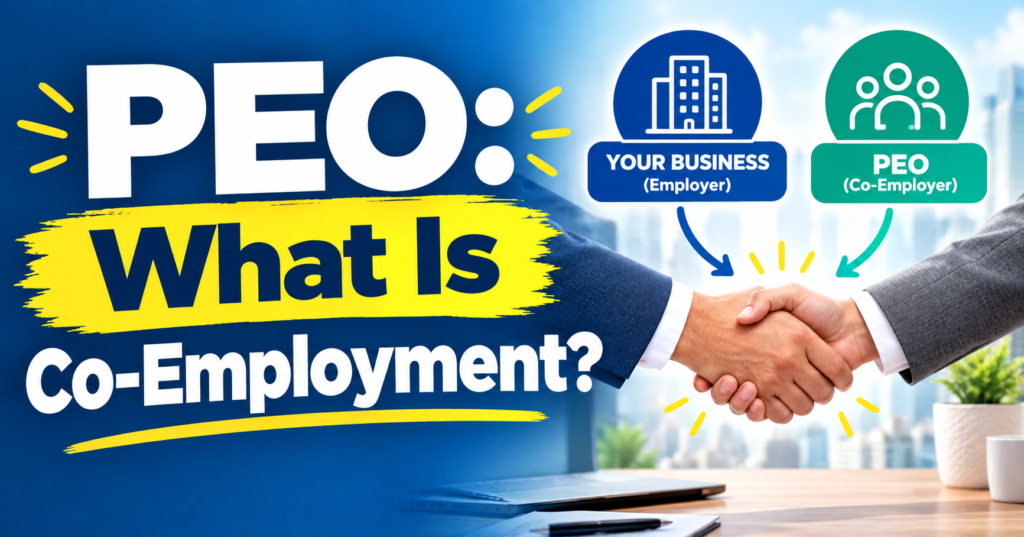
A Professional Employer Organization (PEO) is a company that partners with your business to co-manage HR, payroll, benefits, and compliance under a shared employment arrangement called co-employment. PEOs give small and mid-size businesses access to Fortune 500-level benefits and HR infrastructure at a fraction of the cost of building it in-house. According to NAPEO, businesses that use a PEO grow 7–9% faster and have 10–14% lower employee turnover than those that don’t.

What Is a PEO and How Does It Work?

A PEO — Professional Employer Organization — enters into a co-employment relationship with your business. In practical terms, the PEO becomes the employer of record for tax and benefits purposes, while you retain full control over day-to-day operations, hiring decisions, job assignments, and culture. Think of it as a back-office partnership, not a staffing agency. Your employees still report to you. The PEO just handles the administrative weight so you don’t have to.

Here’s how the mechanics work step by step:

  1. You sign a Client Service Agreement (CSA) with the PEO outlining shared responsibilities.
  2. Your employees are co-employed — they appear on the PEO’s master FEIN for payroll tax purposes, but they remain your employees operationally.
  3. The PEO pools your workforce with thousands of other businesses to access group-rate health insurance, workers’ comp, and retirement plans.
  4. You run your business normally — the PEO processes payroll, files taxes, administers benefits, and handles compliance in the background.

There are roughly 500 PEOs operating in the United States today, serving approximately 4 million worksite employees, according to NAPEO. Based on our analysis of 40+ PEO providers at PEO Marketplace, no two PEOs are identical — technology, pricing models, industry focus, and service depth vary significantly.

Not sure if a PEO makes sense for your business? Our free calculator shows you the real cost in 60 seconds — no call, no email, no commitment.

Try the Free Calculator →

What Is Co-Employment? Understanding the Legal Structure

Co-employment is the legal framework that makes a PEO relationship possible. It means two entities — your company and the PEO — simultaneously share employer responsibilities for the same employees. This is not a loophole or a grey area; it’s a well-established legal structure recognized by federal and state governments.

What the PEO Is Responsible For

  • Payroll processing and direct deposit
  • Federal and state payroll tax filing (under the PEO’s FEIN)
  • Benefits administration — health, dental, vision, 401(k)
  • Workers’ compensation insurance and claims management
  • Employment-related compliance (FMLA, ACA, FLSA, COBRA)
  • HR policies, employee handbooks, and risk management support

What You — the Business Owner — Control

  • Who you hire and who you let go
  • Day-to-day supervision and work assignments
  • Compensation decisions and raises
  • Company culture, values, and direction
  • Business strategy and operations

The IRS formally recognizes the co-employment model. You can review guidance on employer responsibilities at IRS.gov. Many states have also passed PEO-specific licensing laws to protect businesses and employees in these arrangements.

What Does a PEO Actually Cost?

PEO pricing typically falls into one of two models: a percentage of total payroll (usually 2–6%) or a per-employee-per-month (PEPM) flat fee (typically $100–$200 per employee). The right model depends on your average employee compensation — higher-wage workforces often do better with a flat PEPM structure.

Pricing ModelTypical RangeBest For
% of Payroll2%–6% of gross payrollLower-wage workforces, service industries
Per Employee Per Month (PEPM)$100–$200/employee/monthHigher-wage workforces, tech, professional services
Hybrid ModelBase fee + % of payrollMid-size companies with varied compensation levels

What you need to watch for are hidden fees — setup charges, W-2 fees, offboarding costs, and benefits administration add-ons that aren’t always disclosed upfront. We’ve seen this repeatedly in our experience matching hundreds of businesses to PEOs. Before you sign anything, read our breakdown of hidden fees with ADP TotalSource to understand what questions to ask any provider.

You can also use our free PEO cost calculator to estimate what a PEO would cost your business versus handling HR in-house.

The Real Benefits of Using a PEO

The primary reason businesses join PEOs is access to better benefits at lower cost. Because PEOs pool thousands of employees across their client base, they negotiate health insurance at group rates that a 20-person company could never access on its own. But the advantages go well beyond insurance.

Better Benefits, Lower Cost

Small businesses using a PEO can offer the same caliber of health, dental, vision, and 401(k) benefits that large employers use to attract top talent. According to the Bureau of Labor Statistics, access to employer-sponsored benefits is a top factor in employee retention decisions. A PEO helps level that playing field.

Compliance Protection

Employment law changes constantly — ACA reporting, FMLA administration, state-specific wage and hour laws, workers’ comp requirements. PEOs employ dedicated compliance specialists who monitor regulatory changes and update your policies accordingly. For businesses operating in multiple states, this alone can be worth the cost.

Time Savings for Leadership

The average small business owner spends 25–35% of their time on HR-related administrative tasks, according to NAPEO research. Offloading payroll, benefits administration, and compliance frees that time for revenue-generating work.

Reduced Liability Exposure

Because the PEO co-employs your staff, they share employment-related liability. That includes workers’ comp claims, unemployment insurance management, and certain HR compliance risks. This shared liability model is one of the most underappreciated advantages for growing businesses.

Risks and Limitations of PEOs You Should Know

PEOs are not the right fit for every business. Understanding the risks before you sign is just as important as understanding the benefits.

You Lose Some Flexibility

PEOs offer standardized benefit plans and payroll processes. If you have highly customized HR workflows or niche benefit structures, you may find a PEO’s systems limiting. Ask any provider upfront how configurable their platform is.

Minimum Employee Requirements

Most PEOs require a minimum of 3–5 employees to enter a co-employment relationship. Some larger providers set minimums as high as 10–25 employees. If you’re a solo operator or very early stage, a PEO may not be available to you yet.

Exit Complexity

Leaving a PEO mid-year can be disruptive — particularly around benefits enrollment windows, payroll transitions, and tax ID conversions. Always understand the exit terms before you sign. In our experience matching hundreds of businesses to PEOs, the businesses most satisfied with their PEO relationships are those who did due diligence on contract terms upfront.

Not All PEOs Are Equal

A PEO carrying IRS Certified Professional Employer Organization (CPEO) status has met federal financial standards and bonding requirements. Non-certified PEOs may still be excellent — but you should verify their credentials, state licensing, and financial health before signing. Look for ESAC accreditation as an additional trust signal.

How to Choose the Right PEO for Your Business

Choosing a PEO isn’t just about price — it’s about fit. Industry experience, technology platform, benefits carrier relationships, and dedicated service model all matter. Here’s what to evaluate:

  • Industry specialization: Some PEOs focus on construction, healthcare, or nonprofits. A PEO with experience in your industry will understand your compliance landscape.
  • Technology: Does their HR platform integrate with your existing tools? Is it intuitive for employees?
  • Service model: Dedicated account manager vs. call center support makes a significant difference when you have an urgent HR issue.
  • Benefits carriers: Which health insurance networks do they work with? Is there coverage in your geography?
  • Pricing transparency: Can they give you an all-in cost breakdown before you commit?

If you want a side-by-side look at how major providers stack up, our comparison guides on Gusto vs. Justworks and the Insperity cost comparison are a good place to start.

At PEO Marketplace, we’ve vetted 40+ providers across pricing, technology, service quality, and industry fit. Our matching process is free, unbiased, and takes about 10 minutes. Start your PEO search here and we’ll shortlist the best options for your business specifically.

FAQ: What Is a PEO?

Is a PEO the same as a staffing agency?

No — a PEO is fundamentally different from a staffing agency. A staffing agency recruits and places workers at your business, while a PEO co-employs your existing workforce to manage HR, payroll, and benefits administration. Your employees stay your employees operationally; the PEO just handles the back-office work.

How many employees do you need to use a PEO?

Most PEOs work with businesses that have at least 3–10 employees, though minimums vary by provider. Some boutique PEOs serve very small teams, while national providers like ADP TotalSource or Insperity typically prefer companies with 10 or more employees. The sweet spot for PEO value is generally 10–200 employees.

Does a PEO control my employees?

No — you retain full operational control over your employees. You decide who to hire, how to manage them, what they work on, and what you pay them. The PEO only handles the administrative employer functions like payroll processing, tax filing, and benefits administration.

What happens to my employees’ benefits if I leave the PEO?

When you exit a PEO, your employees’ benefits through the PEO’s group plan will end, and you’ll need to set up replacement coverage. This is one of the most important transition considerations — most PEOs recommend exiting at year-end to align with benefits renewal cycles and minimize disruption.

How much does a PEO save businesses?

According to NAPEO, businesses using a PEO save an average of $1,775 per employee per year when factoring in HR administrative costs, workers’ comp savings, and reduced turnover costs. The actual savings for your business will depend on your industry, headcount, current HR spend, and the specific PEO you choose.

Ready to Find Your PEO?

We match small and mid-size businesses to the right PEO from our vetted network of 40+ providers — free, unbiased, and no pressure. Book a 15-minute call and we’ll do the legwork for you.

Book My Free PEO Consultation →

Not ready to book a call? Get a free Benefits Benchmark Report for your industry — we will email you a breakdown of what companies your size are paying for HR, benefits, and workers comp so you can compare on your own timeline.
Get My Free Benchmark Report →

Justworks is a Professional Employer Organization (PEO) that enters a co-employment relationship with your business. Gusto is payroll and HR software that keeps you as the sole employer. Both handle payroll, but they operate on fundamentally different models — and choosing the wrong one at the wrong stage of your business can cost you time, money, and talent. Here’s how to tell which one actually fits where you are right now.

What Is the Core Difference Between Justworks and Gusto?

The short answer: Justworks is infrastructure. Gusto is software. That distinction sounds simple, but it changes everything from your liability exposure to the quality of benefits you can offer employees.

When you join Justworks, you enter a co-employment arrangement. Justworks becomes the employer of record for tax and benefits purposes, pools your employees with thousands of other small businesses, and uses that collective size to negotiate Fortune 500-level health insurance, 401(k) plans, and workers’ comp coverage. You still run your business and manage your team day-to-day — but Justworks shoulders significant compliance and administrative risk alongside you.

Gusto works differently. You remain the sole employer. Gusto automates payroll runs, files payroll taxes, and offers a self-service HR portal. It’s genuinely excellent software — but it’s a tool you use, not a partner that shares employer responsibility with you. According to NAPEO, PEO clients grow 7–9% faster and have 10–14% lower employee turnover than businesses that go it alone. That data reflects the full co-employment model — not software.

Comparing PEOs is easier when you know your baseline cost. Our free calculator shows what a PEO would cost for your company in 60 seconds — no call needed.

Try the Free Calculator →

Justworks vs Gusto: Feature-by-Feature Comparison

Before we dig into which platform suits which business, here’s a side-by-side look at how they stack up on the features that matter most to small and mid-size employers.

FeatureJustworks (PEO)Gusto (Payroll Software)
ModelCo-employment (PEO)SaaS payroll software
Payroll Processing✅ Full service✅ Full service
Payroll Tax Filing✅ Included✅ Included
Health Insurance Access✅ Group rates via PEO pool⚠️ Open market (small business rates)
401(k)✅ Pooled plan, lower fees✅ Available, standard rates
Workers’ Comp✅ Included in PEO pool⚠️ Partner integration only
HR Compliance Support✅ Shared liability, HR team⚠️ Guidance only, no shared liability
EPLI / Employment Practices Liability✅ Included❌ Not included
Dedicated HR Support✅ Named HR specialists⚠️ Chat/email support only
IRS Certified✅ CPEO certified❌ Not a PEO
Pricing ModelPer employee/month ($59–$99+)Base + per employee ($40–$80+/mo)
Best For5–200 employees, growth stage1–50 employees, early stage

How Does Justworks Work as a PEO?

Justworks is an IRS-certified Certified PEO (CPEO), which matters for tax purposes. As a CPEO, Justworks takes on federal employment tax liability — something standard payroll software can’t do. When you join, your employees technically become co-employed by both your company and Justworks.

In practice, that means Justworks can offer your 15-person startup access to the same Aetna or United Healthcare group rates as a 5,000-person corporation. A 15-person company shopping for health insurance on its own gets priced as a 15-person company. Through Justworks’ PEO pool, you get priced as part of a much larger group. That difference in premium alone can offset a significant portion of Justworks’ monthly fee.

Justworks also provides employment practices liability insurance (EPLI), which protects against wrongful termination claims, harassment claims, and discrimination lawsuits — a coverage most small businesses skip because it’s expensive to buy standalone. When your HR decisions are shared with a co-employer, the legal exposure is also shared.

If you want a deeper look at how Justworks stacks up against other full-service PEOs, see our breakdown in Comparing PEO, Gusto, and Justworks: Which Is Best?

How Does Gusto Work as Payroll Software?

Gusto is genuinely good at what it does. The interface is clean, onboarding new hires is fast, and it automates federal, state, and local payroll tax filings in all 50 states. For a founder running a 5-person team who needs payroll handled without complexity, Gusto is often the right call.

The key limitation is that Gusto’s compliance tools are advisory, not protective. Gusto will remind you about labor law changes and flag potential issues — but if you get hit with a misclassification audit from the Department of Labor or a discrimination claim from a former employee, that’s entirely your liability. Gusto doesn’t share it.

Gusto’s health insurance marketplace connects you to carriers, but your premium is based on your own employee pool. For a small team with any older or health-challenged employees, those rates can be brutal. You’re not benefiting from anyone else’s risk pool the way you would inside a PEO.

Which Business Stage Fits Each Platform?

Choose Gusto If…

  • You have fewer than 10 employees and your primary need is clean, automated payroll
  • Your team is healthy and relatively young, so individual health insurance rates are manageable
  • You’re pre-revenue or in very early stages and every dollar of overhead is scrutinized
  • You have no full-time HR person and just need basic self-service tools
  • You’re comfortable taking on employment compliance risk yourself or have outside counsel

Choose Justworks (or Another PEO) If…

  • You have 5–200 employees and are actively competing for talent with larger companies
  • You want to offer competitive health benefits without paying large-group premiums out of pocket
  • You’re scaling fast and don’t have time to build an HR infrastructure from scratch
  • You operate across multiple states and need multi-state compliance coverage
  • You’ve had — or are worried about — an employment claim or compliance issue

Based on our analysis of 40+ PEO providers, the most common switch we see is businesses moving from Gusto to a PEO around the 15–25 employee mark, when benefits costs and compliance risk start to outweigh the simplicity of pure software.

What Does Each Platform Actually Cost?

Justworks charges per employee per month. Their base PEO plan starts around $59/employee/month for smaller teams, with pricing scaling based on headcount and benefits selections. That fee covers payroll, HR support, EPLI, and access to the pooled benefits — so the sticker price isn’t the whole story. Use our free PEO cost calculator to model what a PEO would actually cost versus your current setup.

Gusto’s pricing starts with a base fee (around $40/month) plus a per-employee charge (around $6–$12/month per person depending on the plan tier). Their Plus and Premium tiers add HR tools and dedicated support, pushing costs higher. What Gusto doesn’t include: the cost of your health insurance premiums, workers’ comp policy, or any HR consulting you’d need to buy separately.

The honest comparison isn’t Justworks’ fee vs. Gusto’s fee. It’s Justworks’ total cost vs. Gusto’s fee plus your standalone benefits, workers’ comp, and any compliance costs. For many businesses in the 15–50 employee range, that math favors the PEO. It’s also worth reviewing how Insperity’s costs compare if you’re weighing multiple PEO options.

Justworks vs Gusto: The Honest Verdict

These aren’t really competing products — they’re different tools for different moments in a company’s life. Gusto wins on simplicity and price for very early-stage businesses. Justworks wins on benefits access, compliance protection, and HR infrastructure for growing businesses that need more than software.

The mistake we see most often is businesses staying on Gusto (or a similar payroll tool) three or four years longer than they should because switching feels complicated. Meanwhile, they’re paying individual-market health insurance rates, carrying unprotected compliance risk, and losing candidates to competitors who can offer better benefits through a PEO. If that sounds familiar, it’s probably time for an honest evaluation.

And if you want to see exactly where you stand, our free PEO matching service narrows down the right providers for your industry, headcount, and budget — no sales pressure, just a clear comparison.

Not Sure If You’re Ready for a PEO?

Talk to a PEO specialist at PEO Marketplace. We’ll tell you honestly whether a PEO makes sense for your business right now — or whether staying on payroll software is the smarter move. Free, unbiased, no commitment.

Book a Free Consultation →

Not ready to book a call? Get a free Benefits Benchmark Report for your industry — we will email you a breakdown of what companies your size are paying for HR, benefits, and workers comp so you can compare on your own timeline.
Get My Free Benchmark Report →

Frequently Asked Questions

Is Justworks actually a PEO or just payroll software?

Justworks is a certified PEO (Professional Employer Organization) and holds IRS CPEO certification, which means it takes on federal employment tax liability as a co-employer alongside your business. This is fundamentally different from payroll software like Gusto, which automates payroll processing but does not share employer legal responsibility with you.

Can I get better health insurance through Justworks than through Gusto?

Yes — in most cases, significantly better. Justworks pools your employees with thousands of other small businesses to negotiate group health insurance rates that individual small companies can’t access on their own. Gusto connects you to a broker marketplace, but your premiums are based solely on your own employee population, which typically means higher rates for smaller teams.

Is Gusto enough for a business with 20 employees?

Gusto can technically handle payroll for a 20-person team, but at that size most businesses start feeling the limitations — particularly around benefits costs, compliance exposure, and lack of dedicated HR support. In our experience matching hundreds of businesses to the right platform, 15–25 employees is the typical inflection point where a PEO starts delivering measurable ROI over standalone payroll software.

What happens to my employees if I switch from Gusto to a PEO like Justworks?

Your employees will go through a re-enrollment process and technically become co-employed by the PEO for tax and benefits purposes. From their day-to-day perspective, they’ll see a new employer of record on their paystubs and gain access to better benefits — most employees view this positively. You remain in full control of hiring, managing, and directing your team.

Are there better PEO options than Justworks for larger or more complex businesses?

Justworks is well-suited for businesses in the 5–150 employee range, particularly in professional services and tech. For businesses with more complex needs, higher headcounts, or specific industry requirements, other PEOs like Insperity, TriNet, or providers in our vetted network may be a stronger fit. PEO Marketplace works with 40+ vetted providers and matches you based on your specific situation at no cost.

TriNet, Insperity, and ADP TotalSource are the three largest PEOs in the U.S., each serving thousands of businesses — but they are built for very different types of companies. TriNet targets venture-backed startups and professional services firms. Insperity leans toward established small and mid-size businesses that want white-glove HR service. ADP TotalSource is the enterprise-adjacent option with deep payroll infrastructure and broad integrations. Choosing the wrong one can cost you tens of thousands of dollars and months of frustration. This guide breaks all three down across every dimension that matters so you can go from three options to one confident choice.


What Is a PEO and Why Does the Provider Choice Matter So Much?


A Professional Employer Organization (PEO) enters a co-employment arrangement with your business, taking on employer-of-record responsibilities for payroll, benefits, workers’ compensation, and HR compliance. According to NAPEO, businesses that use a PEO grow 7–9% faster and have 10–14% lower employee turnover than those that go it alone. The right PEO amplifies those results. The wrong one creates service gaps, surprise fees, and an HR team that’s constantly calling a support line with no answer.


In our experience matching hundreds of businesses across 100+ vetted PEO providers, the single biggest mistake we see is choosing a PEO based on brand recognition alone. All three of these providers have strong brands. That doesn’t mean all three are right for your headcount, industry, or budget.


Comparing PEOs is easier when you know your baseline cost. Our free calculator shows what a PEO would cost for your company in 60 seconds — no call needed.

Try the Free Calculator →


TriNet vs Insperity vs ADP: Side-by-Side Comparison


Before diving into the detail, here’s a quick reference table covering the metrics that decision-makers ask us about most often.

CategoryTriNetInsperityADP TotalSource
Best ForStartups, VC-backed, techEstablished SMBs wanting premium HRMid-market, payroll-first companies
Typical Company Size5–500 employees5–5,000 employees10–1,000+ employees
Pricing ModelPEPM or % of payroll% of payroll (custom)PEPM or % of payroll
Estimated Monthly Cost$100–$200 PEPM2–5% of gross payroll$100–$175 PEPM
Dedicated HR RepShared team modelYes, dedicatedShared team model
IRS CPEO CertifiedYesYesYes
Benefits QualityExcellent (Fortune 500-level)Excellent (comprehensive)Good (broad but less curated)
Payroll TechnologyGood (proprietary platform)Good (proprietary platform)Excellent (industry-leading)
Contract FlexibilityAnnual contractsAnnual contractsAnnual contracts
Hidden Fee RiskMediumLow-MediumHigher (see notes below)


TriNet: Best for Startups and High-Growth Companies


What TriNet Does Well


TriNet has carved out a specific lane: fast-growing, often venture-backed companies in tech, professional services, financial services, and life sciences. Their benefits packages are genuinely competitive at Fortune 500 levels, which matters enormously when you’re trying to recruit engineers or senior talent. TriNet also offers industry-specific HR expertise, meaning your HR team actually understands the compliance nuances of your vertical — not just generic employment law.


Their technology platform is clean and functional. Onboarding, benefits enrollment, and payroll visibility are all reasonably intuitive for employees and administrators. For companies that need to move fast and look credible to new hires, TriNet delivers.


Where TriNet Falls Short


TriNet operates on a shared HR service model. You won’t get a dedicated HR rep who knows your company inside and out — you get a team. For some businesses, that’s fine. For others, especially those dealing with complex employee relations issues or multi-state compliance, that lack of continuity is a real friction point. TriNet’s pricing is also on the higher end of the PEPM spectrum, and cost can escalate quickly as headcount grows. If you’re a stable, headcount-steady business, TriNet may be overbuilt and overpriced for your needs.


Insperity: Best for Established SMBs That Want Premium HR Service


What Insperity Does Well


Insperity is widely regarded as the gold standard for service quality among large PEOs. Based on our analysis of 100+ PEO providers, Insperity consistently earns the highest satisfaction scores for dedicated HR support. Every client gets a dedicated HR specialist — a real person who learns your business, your culture, and your employee roster. That relationship-based model is rare at this scale and it genuinely shows in day-to-day experience.


Insperity’s benefits offerings are also top-tier. They offer access to comprehensive health, dental, vision, life, and disability plans through major carriers, plus strong 401(k) options. Their risk management and workers’ comp programs are mature and well-managed. For companies in industries with meaningful liability exposure — construction-adjacent services, healthcare, manufacturing — Insperity’s risk expertise adds real value. You can read more about how Insperity’s cost stacks up against other PEOs in our dedicated breakdown.


Where Insperity Falls Short


Insperity’s pricing is typically percentage-of-payroll based, and at 2–5% of gross wages, it can get expensive — particularly for companies with higher average salaries. A 50-person tech company paying $120K average salaries could find Insperity significantly more expensive than a per-employee-per-month alternative. Their technology platform is functional but not as sleek as some newer competitors. And like the others, they require annual contracts, so you’re committed once you sign.


ADP TotalSource: Best for Payroll-First, Mid-Market Businesses


What ADP TotalSource Does Well


ADP is the most recognized name in payroll, and ADP TotalSource — their PEO offering — inherits that infrastructure. If your business already runs on ADP payroll, the migration path to TotalSource is relatively smooth. Their compliance technology is robust, their tax filing accuracy is industry-leading, and their integrations with accounting platforms, time-tracking tools, and benefits providers are extensive. According to the Bureau of Labor Statistics, payroll compliance errors cost U.S. businesses billions annually — ADP’s strength here is real and measurable.


For mid-market companies with 50–500+ employees who prioritize payroll accuracy, ADP compliance depth, and broad integrations over boutique HR service, TotalSource is a serious contender.


Where ADP TotalSource Falls Short


ADP’s reputation for hidden fees is well-documented — and it’s one of the most common complaints we hear from businesses that come to us after a bad PEO experience. Implementation fees, W-2 fees, year-end processing charges, and module add-ons can stack up in ways that weren’t obvious during the sales process. We’ve covered this in detail in our post on ADP TotalSource hidden fees — it’s worth a read before you sign anything. ADP also operates on a shared service model, so the personal HR relationship that Insperity offers is generally not available here.


ADP TotalSource’s size can also work against smaller clients. If you’re a 15-person company, you’re not a priority account. Service responsiveness tends to correlate with revenue size at ADP, and smaller businesses often feel that gap.


Pricing Deep Dive: What Will You Actually Pay?


Pricing is where most business owners get tripped up because all three providers quote differently and negotiate differently. Here’s what to expect in practice:

    • TriNet typically quotes $100–$200 per employee per month depending on your industry, headcount, and benefits selections. Startups in tech often land at the higher end due to richer benefit packages.
    • Insperity quotes as a percentage of gross payroll, typically 2–5%. A company with $3M annual payroll could pay $60,000–$150,000 per year. The spread is wide and heavily negotiated.
    • ADP TotalSource offers both PEPM and percentage-of-payroll structures. Quoted rates often look competitive, but the all-in cost including add-ons and fees frequently lands higher than initial estimates.

All three are negotiable, especially if you’re bringing 50+ employees. Don’t accept first-round pricing on any of them. And always ask for a line-item breakdown of every fee — not just the headline rate. The IRS CPEO certification that all three hold does guarantee certain tax liability protections, which is a meaningful financial safeguard worth factoring into your total cost analysis.

If you’re comparing PEOs and want to understand what a fair price looks like for your specific situation, our free PEO cost calculator gives you a realistic baseline in under a minute.


Which PEO Should You Choose?


Choose TriNet If:


  • You’re a startup or high-growth company needing to attract top talent with competitive benefits
  • You’re in tech, professional services, life sciences, or financial services
  • You want strong industry-specific HR expertise without paying for a dedicated rep
  • Your headcount will grow significantly over the next 12–24 months

Choose Insperity If:


    • You want a dedicated HR partner who genuinely knows your business
    • You’re an established company with 20–500 employees and stable payroll
    • HR service quality matters more than bottom-line pricing
    • You have complex compliance needs or meaningful employee relations risk

Choose ADP TotalSource If:


    • You’re already in the ADP ecosystem and want to upgrade to full PEO services
    • Payroll accuracy and compliance infrastructure are your top priorities
    • You have 50+ employees and need robust integrations with accounting and ERP systems
    • You have dedicated internal HR staff who need a strong technology backbone — not hand-holding

Consider Alternatives If:


If none of these profiles fit your business perfectly, that’s actually the most common outcome we see. The PEO market has 100+ credible providers, and many of the best fits for small businesses are regional or mid-tier PEOs that offer better pricing, more flexibility, and more attentive service than the big three. Before you commit, it’s worth seeing a full comparison. Our post on Gusto vs Justworks covers two strong alternatives for smaller companies, and our PEO matching service can surface the right fit for your specific situation at no cost.


The Bottom Line on TriNet vs Insperity vs ADP


All three are legitimate, CPEO-certified PEOs with real track records. The question is never “which is best overall” — it’s which is best for your company’s size, industry, budget, and HR philosophy. TriNet wins on startup agility and benefits depth. Insperity wins on service quality and HR relationship. ADP TotalSource wins on payroll infrastructure and integrations. Miss the match and you’ll spend the first year frustrated before shopping again.


In our experience working with hundreds of businesses across these providers, the companies that are happiest are the ones that matched on all three dimensions: size fit, service model fit, and price fit. Getting all three right at once is exactly what our matching process is designed to do.


Ready to Narrow From Three to One?


Our team has evaluated TriNet, Insperity, ADP TotalSource, and 100+ other PEOs. Tell us about your business and we’ll match you to the right provider — with pricing benchmarks and an honest assessment of where each one falls short for your situation. Free, unbiased, and no pressure.

Schedule Your Free PEO Matching Call →

Not ready to book a call? Get a free Benefits Benchmark Report for your industry — we will email you a breakdown of what companies your size are paying for HR, benefits, and workers comp so you can compare on your own timeline.
Get My Free Benchmark Report →


Frequently Asked Questions


Is TriNet more expensive than Insperity?


It depends on your payroll size and employee count. TriNet typically charges $100–$200 per employee per month, while Insperity charges a percentage of gross payroll (2–5%). For companies with higher average salaries, Insperity’s percentage model can end up costing more than TriNet’s flat PEPM structure — so it’s essential to model both approaches against your actual payroll numbers before comparing quotes.


Does ADP TotalSource have hidden fees?


ADP TotalSource has a documented pattern of add-on charges that aren’t always clear in initial pricing conversations, including implementation fees, W-2 processing fees, and year-end charges. Always request a complete written fee schedule before signing any contract with ADP TotalSource, and compare the all-in annual cost — not just the quoted rate — against other providers.


Which of these PEOs is best for a company under 20 employees?


For companies under 20 employees, all three major PEOs can feel like overkill in terms of cost and complexity. TriNet is probably the most accessible of the three at smaller headcounts due to its startup-friendly model, but smaller PEOs like Justworks or regional providers often deliver better pricing and more attentive service for sub-20 teams. Our matching service can identify the best fit at no cost.


Are TriNet, Insperity, and ADP TotalSource all CPEO certified?


Yes, all three hold IRS Certified PEO (CPEO) status, which means they meet strict financial, background, and reporting standards set by the IRS. CPEO certification provides important tax liability protections for client businesses — specifically, it protects clients from being held responsible for payroll tax liabilities if the PEO fails to remit taxes properly. This certification is a meaningful baseline that all three providers clear.


Can I switch PEOs if I choose the wrong one?


Yes, but it involves real administrative work — transitioning benefits, re-onboarding employees, and timing the switch around open enrollment or payroll cycles. Most PEOs require 30–60 days notice, and switching mid-year can create benefits gaps if not managed carefully. Choosing the right PEO from the start is significantly less painful than switching later, which is why a proper matching process upfront saves most businesses time, money, and frustration.

Oasis PEO no longer exists as a standalone company — it was acquired by Paychex in 2018 and fully absorbed into Paychex PEO. If you were an Oasis client, you are now on Paychex infrastructure whether you know it or not. This matters because the pricing model, technology platform, and service structure have all changed. Here is what you need to know to decide if Paychex PEO is still the right fit — or if it is time to explore alternatives.

What Was Oasis PEO and What Happened to It?

Oasis Outsourcing was one of the largest independent PEOs in the United States before Paychex acquired it in December 2018 for approximately $1.2 billion. At the time of acquisition, Oasis served more than 8,500 clients and roughly 215,000 worksite employees — making it a major player in the small-to-mid-size business HR outsourcing space.

Oasis was known for a few things that made it popular with small businesses: dedicated HR service teams, competitive benefits through major carriers like Aetna and UnitedHealthcare, and a straightforward pricing structure. Clients often stayed with Oasis for years because of strong local relationships with their HR reps.

After the Paychex acquisition, the Oasis brand was phased out. Clients were migrated to the Paychex platform — Paychex Flex — and their service teams were reorganized under the broader Paychex structure. Some legacy Oasis reps stayed on through the transition. Many did not.

What Changed for Legacy Oasis Clients

The migration brought a fundamentally different experience. Here is what long-time Oasis clients noticed most:

  • Technology platform: Moved from the Oasis portal to Paychex Flex, a more feature-rich but significantly more complex system.
  • Service model: Oasis used dedicated HR generalists. Paychex PEO uses a tiered support model where you may interact with multiple specialists rather than one go-to person.
  • Pricing: Oasis pricing was typically a flat per-employee-per-month (PEPM) fee. Paychex PEO uses a percentage-of-payroll model with admin fees layered on top, which costs more as wages rise.
  • Benefits access: Paychex PEO offers access to Fortune 500-level benefits, but the plan selection and carrier mix changed from what Oasis clients had.
  • Contract terms: Paychex PEO contracts tend to be more structured, with renewal terms and termination clauses that require careful review.

Comparing PEOs is easier when you know your baseline cost. Our free calculator shows what a PEO would cost for your company in 60 seconds — no call needed.

Try the Free Calculator →

Paychex PEO in 2026: What Does It Actually Offer?

Paychex PEO is now one of the largest PEOs in the country, co-employing hundreds of thousands of worksite employees nationwide. It is IRS-certified as a CPEO, which is an important compliance designation that protects clients from certain payroll tax liabilities. Here is an honest breakdown of what the platform delivers today.

Technology: Paychex Flex

Paychex Flex is a comprehensive HR platform covering payroll, time tracking, benefits administration, recruiting, onboarding, and compliance. It is genuinely powerful — but it has a learning curve. Smaller businesses with limited HR staff often find it overwhelming compared to more intuitive platforms like Gusto or Justworks. If you have a dedicated HR person who wants robust reporting and customization, Flex delivers. If you want simplicity, it can feel like too much.

Benefits

Paychex PEO provides access to health, dental, vision, life, and disability plans through major national carriers. Because Paychex pools thousands of employees, smaller businesses can access large-group rates they could not get on their own. According to NAPEO, PEO clients on average save 27% on health insurance compared to companies that source coverage independently. Paychex is competitive here, though the specific plan selection varies by region.

HR Support

This is where the Oasis-to-Paychex transition created the most friction. Legacy Oasis clients were used to a single dedicated HR rep who knew their business. Paychex PEO routes support through specialists — a payroll specialist, an HR specialist, a benefits specialist — depending on the issue. For complex situations, this means more handoffs. For routine questions, it works fine. Based on our experience matching hundreds of businesses, companies with 20 or fewer employees often find this model impersonal compared to boutique PEOs.

Compliance and Risk Management

Paychex PEO handles federal and state payroll tax filing, workers’ compensation administration, unemployment insurance, and ACA compliance. As a CPEO, it assumes joint liability for payroll tax obligations — a meaningful protection for clients. The Department of Labor compliance support is solid, particularly for multi-state employers navigating varying wage and hour laws.

Oasis vs Paychex PEO: Side-by-Side Comparison

FeatureLegacy Oasis PEOPaychex PEO (2026)
Pricing modelFlat PEPM fee% of payroll + admin fees
Typical cost range$40–$80 PEPM2%–4% of gross payroll
HR service modelDedicated HR generalistTiered specialist model
Technology platformOasis portal (legacy)Paychex Flex (robust)
IRS CPEO certifiedNoYes
Best forSmall businesses wanting simplicityMid-size businesses, multi-state
Contract flexibilityModerateMore structured; review terms carefully
Benefits accessMajor carriers, regional plansFortune 500-level, national carriers

Who Should Still Use Paychex PEO?

Paychex PEO is a strong option for the right type of business. Based on our analysis of 40+ PEO providers, here is where Paychex PEO tends to win:

  • Companies with 50–500 employees that need robust payroll, multi-state compliance, and strong benefits packages
  • Businesses already using Paychex payroll that want to step up to co-employment without a full platform migration
  • Industries with complex workers’ comp needs — Paychex has competitive rates in construction, manufacturing, and similar sectors
  • Multi-state employers who need consistent HR infrastructure across multiple jurisdictions

If you are comparing Paychex PEO against Insperity, it is worth reading our Insperity cost comparison to understand where each one wins on price and service. And if you have had concerns about hidden fees from large PEOs generally, our breakdown of ADP TotalSource hidden fees gives useful context for what to watch for with any enterprise PEO.

Who Should Look Elsewhere?

Paychex PEO is not the right answer for every business — especially former Oasis clients who valued simplicity and relationship-based service. Consider alternatives if:

  • You have fewer than 10 employees and want a simple, affordable platform — look at Gusto or Justworks instead
  • You want a single dedicated HR contact who knows your business by name
  • Your payroll is growing fast and a percentage-of-payroll fee structure will scale costs uncomfortably
  • You want more transparent, itemized pricing without surprises at renewal
  • You are in a niche industry where Paychex’s generalist approach does not fit

The honest reality: some former Oasis clients are thriving on Paychex PEO. Others have left for smaller regional PEOs or competitors with more personalized service. The right answer depends on your headcount, growth trajectory, and what you actually value in an HR partner.

How to Evaluate Your Current Paychex PEO Contract

If you are a current Paychex PEO client — whether you came from Oasis or joined directly — here are the three things you should audit right now:

1. Understand Your True All-In Cost

Paychex PEO’s percentage-of-payroll model means your admin costs rise automatically as you give raises or hire higher-paid employees. Use our free PEO cost calculator to see what you are actually paying as a percentage of total payroll, and compare that to the market rate of 2%–4%.

2. Review Your Service Agreement

Check your contract for auto-renewal clauses, termination windows, and what fees apply if you leave mid-year. Paychex PEO contracts can include provisions that penalize early termination — know your exit window before you need it.

3. Benchmark Your Benefits

Are the health plans you are offering competitive for your industry and geography? Benefits are often why clients stay with a PEO even when they are unhappy with service. If the benefits are not compelling your employees, the main reason to stay disappears.

The Bottom Line: Oasis PEO vs Paychex PEO

Oasis PEO no longer exists — you are on Paychex now, or you have already moved on. Paychex PEO is a legitimate, well-resourced platform with strong compliance infrastructure and decent benefits access. But it is a large company with a scalable service model, and that means some of what made Oasis feel personal has been diluted.

According to NAPEO, businesses that use a PEO grow 7–9% faster and have 10–14% lower employee turnover than companies that manage HR on their own. The key is being in the right PEO for your size and situation — not just any PEO. If Paychex PEO is working for you, great. If something feels off since the Oasis transition, it is worth a second look at the market.

At PEO Marketplace, we have matched hundreds of businesses with PEOs across all size ranges, industries, and budgets. We work with 40+ vetted providers — including alternatives to Paychex that may be a better fit depending on your headcount and what you value most. Our matching process is free, unbiased, and takes about 15 minutes. Start your PEO search here or book a call below.

Not Sure If Paychex PEO Is Still the Right Fit?

Book a free 15-minute call with a PEO Marketplace advisor. We will compare Paychex PEO against alternatives that match your size, industry, and budget — at no cost to you.

Book My Free PEO Consultation →

Not ready to book a call? Get a free Benefits Benchmark Report for your industry — we will email you a breakdown of what companies your size are paying for HR, benefits, and workers comp so you can compare on your own timeline.
Get My Free Benchmark Report →

Frequently Asked Questions

Is Oasis PEO still in business?

No, Oasis PEO is no longer an independent company. Paychex acquired Oasis Outsourcing in December 2018, and the brand was fully absorbed into Paychex PEO. Former Oasis clients were migrated to the Paychex Flex platform and the Paychex service structure.

How does Paychex PEO pricing compare to what Oasis charged?

Legacy Oasis PEO typically charged a flat per-employee-per-month fee ranging from roughly $40–$80 PEPM. Paychex PEO uses a percentage-of-payroll model, generally 2%–4% of gross payroll, which can cost more as your average salaries increase. Use a cost calculator to compare the two models based on your actual payroll numbers.

What is a CPEO and does it matter for my business?

A Certified Professional Employer Organization (CPEO) is a designation from the IRS that means the PEO has met strict financial and compliance standards. As a CPEO, Paychex PEO assumes liability for payroll taxes, which protects clients from certain IRS penalties. This designation matters most for businesses with complex multi-state payrolls or higher wage bills.

Can I switch from Paychex PEO to a different PEO?

Yes, switching PEOs is possible and more common than most business owners realize. The key is understanding your contract’s termination window — typically 30–90 days notice — and timing your transition around benefits renewal periods to avoid gaps in coverage. A PEO broker like PEO Marketplace can help manage the transition process at no cost to you.

How do I know if Paychex PEO is overpriced for my company?

The best way to tell is to benchmark your current all-in cost against what comparable PEOs charge for businesses your size and in your industry. Based on our analysis of 40+ PEO providers, many Paychex PEO clients — especially those with higher average salaries — are paying 15–30% more than they would with a flat-fee PEO alternative. Our free calculator gives you a baseline in under 60 seconds.

The best PEO for real estate brokerages is one that handles commission-based payroll, supports mixed 1099 and W-2 classifications, and offers competitive benefits without requiring a traditional salaried headcount. Most general-purpose PEOs are built for standard office environments — real estate teams need something more flexible. In this guide, we break down exactly what to look for and which providers rise to the top in 2026.

Why Real Estate Brokerages Have Unique HR Challenges

Running HR for a real estate brokerage is genuinely different from running HR for a law firm or a tech company. Your workforce is fluid. Agents come and go. Some work full-time, others pick up a few transactions a year. Your payroll isn’t a flat biweekly run — it’s commission-driven, irregular, and sometimes involves draws against future earnings.

Add in the need for Errors and Omissions (E&O) insurance, state-by-state licensing compliance, and the ongoing debate over whether your agents should be classified as 1099 independent contractors or W-2 employees, and you’ve got a genuinely complex HR environment.

According to NAPEO, businesses that use a PEO grow 7–9% faster and have 10–14% lower employee turnover than those that don’t. For brokerages trying to retain top-producing agents, that retention edge matters.

1099 vs. W-2 Agents: What Your PEO Needs to Understand

The 1099 vs. W-2 classification question is the single biggest HR issue facing real estate brokerages today — and most PEOs don’t handle it well.

How the Classification Difference Affects PEO Eligibility

PEOs co-employ W-2 workers. They cannot co-employ true independent contractors. That means if your brokerage runs entirely on 1099 agents, a traditional PEO won’t cover those workers for benefits, payroll, or workers’ comp purposes. However, most brokerages have a hybrid model — a handful of W-2 staff (office managers, transaction coordinators, marketing staff) alongside a larger pool of 1099 agents. A good PEO for real estate handles the W-2 side cleanly while offering tools that help you manage your 1099 relationships separately.

The Misclassification Risk Is Real

The IRS uses a behavioral, financial, and relationship test to determine whether a worker is truly an independent contractor. Real estate agents have a carve-out under the tax code (Section 3508), but that protection is narrow. If your agents have office hours, use brokerage equipment, or are supervised closely, you may have misclassification exposure. Some PEOs offer classification audits as part of their HR consulting services — that’s worth asking about.

Commission-Based Payroll: What to Ask Every PEO

Commission payroll is where most PEOs stumble with real estate clients. Here’s what you need to confirm before signing any agreement.

Can They Handle Variable Pay Cycles?

Most PEOs are built around predictable, fixed payroll cycles. Commission-based pay — especially in real estate where a closing might happen on a Thursday — doesn’t fit neatly into biweekly processing. Ask specifically: Can I run off-cycle payroll for commission disbursements? Is there an extra fee for it? The answer tells you a lot about whether the PEO actually serves your industry or is just claiming it does.

Draw Against Commission Support

Some brokerages offer agents a monthly draw — essentially an advance against anticipated commissions. This creates a revolving accounts receivable situation on the payroll side. Not every PEO platform supports this natively. Rippling, for example, has strong custom payroll capabilities. Paychex PEO offers flexibility for irregular pay structures. In our analysis of 40+ PEO providers, fewer than half handle draw-against-commission payroll without customization workarounds.

Multi-State Payroll for Agents Licensed in Multiple States

If your agents are licensed in more than one state — common in DC/Maryland/Virginia markets, or along state borders — your PEO needs to handle multi-state tax withholding and filing seamlessly. Confirm that multi-state payroll is included in the base fee, not billed as an add-on. You can use our PEO cost calculator to estimate what a multi-state setup might cost your brokerage.

E&O Insurance and PEO Benefits: What Real Estate Brokerages Actually Need

Errors and Omissions insurance is non-negotiable in real estate. But it sits outside the traditional PEO benefits stack — and that’s where brokerages get confused.

PEOs Don’t Typically Provide E&O Insurance

Let’s be direct: PEOs offer group health, dental, vision, life, disability, and workers’ comp through their co-employment relationship. They do not provide professional liability or E&O coverage. You’ll need to source that separately through a real-estate-specific insurer or through your state association. What a PEO can do is reduce your overall insurance costs on the benefits side, freeing up budget for E&O premiums.

Workers’ Comp for Real Estate Staff

Your W-2 staff — the office coordinator, the marketing manager, the receptionist — need workers’ comp coverage. Through a PEO, you access group workers’ comp rates that are almost always lower than what a small brokerage can get independently. The Bureau of Labor Statistics data shows real estate and rental sector injury rates are relatively low, which means your workers’ comp costs through a PEO should be quite manageable.

Benefits That Help You Recruit and Retain Agents

Here’s where a PEO genuinely moves the needle for brokerages. If you convert some agents from 1099 to W-2 — or you want to offer benefits as a competitive recruiting tool — a PEO gives you access to Fortune 500-level health plans that a 10-person brokerage could never negotiate on its own. That’s a real competitive advantage when you’re trying to pull a top producer away from a larger franchise.

PEO Comparison: Best Options for Real Estate Brokerages in 2026

Based on our experience matching hundreds of businesses with PEO providers, here are the top options for real estate brokerages and how they stack up on the issues that matter most to your industry.

PEO ProviderCommission Payroll FlexibilityMulti-State SupportHR Consulting DepthBest For
RipplingExcellent — highly customizableExcellentModerate (tech-forward)Tech-savvy brokerages, rapid scaling
InsperityGoodExcellentExcellent — dedicated HR teamMid-size brokerages wanting white-glove service
Paychex PEOGood — supports variable payExcellentGoodBrokerages already using Paychex payroll
JustworksModerate — best for fixed payGoodModerateSmall brokerages with mostly W-2 admin staff
ADP TotalSourceGoodExcellentGoodLarger brokerages needing enterprise integration

For a deeper look at cost differences between these providers, see our breakdowns on Insperity’s pricing vs. competitors and Gusto vs. Justworks for smaller teams. If you’re evaluating ADP, read our guide on hidden fees to watch for with ADP TotalSource before you commit.

Part-Time and Seasonal Agents: How PEOs Handle Headcount Fluctuation

Many brokerages have agents who are active for six months and then go quiet. Or agents who close two deals a year but are technically still on the roster. This headcount volatility creates real problems with most PEOs, which price by per-employee-per-month (PEPM) fees.

Minimum Headcount Requirements

Most PEOs require a minimum of 3–5 W-2 employees to onboard a client. If your brokerage only has two full-time staff members and a roster of 1099 agents, you may not qualify — or you may be in a higher price tier. Always clarify the minimum headcount policy and how the PEO handles employees who are added and removed frequently.

On-Demand Onboarding and Offboarding

The best PEOs for real estate offer digital onboarding that takes minutes, not days. When a new agent joins your team as a W-2 employee, you need to get them into benefits and payroll fast. Rippling and Justworks lead the industry here with same-day digital onboarding. Insperity offers strong dedicated support but slightly more process-heavy onboarding by comparison.

Questions to Ask a PEO Before Signing as a Real Estate Brokerage

Not every PEO sales rep will understand your business. These questions cut through the pitch and reveal whether a PEO can actually serve a brokerage.

  • Do you have other real estate brokerage clients? Can I speak to one?
  • How does your platform handle commission-only or draw-against-commission payroll?
  • What happens to my account when I add or remove agents mid-month?
  • Do you offer worker classification audits as part of your HR consulting?
  • Is multi-state payroll included in the base fee or billed separately?
  • What is your minimum W-2 headcount requirement?

If a PEO can’t answer questions three through six clearly and confidently, they probably don’t have deep experience with brokerages. Our team at PEO Marketplace pre-screens providers on exactly these criteria — start your match here and we’ll only send you providers who know your industry.

Frequently Asked Questions

Can a PEO work with a real estate brokerage that uses only 1099 agents?

A traditional PEO co-employs W-2 workers only and cannot cover 1099 independent contractors directly. If your brokerage is entirely 1099-based, a PEO may still serve your W-2 administrative staff, but your agents won’t be covered under the co-employment arrangement. Some PEOs offer contractor management tools as an add-on service for 1099 oversight.

Does a PEO provide Errors and Omissions insurance for real estate agents?

No — PEOs do not provide E&O or professional liability insurance as part of their standard benefits package. E&O coverage must be sourced separately through a real-estate-specific insurer or your state REALTOR® association. A PEO can reduce your group health and workers’ comp costs, freeing up budget for E&O premiums.

How does a PEO handle commission-based payroll for real estate agents?

The best PEOs for real estate support variable pay cycles, off-cycle payroll runs, and draw-against-commission structures, though capabilities vary by provider. Rippling and Paychex PEO tend to offer the most flexibility for commission-based compensation. Always confirm commission payroll support in writing before signing a PEO agreement.

What is the typical cost of a PEO for a small real estate brokerage?

PEO pricing typically runs between $80 and $180 per employee per month for the W-2 employees covered under the co-employment arrangement, depending on the provider and services included. For a brokerage with five W-2 staff members, expect to budget roughly $500–$900 per month before benefits costs. Use our PEO cost calculator to get a more specific estimate for your team size.

Can a PEO help protect my brokerage from agent misclassification liability?

Yes — many PEOs include HR compliance consulting that covers worker classification risk, and some offer formal classification audits. Real estate agents have a specific IRS carve-out under Section 3508 of the tax code, but that protection has limits. A PEO with real estate industry experience can help you evaluate your exposure and document your classification decisions properly.


Ready to find the right PEO for your real estate brokerage? At PEO Marketplace, we’ve analyzed 40+ vetted providers and match brokerages with PEOs that actually understand commission payroll, mixed workforces, and the unique compliance landscape of real estate. The service is free, unbiased, and takes about 15 minutes. Book your free consultation now →

A PEO (Professional Employer Organization) is best for U.S.-based businesses that want to co-employ domestic staff, while an EOR (Employer of Record) is designed for companies hiring workers in foreign countries without setting up a local legal entity. Choosing the wrong model can create serious compliance exposure and unnecessary costs. Here’s exactly how to tell which one your business needs.

What Is a PEO and How Does It Work?

A Professional Employer Organization enters into a co-employment relationship with your business. You retain day-to-day control over your employees — their tasks, schedules, and performance — while the PEO becomes the employer of record for tax and benefits purposes. Payroll taxes are filed under the PEO’s EIN, and your employees gain access to Fortune 500-level benefits the PEO negotiates in bulk across its entire client base.

According to NAPEO, businesses that use a PEO grow 7–9% faster, have 10–14% lower employee turnover, and are 50% less likely to go out of business compared to non-PEO companies. Those aren’t marginal gains — they’re the kind of numbers that move the needle on a small business’s survival odds.

PEOs are purpose-built for domestic U.S. operations. They handle federal, state, and local payroll tax compliance, workers’ compensation, unemployment insurance, ACA compliance, and HR administration — all under one roof. Based on our analysis of 40+ PEO providers at PEO Marketplace, the right PEO dramatically reduces HR overhead and benefits costs for companies with 5 to 500 U.S. employees.

What Does a PEO Actually Handle?

  • Payroll processing and tax filings (federal, state, local)
  • Health, dental, vision, and ancillary benefits administration
  • Workers’ compensation insurance and claims management
  • HR compliance support and employee handbook development
  • Unemployment insurance management
  • 401(k) and retirement plan administration
  • Onboarding, offboarding, and HRIS technology

Want to estimate what a PEO would actually cost your business? Use our PEO cost calculator to get a ballpark figure in minutes.

What Is an EOR and How Does It Work?

An Employer of Record is a third-party company that legally employs workers on your behalf in a foreign country. When you want to hire a developer in Germany or a sales rep in Brazil, you don’t have to incorporate a local legal entity — the EOR does it for you. They handle local payroll, statutory benefits, employment contracts governed by local labor law, and tax withholding in that country.

The key distinction: with a PEO, your company is still the employer in the eyes of the IRS and most state agencies. With an EOR, the EOR company is the legal employer. You direct the work, but the EOR carries the legal employment liability in that jurisdiction.

EORs have exploded in popularity alongside the remote work boom. Companies like Deel, Remote, and Papaya Global have built multi-country EOR networks that let you hire in 100+ countries without a single foreign entity. That speed to hire is the core value proposition — instead of 6–12 months to establish a foreign subsidiary, you can onboard a worker overseas in days.

What Does an EOR Actually Handle?

  • Legal employment contracts compliant with local labor law
  • Local payroll processing and tax withholding
  • Statutory benefits (mandatory leave, social contributions, pension)
  • Work permits and visa support in some markets
  • Termination compliance (notice periods, severance calculations)
  • IP and confidentiality agreements under local law

PEO vs EOR: Side-by-Side Comparison

FeaturePEOEOR
Best forU.S.-based employeesInternational/overseas employees
Employment modelCo-employmentFull legal employer
Legal entity required?No new entity neededNo foreign entity needed
Typical cost$100–$200/employee/month or 2–12% of payroll$300–$1,000+/employee/month
Compliance coverageU.S. federal, state, and localCountry-specific labor law
Benefits accessGroup health, 401(k), ancillaryStatutory minimums + optional top-ups
Speed to hireDaysDays to weeks
IRS/DOL oversightYes — U.S. tax frameworkNo — governed by local country law
Ideal company size5–500 U.S. employees1–50 international hires

When Does a PEO Make More Sense?

A PEO is the right call when your workforce is concentrated in the United States and you need to compete on benefits, reduce HR admin burden, and stay compliant with an increasingly complex patchwork of state and local employment laws. If you’re a 20-person company trying to offer health insurance that rivals what Google offers, a PEO is how you do it.

The IRS Certified PEO program adds an extra layer of credibility — Certified PEOs (CPEOs) carry full federal tax liability for client payroll, which protects your business if anything goes wrong. Not every PEO has this certification, so it’s worth asking during your evaluation.

Common scenarios where a PEO wins:

  • You have 5–200 U.S. employees and can’t afford enterprise-level HR
  • You’re struggling to offer competitive health benefits without breaking the budget
  • You’re expanding into new states and worried about multi-state compliance
  • You’ve had workers’ comp claims spike and need better risk management
  • You want to offload payroll, onboarding, and terminations to experts

Not all PEOs are priced the same — some bundle everything while others layer on fees you won’t see coming. Read our breakdown of hidden fees with ADP TotalSource before signing anything, and compare top options like Gusto vs Justworks or Insperity’s cost structure to understand what you’re really paying.

When Does an EOR Make More Sense?

An EOR is the right tool when you need to hire someone in another country and you don’t want to spend six figures and 12 months setting up a foreign subsidiary. It’s especially valuable for companies testing a new market, hiring a single key person overseas, or building a distributed remote team across multiple countries.

The U.S. Department of Labor doesn’t govern foreign employment — once you’re hiring outside the U.S., you’re operating under that country’s Ministry of Labor equivalent. An EOR keeps you on the right side of those rules without you needing to become an expert in German works councils or Brazilian CLT labor law.

Common scenarios where an EOR wins:

  • You want to hire in a country where you have no legal entity
  • You’re running a pilot in a new market before committing to a subsidiary
  • You need to hire one or two people internationally — not worth entity setup
  • Your business is fully remote and talent is wherever it is
  • You need to move fast and can’t wait for entity incorporation

What About Cost Differences?

This is where the gap between PEO and EOR becomes most visible. PEOs typically charge between $100–$200 per employee per month, or 2–12% of gross payroll depending on the provider and services included. For a 25-person U.S. company, that might run $2,500–$5,000/month — and in most cases, the cost savings on benefits alone more than offset the fee.

EORs are significantly more expensive on a per-head basis. Most charge $300–$1,000 or more per employee per month, depending on the country and level of service. That premium reflects the complexity of managing employment law across dozens of jurisdictions. For one or two international hires, it’s absolutely worth it. For 50+ international employees in the same country, setting up a local entity often becomes the more economical long-term play.

Can You Use Both a PEO and an EOR at the Same Time?

Yes — and many growing companies do exactly that. A 50-person U.S. company might use a domestic PEO for its American workforce while simultaneously using an EOR to employ a developer in Poland and a customer success rep in the Philippines. The two solutions operate independently and address entirely separate compliance frameworks.

In our experience matching hundreds of businesses at PEO Marketplace, companies often come to us asking about EORs when what they really need is a domestic PEO — and vice versa. Getting clarity on where your employees are located and where you plan to grow is the fastest way to figure out which tool fits.

Ready to find the right domestic PEO for your U.S. team? Start your PEO search here and we’ll match you with vetted providers at no cost.

Frequently Asked Questions

What is the main difference between a PEO and an EOR?

A PEO co-employs your U.S.-based workers alongside your business, sharing employer responsibilities under a domestic legal framework, while an EOR becomes the sole legal employer of workers in foreign countries on your behalf. PEOs are built for domestic workforce management; EORs are built for international hiring without a foreign entity.

Is an EOR more expensive than a PEO?

Yes, EORs typically cost $300–$1,000+ per employee per month, compared to $100–$200 per employee per month for most PEOs. The higher EOR cost reflects the complexity of navigating employment law across multiple international jurisdictions and carrying full legal employer liability in each country.

Do I need a PEO or an EOR if I’m hiring remote workers in different U.S. states?

If all your workers are within the United States, a PEO is the right solution — they specialize in multi-state compliance and can handle payroll taxes, benefits, and HR requirements across every state where you have employees. An EOR is only necessary when you’re hiring outside of the U.S.

Can a small business use a PEO?

Absolutely — PEOs are especially valuable for small businesses with 5–50 employees that can’t afford a full in-house HR department but need enterprise-level benefits and compliance support. According to NAPEO, small businesses using PEOs are 50% less likely to go out of business, largely due to better HR infrastructure and employee retention.

How do I choose the right PEO for my business?

The right PEO depends on your industry, headcount, states of operation, and which HR functions you most need support with — there’s no single best PEO for every business. At PEO Marketplace, we match companies with vetted providers from our network of 40+ PEOs based on your specific needs, at no cost to you.

Not Sure Which Model Fits Your Business?

Whether you need a domestic PEO or guidance on international hiring strategy, our team has matched hundreds of businesses with the right solution. We work with 40+ vetted PEO providers and can give you an unbiased recommendation — completely free.

Book a Free Consultation

Scroll to Top