PEO 101

A PEO for law firms is a professional employer organization that handles HR, payroll, benefits administration, and compliance for legal and professional services firms — where high salaries, complex partner structures, and strict regulatory exposure make getting this right non-negotiable. Law firms and professional services companies represent roughly 22% of all PEO clients, making them the single largest industry vertical in the PEO space. If you’re running a law firm, CPA practice, consulting firm, or similar professional services business, this guide will help you identify exactly what to look for — and what to avoid.

Why Law Firms and Professional Services Firms Use PEOs

Professional services firms have always operated at the intersection of high human capital costs and complex compliance obligations. Unlike a retail business or a construction company, a law firm’s entire value is its people — attorneys, paralegals, and support staff who expect competitive compensation and Fortune-500-caliber benefits. A PEO gives you access to exactly that, without the administrative overhead of an in-house HR department.

According to NAPEO, PEO clients grow 7–9% faster than comparable businesses not using a PEO, and they have 10–14% lower employee turnover. In a profession where retaining a talented associate or paralegal can save $50,000–$100,000 in replacement costs, those numbers matter enormously.

Here’s what drives law firms and professional services companies specifically toward PEOs:

  • Benefits competitiveness: Competing with BigLaw or the Big Four on benefits without a PEO is nearly impossible for mid-size firms.
  • Multi-state compliance: Firms practicing across state lines face a patchwork of wage laws, leave mandates, and tax obligations.
  • High-salary payroll complexity: Partner draws, associate bonuses, and 1099 attorney relationships require sophisticated payroll handling.
  • Employment practices liability: Law firms are not immune to EPLI claims — in fact, the high-stress, high-stakes environment can increase exposure.
  • HR bandwidth: Most firms under 100 attorneys don’t have a dedicated HR team, leaving compliance gaps that a PEO fills immediately.

The Unique Compliance Landscape for Professional Services Firms

Professional services firms face a compliance environment that differs meaningfully from other industries. Understanding these nuances is critical when evaluating any PEO for law firms.

Errors & Omissions (E&O) and Employment Practices Liability

E&O insurance protects firms against claims of professional negligence, but it’s employment practices liability insurance (EPLI) that covers the HR side — wrongful termination, harassment claims, discrimination suits. Many PEOs bundle EPLI into their employer liability package, which is a significant benefit for law firms that can face reputational as well as financial damage from employment disputes. When evaluating PEOs, confirm EPLI coverage limits, whether the policy is claims-made or occurrence-based, and how co-employment affects your existing malpractice coverage.

Bar Association and State Licensing Compliance

Attorneys are regulated by state bar associations, and any HR practice — from onboarding to termination — must respect those professional obligations. A qualified PEO for law firms understands that certain classification decisions (such as how contract attorneys are treated) can intersect with bar ethics rules. Look for PEOs with demonstrated experience in the legal sector, not just general professional services.

Multi-State Payroll and Wage Compliance

According to the U.S. Department of Labor, wage and hour violations are among the most commonly cited employer infractions. For law firms with attorneys licensed and working across multiple states, managing differing minimum wages, overtime thresholds, paid leave mandates, and pay transparency laws is a compliance minefield. A PEO with strong multi-state payroll infrastructure is essential.

Partner Structures and Compensation: What Your PEO Must Handle

The equity partner model is unique to professional services — and it creates payroll complexity that most off-the-shelf HR platforms can’t accommodate. Here’s what a capable PEO for law firms needs to manage:

Equity vs. Non-Equity Partners

Equity partners are typically treated as self-employed for tax purposes and are not W-2 employees, which means they sit outside the co-employment relationship. Non-equity partners and associates, however, are employees and fall under the PEO arrangement. Your PEO must clearly delineate these structures and ensure IRS-compliant treatment. The IRS scrutinizes partner compensation arrangements carefully, so misclassification here carries serious risk.

Bonus and Incentive Structures

Law firms use origination bonuses, performance bonuses, and year-end distributions. A strong PEO platform handles supplemental wage processing, deferred compensation tracking, and ensures proper withholding on variable pay — not just straight salary runs.

High-Salary Benefits Optimization

Senior associates and partners often earn $200,000–$500,000+. At those income levels, benefits strategy shifts: HSA maximization, executive life insurance, supplemental retirement contributions beyond standard 401(k) limits, and non-qualified deferred compensation plans become relevant. The best PEOs for law firms offer access to these enhanced benefit tiers, not just a basic group health plan.

Comparing Top PEOs for Law Firms and Professional Services

Based on our analysis of 100+ PEO providers at PEO Marketplace, here’s how the leading options stack up for law firms and professional services firms specifically. You can also use our PEO cost calculator to estimate pricing before you talk to any vendor.

PEO ProviderBest ForMulti-StateEPLI IncludedPartner Structure SupportPricing Model
InsperityMid-size firms 50–500 employees✅ Strong✅ Yes✅ ExperiencedPer employee/month
TriNetHigh-salary professional services✅ Strong✅ Yes✅ StrongPer employee/month
ADP TotalSourceFirms wanting deep tech integration✅ Excellent✅ Yes⚠️ Limited flexibility% of payroll + fees
JustworksSmaller firms under 25 employees⚠️ Moderate✅ Yes❌ Basic onlyFlat per employee/month
Oasis (Paychex)Regional firms, cost-sensitive✅ Strong⚠️ Add-on⚠️ Moderate% of payroll

Note: ADP TotalSource’s fee structure can include hidden costs that inflate total spend at higher salary levels. Read our breakdown of hidden fees with ADP TotalSource before signing. For a direct comparison of smaller-firm options, our guide on Gusto vs. Justworks is worth a read.

Key Features to Require From Any PEO for Law Firms

1. IRS-Certified PEO (CPEO) Status

A Certified PEO designation from the IRS provides critical protections around federal tax liability and ensures the PEO meets rigorous financial and reporting standards. For law firms — where fiduciary responsibility is core to the culture — working with a CPEO is the baseline standard, not a bonus feature.

2. Robust Benefits at the High-Compensation Tier

Generic PEO benefits packages are designed for median incomes. Law firms need plans that work for $300,000-per-year earners: executive disability income coverage, group term life above standard limits, supplemental retirement options, and dependent care FSA maximums. Ask specifically how the PEO handles benefits for employees above the Social Security wage base.

3. Dedicated HR Support, Not a Call Center

In our experience matching hundreds of law firms and professional services businesses with PEOs, the firms that report the most frustration are those assigned to a rotating help desk. Require a named HR account manager with demonstrable experience in professional services. This becomes critical when you’re handling a sensitive termination or navigating a complex leave situation.

4. Practice Management Software Integration

Many law firms use Clio, MyCase, or similar practice management platforms. Your PEO’s HR platform should integrate cleanly with your existing tech stack — especially for time tracking that feeds both billing and payroll. Confirm this before signing any contract.

How Much Does a PEO Cost for a Law Firm?

PEO pricing for professional services firms typically runs between $100–$200 per employee per month, or 2–6% of total payroll when priced as a percentage. For law firms with higher average salaries, percentage-of-payroll pricing often costs significantly more than per-employee pricing — a distinction that’s easy to miss when comparing proposals. Use our PEO cost calculator to model both pricing structures for your firm’s specific headcount and salary mix.

For firms considering Insperity specifically, our Insperity cost comparison shows how it stacks up against alternatives at different firm sizes. The ROI case for most professional services firms is compelling: NAPEO research shows businesses using PEOs save an average of 27.2% on HR administration costs compared to managing HR in-house.

How to Choose the Right PEO for Your Firm

The right PEO for a 12-attorney regional litigation firm is not necessarily the right PEO for a 90-person multi-practice group with offices in five states. At PEO Marketplace, we’ve built a matching process specifically designed to align firms with providers based on headcount, geography, compensation structure, and compliance complexity. Visit our Find Your PEO page to get started, or book a free consultation below.

When evaluating proposals, always ask these five questions:

  1. Are you an IRS-Certified PEO (CPEO)?
  2. How do you handle equity partner compensation outside the co-employment relationship?
  3. What is your EPLI coverage limit and structure?
  4. Who is my dedicated HR contact, and what is their professional services industry experience?
  5. How is pricing structured — per employee or percentage of payroll — and what’s included vs. billed separately?

Frequently Asked Questions: PEO for Law Firms

Can a PEO handle equity partner compensation at a law firm?

Equity partners who are treated as self-employed under IRS rules are generally not included in the co-employment relationship with a PEO, and their distributions are handled outside the PEO payroll structure. However, non-equity partners and associates who receive W-2 wages are fully supported within the PEO arrangement. Always clarify your specific partner compensation model with any PEO before signing.

Does using a PEO affect a law firm’s malpractice or E&O insurance?

A PEO co-employment arrangement typically does not affect professional malpractice insurance, since that coverage is tied to the firm’s professional license and practice, not its employment structure. However, it’s worth notifying your malpractice carrier of the PEO relationship and reviewing EPLI coverage provided by the PEO to ensure there are no gaps. Most reputable PEOs for law firms are experienced at navigating this conversation.

What size law firm benefits most from a PEO?

In our experience matching hundreds of professional services firms, law firms between 10 and 150 employees see the highest ROI from a PEO — large enough to benefit significantly from pooled benefits pricing, but not yet large enough to justify a full in-house HR department. Firms under 10 employees can still benefit, particularly for benefits access, while firms over 150 may want to evaluate ASO (Administrative Services Only) arrangements as well.

How does a PEO help with multi-state compliance for law firms?

A PEO assumes responsibility for employer tax filings, unemployment insurance, workers’ compensation, and HR compliance in every state where your employees work — handling the complexity of differing state wage laws, leave mandates, and pay transparency requirements on your behalf. For law firms with attorneys licensed and physically working in multiple states, this is one of the most tangible and immediate benefits of using a PEO. Always confirm which specific states a PEO has direct infrastructure in vs. third-party relationships.

Is a PEO the same as outsourced HR for a law firm?

A PEO differs from traditional HR outsourcing in one critical way: the co-employment relationship, where the PEO becomes a legal co-employer of your staff and assumes shared employer liability for payroll taxes, benefits, and certain compliance obligations. Traditional HR outsourcing is typically an administrative service only, without that shared liability structure. For law firms, the co-employment model of a PEO provides stronger risk transfer and better access to large-group benefits than standard HR outsourcing.


Ready to Find the Right PEO for Your Law Firm?

PEO Marketplace has vetted 100+ PEO providers and matched hundreds of professional services firms with the right fit. Our matching process is free, unbiased, and takes the guesswork out of one of your most important operational decisions. Book a free 30-minute consultation with one of our PEO specialists today.

Book Your Free PEO Consultation →

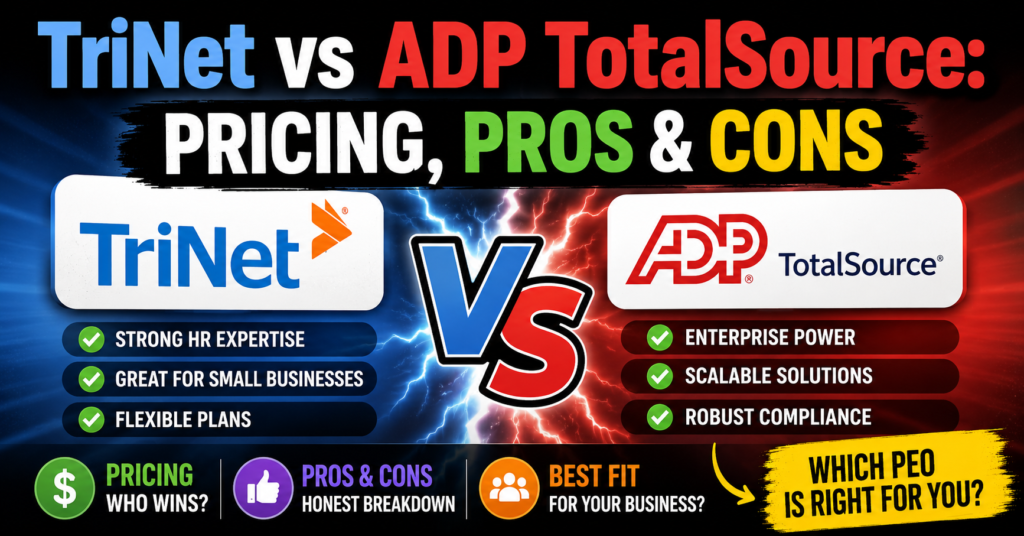
TriNet vs Justworks is one of the most common comparisons we field at PEO Marketplace — and for good reason. TriNet is built for mid-market companies that need deep HR infrastructure and industry-specific benefits, while Justworks targets early-stage startups that want simple pricing and fast setup. The right choice depends almost entirely on your headcount, growth stage, and how much HR complexity you can manage in-house.

What Is TriNet and Who Is It Built For?


TriNet is a full-service Professional Employer Organization (PEO) that has been in the market since 1988. It serves small and mid-size businesses — typically 20 to 1,000+ employees — and is especially well known for its vertical-specific benefit packages tailored to industries like tech, life sciences, financial services, and nonprofits. TriNet handles payroll, benefits administration, HR compliance, and risk management under a co-employment model.

According to NAPEO, businesses that use PEOs grow 7 to 9 percent faster and have 10 to 14 percent lower employee turnover than those that don’t. TriNet leans into this value proposition by offering enterprise-grade benefits to companies that couldn’t negotiate them independently.

TriNet’s Strengths

    • Industry-specific HR: Dedicated advisors with expertise in your vertical
    • Robust benefits marketplace: Access to Fortune 500-level medical, dental, and vision plans
    • Strong compliance support: Multi-state HR compliance, ACA reporting, COBRA administration
    • Scalability: Built to grow with you from 20 to several hundred employees

TriNet’s Weaknesses


    • Higher cost structure — not ideal for bootstrapped startups under 20 employees
    • Less transparent pricing; quotes require a sales conversation
    • Onboarding can take 4 to 6 weeks depending on complexity
    • Contract terms can be rigid; early termination fees apply in most cases

What Is Justworks and Who Is It Built For?

Justworks is a PEO platform launched in 2012 that targets startups and small businesses — typically 1 to 200 employees — that want a clean, self-service experience with transparent, flat-rate pricing. It’s particularly popular in the New York and coastal tech startup ecosystems. Justworks bundles payroll, benefits, compliance tools, and 24/7 support into a straightforward per-employee-per-month (PEPM) model.

If you’re comparing multiple platforms in this space, our breakdown of Gusto vs Justworks is also worth reading — it covers how Justworks stacks up against a popular non-PEO alternative for very early-stage teams.

Justworks’ Strengths


    • Transparent pricing: Flat PEPM rates published openly — no sales call required to get numbers
    • Fast onboarding: Most companies are up and running in 1 to 2 weeks
    • Startup-friendly: Works well for companies as small as 2 employees
    • Month-to-month flexibility: Less contractual lock-in than many competitors

Justworks’ Weaknesses


    • Less depth in HR advisory — better for straightforward situations than complex ones
    • Benefits offerings are solid but not as competitive as TriNet for mid-market companies
    • Limited vertical specialization — a generalist platform
    • May feel limited as you scale beyond 150 to 200 employees

TriNet vs Justworks: Side-by-Side Comparison


FeatureTriNetJustworks
Best For20–500+ employee companies2–200 employee startups
Pricing ModelPEPM or % of payroll (custom quote)Flat PEPM — starts ~$59/employee/month
Pricing TransparencyLow — requires sales conversationHigh — publicly listed tiers
Onboarding Time4–6 weeks1–2 weeks
Benefits QualityEnterprise-grade, industry-specificSolid national plans, less specialized
HR AdvisoryDedicated industry experts24/7 support, generalist team
Contract FlexibilityAnnual contract, ETF appliesMonthly or annual, more flexible
Multi-State ComplianceStrong — built for complexityGood — improving but less robust
Industry SpecializationYes — tech, life sciences, financeNo — generalist
HRIS PlatformRobust, full-featuredClean, user-friendly, less customizable


Pricing: What Will You Actually Pay?


Pricing is where these two PEOs diverge most sharply — and where buyers often get surprised. TriNet does not publish standard rates. Based on our analysis of 100+ PEO providers, TriNet typically runs between $150 to $350+ per employee per month depending on your industry, headcount, benefits elections, and negotiated terms. Companies in high-risk industries or those needing rich benefits packages should budget toward the higher end.

Justworks is the rare PEO that actually publishes its pricing. As of 2026, plans start at approximately $59 PEPM for the Basic plan and go up to $99+ PEPM for the Plus plan that includes medical, dental, and vision. For a 25-person startup, that’s a meaningful cost difference versus a custom TriNet quote.

Want to model out what a PEO might cost your specific team? Use our PEO cost calculator to get a ballpark before any sales conversation.

One important note: even “transparent” PEPM pricing doesn’t capture the full picture. Benefits markup, workers’ comp rates, and HR add-ons can shift your real cost significantly. The IRS guidance on PEO arrangements explains the co-employment structure that underlies all of these cost elements — worth understanding before you sign.

Onboarding: How Fast Can You Get Running?

For startups, onboarding speed matters. If you’re closing a round and need benefits in place before your next payroll, a 6-week timeline is a real problem.

Justworks wins here. Their self-service platform and standardized implementation process get most teams live within 1 to 2 weeks. The interface is intuitive enough that employees can self-onboard with minimal HR handholding — a big deal when your team is 8 people and nobody has an HR title.

TriNet’s onboarding is more thorough but slower. Expect 4 to 6 weeks minimum, with dedicated implementation specialists walking you through benefits setup, payroll migration, and compliance configuration. For a 100-person company moving off a legacy system, that thoroughness is valuable. For a 15-person seed-stage startup, it can feel like overkill.

Benefits: Enterprise Access vs Startup Simplicity


This is arguably TriNet’s biggest differentiator. Because they pool thousands of employees across their client base, TriNet negotiates group rates with major carriers that most sub-500-person companies could never access independently. Their industry-specific plans — particularly for tech and life sciences companies — often include richer plan designs, higher employer contribution options, and supplemental benefits like mental health stipends and fertility coverage.

Justworks offers competitive national benefits through United Healthcare, Aetna, and Kaiser — solid coverage that will satisfy most startup employees. But it’s a more standardized menu. You’re not getting the same depth of customization or the same negotiating leverage as TriNet’s larger pool.

Per BLS Employee Benefits data, health insurance remains the top non-wage factor in employee recruitment and retention decisions. If your hiring is competitive — especially in engineering or biotech — TriNet’s benefits edge could directly impact your ability to close candidates.

Contract Terms and Exit Flexibility


TriNet typically requires an annual contract with an early termination fee. Terms vary by deal size and negotiation, but count on being committed for at least 12 months. If your company pivots, gets acquired, or simply outgrows the platform, unwinding that contract has real costs. We’ve seen this catch clients off guard — it’s similar to the hidden fee dynamics we’ve documented in our ADP TotalSource fee analysis.

Justworks offers monthly billing on their standard plans, which means you can exit with 30 to 60 days’ notice in most cases. For early-stage companies where everything can change in a quarter, that flexibility has genuine strategic value.

Which One Should You Choose?

Based on our experience matching hundreds of businesses to PEO providers, here’s the direct answer:

    • Choose Justworks if: You’re a startup with under 100 employees, want predictable flat-rate pricing, need to get running fast, and don’t have complex multi-state HR needs or industry-specific compliance requirements.
    • Choose TriNet if: You’re a 50+ employee company (or scaling toward it) in tech, life sciences, or financial services, want best-in-class benefits to compete for talent, and need a dedicated HR expert who understands your industry’s specific compliance landscape.

Neither is the right choice for every business — and both have competitors worth considering. See how TriNet’s pricing and service model compare more broadly in our Insperity cost comparison, which gives additional context on mid-market PEO pricing benchmarks.

If you want an unbiased recommendation based on your actual headcount, industry, and budget — not a sales pitch from either vendor — let us match you with the right provider from our vetted network of 100+ PEOs.

Frequently Asked Questions


Is TriNet or Justworks better for a startup with fewer than 25 employees?

Justworks is generally the better fit for startups under 25 employees because its transparent flat-rate pricing, fast onboarding, and flexible month-to-month terms are designed specifically for early-stage teams. TriNet’s strength — deep industry expertise and enterprise-grade benefits — typically becomes worth the higher cost at 50+ employees when you’re actively competing for senior talent.

How much does Justworks cost compared to TriNet?

Justworks publishes flat PEPM rates starting around $59 to $99+ per employee per month depending on the plan tier. TriNet does not publish standard pricing; based on our analysis, TriNet typically runs $150 to $350+ PEPM depending on industry, headcount, and benefits elections. The gap narrows when you factor in the quality difference in benefits access that TriNet provides.

Can I switch from Justworks to TriNet as I scale?

Yes, many companies start on Justworks for its simplicity and transition to TriNet or another mid-market PEO as they grow past 50 to 100 employees and need more sophisticated HR infrastructure. PEO Marketplace can help you plan that transition and time it to minimize disruption to your team’s benefits and payroll continuity.

Does TriNet lock you into a long-term contract?

TriNet typically requires an annual contract with early termination fees that vary by deal size and negotiated terms. It’s important to review contract language carefully before signing and to clarify exit terms upfront — something an independent broker like PEO Marketplace can help you negotiate.

Are there better PEO options than both TriNet and Justworks?

Depending on your industry, location, and headcount, yes — there are 100+ vetted PEO providers on our marketplace, and the best fit for your business may not be either of these names. PEO Marketplace evaluates providers across pricing, benefits quality, technology, compliance support, and contract flexibility to match you with the right option for your specific situation.


Not sure which PEO is right for your team? Skip the sales calls and let PEO Marketplace do the work. We’ve analyzed 100+ providers and match hundreds of businesses every year — for free, with no obligation. Book a free 15-minute consultation and get a shortlist built around your actual needs.

The best PEO for small business depends on your industry, headcount, and budget — but based on our analysis of 40+ PEO providers, the top choices for most small businesses in 2026 are Justworks, Rippling, TriNet, Insperity, and CoAdvantage. These providers offer the strongest combination of HR technology, benefits buying power, compliance support, and transparent pricing for companies with 5–150 employees. If you want a personalized match in under 10 minutes, use our free PEO matching service.

What Is a PEO and Why Do Small Businesses Use One?

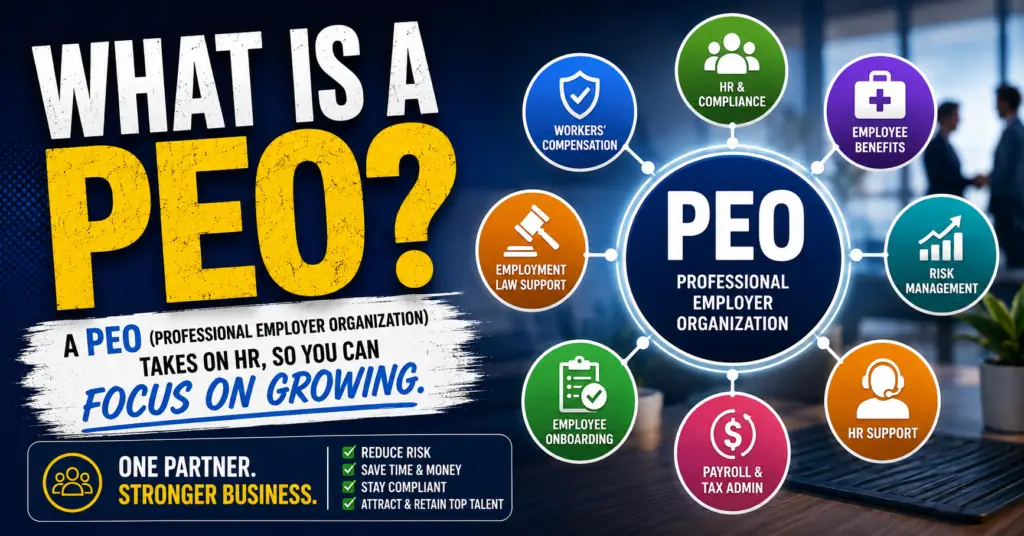
A Professional Employer Organization (PEO) is a co-employment arrangement where the PEO becomes the employer of record for your workforce — handling payroll, benefits administration, HR compliance, workers’ compensation, and tax filings — while you retain full control over day-to-day operations and business decisions.

In plain terms: you run your business, the PEO handles the HR back office. Your employees get access to Fortune 500-level benefits. You get protection from costly compliance mistakes.

The Numbers Behind the Growth

PEOs aren’t a niche product. According to NAPEO, the national association for PEOs, the industry employs approximately 4 million worksite employees across the U.S. and generates over $260 billion in gross revenues annually. Small businesses that use a PEO grow 7–9% faster and have 10–14% lower employee turnover than those that don’t. That’s not a marketing claim — it’s independent research.

What a PEO Actually Does for You

  • Payroll processing and tax filing — federal, state, and local, including W-2s and year-end reporting
  • Benefits administration — health, dental, vision, 401(k), FSA, HSA, life, disability
  • HR compliance — ACA, FMLA, FLSA, COBRA, state-specific labor law guidance
  • Workers’ compensation — master policy coverage, claims management, return-to-work programs
  • Risk management — employment practices liability guidance, employee handbooks, training
  • HR technology — onboarding, time tracking, performance management, self-service portals

For a small business owner wearing five hats, that list represents dozens of hours per month reclaimed — and millions of dollars in potential liability avoided.

Co-Employment: What It Means in Practice

The word “co-employment” makes some business owners nervous. It shouldn’t. You don’t lose your people. You don’t lose your culture. You retain full authority over hiring, firing, compensation, and job duties. The PEO simply becomes the employer of record for tax and benefits purposes, allowing it to pool your employees with thousands of others to negotiate better rates. Think of it as an HR infrastructure upgrade, not a loss of control.

Want to understand the underwriting side before you sign? Read our explainer on how PEO underwriting works — it’s one of the most misunderstood parts of the process.


Best PEO Companies for Small Businesses in 2026

Based on our evaluation of 40+ vetted providers across pricing transparency, technology, benefits quality, compliance strength, and customer service, here are the best PEO companies for small businesses right now.

ProviderBest ForPricing ModelMin EmployeesKey Strength
JustworksEarly-stage startups & tech companiesPEPM flat fee ($59–$99+)2Transparent pricing, clean UX, strong benefits
RipplingTech-forward businesses needing deep integrationsPEPM modular2Best-in-class HR tech platform, automation
TriNetProfessional services & white-collar SMBsPEPM industry-based5Industry-specific plans, rich benefits catalog
InsperityEstablished small businesses (10–150 employees)% of payroll or PEPM5Dedicated HR specialists, compliance depth
CoAdvantageCost-conscious SMBs in the Southeast & Southwest% of payroll5Competitive rates, personalized service
ADP TotalSourceBusinesses already using ADP ecosystem% of payroll5Brand recognition, massive benefit network
Engage PEOSmall businesses needing strong legal/compliance supportPEPM3Attorney-led HR compliance team
Oasis (Paychex)Small businesses wanting Paychex integration% of payroll or PEPM5Nationwide reach, payroll reliability
QuestcoSmall businesses in Texas and Southeast% of payroll5Regional expertise, high-touch service
Resourcing EdgeSMBs wanting high-touch, dedicated HR support% of payroll5Dedicated service teams, flexible plans

Pricing and minimums are subject to change. Contact individual providers or use our free matching tool for current quotes.

A Note on the Big Names

You’ll see ADP TotalSource on every list. It’s a legitimate option — but it comes with risks. We’ve written a detailed breakdown of hidden fees in ADP TotalSource contracts that every business owner should read before signing. Similarly, if you’re considering Insperity, our Insperity cost comparison guide shows exactly how it stacks up against alternatives.

For a head-to-head look at two popular mid-market options, see our Rippling vs. TriNet comparison.


How to Choose the Best PEO for Your Small Business

Choosing the best professional employer organization isn’t about picking the most famous brand. It’s about matching the right provider to your specific situation. In our experience matching hundreds of businesses to PEOs, these six criteria separate a good fit from a costly mistake.

1. Company Size and Growth Trajectory

Not all PEOs are built for the same stage. Some are optimized for 2–10 employees; others don’t perform well below 25. If you’re pre-revenue with 3 employees, Justworks or Engage PEO are better fits than Insperity or ADP TotalSource, which are built for more established payrolls.

Conversely, if you’re at 80 employees and growing fast, you want a provider with the infrastructure to scale with you — robust onboarding automation, multi-state compliance support, and a benefits catalog that can compete for talent in a hot market.

Ask every provider: “What happens to our account when we hit 200 employees? Do we stay on the PEO platform or migrate?” The answer tells you a lot about their business model.

2. Industry and Risk Profile

Your industry affects workers’ compensation rates, compliance complexity, and which benefits carriers will work with a PEO on your behalf. A restaurant with tipped employees has entirely different needs than a software company with remote workers in 12 states.

TriNet, for example, has purpose-built HR packages for tech, life sciences, financial services, and professional services. If you’re in a high-risk industry like construction or staffing, you’ll need a PEO with deep workers’ comp expertise and carrier relationships — not all of them have that.

3. Benefits Quality and Carrier Access

The best PEO for small business offers benefits that you simply cannot buy on your own. We’re talking access to UnitedHealthcare, Aetna, Blue Cross, Kaiser — at rates normally reserved for companies with 500+ employees. This is the core ROI driver for most small businesses.

When evaluating benefits, look beyond premium cost. Evaluate: network breadth, plan design flexibility, dental and vision options, 401(k) match pass-through capability, and whether the PEO allows you to keep your existing broker relationship. Some PEOs do; many don’t.

4. Technology and Integration

HR tech quality varies wildly across PEO providers. Rippling is the current gold standard for integration depth — it connects HR, IT, payroll, and finance in ways no other PEO does. Justworks has the cleanest employee-facing UX. Legacy providers like ADP have powerful reporting but clunky interfaces.

Ask for a live demo — not a slide deck. Have a real HR scenario ready: “Show me how an employee in Colorado files for FMLA leave.” The response tells you everything about the platform’s depth and the team’s competence.

5. Pricing Transparency and Contract Terms

PEO pricing comes in two primary structures: a flat per-employee-per-month (PEPM) fee, or a percentage of gross payroll (typically 2–6%). Neither is inherently better — but transparency is non-negotiable.

Watch out for: implementation fees buried in fine print, minimum annual contract commitments with steep early termination penalties, and “administrative fees” that appear after signing. Use our PEO cost calculator to get a realistic number before you talk to any provider.

Also verify whether the provider is IRS-certified. The IRS CPEO (Certified Professional Employer Organization) program provides additional legal protections for clients. You can verify certification status directly at IRS.gov.

6. Service Model and Support Access

Do you get a dedicated HR representative or a call center ticket queue? This is a massive differentiator — especially when you’re dealing with an unemployment claim, a harassment complaint, or a sudden state tax audit.

Insperity and CoAdvantage are known for high-touch dedicated service. Justworks and Rippling lean more self-service with tech support. Neither model is wrong — it depends on how much HR sophistication your internal team has. If you have zero HR staff, you want a human on speed dial.

Read our unbiased Engage PEO review and our CoAdvantage pros and cons breakdown to see what high-touch service looks like in practice.


How Much Does a PEO Cost for Small Businesses?

PEO pricing is one of the most misunderstood topics in HR outsourcing. Here’s the honest breakdown.

The Two Pricing Models Explained

PEPM (Per Employee Per Month): A flat fee per employee, regardless of salary. Ranges from $40–$160/employee/month depending on services included. Predictable. Easy to budget. Good for businesses with variable pay (commission-heavy sales teams, tipped workers).

Percentage of Payroll: Typically 2–6% of gross payroll. Scales with your payroll spend. Can become expensive as you give raises or promote people. Better for lower-wage workforces where PEPM rates would be disproportionately high.

What’s Typically Included vs. Add-On

Typically IncludedOften an Add-On
Payroll processing401(k) administration
Tax filing (federal/state)Learning management system
Workers’ comp coverageBackground check integrations
HR compliance supportEPLI coverage
Employee self-service portalDrug screening programs
Basic benefits administrationRecruiting/ATS tools

Real-World Cost Examples

  • 10-employee company, avg salary $55,000: Expect $800–$1,600/month in PEO administrative fees (not including benefits premiums)
  • 25-employee company, avg salary $65,000: Expect $1,800–$4,000/month in administrative fees
  • 50-employee company, avg salary $70,000: Expect $3,500–$7,500/month in administrative fees

These ranges vary significantly by provider, services selected, and industry risk profile. Use our PEO cost calculator to get a personalized estimate before you request quotes.

Is a PEO Worth the Cost?

NAPEO’s research shows that businesses using a PEO save an average of $1,775 per employee per year when you factor in reduced HR overhead, lower turnover costs, avoided compliance penalties, and better benefits pricing. According to BLS data, employee replacement costs range from 50–200% of annual salary — reducing turnover by even one or two employees per year often covers the entire annual PEO fee.


Best PEO by Industry

Industry context dramatically changes which PEO is the right fit. Workers’ comp classification codes, state licensing requirements, benefits expectations, and compliance complexity all vary by sector. Here’s a quick breakdown of what we see work best across five key industries.

Construction

Construction businesses face some of the highest workers’ compensation costs and most complex multi-state compliance requirements of any industry. The best PEO for construction companies must have strong carrier relationships for high-hazard job classifications, robust safety program support, and experience with certified payroll and prevailing wage requirements.

Providers like CoAdvantage, Questco, and specialty construction PEOs outperform the generalist platforms here. Rippling and Justworks are not ideal fits for field-based construction operations. Read our full guide to the best PEO for construction companies →

Healthcare

Healthcare businesses — clinics, dental practices, home health agencies — need PEOs experienced with healthcare-specific compliance: HIPAA considerations in HR data handling, licensing verification, credentialing support, and benefits structures that compete for clinical talent.

TriNet and Insperity both have healthcare vertical expertise. Read our full guide to the best PEO for healthcare businesses →

Restaurants and Hospitality

Tipped employees, high turnover, tip credit rules, tip pooling compliance, fluctuating headcounts — restaurants are operationally complex for any HR platform. You need a PEO that handles PEPM pricing fairly for part-time and seasonal workers, and understands state-by-state tipping law nuances enforced by the Department of Labor’s Wage and Hour Division.

Read our full guide to the best PEO for restaurants →

Tech and Startups

Tech companies need benefits that compete with larger employers, remote-first HR infrastructure, equity compensation coordination, and fast onboarding for globally distributed or multi-state teams. Rippling and Justworks dominate this segment — and for good reason.

If you’re comparing the two most popular options in this space, our Gusto vs. Justworks comparison breaks down exactly where each wins and loses. Read our full guide to the best PEO for startups →

Nonprofits

Nonprofits operate on tight margins and need PEOs that offer competitive pricing without sacrificing benefits quality. 403(b) administration, volunteer management considerations, and grant-funded payroll complexity make nonprofits a unique segment. Several PEOs offer nonprofit pricing tiers — always ask directly.

Read our full guide to the best PEO for nonprofits →


PEO vs Other Options: When a PEO Is (and Isn’t) the Right Choice

A PEO is the right solution for a lot of small businesses — but not all of them. Here’s how it stacks up against the alternatives you’re probably already considering.

PEO vs. HR Software (HRIS)

HR software like BambooHR, Rippling (standalone), or Gusto gives you tools to manage HR processes — but you’re still doing the work, carrying the compliance risk, and buying benefits on your own. A PEO is a service plus technology. It provides actual humans handling filings, compliance guidance, and claims. For businesses under 50 employees without dedicated HR staff, a full-service PEO almost always delivers more value than software alone.

PEO vs. Payroll Service

A payroll service (ADP Run, Gusto, Paychex Flex) processes your payroll and files taxes. That’s it. It does not provide workers’ compensation, HR compliance support, employment law guidance, or benefits administration. A PEO does all of that and more. If you’re only using a payroll service, you’re handling everything else yourself — and absorbing the full liability.

PEO vs. ASO (Administrative Services Organization)

An ASO provides HR administration services similar to a PEO but without co-employment. You remain the sole employer of record. This means you don’t get access to the PEO’s pooled benefits rates or its master workers’ comp policy — which are typically the two biggest cost advantages. An ASO can make sense for larger companies (100+ employees) that already have competitive benefits in place and want administrative support without co-employment. For most small businesses, the PEO’s co-employment benefits far outweigh the drawbacks.

PEO vs. Hiring an In-House HR Manager

A mid-level HR manager costs $65,000–$95,000 in base salary alone — plus benefits, payroll taxes, and overhead. They handle one company’s HR. A PEO gives you access to an entire team of specialists — payroll experts, benefits administrators, compliance attorneys, risk managers — for a fraction of that cost. For businesses under 75–100 employees, a PEO almost always wins on both cost and depth of expertise. Above 100 employees, a hybrid approach (PEO plus one internal HR generalist) is often the sweet spot.

When a PEO Is NOT the Right Choice

There are legitimate cases where a PEO isn’t the best fit:

  • You have fewer than 2–3 employees (most PEOs won’t take you, and the economics don’t work)
  • Your workforce is 100% independent contractors (PEOs cover W-2 employees only)
  • You already have negotiated group health rates better than what PEOs offer (rare below 100 employees, but possible)
  • You operate in a highly specialized, high-risk industry where few PEOs have underwriting appetite

Not sure which option fits your situation? Use our free matching tool and we’ll tell you honestly whether a PEO makes sense — or whether you’d be better served by something else.


How PEO Marketplace Helps You Find the Right Fit

PEO Marketplace is a licensed insurance agency that has spent years vetting, negotiating with, and placing businesses with PEO providers. We represent 40+ pre-screened providers. We don’t work for any one PEO — we work for you.

Here’s what makes our process different from going direct to a PEO:

  • Unbiased matching: We compare multiple providers against your specific criteria — industry, headcount, state, benefits priorities, budget. No one provider pays us more than another.
  • Negotiation leverage: Because we bring volume to PEO providers, we can negotiate rates and contract terms that most businesses can’t get on their own.
  • Hidden fee protection: We’ve seen every trick in PEO contracts. We flag them before you sign, not after.
  • Ongoing advocacy: If something goes wrong after you sign — a billing dispute, a service failure, a coverage gap — we’re your advocate with the provider.
  • No cost to you: Our service is free to businesses. PEO providers pay a referral fee only if and when you enroll. There’s no pressure, no sales pitch, and no obligation.

In our experience matching hundreds of businesses to PEOs, the companies that get the best outcomes are the ones that come in with clear priorities and a realistic budget — not the ones that just go with the biggest brand name. Our job is to make sure you’re one of the success stories.

Ready to find the best PEO for small business — your specific business? Start your free match here.


Frequently Asked Questions

What is the best PEO for a small business with fewer than 10 employees?

For businesses with fewer than 10 employees, Justworks and Engage PEO are typically the best options because they have low employee minimums (as few as 2–3), transparent flat-rate pricing, and don’t require you to meet large payroll thresholds to qualify. Rippling is also worth considering if your team is tech-forward and you need strong automation from day one. Avoid providers with high minimums or percentage-of-payroll structures that become disproportionately expensive at small headcounts.

How do I know if a PEO is legitimate and certified?

Look for IRS CPEO (Certified Professional Employer Organization) certification, which you can verify directly at IRS.gov. Also check for ESAC accreditation (Employer Services Assurance Corporation), which audits PEOs for financial stability, ethical standards, and regulatory compliance. NAPEO membership is a baseline indicator of legitimacy, but CPEO certification and ESAC accreditation are the gold standards.

Can I switch PEO providers if I’m not happy?

Yes — but read your contract carefully. Most PEO agreements have 30–60 day termination notice requirements and some have annual contract minimums with early termination fees. The best time to switch is at the start of a new plan year (typically January 1) to avoid mid-year benefits disruption for your employees. PEO Marketplace can help you evaluate alternatives and manage the transition without service gaps.

Does using a PEO mean I lose control of my employees?

No. Co-employment does not mean the PEO controls your workforce. You retain full authority over hiring, firing, compensation, promotions, job duties, and company culture. The PEO is the employer of record only for tax filing and benefits administration purposes. Your employees work for you — the PEO just handles the administrative infrastructure behind the scenes.

What’s the difference between the best PEO companies and payroll companies like Gusto or ADP?

Payroll companies process your payroll and file taxes — that’s their core function. The best PEO companies do that plus provide workers’ compensation coverage, group health benefits at pooled rates, HR compliance support, employment law guidance, and a co-employment relationship that reduces your liability exposure. If you’re comparing Gusto as a PEO option versus a standalone payroll tool, read our Gusto vs. Justworks comparison for a detailed breakdown.

How long does it take to set up a PEO for a small business?

Most PEO implementations for small businesses (under 50 employees) take 2–4 weeks from signed contract to first payroll run. The process includes employee data collection, benefits enrollment, workers’ comp policy transfer, and platform setup. Some providers like Justworks and Rippling can move faster for straightforward implementations — as little as 1–2 weeks. The biggest variable is how quickly your team completes onboarding paperwork.

Are PEO costs tax deductible for small businesses?

Yes, PEO administrative fees are generally deductible as ordinary and necessary business expenses. Employer contributions to benefits (health insurance, 401k matches) are also deductible. Consult your CPA for guidance specific to your business structure, but from a general standpoint the IRS treats PEO fees similarly to other HR and payroll administration costs. You can find general guidance on business expense deductions at IRS.gov.

What should I watch out for in a PEO contract?

The most common contract traps are: auto-renewal clauses with short opt-out windows, bundled fees that obscure the true per-employee cost, workers’ comp audits that result in surprise true-up charges, and minimum annual commitment clauses that make it expensive to leave. Always get a full fee schedule in writing before signing, and have someone who understands PEO contracts review it — or let PEO Marketplace review it for you as part of our free matching service.


Ready to Find the Best PEO for Your Business?

Stop spending hours researching providers that may not even qualify your business. Tell us about your company — industry, headcount, state, priorities — and we’ll match you with the best PEO providers from our vetted network of 100+ PEOs. Free, unbiased, no pressure.

In our experience matching hundreds of businesses, the right match takes less than 10 minutes to identify and can save you tens of thousands of dollars per year.

Schedule Your Free PEO Consultation →

No commitment. No cost. Just an honest conversation about what’s right for your business.

Leaving a PEO requires careful planning around notice periods, data portability, benefits continuity, and transition timing. Most business owners underestimate how much infrastructure a PEO holds on their behalf — payroll, benefits, tax filings, employee records — and discover the complexity only when they try to walk out the door. Done right, a PEO exit takes 60–90 days and leaves your employees barely noticing the change. Done wrong, it can mean payroll gaps, lapsed health coverage, and IRS headaches that take months to unwind.


Why Leaving a PEO Is More Complex Than It Looks


A PEO acts as a co-employer, meaning your employees are technically on the PEO’s books. Your EIN may be absorbed into the PEO’s master employer identification number for tax purposes, your benefits are tied to the PEO’s group plans, and your payroll data lives in their system. When you leave your PEO, you’re not just canceling a subscription — you’re rebuilding an HR infrastructure from scratch or migrating to a new provider.

According to NAPEO, there are now more than 500 PEO providers in the U.S. employing roughly 4 million worksite employees. That scale means termination processes are highly standardized — but they’re standardized to protect the PEO, not you. Understanding the exit mechanics before you sign (or before you decide to leave) is one of the most important things a business owner can do.

Step 1: Review Your Contract Before You Do Anything Else

Your PEO service agreement governs everything about your exit. Before you notify anyone or start shopping for replacements, pull your contract and look for these four things:

Notice Period Requirements

Most PEO contracts require 30 to 90 days written notice before termination. Some larger providers like ADP TotalSource and Insperity build in 60-day minimums with clauses requiring notice before a new plan year begins — meaning if you miss the window, you may be locked in for another 12 months. If you’re unsure what you signed, our post on hidden fees with ADP TotalSource covers some of the contract traps to watch for.

Early Termination Fees

Some contracts include liquidated damages or early exit fees, especially if you’re leaving mid-year or before a minimum term expires. These can range from one month’s service fees to a percentage of annual payroll costs. Get the exact dollar figure in writing before you pull the trigger.

Renewal Auto-Clauses

Watch out for auto-renewal provisions. If your contract renews automatically on January 1 and you need to give 60 days notice, you need to send that notice by November 1. Missing this date by even one day can legally bind you for another full year.

Data Return Provisions

What data are you entitled to, in what format, and by when? Some PEOs are generous here; others will give you PDFs when you need structured data files. Get this clarified in writing before you serve notice.

Step 2: Build Your Exit Timeline

A clean PEO exit doesn’t happen in two weeks. Based on our experience matching hundreds of businesses to PEO providers at PEO Marketplace, we recommend building a 90-day runway. Here’s how that typically breaks down:

TimelineAction ItemOwner
Day 1–15Review contract, identify notice deadline and exit feesHR / Legal
Day 15–30Select replacement: new PEO, HCM platform, or in-house setupHR / Finance
Day 30Send written termination notice to current PEOHR Leader
Day 30–60Request and validate all data exports from current PEOHR / Payroll
Day 30–60Set up new payroll system, obtain or reclaim your EINFinance / Payroll
Day 45–75Enroll employees in replacement benefits plansHR / Benefits Broker
Day 75–90Run parallel payroll test, confirm all tax registrationsPayroll Admin
Day 90Go live on new platform, PEO relationship endsAll

Step 3: Extract Your Data Before You Leave

Data portability is one of the most overlooked parts of a PEO exit. Your PEO holds years of payroll records, employee files, I-9s, W-2s, tax deposit histories, and benefits enrollment data. You need all of it.

What to Request in Writing

  • Complete payroll history (all pay periods, year-to-date figures for the current year, prior years)
  • Employee records (offer letters, performance reviews, disciplinary records, I-9 forms)
  • Benefits enrollment data (carrier, plan type, effective dates, dependent information)
  • Workers’ comp loss runs (at least 3–5 years of claims history — required to get new coverage)
  • State and federal tax filing history including Form 940, 941, and state unemployment tax filings
  • COBRA notices and administration records

Request everything in a machine-readable format (CSV or Excel), not just PDF. Some PEOs will default to PDF exports unless you specifically ask otherwise. The IRS requires employers to retain payroll tax records for at least four years, so you need clean data to meet your own compliance obligations after exit.

Step 4: Solve the Benefits Continuity Problem

This is where PEO exits get genuinely risky. Your employees’ health, dental, vision, and ancillary benefits are tied to the PEO’s master group policy. The moment you leave, those plans terminate — and your employees could face a coverage gap if you haven’t lined up replacement coverage in advance.

Your Options for Replacement Benefits

Join a new PEO: The cleanest solution. A new PEO brings its own group benefits, and a well-coordinated handoff means employees move from one group plan to another with no lapse. If you’re switching PEOs rather than going it alone, use our free PEO matching service to compare options before you give notice.

Work with a benefits broker directly: If you’re leaving the PEO model entirely, a licensed broker can place you with a group carrier. Budget 45–60 days minimum for underwriting and enrollment. Small groups (under 50 employees) may face limited carrier options depending on your state.

COBRA bridge coverage: In a pinch, employees can elect COBRA continuation from the PEO’s plan while new coverage is set up. This is expensive and not a long-term solution, but it prevents a hard gap. Under DOL rules, departing employees must receive COBRA notices within specific timeframes — your PEO should handle this, but verify it in writing.

Time Open Enrollment to Your Exit

Whenever possible, align your PEO exit with a benefits renewal date — either the PEO’s plan year end or your target carrier’s open enrollment window. Mid-year exits create qualifying life events that allow employees to enroll in new coverage, but administrative friction is significantly lower when you exit at year-end.

Step 5: Reclaim Your EIN and Tax Accounts

Many PEOs file payroll taxes under their own EIN through what’s called an Aggregated Filing arrangement. When you leave, you’ll need to re-establish your own employer tax accounts at the federal and state level. This includes:

  • Confirming your Federal EIN status with the IRS (if your EIN was absorbed, you may need to reactivate or re-register for EFTPS)
  • Re-registering for state income tax withholding accounts in every state where you have employees
  • Re-registering for state unemployment insurance (SUI) accounts — and note that your SUI rate may reset to the new employer rate, which can be significantly higher than the rate you had through the PEO
  • Obtaining new workers’ compensation coverage under your own policy

Use our PEO cost calculator to model what in-house HR costs will look like post-exit, including benefits, payroll administration, and compliance overhead. Many businesses are surprised to find the math still favors a PEO — just a different one.

Should You Leave Your PEO or Switch to a Better One?

Before you go through the effort of a full exit, ask yourself: is the problem the PEO model, or just this specific PEO? In our analysis of 100+ PEO providers, we find that most business owners who are frustrated with their current PEO are dealing with pricing opacity, poor service, or features that no longer fit their growth stage — not a fundamental problem with the PEO model itself.

Switching PEOs is dramatically simpler than exiting the model entirely, and you get to keep the benefits: better group insurance rates, built-in HR compliance, and administrative scale. Check out our comparisons of Gusto vs. Justworks and the Insperity cost breakdown to see how alternatives stack up before you decide.


Frequently Asked Questions

How much notice do I need to give my PEO before leaving?

Most PEO contracts require 30 to 90 days written notice before termination, with the exact period specified in your service agreement. Some providers also require notice before a specific date (such as 60 days before plan year renewal) or you may be automatically renewed for another term. Always check your contract first and get confirmation of the notice receipt in writing.

Will my employees lose their health insurance when I leave a PEO?

Yes, your employees’ health coverage through the PEO will terminate when the relationship ends, which is why replacement coverage must be in place before your exit date. Employees will have a qualifying life event allowing them to enroll in new coverage outside of open enrollment. COBRA continuation from the PEO plan is available as a bridge, but it’s typically expensive and intended as a temporary option only.

Can I keep my EIN when I leave a PEO?

If you maintained your own EIN throughout the PEO relationship (common with most providers), you keep it and simply need to re-register for federal and state tax deposit accounts. If your EIN was absorbed into the PEO’s master filing arrangement, you’ll need to work with the IRS to reinstate your independent filing status. Your PEO should provide documentation of your tax filing history regardless of which arrangement applied.

What data am I legally entitled to when I leave a PEO?

You’re entitled to all employee records, payroll history, I-9 forms, W-2s, benefits enrollment data, and workers’ comp loss runs — because this information ultimately belongs to you as the employer of record for underlying purposes. Request everything in writing and specify you want machine-readable formats, not just PDFs. The IRS requires employers to retain payroll tax records for at least four years, so getting complete data isn’t optional.

Is it better to switch PEOs or leave the PEO model entirely?

For most small and mid-size businesses, switching to a better-fit PEO is faster, cheaper, and less disruptive than exiting the PEO model entirely. A well-managed PEO handoff can be completed in 30–60 days with no benefits gap and minimal employee disruption. If your issue is with a specific provider’s pricing, service, or technology rather than co-employment itself, switching is almost always the right call — and PEO Marketplace can match you for free.


Ready to make your move? Whether you’re exiting the PEO model or switching to a provider that actually fits your business, our team has matched hundreds of companies through exactly this process.

Book a free 15-minute consultation and we’ll map out your exit or transition plan — no pressure, no sales pitch, just straight answers.

The best PEO for tech startups is one that offers enterprise-grade health insurance, a competitive 401k, and the flexibility to scale from seed stage to Series A without repapering every HR contract. Startups under 50 employees face a specific hiring problem: candidates expect Google-level benefits, but you don’t have Google’s HR budget or headcount. A Professional Employer Organization solves that gap by pooling your employees into a larger risk pool, unlocking benefits that would otherwise be out of reach.

In our experience matching hundreds of businesses through PEO Marketplace, tech startups consistently have the most competitive talent needs relative to their size. You’re competing against companies 10x your headcount for the same engineers, designers, and product managers. The right PEO isn’t just an HR tool — it’s a recruiting weapon.

Why Tech Startups Need a PEO (Not Just Payroll Software)

A PEO is a co-employment arrangement where the PEO becomes the employer of record for HR, benefits, and compliance purposes while you retain full control over your team’s day-to-day work. That distinction matters a lot for startups.

Payroll software like Gusto or Rippling handles transactions. A PEO handles risk. According to NAPEO, businesses that use PEOs grow 7–9% faster, have 10–14% lower employee turnover, and are 50% less likely to go out of business. For a startup where every hire is mission-critical, that retention number alone justifies the cost.

Here’s what a PEO gives a tech startup that payroll software doesn’t:

  • Group health insurance at large-group rates — Even with 8 employees, you access the same carrier networks as a 500-person company
  • 401k with employer matching options — Plug into an existing plan on day one instead of setting up your own
  • Workers’ comp and EPLI coverage — Critical when you’re adding headcount fast
  • HR compliance as you cross state lines — Remote-first startups hiring in multiple states face a compliance minefield
  • Dedicated HR support — No need to hire a full-time HR person at 15 employees

What Tech Startups Should Look for in a PEO

Not every PEO is built for the startup environment. Some are optimized for blue-collar workforces or regional businesses. When evaluating the best PEO for tech startups, focus on these five criteria:

1. Benefits Quality and Carrier Access

Your engineers will compare your health plan to offers from funded competitors. Look for PEOs with access to Blue Cross Blue Shield, Aetna, UnitedHealth, or Kaiser (depending on your geography). The benchmark for a competitive tech startup offer is a PPO or HDHP with HSA pairing, dental, vision, and mental health coverage. Some PEOs also offer supplemental perks like telehealth, pet insurance, and fertility benefits — increasingly important for recruiting in 2026.

2. 401k Plan Features

A PEO’s 401k is a pooled plan, which means lower administrative fees and faster eligibility for your employees. Look for immediate or 30-day eligibility (not 90-day), Roth 401k options, and the ability to customize your employer match. According to the Bureau of Labor Statistics, 68% of private-sector workers have access to a 401k — but among tech workers, this is essentially table stakes.

3. Equity and Stock Option Integration

This is where most PEOs fall short for startups. If you’re issuing ISOs, NSOs, or RSUs, your payroll system needs to handle the tax withholding and reporting correctly. Ask any PEO directly: Can your payroll system process equity compensation events, including 83(b) elections and stock option exercises? Not all can. The ones that handle this well — like Justworks and TriNet — are worth the premium.

4. Scalability from 5 to 50+ Employees

Some PEOs have minimum employee counts (typically 5–10). Others change their pricing model or service tier dramatically as you grow. You want a PEO that grows with you without forcing a full transition at 25 or 50 employees. Use our PEO cost calculator to model costs at different headcount stages before you commit.

5. Technology and Self-Service Tools

Startups run lean. Your employees expect a clean mobile app for benefits enrollment, pay stubs, and PTO requests. Your founders expect integrations with Slack, your HRIS, and your cap table software. Evaluate the UX honestly — a clunky portal will frustrate your team and create more HR tickets, not fewer.

Top PEOs for Tech Startups Under 50 Employees: Comparison

Based on our analysis of 100+ PEO providers at PEO Marketplace, here are the top options specifically suited for tech startups at the seed-to-Series-A stage:

PEO ProviderBest ForPricing ModelEquity SupportMin Employees
JustworksEarly-stage startups, clean UXPEPM flat feeStrong1
TriNetTech/SaaS companies, rich benefitsPEPM + % of payrollExcellent5
Rippling PEOTech-forward, integrations, globalModular PEPMGood2
InsperityStartups planning rapid scaling% of payrollModerate5
ADP TotalSourceCompliance-heavy multi-state teams% of payrollModerate5

Note: Pricing varies by location, headcount, and benefits selections. See our detailed breakdowns for Justworks vs. Gusto and Insperity cost comparisons.

The Equity Integration Problem (And How to Solve It)

Most PEO guides skip this entirely. We won’t, because for tech startups it’s one of the most painful HR issues you’ll face.

When an employee exercises stock options or receives RSU vesting events, the payroll system must withhold supplemental income tax correctly and report it on the W-2. If your PEO’s payroll engine can’t process these events, you’ll either be doing manual workarounds at tax time or facing IRS penalties. According to IRS Publication 525, the tax treatment of equity compensation is complex and error-prone even for experienced payroll teams.

Before signing with any PEO, ask these three questions:


    1. Can you process ISO and NSO exercises with correct supplemental withholding?
    2. Do you support 83(b) election tracking?
    3. Can your system integrate with our cap table software (Carta, Pulley, or similar)?

TriNet has the deepest equity compensation experience for startups. Justworks has improved significantly in this area. Rippling’s modular architecture handles it well if you’re using their full stack. If equity is central to your compensation strategy, this question should be a hard filter in your evaluation.

How to Avoid Hidden Fees as a Startup

Budget predictability matters more at 15 employees than at 500. Before you sign, scrutinize the contract for implementation fees, annual rate increases, out-of-cycle payroll fees, and benefits administration charges. We’ve written a detailed breakdown on hidden fees with ADP TotalSource that applies broadly to how PEO contracts are structured.

The two pricing models you’ll encounter:

    • Per Employee Per Month (PEPM): Flat fee per head, typically $100–$200 PEPM for tech-focused PEOs. Predictable. Favors higher-salary workforces.
    • Percentage of Payroll: Typically 2–6% of total payroll. Can get expensive fast as engineer salaries scale.

For a seed-stage startup with 10 engineers averaging $140k, a 4% of payroll model costs roughly $56,000/year in PEO fees alone. A flat PEPM model at $150/employee costs $18,000/year. The math strongly favors PEPM for high-salary tech teams.

When Should a Tech Startup Actually Switch to a PEO?

The right time is earlier than most founders think. We recommend evaluating a PEO when you hit employee number 5, not employee number 25. Here’s why: the benefits pooling advantage is immediate regardless of size, and setting up your HR infrastructure correctly from the start avoids expensive reclassification and compliance fixes later.

The transition from a PEO typically happens at 75–150 employees when it becomes cost-effective to build an internal HR team and negotiate directly with carriers. Until then, a PEO gives you leverage you can’t replicate on your own.

Frequently Asked Questions


What is the best PEO for a tech startup with fewer than 10 employees?

For very early-stage teams of under 10 employees, Justworks and Rippling PEO are the strongest options because they have low or no employee minimums, flat PEPM pricing that’s predictable for high-salary workforces, and modern technology platforms that don’t require dedicated HR staff to manage. Both offer competitive health insurance and 401k options that help startups recruit against larger competitors from day one.

Does a PEO help tech startups with remote employees in multiple states?

Yes — multi-state compliance is one of the biggest value drivers of a PEO for remote-first tech startups. A PEO handles state income tax registration, unemployment insurance accounts, workers’ comp filings, and local leave law compliance in every state where you have employees, which would otherwise require significant legal and HR resources to manage correctly.

Can a PEO handle stock option and RSU payroll tax withholding?

Some PEOs handle equity compensation well and others don’t — this is a critical question to ask during evaluation. TriNet and Justworks are the most startup-savvy on equity compensation processing, while general-purpose PEOs may require manual workarounds for ISO exercises and RSU vesting events that could create IRS compliance risk.

How much does a PEO cost for a tech startup?

For tech startups, PEPM (per employee per month) pricing typically runs $100–$200 per employee per month for full-service PEO, which includes benefits administration, payroll, and HR support — not including the actual cost of benefits premiums. Because tech salaries are high, PEPM models are almost always more cost-effective than percentage-of-payroll models for software and SaaS companies. Use our free PEO cost calculator to model your specific situation.

When should a tech startup stop using a PEO?

Most tech startups outgrow a PEO somewhere between 75 and 150 employees, when the economics shift in favor of building an internal HR function and negotiating directly with insurance carriers. Before that threshold, the cost savings on benefits, the compliance protection, and the time savings for founders typically outweigh the PEO fees by a significant margin.

Ready to find the right PEO for your tech startup? PEO Marketplace has matched hundreds of startups with the right provider from our network of 40+ vetted PEOs — at no cost to you. We’ll match you based on your headcount, state footprint, equity situation, and budget in a 30-minute call.

Book Your Free PEO Matching Call →

Co-employment is a shared employment arrangement between your business and a Professional Employer Organization (PEO), where the PEO becomes the employer of record for administrative and tax purposes while you retain full control over your day-to-day operations, hiring, and business decisions. Despite what you may have heard, co-employment does not mean you hand your company over to someone else. It means you split certain employer responsibilities with a specialist — and in exchange, you get better benefits, lower liability exposure, and serious HR infrastructure without building it yourself.

If the word “co-employment” made you hesitate before signing a PEO contract, you’re not alone. In our experience matching hundreds of businesses with PEO providers, it’s the single most misunderstood concept in the entire industry. This post cuts through the confusion.

What Is Co-Employment, Exactly?

Co-employment is a legally recognized, contractual relationship in which two entities — your company and a PEO — simultaneously employ the same workforce. You are the worksite employer. The PEO is the employer of record. Each party has distinct, defined responsibilities spelled out in a document called a Client Service Agreement (CSA).

This structure has existed for decades and is well established under federal and state law. According to NAPEO (National Association of Professional Employer Organizations), there are currently around 500 PEOs operating in the United States, co-employing approximately 4 million worksite employees. This is not a fringe concept — it’s how hundreds of thousands of businesses manage their HR today.

The Two Roles in a Co-Employment Relationship

Think of it as a clean division of labor:

  • The PEO handles: Payroll processing, payroll tax filing, W-2 issuance, employee benefits administration, workers’ compensation coverage, unemployment claims, HR compliance, and employer tax liability under their own EIN.
  • You handle: Hiring and firing decisions, job assignments, daily supervision, workplace culture, business strategy, client relationships, and every operational decision that makes your company yours.

The PEO essentially becomes a silent partner on the administrative side. Your employees still show up to your office, follow your policies, and report to your managers. The difference is that the paperwork — and a significant chunk of compliance risk — moves to the PEO.

What You Always Control in a Co-Employment Arrangement

This is the part that trips people up most. Business owners hear “co-employment” and picture a scenario where they can’t hire, fire, or manage their own people. That’s not how it works.

Here is what you retain full authority over in every co-employment arrangement:

  • Hiring decisions — You choose who works for you. The PEO does not approve or veto your candidates.
  • Terminations — You decide when and why to let someone go, though the PEO will often advise you on proper process to reduce legal risk.
  • Compensation levels — You set salaries, raises, and bonuses.
  • Job duties and performance standards — Your managers supervise, evaluate, and direct employees daily.
  • Business direction — The PEO has zero say in your products, services, clients, or strategy.
  • Your company’s identity — Employees know they work for you. You remain the brand.

In short: you run the business. The PEO runs the HR machinery behind the scenes.

What Risks Does Co-Employment Actually Create?

Here’s where we have to be honest with you. Co-employment does come with shared liability in certain areas — but for most businesses, that liability is actually reduced, not increased, by working with a reputable PEO.

Employment Practices Liability

Under co-employment, both you and the PEO can potentially be named in an employment lawsuit — a discrimination claim, a wrongful termination suit, or a wage-and-hour dispute. However, most established PEOs carry Employment Practices Liability Insurance (EPLI) and provide proactive HR guidance specifically to prevent these situations from arising. According to NAPEO research, businesses that use PEOs experience 21% lower employee turnover and significantly fewer compliance violations than non-PEO businesses.

Workers’ Compensation Exposure

PEOs typically provide workers’ compensation coverage under their master policy. This is actually a significant benefit for small businesses, who often pay much higher rates on standalone policies. The risk is that if your workplace has high injury rates, the PEO may eventually adjust pricing — but that’s a pricing concern, not a liability expansion.

Payroll Tax Compliance

Because the PEO files payroll taxes under their Employer Identification Number (EIN), they take on primary responsibility for timely, accurate tax deposits. The IRS Certified PEO program even allows certain PEOs to take on sole liability for federal employment taxes — providing an additional layer of protection for clients. This is a risk transfer to the PEO, not from it.

What You’re Still Responsible For

You remain liable for any conduct that falls entirely within your operational control — workplace safety practices you manage day-to-day, discriminatory actions taken by your supervisors, or misclassifying workers before engaging the PEO. Co-employment is not a liability shield for bad management. It’s a compliance infrastructure for good management.

Co-Employment vs. Staffing Agencies: Not the Same Thing

A common source of confusion is conflating PEO co-employment with staffing agency arrangements. They are fundamentally different:

FactorPEO Co-EmploymentStaffing Agency
Who recruits employees?You doThe agency does
Who controls daily work?You doOften the agency
Employee loyaltyTo your companyTo the agency’s roster
Long-term relationship?Yes — your existing teamOften project-based
Benefits provided by?PEO (often Fortune 500-level)Agency (often minimal)
Primary purposeHR admin and complianceTemporary workforce supply

PEOs work with your existing employees to make your HR operation run better. Staffing agencies supply temporary workers. These are completely different business models with different risk profiles.

How Reputable PEOs Protect You Under Co-Employment

Based on our analysis of 40+ PEO providers, the best ones don’t just administer payroll — they actively reduce your employer risk in measurable ways:

  • HR audit and compliance monitoring — Top PEOs review your employee handbook, job classifications, and onboarding processes to flag issues before they become lawsuits.
  • Dedicated HR advisors — When a difficult termination comes up, you have a trained HR professional walking you through proper documentation and process.
  • Benefits access — PEOs aggregate hundreds of client companies to negotiate health insurance at rates your 20-person company could never access alone. This directly reduces turnover risk.
  • Claims management — Workers’ comp and unemployment claims go through the PEO’s specialist team, reducing your administrative burden and improving outcomes.

If you want to compare how specific providers handle co-employment liability, our Insperity cost comparison breaks down how one of the largest PEOs structures its service model — and how it stacks up to alternatives.

You should also be aware that not all PEOs are equally transparent. Before signing, use our guide on hidden PEO fees to understand what’s buried in the fine print of some contracts.

Is Co-Employment Right for Your Business?

Co-employment works best for businesses that want to compete for talent, stay compliant, and free up leadership time — without building an internal HR department. According to the U.S. Department of Labor, employment law compliance is one of the top administrative burdens for small businesses, and that burden grows as your headcount increases.

If you have 5 to 500 employees, are growing quickly, or operate across multiple states, the co-employment model almost certainly works in your favor. Use our PEO cost calculator to run the numbers for your specific situation, or explore your options through our PEO matching service.

The businesses that struggle with co-employment are usually those who didn’t fully read their Client Service Agreement or chose a PEO without vetting the contract terms. That’s a vendor selection problem, not a co-employment problem.


Frequently Asked Questions About Co-Employment

Does co-employment mean I lose control of my employees?

No. In a co-employment arrangement, you retain full control over hiring, firing, supervision, compensation, and day-to-day management of your workforce. The PEO only handles administrative functions like payroll processing, tax filing, and benefits administration — your employees work for you and follow your direction.

Can my employees sue both me and the PEO under co-employment?

In some employment disputes, both the worksite employer and the PEO can be named as respondents because both are technically employers of record. However, reputable PEOs carry Employment Practices Liability Insurance and provide proactive HR guidance that significantly reduces the likelihood of claims arising in the first place.

What happens to my employees if I leave the PEO?

When you exit a PEO contract, your employees remain your employees — they do not go with the PEO. You will need to establish your own payroll system, benefits coverage, and HR administration, but your workforce and your relationships with them are entirely yours to keep.

Is co-employment legal in all states?

Co-employment through a PEO is legal in all 50 states, though some states have specific licensing requirements for PEOs operating within their borders. Always confirm that your PEO is properly registered in every state where you have employees, especially if you operate across state lines.

How is a co-employment PEO different from just outsourcing payroll?

Outsourcing payroll means a third party processes your checks but you retain all employer liability. In a co-employment arrangement, the PEO becomes the employer of record and takes on significant compliance and tax liability alongside you — it’s a deeper, more protective relationship than simple payroll outsourcing.


Still unsure whether co-employment is the right move for your business? Our team at PEO Marketplace has matched hundreds of businesses with the right PEO — and we always explain exactly what you’re signing up for before you commit. Book a free, no-pressure consultation and get a straight answer.

TriNet vs Insperity vs ADP: Three-Way PEO Comparison

TriNet, Insperity, and ADP TotalSource are the three largest PEOs in the U.S., and each targets a different type of business with a different service model and pricing structure. TriNet is best known for serving small, tech-forward or startup companies. Insperity leans toward mid-size businesses that want hands-on HR support. ADP TotalSource suits larger, more complex organizations already inside the ADP ecosystem. Read on and we’ll help you go from three options down to one.

What Is a PEO and Why Does Size of Provider Matter?

A Professional Employer Organization (PEO) enters a co-employment relationship with your business, handling payroll, benefits administration, HR compliance, workers’ compensation, and more. You keep full control of day-to-day operations while the PEO becomes the employer of record for tax and benefits purposes.

Size matters because larger PEOs negotiate better group health rates, carry more compliance infrastructure, and invest more in technology platforms — but they can also feel impersonal. According to NAPEO, businesses that use a PEO grow 7–9% faster and have 10–14% lower employee turnover than those that don’t. The question isn’t whether to use a PEO; it’s which one fits your business model, headcount, and budget.

Based on our analysis of 40+ PEO providers at PEO Marketplace, we see TriNet, Insperity, and ADP TotalSource come up repeatedly as the three default choices business owners evaluate first. Here’s how they actually stack up.

TriNet vs Insperity vs ADP: Quick Comparison Table

CategoryTriNetInsperityADP TotalSource
Best FitStartups, tech, VC-backedMid-size, service industriesLarger SMBs, existing ADP users
Employee Range5–500+5–5,000+5–1,000+
Pricing ModelPer employee/month (PEPM)% of payroll or PEPM% of payroll
Avg. Monthly Cost$150–$200 PEPM2–4% of payroll2–5% of payroll
HR TechnologyStrong, modern platformSolid, improvingEnterprise-grade
Dedicated HR SupportTiered / team-basedYes, dedicated repYes, account manager
IRS CPEO CertifiedYesYesYes
Industry SpecializationTech, life sciences, financeProfessional services, retailBroad, no specialization
Contract FlexibilityAnnualAnnualAnnual

Want to estimate what a PEO will actually cost your company? Use our free PEO cost calculator to get a ballpark before you start collecting quotes.

TriNet: Best for Startups and Industry-Specific SMBs

How TriNet Works

TriNet operates on a per-employee-per-month pricing model, which makes costs predictable regardless of how much payroll fluctuates. Their platform is built for companies that move fast — think VC-backed startups, SaaS companies, life sciences firms, and financial services businesses. TriNet has industry-specific HR packages, meaning your HR support team actually understands stock options, R&D tax credits, and the compliance quirks of your sector.

TriNet Strengths

  • Industry vertical expertise: TriNet offers tailored plans for tech, life sciences, nonprofit, financial services, and more — not a one-size-fits-all package.
  • Modern technology platform: The TriNet HR platform is intuitive, mobile-friendly, and integrates with tools startups already use.
  • Predictable PEPM pricing: Easier to budget when headcount is stable or growing incrementally.
  • Fortune 500-level benefits: TriNet’s pooled buying power gives small companies access to premium health plans they couldn’t negotiate alone.

TriNet Weaknesses

  • PEPM gets expensive at scale: If you have high-earning employees, a percentage-of-payroll model (like Insperity) could actually be cheaper. Do the math.
  • Customer service has been inconsistent: Some users report being shuffled between service reps rather than having a true dedicated contact.
  • Less customization at lower tiers: Smaller accounts may not get the same white-glove service as larger clients.

Insperity: Best for Mid-Size Businesses That Want a True HR Partner

How Insperity Works

Insperity is the relationship-driven PEO. They typically price on a percentage of payroll — usually between 2–4% — and assign each client a dedicated HR specialist. That rep becomes a genuine extension of your team, not just a helpdesk ticket. Insperity serves businesses with as few as 5 employees but really shines in the 50–500 employee range where HR complexity starts to spike.

Insperity Strengths

  • Dedicated HR specialist: You get a named human being who knows your company. This matters when an employee files an EEOC complaint at 4 PM on a Friday.
  • Robust compliance support: Insperity’s compliance library and proactive state-level guidance is among the best in the industry.
  • HR training and development tools: Learning management, performance management, and recruiting tools are included in most packages.
  • Strong mid-market track record: According to Bureau of Labor Statistics data on employer costs, Insperity clients consistently manage benefits costs well below national averages.

Insperity Weaknesses

  • Percentage-of-payroll can add up: If you have high earners, the cost scales quickly. Our breakdown at Insperity cost comparison shows where this becomes a significant factor.
  • Less tech-forward than TriNet: The platform works, but it doesn’t have the same modern feel as TriNet or some newer PEOs.
  • Minimum employee count: Some Insperity packages require at least 5 W-2 employees, which can exclude very early-stage companies.

ADP TotalSource: Best for Complex Businesses Already in the ADP Ecosystem

How ADP TotalSource Works

ADP TotalSource is ADP’s full-service PEO offering — different from ADP Run or ADP Workforce Now, which are payroll and HCM platforms without co-employment. TotalSource is priced as a percentage of payroll and is designed for businesses that need enterprise-grade infrastructure: multi-state compliance, complex benefits administration, and deep integration with ADP’s broader product suite.

ADP TotalSource Strengths

  • Unmatched infrastructure: ADP processes roughly $2.4 trillion in payroll annually. The compliance and payroll infrastructure is bulletproof.
  • Broad benefits marketplace: TotalSource clients access one of the widest carrier networks in the PEO industry.
  • Enterprise integrations: If you’re already using ADP Workforce Now, the transition to TotalSource is relatively smooth.
  • IRS CPEO certification: Like TriNet and Insperity, ADP TotalSource holds IRS CPEO certification, which protects clients from payroll tax liability if the PEO fails.

ADP TotalSource Weaknesses

  • Hidden fees are a real issue: Before signing, read our breakdown of hidden fees with ADP TotalSource. Implementation costs, benefits admin fees, and add-on charges can make the real number significantly higher than the quoted rate.
  • Less personalized service: ADP’s size works against it here. Account managers handle large books of business and responsiveness can suffer.
  • Pricing is opaque: ADP is known for complex pricing structures that require multiple conversations and an experienced negotiator to decode.

TriNet vs Insperity vs ADP: Which One Should You Choose?

Here’s the honest decision framework we use at PEO Marketplace when matching businesses to one of these three providers.

Choose TriNet If…

  • You’re a startup or high-growth company in tech, life sciences, or financial services
  • You have fewer than 100 employees and want predictable PEPM pricing
  • You need industry-specific HR expertise, not generic HR support
  • You value a modern, self-service technology experience

Choose Insperity If…

  • You have 20–500 employees and want a true HR business partner, not a help desk
  • Your payroll is relatively modest (percentage pricing won’t hurt you)
  • You’re in professional services, retail, or a regulated industry where compliance depth matters
  • You want proactive HR — training, performance tools, recruiting support included

Choose ADP TotalSource If…

  • You’re already embedded in the ADP platform ecosystem
  • You have 100+ employees with complex multi-state payroll and benefits needs
  • You need enterprise-grade infrastructure and can dedicate time to navigating ADP’s sales process
  • Benefits carrier breadth is your top priority

Not sure which bucket you fall into? Our team at PEO Marketplace has matched hundreds of businesses to the right provider — without charging you anything for the matchmaking. Visit our Find Your PEO page to start the process.

What About Alternatives to These Three?

TriNet, Insperity, and ADP TotalSource dominate the conversation, but they’re not always the best answer. Smaller, more specialized PEOs often offer better pricing, faster service, and more flexibility for businesses under 50 employees. We’ve also covered how Gusto and Justworks compare for smaller companies that want a tech-first, lower-cost approach.

In our experience matching hundreds of businesses across 40+ vetted PEO providers, the right fit comes down to three things: your headcount today, where you’ll be in 24 months, and whether you want a technology platform or a human relationship as your primary touchpoint. The biggest PEO isn’t always the best PEO for your specific situation.


Frequently Asked Questions

Is TriNet, Insperity, or ADP TotalSource the cheapest PEO?

TriNet’s PEPM pricing is often cheapest for companies with higher-paid employees, since you pay a flat per-head fee rather than a percentage of wages. Insperity and ADP TotalSource charge a percentage of payroll, which makes them relatively cheaper for businesses with lower average salaries. Use our PEO cost calculator to model both structures with your actual numbers before comparing quotes.

Do all three PEOs offer CPEO certification?

Yes — TriNet, Insperity, and ADP TotalSource are all IRS-certified PEOs (CPEOs). CPEO certification means the IRS has vetted the provider’s financial standing and compliance practices, and it protects client businesses from certain payroll tax liabilities. The IRS maintains a full list of certified PEOs at IRS.gov.

Which PEO has the best benefits for small businesses?

TriNet is often cited as having the most competitive health insurance options for companies under 50 employees because its industry-vertical pooling gives small teams access to large-group rates. Insperity and ADP TotalSource also offer strong benefits pools, but TriNet’s niche-specific benefit packages can be a better fit for startups competing for talent against larger employers.

How long does it take to switch PEOs or onboard with a new one?

Most PEO implementations take 30–90 days from contract signing to first live payroll run. ADP TotalSource tends to take longer due to its complexity. Insperity and TriNet can often onboard mid-size teams in 45–60 days. Switching from one PEO to another mid-year is possible but requires careful coordination around benefits plan years and payroll tax records.

Can PEO Marketplace help me negotiate with TriNet, Insperity, or ADP?

Yes — PEO Marketplace works directly with all three providers and can help you obtain and compare competitive quotes. Our service is free to business owners because PEOs compensate us directly, not you. We also know where pricing has flexibility and which contract terms are actually negotiable, which saves you significant time and often money.


Ready to Narrow It Down to One?

You’ve done the research. Now let’s make a decision. Book a free 30-minute consultation with a PEO Marketplace advisor and we’ll tell you exactly which provider — whether it’s TriNet, Insperity, ADP TotalSource, or someone else entirely — fits your business model, budget, and growth plan.

Book Your Free PEO Consultation →

TriNet vs Justworks: Cutting Through the Noise

You’re scaling fast. Payroll is getting complicated. Benefits are costing you talent. And someone just told you that you need a PEO — a Professional Employer Organization — to solve all of it.

So you Google around and two names keep coming up: TriNet and Justworks. Both are legitimate platforms. Both have slick websites. Both will promise to simplify your HR life.

But here’s the reality: these two platforms are built for very different companies. Picking the wrong one doesn’t just waste money — it creates friction at the exact moment your business needs to move fast.

This breakdown covers everything a startup founder or HR lead needs to know: pricing models, benefits access, onboarding experience, contract terms, and where each platform genuinely shines. Let’s get into it.


Who Each Platform Is Actually Built For

Justworks: Purpose-Built for Early-Stage Startups

Justworks launched in 2012 with a specific target in mind: small businesses and startups that need clean, affordable HR infrastructure without a dedicated HR department to manage it. The platform is transparent, self-serve-friendly, and designed for companies with 2 to 200 employees who want predictable costs and fast setup.

If you’re a seed-stage or Series A startup with a lean team, Justworks was essentially built for you. The interface is clean, pricing is published, and you can get your team enrolled in benefits quickly without a lengthy implementation process.

TriNet: Built for the Middle Market

TriNet has been around since 1988 and has evolved into a platform that serves companies across specific industries — tech, life sciences, financial services, nonprofits, and professional services. Their sweet spot is companies with 20 to 500+ employees that need industry-specific benefits, deeper HR advisory support, and more customization.

TriNet’s strength is in its vertical specialization. If you’re a biotech startup or a Series B fintech company with 80 employees and complex compliance needs, TriNet offers infrastructure that Justworks simply can’t match. But that depth comes with more complexity — and more cost.


Pricing: What You’ll Actually Pay

This is where the two platforms diverge most sharply — and where startups most often get caught off guard.

Justworks Pricing

Justworks uses a straightforward per-employee-per-month (PEPM) model with published pricing. As of 2026:

  • Basic Plan: Starts around $59 PEPM for companies with 1–49 employees
  • Plus Plan: Starts around $99 PEPM, which includes medical, dental, and vision benefits access
  • Pricing decreases slightly as headcount grows

The transparency here is a big deal. You know exactly what you’re paying before you sign anything. No opaque quote process, no surprise admin fees buried in the contract. What you see is largely what you get.

TriNet Pricing

TriNet does not publish pricing. You’ll need to go through a sales conversation to get a quote. Their pricing is typically structured as a percentage of total payroll — often in the range of 3% to 8% depending on company size, industry, and benefits package. For some companies, they may offer a PEPM structure instead.

For a startup with 25 employees at an average salary of $85,000, you could be looking at $63,750 to $170,000 per year in PEO fees alone. That’s a massive range — and the lack of upfront transparency makes it hard to budget accurately.

If you want to stress-test your numbers before talking to any vendor, run them through our PEO cost calculator first. It’ll give you a realistic baseline.

Side-by-Side Pricing Snapshot

FactorJustworksTriNet
Pricing ModelFlat PEPM% of payroll or PEPM
Published PricingYesNo — quote required
Entry-Level Cost (est.)~$59–$99 PEPMVaries widely; 3%–8% payroll
Best For Company Size2–200 employees20–500+ employees
Hidden Fee RiskLowModerate — read contract carefully

Benefits Access: Quality and Carrier Options

Justworks Benefits

Justworks pools small businesses together to offer access to large-group health insurance rates — which is one of the core value propositions of any PEO. For a 10-person startup, this is genuinely powerful. You get access to carriers like Aetna, UnitedHealthcare, and Kaiser Regionally that you’d never access independently.

Coverage is solid for most startups: medical, dental, vision, life insurance, 401(k), FSA, HSA, commuter benefits, and mental health resources. For companies under 100 people, this coverage is often more than adequate and meaningfully better than what they’d find on their own.

TriNet Benefits

TriNet’s benefits game is stronger at the mid-market level — particularly because they offer industry-specific benefits packages. A tech startup competing for engineers in San Francisco gets a different benefits slate than a life sciences company in Boston. TriNet tailors this in ways Justworks doesn’t.

They also offer richer supplemental options: executive benefits, broader 401(k) investment options, enhanced mental health programs, and more flexibility in plan design. If your company is at the stage where benefits are a competitive differentiator in recruiting, TriNet’s depth matters.

Benefits Comparison

Benefit CategoryJustworksTriNet
Medical/Dental/Vision✅ Yes✅ Yes
401(k)✅ Yes✅ Yes (more options)
Industry-Specific Plans❌ Limited✅ Yes
Executive Benefits❌ No✅ Yes
Mental Health Programs✅ Basic✅ Enhanced
Best ForEarly-stage teamsScaling companies, niche industries

Onboarding Experience

Justworks: Fast and Self-Directed

This is where Justworks genuinely shines for startups. Onboarding is largely self-serve, well-documented, and fast. Most small companies can be fully up and running in one to two weeks. The employee onboarding portal is clean — your new hires can complete their own enrollment without needing hand-holding from HR.

Support is available via chat, email, and phone. It’s not always lightning-fast for complex issues, but for the day-to-day questions a startup team throws at HR software, it’s more than adequate.

TriNet: More Structured, More Complex

TriNet’s onboarding is more involved — and for good reason. The platform is doing more configuration work upfront to customize your benefits, payroll structure, and compliance framework. You’ll work with a dedicated implementation team, which is a plus in terms of outcome but a minus in terms of speed.

Expect four to eight weeks for full implementation at TriNet. If you’re trying to move quickly because you just closed a funding round and need to bring 20 people on in the next 30 days, that timeline can be a real problem.


Contract Terms: What You’re Agreeing To

This is the section most startup founders skim — and later regret.

Justworks Contracts

Justworks offers month-to-month agreements with annual options. There’s no heavy lock-in. If your company’s needs change — you get acquired, you shrink, you pivot — you’re not stuck in a multi-year contract with painful exit terms. This flexibility is significant for startups operating in uncertain environments.

TriNet Contracts

TriNet typically requires annual contracts, and the exit terms deserve careful review. Termination fees can be substantial, and pricing changes at renewal can catch companies off guard. We’ve seen businesses come to us specifically because they felt trapped in a TriNet contract that no longer made sense for their size or budget.

This isn’t unique to TriNet — it’s worth noting that many larger PEOs build complexity into their contract structures. We’ve covered this dynamic in depth in our post on hidden fees with ADP TotalSource, and many of those same patterns apply here.

Before you sign anything with TriNet, have a lawyer or a PEO advisor review the renewal clauses and early termination provisions.


HR Support and Compliance

Justworks

Justworks handles payroll compliance, tax filings, workers’ comp, and standard HR administration well. Their compliance tools are solid for companies operating in a handful of states. Where they get thinner is multi-state complexity and highly regulated industries. If you’re hiring in 15 states with varying leave laws, their support gets stretched.

TriNet

TriNet’s HR advisory support is a genuine differentiator. You get access to dedicated HR professionals — not just a help desk — who understand your industry. For life sciences, tech, or financial services startups navigating complex employment law, this is valuable. TriNet also invests heavily in compliance infrastructure for multi-state and international workforces.


Technology and Platform Experience

Both platforms have modernized significantly in recent years, but the user experience philosophy is different.

Justworks is built around simplicity. The dashboard is clean, employees love the self-service portal, and integrations with tools like Slack, QuickBooks, and Guideline are straightforward.

TriNet’s platform is more feature-rich but also more complex. It takes longer to learn, and some users find the interface overwhelming at first. That said, for companies with dedicated HR staff, the depth of reporting and configurability is an asset.


How They Compare to Other PEOs

It’s worth zooming out here. Justworks and TriNet are two strong options, but they’re not the only ones. If you’re evaluating across the full market, you should also look at how these platforms stack up against Gusto and others in similar categories. Our post comparing Gusto and Justworks goes deep on that specific matchup and is worth reading alongside this one.

And if cost is your primary concern, we’ve done a thorough breakdown in our Insperity cost comparison that shows how mid-market PEO pricing really shakes out when you include all fees.


The Bottom Line: Which One Should Your Startup Choose?

Choose Justworks if:

  • You have fewer than 100 employees
  • You’re pre-Series B and cost predictability matters
  • You don’t have a dedicated HR team and need self-serve simplicity
  • You want flexible contract terms with no long lock-in
  • You need to onboard quickly

Choose TriNet if:

  • You’re in a regulated industry (biotech, fintech, legal)
  • You have 50+ employees and growing fast
  • Benefits quality and customization are critical for recruiting
  • You need dedicated HR advisory support, not just software
  • You have multi-state or international complexity

And honestly? There’s a third option most founders don’t consider: neither. There are 40+ vetted PEO providers in the market, and depending on your industry, headcount, and benefits goals, the best fit might be something you haven’t looked at yet.

That’s exactly what we do at PEO Marketplace — match companies to the right provider based on their actual situation, not whoever has the biggest marketing budget. The matching process is free, unbiased, and usually takes about 20 minutes.

Ready to find out which PEO actually fits your startup? Start your PEO search here or book a call with our team below.


Book a Free PEO Consultation

Stop guessing and start comparing with someone who has no stake in which vendor you pick. Our advisors have evaluated dozens of PEOs and can tell you in one conversation whether Justworks, TriNet, or something else entirely is the right call for your company in 2026.

Schedule your free consultation now →

Two Giants, One Decision: ADP TotalSource vs Paychex PEO

When most business owners start researching PEOs, two names come up almost immediately: ADP TotalSource and Paychex PEO. That makes sense. Both are household names with enormous client bases, decades of payroll experience, and marketing budgets that dwarf most of their competitors combined.

But brand recognition and the right fit are two different things entirely.

This guide breaks down ADP TotalSource vs Paychex PEO across the four factors that actually matter when you’re signing a multi-year agreement: pricing transparency, contract terms, technology, and support quality. We’ll give you an honest read on both — including where each one falls short — so you can make a decision based on facts, not sales pitches.

Quick Overview: Who Are These Two?

ADP TotalSource

ADP TotalSource is ADP’s full-service PEO offering, separate from ADP’s standalone payroll products like Run or Workforce Now. TotalSource is an IRS-certified co-employer that handles payroll, benefits, HR compliance, risk management, and workers’ compensation. It targets businesses with roughly 10 to 1,000 employees, though it can flex in both directions. ADP is the largest HR solutions provider in the world by revenue.

Paychex PEO

Paychex PEO operates under the Paychex brand umbrella and offers co-employment services alongside their broader payroll and HR ecosystem. Like TotalSource, it is IRS-certified. Paychex tends to market aggressively to small businesses — companies with as few as 5 employees — and has a large field sales force. Paychex is the second-largest payroll provider in the U.S.

Both are legitimate, well-capitalized operations. Neither is going out of business tomorrow. The real question is which one is structured to serve your specific business without overcharging you or locking you into terms you’ll regret.

Pricing Transparency: Who Actually Shows You the Numbers?

Neither ADP TotalSource nor Paychex PEO publish pricing on their websites. You have to go through a sales process to get a quote. That’s common in the PEO industry, but how each company handles that conversation varies considerably.

ADP TotalSource Pricing

ADP TotalSource typically charges a percentage of total payroll — usually somewhere between 2% and 4% depending on your headcount, benefits selections, and the complexity of your workforce. For businesses with a higher average salary, this can get expensive fast. They do sometimes offer a per-employee-per-month (PEPM) structure, but it’s less common and often requires negotiation.

The challenge with ADP is that the base quote rarely tells the full story. Implementation fees, technology fees for accessing certain modules, and add-on costs for things like learning management or enhanced reporting can inflate the actual annual cost significantly. We’ve written about this in detail — if you want the full picture, read our post on hidden fees with ADP TotalSource before you sign anything.

Paychex PEO Pricing

Paychex PEO also avoids publishing rates publicly. Their pricing model varies more than ADP’s — some clients are quoted on a PEPM basis (ranging from roughly $150 to $250+ per employee per month), while others get a payroll percentage model. The structure often depends on who your sales rep is and how much they want to close the deal.

Paychex has a reputation for discounting heavily upfront, then introducing renewal rate increases in year two and three. That’s not universal, but it’s common enough to be a pattern worth noting. Always ask what the guaranteed rate cap is at renewal before you sign.

Use our PEO cost calculator to get a realistic baseline for what your business should be paying — before you sit down with either of these companies.

Pricing FactorADP TotalSourcePaychex PEO
Pricing ModelPrimarily % of payroll (2%–4%)PEPM or % of payroll (varies)
Published RatesNoNo
Implementation FeesCommon, often negotiableSometimes waived as a promo
Hidden Add-On CostsFrequent (modules, reporting, etc.)Moderate (varies by contract)
Renewal Rate RiskModerateHigher — discounting then increasing is common

Contract Terms: What Are You Actually Signing?

This is where a lot of businesses get burned — not by the monthly cost, but by what happens when they want to leave or make changes mid-contract.

ADP TotalSource Contract Terms

ADP TotalSource contracts are typically annual agreements with auto-renewal clauses. Early termination can come with significant fees — in some cases equal to several months of service fees. The contracts are detailed and written in ADP’s favor. That doesn’t mean you can’t negotiate, but you need to come to the table prepared.

Key items to push back on: the termination fee structure, the notice period required to cancel auto-renewal (often 60–90 days), and any clauses that allow ADP to modify pricing mid-term if their costs increase.

Paychex PEO Contract Terms

Paychex contracts are similarly structured — annual terms with auto-renewal and early termination penalties. Some clients have reported difficulty getting clear answers on what the termination process looks like when they’ve tried to leave. The data migration and offboarding process, in particular, can be slow and contentious.

One specific concern with Paychex: if you’re using their broader ecosystem (payroll, retirement, insurance), untangling the PEO relationship can affect those other services as well. Know going in what you’re connecting before you connect it.

Contract FactorADP TotalSourcePaychex PEO
Typical Term Length12 months, auto-renewing12 months, auto-renewing
Early Termination FeesYes — can be substantialYes — structure varies
Auto-Renewal Notice Window60–90 days60–90 days
Mid-Term Pricing ChangesPossible per contract languageLess common but has occurred
Offboarding ExperienceStructured but slowReported as difficult by some clients

Technology: Which Platform Actually Saves You Time?

Both companies have invested heavily in HR technology. But investment and usability are not the same thing.

ADP TotalSource Technology

TotalSource clients access HR functions through ADP’s Workforce Now platform. It’s genuinely powerful — payroll, time tracking, benefits administration, compliance tools, reporting dashboards, and an employee self-service portal are all included. For mid-size businesses with complex needs, the depth of the platform is a real advantage.

The downside is the learning curve. Workforce Now is not intuitive out of the box. New users routinely find it overwhelming, and training resources, while available, aren’t always delivered proactively. If you don’t have dedicated HR staff who can invest time in learning the system, you may end up using 20% of what you’re paying for.

Paychex PEO Technology

Paychex uses their Paychex Flex platform for PEO clients. It’s more user-friendly than Workforce Now for basic tasks — payroll runs, time-off requests, onboarding — and the mobile app is generally well-regarded by employees. For small businesses that don’t need enterprise-level complexity, Flex is often the easier day-to-day experience.

Where Paychex falls short is on reporting and analytics. The out-of-box reporting is limited, and building custom reports often requires either paying for an upgrade or working with a Paychex rep. For businesses that rely on data to make decisions, this becomes a real friction point quickly.

Technology FactorADP TotalSource (Workforce Now)Paychex PEO (Paychex Flex)
Platform DepthHigh — enterprise-level featuresModerate — strong on basics
Ease of UseSteep learning curveMore intuitive for small teams
Mobile AppAvailable, functionalStronger employee mobile experience
Reporting & AnalyticsStrong with trainingLimited without upgrades
Integration with Third-Party ToolsBroad integration libraryMore limited

Support Quality: Who Actually Picks Up the Phone?

This is the area where both companies get the most complaints — and it matters more than most buyers realize until something goes wrong.

ADP TotalSource Support

TotalSource assigns dedicated HR business partners (HRBPs) to each client account, which is a genuine differentiator from ADP’s non-PEO products. In theory, you have a human point of contact who knows your account. In practice, HRBP quality varies significantly by region and client load. Some clients describe their HRBP as indispensable; others say they can never reach them.

Payroll support is handled separately from HR support, which means you may be bouncing between teams when a problem crosses both areas. That handoff process is a common frustration reported by TotalSource clients.

Paychex PEO Support

Paychex also offers dedicated service teams, and their field rep model means you often have a local person who sold you the service and has some accountability to keep you happy. For very small businesses, this can feel more personal than ADP’s structure.

The criticism that comes up most frequently with Paychex support is inconsistency. When your primary rep is unavailable, the backup support experience is often described as generic call-center quality. Response times on complex compliance or benefits questions can be slow. And if you escalate a problem, the escalation path is not always clear.

Who Is Each PEO Best Suited For?

ADP TotalSource is a better fit if: You have 50+ employees, need enterprise-level HR technology, have dedicated internal HR staff who can manage the platform, and are comfortable negotiating a detailed contract. The depth is real — but you need the internal resources to take advantage of it.

Paychex PEO is a better fit if: You’re a smaller business (5–50 employees), value ease of use over feature depth, want a more personal sales and service relationship, and are already embedded in the Paychex ecosystem for other services.

For a broader look at how the competitive PEO landscape shapes up beyond these two, see our comparison of Gusto and Justworks — two options that often outperform the giants for smaller businesses — and our Insperity cost comparison for a mid-market alternative worth considering.

The Honest Bottom Line

ADP TotalSource and Paychex PEO are both credible, IRS-certified co-employers with real track records. Neither is a scam. But neither is automatically the right choice for your business just because they’re the biggest names in the room.

What they both share is a pricing model that rewards their sales team more than it rewards your budget transparency. The quotes you receive from both will be tailored to close — not necessarily to match your actual needs or value benchmarks in the market.

The smartest move before committing to either: get a competitive quote from two or three other PEOs and use those numbers as leverage. Better yet, work with a broker who can do that legwork for you without charging you for it.

Ready to Compare Beyond the Big Two?

At PEO Marketplace, we work with 40+ vetted PEO providers — including ADP TotalSource and Paychex, but also strong regional and mid-market alternatives that often deliver better value for small and growing businesses. Our matching process is free, unbiased, and designed to protect your interests, not a provider’s quota.

Start by exploring your options through our PEO finder tool, or book a 20-minute call with one of our advisors and get a straight answer on what you should actually be paying.

Book a free consultation at PEO Marketplace →

No sales pressure. No obligation. Just an honest conversation about whether ADP, Paychex, or someone else entirely is the right fit for your business in 2026.

Scroll to Top